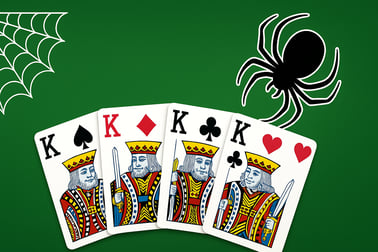
Solitaire Spider Classic lets you stack cards, clear suits, and train your brain. Play free in your browser with multiple difficulty levels.













Solitaire Spider Classic
Overview of Solitaire Spider Classic
Solitaire Spider Classic is a relaxing yet challenging online spider solitaire game you can play right in your browser for free. Using two full decks of cards, you’ll stack sequences from King down to Ace, clear columns, and carefully plan each move like a true card strategist. Whether you’re a long-time solitaire fan or you’ve only played Klondike, this classic card solitaire variant offers a deeper single player card puzzle experience with lots of replay value.
The game is designed to be fast to learn but hard to master. You can choose easier layouts with one suit or push your skills with full four-suit spider mode. With smooth controls, optional hints, and unlimited undos, Solitaire Spider Classic is perfect for short breaks, daily brain training, or long card sessions when you want to unwind and think through each move.
Because it’s a free spider card game that runs in your browser, there’s nothing to download and no registration required. Just load the page, tap or click to move cards, and see how many deals you can solve in a row.
How to Play Solitaire Spider Classic
Solitaire Spider Classic follows the standard rules of spider solitaire with intuitive browser-friendly controls. Here’s an easy step-by-step guide to playing your first game:
- Understand the layout
- The tableau (main play area) is made up of 10 columns of cards.
- Some cards start face-up, and others are face-down under them.
- Extra cards for dealing are stored in the stock pile at the bottom or top of the screen, depending on the version.
- Make your first moves
- You can move a card onto another card that’s exactly one rank higher, regardless of suit in easier modes (for example, 9 on 10, Queen on King).
- If you have a properly ordered sequence of cards of the same suit (for example, 10♠–9♠–8♠–7♠), you can drag that whole run as a group.
- Whenever you uncover a face-down card, it automatically flips face-up.
- Form full sequences
- Your goal is to build complete sequences from King down to Ace, all in the same suit.
- Once you complete a full suit run (K–Q–J–10–9–8–7–6–5–4–3–2–A), that sequence is automatically removed from the tableau.
- Deal new cards from the stock
- When you run out of useful moves or want to shake things up, click or tap the stock pile.
- One new card is dealt face-up to the top of each tableau column.
- Important: most online spider solitaire versions, including Solitaire Spider Classic, require that no column be empty before you deal; always fill empty columns first.
- Clear all cards to win
- Keep building, rearranging, and removing full suit sequences.
- You win when every card has been grouped into complete, same-suit King-to-Ace runs and removed from the tableau.
Once you’ve mastered the basics, Solitaire Spider Classic becomes an addicting single player card puzzle you can come back to daily. Each shuffle feels fresh, and small decisions early on can dramatically change your odds of success.
Basic Rules & Mechanics
While every browser version looks a bit different, the core rules of classic card solitaire in Spider format are consistent. Here are the essential mechanics you’ll use in Solitaire Spider Classic:
Tableau movement rules
- You can move any face-up card onto a card that’s one rank higher (10 on J, 7 on 8, etc.).
- Suit doesn’t matter for basic placement, but matching suits create more flexible stacks.
- You can move a contiguous sequence of cards only if it’s in perfect descending order and of the same suit.
- Empty columns can be filled with any single card or a valid sequence, depending on your strategy.
Stock and dealing
- The game uses two full decks (104 cards).
- Cards are dealt in batches of 10: one new card on top of each tableau pile.
- You typically must have no empty columns before dealing a new row.
- Dealing too early can lock good sequences, so time your deals carefully.
Sequences and removal
- Only complete same-suit sequences from K down to A are removed from play.
- Mixed-suit sequences can help with temporary moves, but they can’t be removed.
- Every removed sequence frees up space and increases your chances of finishing the game.
Scoring and moves
Scoring systems vary by site, but many versions of Solitaire Spider Classic track:
- Time taken to win.
- Number of moves or actions.
- Completed sequences and win streaks.
However, even when there’s a score, the real reward is the mental challenge. Most players treat this as a relaxing but demanding brain training solitaire experience rather than a race for points.
Objectives & Win Conditions
Solitaire Spider Classic has a simple main goal, but how you reach it changes with each shuffle and difficulty setting.
Main objective
The overall objective is to:
- Remove all cards from the tableau by forming complete, same-suit sequences from King down to Ace.
Once every card has been organized into 13-card runs and cleared, you’ve won the game.
Secondary objectives players enjoy
- Win consistently on harder suit settings (two-suit or four-suit modes).
- Beat your best time for specific difficulty levels.
- Finish with the fewest possible moves, treating it like a tight logic puzzle.
- Maintain a win streak over multiple deals.
When you lose
You’ll lose a round of this online spider solitaire when:
- There are no legal moves left on the tableau, and
- You have no more cards in the stock pile to deal.
In some situations you technically still have moves, but they only reshuffle cards without improving your position. That’s when many players choose to hit “New Game,” treat the layout as solved or unwinnable, and start a fresh free spider card game attempt.
How to Play Solitaire Spider Classic Online
Because Solitaire Spider Classic is browser-based, getting into a game is quick and hassle-free. Here’s what to expect when you load it up.
Starting a new game
- Open the game page in any modern browser (Chrome, Firefox, Edge, Safari, or a recent mobile browser).
- Wait a moment for the game to load; assets and cards appear on the screen.
- Most versions auto-start a new one-suit game by default, which is ideal for beginners.
Choosing your difficulty
Before or after a game starts, you can typically switch difficulty:
- 1 Suit – All cards share the same suit. Best for learning, relaxed play, and casual brain training solitaire.
- 2 Suits – Usually two alternating suits (e.g., spades and hearts). More planning required, perfect for intermediate players.
- 4 Suits – Full traditional classic card solitaire spider rules with all four suits. This is the hardest and most strategic option.
Playing from desktop
On a computer or laptop:
- Click and drag cards or stacks to move them.
- Click on the stock pile to deal a new row of cards.
- Use the undo button and hint button (if provided) in the game’s toolbar.
Playing from mobile or tablet
On a phone or tablet, Solitaire Spider Classic usually supports:
- Tap a card to automatically move it to a valid spot, if one exists.
- Tap and drag for manual moves; this is helpful when you’re planning multi-step strategies.
- Tap the stock pile to deal new cards.
Because the interface is touch-optimized, it’s easy to enjoy a full single player card puzzle experience on the go.
Solitaire Spider Classic Rules and Difficulty Levels
Spider solitaire is famous for its difficulty, and Solitaire Spider Classic stays true to that reputation while still being welcoming to new players. The main variable is the number of suits you play with.
1-suit rules (beginner-friendly)
- All cards are treated as the same suit.
- Every descending sequence counts as a valid run that can be moved as a group.
- Removing full sequences is much easier, making this perfect for learning core spider mechanics.
2-suit rules (intermediate)
- Cards come in two suits, often alternating colors.
- You can place cards on any suit, but only same-suit sequences move as a group and can be removed.
- You’ll need more foresight to avoid mixing suits unnecessarily.
4-suit rules (expert)
- All four suits (spades, hearts, diamonds, clubs) are in play.
- Only perfectly ordered, same-suit runs can be moved as a stack and removed.
- This is the full classic spider solitaire experience and has the lowest win rate.
Regardless of difficulty, the core win condition stays the same: clear the tableau by forming complete, same-suit sequences from King to Ace. The more suits in play, the more “stuck” stacks you’ll face, and the more you’ll need strong planning and patience.
Tips to Win More Games in Solitaire Spider Classic
While spider solitaire always includes a bit of luck, smart strategy can dramatically increase your win rate—especially on higher difficulties. Here are practical tips for this online spider solitaire version:
1. Prioritize flipping hidden cards
Early in the game, focus on moves that uncover face-down cards. Every new card you reveal gives you more options and makes it easier to build clean sequences later.
2. Keep columns as open as possible
- Creating an empty column is incredibly powerful: you can move an entire valid sequence there or use it as temporary storage.
- Try to build at least one empty column as early as you reasonably can.
3. Avoid mixing suits in long stacks
It’s often tempting to place any valid card just to clean up the tableau, but:
- Mixed-suit stacks become hard to rearrange later.
- Always prefer to build same-suit descending runs when you have a choice.
4. Don’t rush the stock pile
- Only deal new cards when you’ve run out of productive moves on the current layout.
- Before dealing, try to clean up your tableau: move stray cards, form sequences, and create or preserve empty columns.
5. Use undo and hints wisely
In this free spider card game, most versions give you:
- Unlimited undo – Great for testing moves without risk.
- Hints – Helpful if you’re stuck, but don’t rely on them every move or you’ll miss learning opportunities.
Using undo to “rewind” and test alternate branches is one of the best ways to improve your long-term success in this single player card puzzle.
Why Solitaire Spider Classic Is Great for Brain Training
Solitaire Spider Classic isn’t just a pastime; it’s also a subtle workout for your brain. As a brain training solitaire game, it challenges multiple cognitive skills at once.
Planning and foresight
You’ll constantly ask yourself questions like:
- “If I move this 7 now, will it block my 8 later?”
- “Should I create an empty column first, or complete this near-finished sequence?”
This type of forward planning and consequence tracking helps reinforce problem-solving skills.
Working memory
To play well, you need to remember which cards are buried, where your key Kings and Aces are, and what sequences you’re trying to keep suited. That steady juggling of information is ideal for light mental training.
Pattern recognition
Over time, you’ll start to recognize:
- Common “trap” layouts that often lead to dead ends.
- Safe moves that naturally open columns and suit runs.
- When a position is worth fighting for vs. when to restart.
This pattern recognition is a big reason many players treat Solitaire Spider Classic as their go-to online spider solitaire for daily mental warm-ups.
Stress relief and focus
The slow, thoughtful pace of a classic card solitaire game can be surprisingly calming. There’s no loud action or time pressure—just you, the cards, and your choices. Many players use a quick game as a reset between tasks, a focus aid, or a gentle wind-down at the end of the day.
Controls, Hints, and Features in Solitaire Spider Classic
Solitaire Spider Classic is built to be simple to play but rich in options so you can customize the experience.
Core controls
- Click / Tap a card: auto-move to a valid position (when available).
- Click + drag / Tap + drag: manually move a card or a valid sequence.
- Click / Tap stock pile: deal a new row of cards to each column.
- Undo button: step back one or several moves.
- Hint button: highlight or suggest a legal move.
Helpful features
- Difficulty selection: choose between 1, 2, or 4 suits to match your skill level.
- Move tracking: see how many moves you’ve made so far.
- Timer: optionally track how long each game takes.
- Auto-complete (in some versions): once the game is clearly won, remaining moves may be auto-played.
- Sound effects: toggle simple card sounds on or off.
Visual comfort options
Depending on the exact build of Solitaire Spider Classic you’re playing, you may also find:
- Different card backs or table backgrounds.
- Large card mode for smaller screens.
- Settings to adjust animations or speed.
All of these small touches help you enjoy this free spider card game comfortably on both desktop and mobile, for quick sessions or long puzzle marathons.
Performance & Troubleshooting
Solitaire Spider Classic is a lightweight browser game, but occasional issues can pop up. Most are easy to fix.
If the game won’t load
- Refresh the page (Ctrl+R or pull-to-refresh on mobile).
- Make sure you have a stable internet connection.
- Try a different browser if the problem persists (Chrome and Firefox are generally very reliable).
- Clear your browser’s cache or use a private/incognito window.
If the game feels slow or laggy
- Close extra tabs, apps, or streaming services in the background.
- Lower your device’s screen resolution or disable power-saving modes that throttle performance.
- On older devices, give the browser a few seconds to settle after loading the game.
If controls aren’t responding
- Check if an ad-blocker or script-blocker is interfering; whitelisting the site may help.
- On mobile, make sure your screen isn’t registering multi-touch gestures when you’re trying to drag.
- Try switching from auto-move taps to manual drag-and-drop, or vice versa.
In most cases, a quick refresh solves minor glitches, and you can jump right back into your online spider solitaire session.
Is Solitaire Spider Classic Safe to Play Online?
Solitaire Spider Classic is a family-friendly single player card puzzle that’s designed for all ages. The content is purely about cards, strategy, and classic solitaire mechanics—no violence, no chat, and no inappropriate material.
Content and audience
- Suits all ages who can understand card ranks and basic rules.
- No user-generated content, so there’s nothing for other players to post into your game.
- Ideal for kids, teens, and adults looking for safe brain training solitaire entertainment.
Online safety basics
As with any browser game:
- Play from trusted gaming platforms you recognize.
- Avoid entering personal or payment information unless you’re sure the site is legitimate and secure (look for HTTPS).
- Parents can enable standard browser content filters or family settings for added peace of mind.
When enjoyed on reputable sites, Solitaire Spider Classic is a safe, relaxing way to enjoy classic card solitaire while sharpening your focus and planning skills.
Frequently Asked Questions
How do you play Solitaire Spider Classic?
In Solitaire Spider Classic, your goal is to build full sequences of cards from King down to Ace in the tableau. You can move cards onto a card that is one rank higher, and full descending runs of the same suit can be moved as a group. When a full suited run from King to Ace is completed, it is removed from the table. Clear all cards to win the game.
What difficulty levels does Solitaire Spider Classic have?
Most versions of Solitaire Spider Classic offer at least three difficulty levels: one suit for beginners, two suits for intermediate players, and four suits for advanced players. More suits make it harder to build and move complete runs.
Is Solitaire Spider Classic free to play?
Yes, Solitaire Spider Classic is typically free to play in your browser. You can start a new game, change difficulty, and use basic features like undo and hints without any purchase.
Can children play Solitaire Spider Classic?
Yes, Solitaire Spider Classic is family-friendly and suitable for older children and adults. The game uses standard playing cards and has no violent or inappropriate content, though younger players may find higher suit counts challenging.
Does Solitaire Spider Classic have an undo or hint button?
Most browser versions of Solitaire Spider Classic include both undo and hint options. Undo lets you take back previous moves, while hints highlight a possible move if you are stuck, helping new players learn the strategy.