Tile Master
Top MaxiGames
Tile Master - Play Online
Introduction to Tile Master
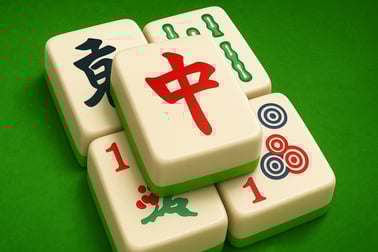
Tile Master is a colorful triple match puzzle that turns classic tile-matching into a relaxing brain workout. Instead of swapping tiles on a grid, you tap and collect them into a tray, then clear them by making sets of match 3 tiles. It’s fast to learn, soothing to play, and surprisingly strategic once the board fills up.
Each level presents a board full of stacked tiles with cute icons like fruits, animals, desserts, and symbols. Your goal is simple: tap tiles to move them into the bottom bar and combine three identical ones to remove them. Run out of space in the bar or leave tiles stranded and you’ll have to retry the puzzle.
Because it’s a tile matching game online, you can jump into Tile Master right in your browser in just a few seconds—no downloads, no sign-ups, no installs. It’s designed as a relaxing matching game that still delivers enough challenge to feel rewarding, making it ideal for short breaks or longer brain-training sessions.
Basic Rules & Mechanics
Tile Master is built on clear rules that anyone can understand in a minute, but mastering them takes focus and planning. Here’s how the core systems work:
The Tile Tray (Collection Bar)
At the bottom of the screen you’ll see a limited number of slots—this is your collection bar.
- Every tile you tap moves from the board to the bar.
- When you have three identical tiles in the bar, they automatically merge and disappear.
- If the bar fills up with tiles and you can’t make another match, the level ends in failure.
Triple Match Puzzle Logic
Unlike traditional match-3, you’re not swapping positions on a grid. You’re performing a triple match puzzle by selecting tiles in the right order:
- Tap tiles that are visibly free (not completely covered by others).
- Plan ahead so every tile you pick is part of a future group of three.
- Avoid scattering singles across your bar—pairs and trios are safer.
Stacking and Layers
Many boards use layers and stacks:
- Some tiles are partially covered and become available only after you clear tiles on top.
- Hidden tiles often reveal the final matches you need.
- Good players think about which stacks they’re unlocking with every move.
Moves, Time Limits, and Goals
Depending on the level, you might face different constraints:
- Move-limited stages: clear all tiles before you run out of moves.
- Time-limited stages: match 3 tiles and empty the board before the timer hits zero.
- Objective-based stages: clear specific tile types first or reach a score target.
Even when there’s no visible timer or move counter, the real limit is your bar space. If you treat that bar like a precious resource, the puzzles become far easier to manage.
Tile Master Features
Tile Master includes a set of quality-of-life and gameplay features that make it stand out from a basic tile matcher:
- Hundreds of unique levels with evolving layouts, from tight stacks to wide boards.
- Progressive difficulty that starts casual and gradually tests your planning skills.
- Theme variety with tiles representing fruits, animals, desserts, numbers, and more.
- Beginner-friendly onboarding that introduces mechanics step by step.
- Lightweight browser play, ideal for quick sessions with no installation overhead.
- Boosters and hints to get you out of tight situations (covered in detail below).
Combined, these turn Tile Master into a brain training puzzle experience that feels fresh from level to level, keeping your attention without overwhelming you.
Where to Play Tile Master
You can play Tile Master online in your browser on most modern devices:
- Desktop & Laptop: Use Chrome, Firefox, Edge, or Safari to load the game instantly.
- Mobile Browsers: On iOS or Android, open your preferred browser and launch the game, just like any website.
- Tablets: Tile Master works smoothly on larger tablet screens, giving you more room for tapping and planning.
There’s no need to create an account to enjoy the core tile matching experience, so you can jump in, play a few quick rounds, and come back later whenever you want a relaxing matching break.
Is Tile Master Safe to Play Online?
Tile Master is designed as a family-friendly puzzle, casual, and board game experience.
- Content: Tiles use neutral, kid-safe icons like fruits, cakes, and animals.
- No graphic violence or inappropriate themes: It’s suitable for all ages.
- Browser-based play: No downloads means no installer-related security risk from the game itself.
As with any tile matching game online, it’s still wise to:
- Play only on trusted gaming portals or official websites.
- Keep your browser and device updated for security fixes.
- Supervise younger children’s screen time and break frequency.
Within those common-sense guidelines, Tile Master is a safe, low-pressure choice for anyone looking for relaxing matching games that are appropriate at home, school, or work breaks.
How to Play Tile Master Online in Your Browser
Starting a game of Tile Master in your browser takes just a few steps:
- Open your browser on desktop, phone, or tablet.
- Navigate to your preferred gaming site that hosts Tile Master.
- Press Play to load the game. After a short load, the first level appears.
- Tap or click tiles to move them into the collection bar at the bottom of the screen.
- Match 3 tiles of the same design to clear them from the bar.
- Empty the board before your bar fills completely or before time/moves run out.
Controls are intentionally simple:
- Mouse (PC): Left-click a tile to select it.
- Touch (mobile/tablet): Tap a tile once to send it to the bar.
Because there’s no complicated control scheme, the whole challenge lives in your choices—which tile you pick and when you pick it. That’s what makes it such a satisfying brain training puzzle you can come back to again and again.
Tile Master Tips and Tricks to Clear Every Level
If you want to go from casual player to tile-matching pro, these strategies will help you beat tougher stages with fewer retries.
1. Prioritize Completing Triples
Every time you tap a tile, ask: “Can this become a triple soon?”
- Form pairs quickly so you’re always one tile away from clearing a set.
- Avoid filling your bar with one-off singles, which clog precious space.
2. Work from the Top and Edges
When tiles are stacked, clearing the top layers first unlocks more options:
- Focus on tiles that are completely free or only slightly covered.
- Try to unlock tight corners and tall stacks early.
3. Don’t Rush Your First Moves
At the start of a level, you’ll usually have plenty of freedom. Use it wisely:
- Scan the board for the most common tile types.
- Begin forming groups of 2–3 for those common tiles first.
4. Use Boosters as Insurance, Not a Habit
Boosters are powerful but limited. Treat them as backup, not a crutch:
- Save them for when your bar is nearly full and you’re one move from failing.
- Combine boosters (e.g., a shuffle + undo) on especially tricky layouts.
5. Take Breaks on Tough Levels
Because Tile Master is a relaxing matching game, you’re not meant to grind endlessly on a single level. If you feel stuck:
- Pause, stretch, and return with a fresh mind.
- Often you’ll spot a new pattern immediately after a short break.
Relaxing Triple Match Puzzle Fun for All Ages
One of Tile Master’s biggest strengths is how accessible it is. The game blends casual pacing with satisfying complexity:
- For kids: Matching icons is intuitive, and there’s no reading required.
- For adults: It doubles as a light mental workout during commutes or short breaks.
- For seniors: Large, colorful tiles and simple controls make it friendly for less tech-savvy players.
Audio and visual design lean into calm: bright but not overwhelming colors, simple shapes, and clear feedback when you match 3 tiles. That’s why so many players turn to Tile Master as a digital “fidget toy” or a quick way to unwind after a long day.
Because it runs smoothly in a browser, you can treat it like a go-to relaxing matching game you launch whenever you need a quiet mental reset—no load screens, no pressure, just simple triple match puzzle fun.
Boosters, Hints, and Power-Ups in Tile Master
As levels get more complex, Tile Master gradually introduces tools to help you out of jams. Exact names may vary by platform, but these are the common types you’ll encounter:
- Undo: Revert your last move when you mis-tap or accidentally block a stack.
- Shuffle: Randomly rearranges the remaining tiles on the board, potentially creating new matches.
- Remove Tile / Clear Set: Instantly clears a specific tile or a full set from your bar.
- Hint: Highlights a helpful move or a chain of tiles that can safely form a triple.
- Extra Slots: Temporarily expands your collection bar, giving you more room for planning.
To use boosters effectively in this tile matching game online:
- Save them for near-fail states when your bar is almost full.
- Use a hint first; if there’s truly no safe move, then play a more powerful booster.
- Combine an extra-slot booster with smart matching to swing a level back in your favor.
Proper use of power-ups can turn Tile Master from a simple time-killer into a satisfying strategic brain training puzzle, encouraging you to think about risk, reward, and timing on every move.
Why Tile Matching Puzzle Games Are Great for Your Brain
Games like Tile Master are more than just a way to pass time. Because you’re constantly scanning the board, planning moves, and managing limited space, you’re engaging several mental skills at once:
- Visual memory: Remembering where certain tile types are buried in stacks.
- Pattern recognition: Spotting potential triplets across scattered tiles.
- Planning & strategy: Choosing moves that open up future options instead of closing them.
- Attention and focus: Filtering out distractions and tracking the collection bar.
This makes Tile Master an enjoyable form of brain training puzzle, especially when played in short, consistent sessions. Unlike high-stress competitive games, however, Tile Master keeps the atmosphere calm and forgiving, letting you challenge your mind without feeling overwhelmed.
If you’re looking for a low-pressure way to sharpen your thinking while still enjoying cozy, relaxing matching games, Tile Master is a strong fit. It delivers the familiar satisfaction of match 3 tiles gameplay with a clever triple match twist that keeps your brain gently humming in the background.
Can I Play Tile Master Offline?
Tile Master is primarily designed as a browser-based tile matching game online, which typically requires an active internet connection to load and run:
- Initial load: You’ll need a connection to open the game page and start a session.
- During play: Many browser platforms expect you to stay online for saving progress, serving assets, and tracking achievements.
Some app-store versions of triple match puzzle games offer offline play once downloaded, but for the in-browser edition, you should plan to be connected. If offline play is important to you, consider:
- Checking whether the platform hosting Tile Master offers a downloadable version.
- Verifying that your progress is stored locally or tied to an account if you switch between devices.
As long as you’ve got a stable internet connection, the online experience is smooth, fast to load, and perfect for dipping into a few puzzles whenever you feel like matching tiles and giving your brain a gentle workout.
Frequently Asked Questions
What is Tile Master?
Tile Master is a casual puzzle game where you match 3 identical tiles to clear the board. It combines relaxing gameplay with brain-teasing levels for all ages.
How do you play Tile Master?
Tap or click tiles to move them into the collection bar. When you collect three of the same tile, they disappear. Clear all tiles without filling the bar to win the level.
Is Tile Master free to play?
Yes, Tile Master can be played for free. Some versions may offer optional in-game purchases or ads, but the core gameplay is available without paying.
Can kids play Tile Master safely?
Yes, Tile Master is family-friendly. It uses simple icons like fruits, animals, and objects and focuses on logic and memory skills suitable for kids and adults.
Can I play Tile Master without downloading?
On supported browser gaming platforms, you can play Tile Master instantly in your browser without any download or installation required.






Tile Master
 (No Ratings Yet)
 Loading...
Introduction to Tile Master
Tile Master is a colorful triple match puzzle that turns classic tile-matching into a relaxing brain workout. Instead of swapping tiles on a grid, you tap and collect them into a tray, then clear them by making sets of match 3 tiles. It’s fast to learn, soothing to play, and surprisingly strategic once the board fills up.
Each level presents a board full of stacked tiles with cute icons like fruits, animals, desserts, and symbols. Your goal is simple: tap tiles to move them into the bottom bar and combine three identical ones to remove them. Run out of space in the bar or leave tiles stranded and you’ll have to retry the puzzle.
Because it’s a tile matching game online, you can jump into Tile Master right in your browser in just a few seconds—no downloads, no sign-ups, no installs. It’s designed as a relaxing matching game that still delivers enough challenge to feel rewarding, making it ideal for short breaks or longer brain-training sessions.
Basic Rules & Mechanics
Tile Master is built on clear rules that anyone can understand in a minute, but mastering them takes focus and planning. Here’s how the core systems work:
The Tile Tray (Collection Bar)
At the bottom of the screen you’ll see a limited number of slots—this is your collection bar.
- Every tile you tap moves from the board to the bar.
- When you have three identical tiles in the bar, they automatically merge and disappear.
- If the bar fills up with tiles and you can’t make another match, the level ends in failure.
Triple Match Puzzle Logic
Unlike traditional match-3, you’re not swapping positions on a grid. You’re performing a triple match puzzle by selecting tiles in the right order:
- Tap tiles that are visibly free (not completely covered by others).
- Plan ahead so every tile you pick is part of a future group of three.
- Avoid scattering singles across your bar—pairs and trios are safer.
Stacking and Layers
Many boards use layers and stacks:
- Some tiles are partially covered and become available only after you clear tiles on top.
- Hidden tiles often reveal the final matches you need.
- Good players think about which stacks they’re unlocking with every move.
Moves, Time Limits, and Goals
Depending on the level, you might face different constraints:
- Move-limited stages: clear all tiles before you run out of moves.
- Time-limited stages: match 3 tiles and empty the board before the timer hits zero.
- Objective-based stages: clear specific tile types first or reach a score target.
Even when there’s no visible timer or move counter, the real limit is your bar space. If you treat that bar like a precious resource, the puzzles become far easier to manage.
Tile Master Features
Tile Master includes a set of quality-of-life and gameplay features that make it stand out from a basic tile matcher:
- Hundreds of unique levels with evolving layouts, from tight stacks to wide boards.
- Progressive difficulty that starts casual and gradually tests your planning skills.
- Theme variety with tiles representing fruits, animals, desserts, numbers, and more.
- Beginner-friendly onboarding that introduces mechanics step by step.
- Lightweight browser play, ideal for quick sessions with no installation overhead.
- Boosters and hints to get you out of tight situations (covered in detail below).
Combined, these turn Tile Master into a brain training puzzle experience that feels fresh from level to level, keeping your attention without overwhelming you.
Where to Play Tile Master
You can play Tile Master online in your browser on most modern devices:
- Desktop & Laptop: Use Chrome, Firefox, Edge, or Safari to load the game instantly.
- Mobile Browsers: On iOS or Android, open your preferred browser and launch the game, just like any website.
- Tablets: Tile Master works smoothly on larger tablet screens, giving you more room for tapping and planning.
There’s no need to create an account to enjoy the core tile matching experience, so you can jump in, play a few quick rounds, and come back later whenever you want a relaxing matching break.
Is Tile Master Safe to Play Online?
Tile Master is designed as a family-friendly puzzle, casual, and board game experience.
- Content: Tiles use neutral, kid-safe icons like fruits, cakes, and animals.
- No graphic violence or inappropriate themes: It’s suitable for all ages.
- Browser-based play: No downloads means no installer-related security risk from the game itself.
As with any tile matching game online, it’s still wise to:
- Play only on trusted gaming portals or official websites.
- Keep your browser and device updated for security fixes.
- Supervise younger children’s screen time and break frequency.
Within those common-sense guidelines, Tile Master is a safe, low-pressure choice for anyone looking for relaxing matching games that are appropriate at home, school, or work breaks.
How to Play Tile Master Online in Your Browser
Starting a game of Tile Master in your browser takes just a few steps:
- Open your browser on desktop, phone, or tablet.
- Navigate to your preferred gaming site that hosts Tile Master.
- Press Play to load the game. After a short load, the first level appears.
- Tap or click tiles to move them into the collection bar at the bottom of the screen.
- Match 3 tiles of the same design to clear them from the bar.
- Empty the board before your bar fills completely or before time/moves run out.
Controls are intentionally simple:
- Mouse (PC): Left-click a tile to select it.
- Touch (mobile/tablet): Tap a tile once to send it to the bar.
Because there’s no complicated control scheme, the whole challenge lives in your choices—which tile you pick and when you pick it. That’s what makes it such a satisfying brain training puzzle you can come back to again and again.
Tile Master Tips and Tricks to Clear Every Level
If you want to go from casual player to tile-matching pro, these strategies will help you beat tougher stages with fewer retries.
1. Prioritize Completing Triples
Every time you tap a tile, ask: “Can this become a triple soon?”
- Form pairs quickly so you’re always one tile away from clearing a set.
- Avoid filling your bar with one-off singles, which clog precious space.
2. Work from the Top and Edges
When tiles are stacked, clearing the top layers first unlocks more options:
- Focus on tiles that are completely free or only slightly covered.
- Try to unlock tight corners and tall stacks early.
3. Don’t Rush Your First Moves
At the start of a level, you’ll usually have plenty of freedom. Use it wisely:
- Scan the board for the most common tile types.
- Begin forming groups of 2–3 for those common tiles first.
4. Use Boosters as Insurance, Not a Habit
Boosters are powerful but limited. Treat them as backup, not a crutch:
- Save them for when your bar is nearly full and you’re one move from failing.
- Combine boosters (e.g., a shuffle + undo) on especially tricky layouts.
5. Take Breaks on Tough Levels
Because Tile Master is a relaxing matching game, you’re not meant to grind endlessly on a single level. If you feel stuck:
- Pause, stretch, and return with a fresh mind.
- Often you’ll spot a new pattern immediately after a short break.
Relaxing Triple Match Puzzle Fun for All Ages
One of Tile Master’s biggest strengths is how accessible it is. The game blends casual pacing with satisfying complexity:
- For kids: Matching icons is intuitive, and there’s no reading required.
- For adults: It doubles as a light mental workout during commutes or short breaks.
- For seniors: Large, colorful tiles and simple controls make it friendly for less tech-savvy players.
Audio and visual design lean into calm: bright but not overwhelming colors, simple shapes, and clear feedback when you match 3 tiles. That’s why so many players turn to Tile Master as a digital “fidget toy” or a quick way to unwind after a long day.
Because it runs smoothly in a browser, you can treat it like a go-to relaxing matching game you launch whenever you need a quiet mental reset—no load screens, no pressure, just simple triple match puzzle fun.
Boosters, Hints, and Power-Ups in Tile Master
As levels get more complex, Tile Master gradually introduces tools to help you out of jams. Exact names may vary by platform, but these are the common types you’ll encounter:
- Undo: Revert your last move when you mis-tap or accidentally block a stack.
- Shuffle: Randomly rearranges the remaining tiles on the board, potentially creating new matches.
- Remove Tile / Clear Set: Instantly clears a specific tile or a full set from your bar.
- Hint: Highlights a helpful move or a chain of tiles that can safely form a triple.
- Extra Slots: Temporarily expands your collection bar, giving you more room for planning.
To use boosters effectively in this tile matching game online:
- Save them for near-fail states when your bar is almost full.
- Use a hint first; if there’s truly no safe move, then play a more powerful booster.
- Combine an extra-slot booster with smart matching to swing a level back in your favor.
Proper use of power-ups can turn Tile Master from a simple time-killer into a satisfying strategic brain training puzzle, encouraging you to think about risk, reward, and timing on every move.
Why Tile Matching Puzzle Games Are Great for Your Brain
Games like Tile Master are more than just a way to pass time. Because you’re constantly scanning the board, planning moves, and managing limited space, you’re engaging several mental skills at once:
- Visual memory: Remembering where certain tile types are buried in stacks.
- Pattern recognition: Spotting potential triplets across scattered tiles.
- Planning & strategy: Choosing moves that open up future options instead of closing them.
- Attention and focus: Filtering out distractions and tracking the collection bar.
This makes Tile Master an enjoyable form of brain training puzzle, especially when played in short, consistent sessions. Unlike high-stress competitive games, however, Tile Master keeps the atmosphere calm and forgiving, letting you challenge your mind without feeling overwhelmed.
If you’re looking for a low-pressure way to sharpen your thinking while still enjoying cozy, relaxing matching games, Tile Master is a strong fit. It delivers the familiar satisfaction of match 3 tiles gameplay with a clever triple match twist that keeps your brain gently humming in the background.
Can I Play Tile Master Offline?
Tile Master is primarily designed as a browser-based tile matching game online, which typically requires an active internet connection to load and run:
- Initial load: You’ll need a connection to open the game page and start a session.
- During play: Many browser platforms expect you to stay online for saving progress, serving assets, and tracking achievements.
Some app-store versions of triple match puzzle games offer offline play once downloaded, but for the in-browser edition, you should plan to be connected. If offline play is important to you, consider:
- Checking whether the platform hosting Tile Master offers a downloadable version.
- Verifying that your progress is stored locally or tied to an account if you switch between devices.
As long as you’ve got a stable internet connection, the online experience is smooth, fast to load, and perfect for dipping into a few puzzles whenever you feel like matching tiles and giving your brain a gentle workout.
Frequently Asked Questions
What is Tile Master?
Tile Master is a casual puzzle game where you match 3 identical tiles to clear the board. It combines relaxing gameplay with brain-teasing levels for all ages.
How do you play Tile Master?
Tap or click tiles to move them into the collection bar. When you collect three of the same tile, they disappear. Clear all tiles without filling the bar to win the level.
Is Tile Master free to play?
Yes, Tile Master can be played for free. Some versions may offer optional in-game purchases or ads, but the core gameplay is available without paying.
Can kids play Tile Master safely?
Yes, Tile Master is family-friendly. It uses simple icons like fruits, animals, and objects and focuses on logic and memory skills suitable for kids and adults.
Can I play Tile Master without downloading?
On supported browser gaming platforms, you can play Tile Master instantly in your browser without any download or installation required.