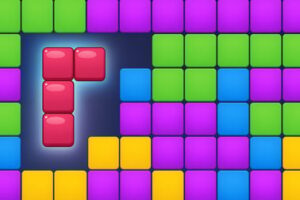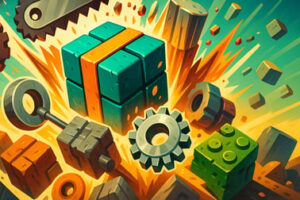
Block Jam 3D is a relaxing online match-3 block puzzle. Sort colorful cubes, plan your moves, and clear the tray in your browser for free.







Block Jam 3d
Introduction to Block Jam 3D
Block Jam 3D is a colorful online block puzzle game that blends match-3 mechanics with clever tray management and light strategy. You’ll sort small 3D block characters, stack them in your tray, and make smart tile matches before everything jams up. It’s a relaxing brain teaser at first glance, but underneath the cute visuals there’s a surprisingly tactical tile matching strategy to master.
Played directly in your browser, Block Jam 3D works great as a free browser puzzle when you want a quick break or a long puzzle session. You don’t need to download anything to enjoy this match 3 block puzzle – just load it up, learn the basics, and start clearing your tray one satisfying combo at a time.
Because the rules are easy to learn and each level only takes a few minutes, Block Jam 3D fits in the sweet spot between casual and brainy. Fans of board games, tile sorters, and match-3 games will feel right at home. At the same time, the 3D blocks, fun boosters, and rotating events keep the gameplay fresh for seasoned puzzle players.
How to Play Block Jam 3D
The core of Block Jam 3D is simple: tap or click block characters to move them into your tray and make color-based matches. But the order you pick and where each piece sits in your tray matters a lot. Here’s how a typical round of this online block puzzle game plays out.
Step-by-step basics
- Look at the blocks: Each level shows several 3D blocks or tiles arranged in stacks, rows, or patterns. Every block has a color or small character on it.
- Pick a block: Click or tap a block that’s available (not hidden behind others) to send it to your tray at the bottom of the screen.
- Fill your tray: Your tray has a limited number of slots. Each selected block fills one slot, from left to right.
- Match 3 of a kind: When you collect three identical tiles in your tray, they automatically merge and disappear, freeing up space.
- Avoid a jam: If your tray fills up with mismatched tiles and you can’t place a new block, you lose the round and have to retry.
Unlike classic falling-block games, Block Jam 3D is about choosing which tile to take next. That decision turns each level into a small tile matching strategy puzzle, not just a reflex challenge.
Basic rules & mechanics at a glance
- You need three matching tiles in your tray to clear a set.
- Only unblocked tiles are selectable. If a tile is stacked behind or under others, you must clear those first.
- The tray size is fixed per level. Better levels introduce new layouts and more complex stacks.
- If you fill every tray slot with no possible match to clear, the tray is jammed and the level is failed.
- Some versions of Block Jam 3D include undo, shuffle, or magnet boosters to rescue tricky boards.
Once you grasp the basics, you can lean more into the strategic side: planning future matches, holding rare colors for later, and avoiding that dreaded near-full tray when several colors are still mixed together.
Block Jam 3D Game Modes
While Block Jam 3D always revolves around collecting and matching blocks, many builds of the game introduce varied game modes, side activities, and seasonal twists. These help the match 3 block puzzle feel fresh long-term.
Main level mode
The standard experience is a progressive level mode:
- Linear progression: Clear levels in order, with layouts that become more complex over time.
- Increasing difficulty: More colors, taller stacks, and tighter tray limits ramp up the challenge.
- Score and stars: Some versions rate your performance with stars or scores, rewarding efficient moves and fast clears.
Event and challenge modes
Depending on the platform, you may see extra puzzle content built around the same relaxing brain teaser format:
- Daily missions: Short tasks like “clear X sets” or “complete a level without boosters.”
- Timed events: Limited-time boards that give bonus rewards for streaks or high scores.
- Competitive leagues: Climb leaderboards by earning points as you clear match-3 trays.
All of these modes rely on the same core idea: juggling your tray space while making smart matches. Whether you’re playing casually in your browser or chasing rankings in an app version, the underlying online block puzzle game remains consistent and intuitive.
Where to Play Block Jam 3D
Block Jam 3D is widely available both as a browser experience and as mobile apps. If you’re interested in the free browser puzzle style, playing online is the easiest way to jump in without committing to a download.
Browser play
On many gaming sites, Block Jam 3D loads directly in your web browser:
- No install required: Press “Play,” wait a moment for the game to load, and start sorting tiles.
- Works on major browsers: Recent versions of Chrome, Edge, Firefox, and Safari generally handle the game smoothly.
- Quick sessions: Ideal for small breaks, because levels are short and progress is easy to pick up again.
Mobile and tablet apps
The official app versions by Voodoo are offered on major app stores. Those builds add more content such as seasons, cosmetic items, and rotating live events. Both the browser and app versions keep the same match 3 block puzzle core gameplay, so feel free to switch between them depending on where you like to play.
If you want the lightest and fastest access, browser play is enough. If you’re interested in long-term progression and offline support, the app variants may suit you better.
Is Block Jam 3D Safe to Play?
Block Jam 3D is designed as a family-friendly puzzle game with bright visuals and no graphic or mature content. You’re simply sorting cute blocks and tiles, making it suitable for most ages.
Content & age suitability
- No violence or gore: The gameplay is purely about organizing blocks and making matches.
- No explicit themes: The images, animations, and text are lighthearted and clean.
- Appropriate for kids and adults: Younger players can enjoy the colors and simple rules, while older players enjoy the strategy.
Online safety considerations
Browser-based versions of Block Jam 3D generally don’t require log-ins or chat, which limits common online risks. However, consider:
- Ads: Free puzzle games may display advertising. Supervise younger players and encourage them to avoid clicking unknown links.
- In-app purchases (mobile apps): Some official apps offer optional purchase packs or season passes. If kids are playing on a phone or tablet, use parental controls to prevent accidental spending.
As long as you’re using reputable gaming sites or official app stores and keeping normal online safety habits, Block Jam 3D is safe to play and share with the family.
How to Play Block Jam 3D Online on Your Browser
Playing Block Jam 3D online in your browser is quick and straightforward. Here’s a simple walkthrough to get started with this free browser puzzle experience.
1. Launching the game
- Open your preferred modern browser on desktop, laptop, tablet, or mobile.
- Go to a trusted gaming portal that features Block Jam 3D.
- Click the Play or Launch button and wait for the loading bar to complete.
2. Starting your first level
- Once the main menu appears, choose Play or Start.
- A tutorial or early level will introduce the basic tile matching strategy – picking colors, making sets of three, and avoiding a jammed tray.
- Follow on-screen prompts to pick a tile and watch how it drops into your tray.
3. Progressing through stages
- Each completed level unlocks the next, often with a new layout.
- You can usually replay previous boards to improve your performance.
- Some browser versions include level maps, mini-challenges, or timed events to keep you coming back.
Because everything runs in the browser, it’s easy to play a round, close the tab, and return later for another quick session of this relaxing brain teaser.
Tips and Tricks to Beat Tricky Block Jam 3D Levels
Once you’ve mastered the basics, the fun is in sharpening your strategy. These tips will help you push deeper into the tougher stages of this online block puzzle game.
Plan around your tray capacity
- Count your slots: Before picking tiles at random, look at how many spaces are available in your tray.
- Avoid overloading with singles: Try not to fill your tray with many different colors that don’t connect yet.
- Secure pairs: It’s usually safer to hold two of a color and wait for the third, instead of scattering one-off tiles everywhere.
Work from safer stacks to riskier ones
Some stacks hide important tiles underneath. A simple way to improve your tile matching strategy is:
- Start with easy matches where you already see two or three of the same color on top.
- Gradually uncover deeper tiles in tall stacks only when your tray has room to handle surprises.
- If a hidden stack tends to generate many new colors at once, keep a couple of slots free before diving in.
Use boosters wisely
Depending on the version you’re playing, you may have tools like undo, shuffle, or magnet:
- Undo: Best used when a single bad move fills your tray with a color you weren’t ready for.
- Shuffle: Helpful when your tray is full of mismatched tiles and you see no clear path to three-of-a-kind.
- Magnet/Smart pick: Automatically grabs a tile that creates or supports a match – great for beginners.
Try to save boosters for levels that truly feel impossible without them. Using them early and often can make later challenges much harder.
Game Modes, Boosters, and Events in Block Jam 3D
Part of what keeps Block Jam 3D engaging is the variety wrapped around its central match 3 block puzzle gameplay. Many implementations offer extra modes and live events layered on top.
Common boosters
- Undo move: Reverse your last action if it leads to a jam.
- Tray expansion: Temporarily increase the number of slots in your tray for a single level.
- Tile shuffle: Mix up tiles to reveal easier matches or reset a messy board.
Seasonal or live events
- Limited-time themes: Boards may feature seasonal decorations like pirates, space, or holidays.
- Score races: Compete against other players’ totals over a short period.
- Cooperative tasks: Some app versions let groups work together toward shared goals for bonuses.
Even if you’re only interested in the browser-based free browser puzzle experience, understanding these extras can help if you ever decide to switch to a mobile build or another platform.
Is Block Jam 3D a Good Brain Puzzle for All Ages?
Block Jam 3D is often marketed as a relaxing brain teaser, and that description is accurate. It hits a friendly balance between stress-free play and meaningful mental engagement.
What skills does it train?
- Short-term memory: Remembering which colors are in your tray and where potential matches are hiding in the stacks.
- Planning and foresight: Anticipating which tiles you’ll unlock next and leaving room in your tray for them.
- Pattern recognition: Quickly spotting triples, pairs, and efficient sequences of moves.
Suitability by age group
- Kids: Can enjoy the bright visuals and simple tap-to-collect rules. Adults may need to help with harder layouts.
- Teens & adults: Get a satisfying strategy experience that slots nicely between work, study, or other tasks.
- Older players: The gentle pace, clear graphics, and non-timed levels make it comfortable and accessible.
Because the game doesn’t rely on fast reflexes, it’s ideal for players who prefer thoughtful moves over twitch reactions. It also works well as a casual companion while listening to music, podcasts, or relaxing between activities.
Controls and Mobile Compatibility for Block Jam 3D
Controls in Block Jam 3D are intentionally simple, helping keep the focus on puzzling instead of complex inputs. Whether you’re on desktop or mobile, you’ll be comfortable in seconds.
Desktop & laptop controls
- Mouse click: Left-click a block to move it to your tray.
- Undo/boosters: Click the corresponding on-screen icon to activate available power-ups.
- Menus: Navigate with your mouse; some versions support keyboard shortcuts, but they’re not required.
Mobile & tablet controls
- Tap: Tap a tile to send it into your tray.
- Tap boosters: Tap the undo, shuffle, or other booster icons to use them.
- Portrait or landscape: Try rotating your device; different orientations may make stacks and tray positions easier to see.
Compatibility notes
- Plays smoothly on most modern Android and iOS devices.
- Browser-based versions run best on up-to-date versions of Chrome, Safari, Firefox, and Edge.
- If performance dips, closing other tabs or apps usually improves responsiveness.
Because the control scheme is so minimal, Block Jam 3D is welcoming to players who don’t game often. It’s essentially a digital board game: pick a piece, place it, and think about your next move.
Can I Play Block Jam 3D Offline?
Offline support depends on which version of Block Jam 3D you’re using:
- Browser versions: Typically require an active internet connection to load and run. Once you close the tab, you’ll need to reconnect next time.
- Official mobile apps: Many mobile builds highlight offline capability, letting you enjoy this relaxing brain teaser without a constant connection, especially for standard levels.
If you primarily want an online block puzzle game you can open anywhere on a computer, browser play is perfect. If you often travel, commute, or have spotty internet, installing an official mobile version is a better way to enjoy Block Jam 3D as an offline-friendly match 3 block puzzle.
Frequently Asked Questions
Can I play Block Jam 3D for free online?
Yes, Block Jam 3D can be played for free in your browser with no download required. Just open the game page and start matching blocks.
Is Block Jam 3D suitable for kids?
Block Jam 3D is a family-friendly puzzle game with simple controls and no graphic violence, making it suitable for most kids and adults.
Do I need to create an account to play Block Jam 3D?
No account is required to enjoy the basic browser version of Block Jam 3D. Just press play and jump straight into the puzzle levels.
Can I play Block Jam 3D on mobile devices?
Yes, you can play Block Jam 3D in a mobile browser and also via official apps on iOS and Android. Rotate your device for the best view if needed.
How do you play Block Jam 3D?
Tap or click a block, then tap a cell to move it. Match three or more blocks of the same color, keep your tray from filling up, and use boosts wisely to clear levels.