Phone Case Diy
Top MaxiGames
Phone Case Diy - Play Online
Overview of Phone Case Diy
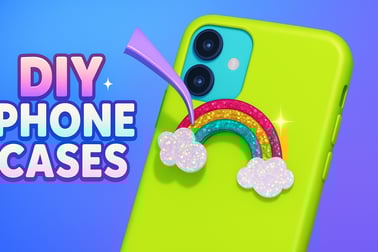
Phone Case Diy is a relaxing browser game where you become a virtual phone case artist. If you love decorating, coloring, and DIY projects, this phone case maker game lets you design your own covers with paint, glitter, stickers, pop it textures, and more. It’s perfect for kids, teens, and anyone who enjoys girl art and creativity games with no stress or pressure.
Instead of running a full shop or managing customers, Phone Case Diy keeps things simple and fun. Your main goal is to decorate phone case designs in your own style. Mix colors, experiment with gradients, and place cute stickers to create the prettiest phone looks. Every new case feels like a fresh canvas in a diy art game online you can play instantly in your browser.
The game plays directly in HTML5, so there’s no download required. You can jump in from desktop, tablet, or mobile and start painting cases within seconds. Whether you want a glittery pastel case or a bold neon design, Phone Case Diy gives you plenty of tools to explore your creativity.
Phone Case Diy Control Guide
The controls in Phone Case Diy are super simple, making it very accessible for younger players and casual gamers. You don’t need any gaming experience to enjoy this creative coloring game. Here’s how the basic input works depending on your device:
Desktop & Laptop Controls
- Mouse Left Click: Select colors, brushes, tools, stickers, and decorations.
- Click & Drag: Paint on the phone case, spray areas, or drag stickers and jewels into place.
- On-screen Buttons: Tap icons to undo, confirm designs, switch tools, or move to the next step.
Mobile & Tablet Controls
- Tap: Choose colors, tools, and sticker packs with a single tap.
- Tap & Hold / Slide: Draw lines, spray paint, or spread glitter on the case.
- Drag & Drop: Move stickers, jewels, and shapes around until they’re in the perfect spot.
Everything is handled through a simple on-screen interface. There are no complex menus or hidden inputs, which makes the game ideal for younger players and anyone just looking to relax and decorate.
Key Features
Phone Case Diy packs a lot of creative tools into a single phone case maker game. Instead of just choosing a premade skin, you actually step through the whole design process, from basic colors to tiny details.
- Multiple Case Shapes: Start by picking the phone case shape or outline you love most.
- Rich Coloring Tools: Use solid colors, gradients, patterns, and special paints to set your base design.
- Glitter, Jewels & Shine: Add sparkly layers, gems, and glowing details for extra flair.
- Stickers & Icons: Decorate with cute characters, animals, food, flowers, hearts, and more.
- Pop It & Textured Designs: Create trendy pop it–style cases with fidget-like bubbles and 3D looks.
- Undo & Adjust: Made a mistake? Undo the last action and keep experimenting without stress.
- Play in Browser: Enjoy the game instantly without any installation, right from your favorite device.
Because the game is focused on expression and not competition, there’s no strict win condition. Your “victory” is the finished case that looks exactly the way you imagined it.
Performance & Troubleshooting
Phone Case Diy is built with lightweight browser technology, so it usually runs smoothly on most modern devices. If you run into performance problems, lag, or visual glitches, try these easy fixes:
- Close Extra Tabs: Too many open browser tabs can slow your device. Close unused ones before playing.
- Refresh the Page: A quick refresh can fix loading issues or missing graphics.
- Check Your Connection: A stable internet connection helps the game load assets correctly.
- Update Your Browser: Use an up-to-date version of Chrome, Firefox, Edge, or Safari for best compatibility.
- Switch Device Orientation: On phones and tablets, rotating between portrait and landscape can realign the UI.
- Clear Cache (If Needed): If the game keeps freezing, clearing your browser cache can help resolve old or corrupted files.
If you’re on a very old device and notice low frame rates, try closing background apps to free memory. Phone Case Diy doesn’t require high-end hardware, but a little extra system room always helps.
Is Phone Case Diy Safe to Play?
Phone Case Diy is designed as a family-friendly art & creativity experience. There’s no violence, no inappropriate themes, and no chat systems, making it suitable for kids and younger players who enjoy girl art and creativity games and gentle simulation titles.
Some general safety tips for parents and guardians:
- Use Trusted Sites: Always load the game from reputable browser gaming platforms that you recognize.
- Monitor External Links: Kids should avoid clicking ads or external links that may appear around the game frame.
- Set Screen Time Limits: Creative games can be addictive in a positive way; gentle limits keep play balanced with homework and rest.
- No Personal Info: Remind children never to share names, emails, or other personal details on any website forms unrelated to gameplay.
Within the game itself, players focus on coloring, decorating, and enjoying a relaxing diy art game online. As long as it’s played on a reliable platform, Phone Case Diy is a safe and wholesome option.
How to Create the Prettiest Phone Case Designs Online
Making a gorgeous case in Phone Case Diy is all about layering and planning. You don’t have to be an artist to get great results—just follow a simple step-by-step approach:
- Start with the Shape: Choose a phone case shape or outline that matches the vibe you want—round corners for a cute style, sharper lines for a more modern look.
- Pick a Base Color: Lay down a solid base or gradient. Soft pastels give a dreamy aesthetic, while bold neon shades feel energetic and fun.
- Add a Pattern or Texture: Before jumping to stickers, experiment with stripes, dots, waves, or tie-dye effects. This turns your case into a real canvas.
- Define a Focal Point: Decide where you want the eye to go—center, top, or bottom of the case—and plan your main sticker or design element around that spot.
- Decorate with Stickers: Add characters, animals, sweets, or flowers. Group similar stickers together to create a small “scene” rather than scattering them randomly.
- Apply Glitter & Highlights: Use glitter or sparkles to frame your main design, not cover everything. Borders and corners are great places for shine.
- Refine the Details: Move stickers slightly, clean up edges with paint, and make sure colors don’t clash too hard.
- Finalize & Save: Once you’re happy, confirm your design and move on to the next case with fresh inspiration.
This flow keeps your designs organized and balanced, turning the game into a mini digital art studio rather than random scribbles.
Tips and Tricks for Using Colors, Glitter, and Stickers
To make your creations stand out in this phone case maker game, it helps to understand a few basic design tricks. These tips are simple enough for kids but powerful enough to make every case look intentional.
Smart Color Choices
- Stick to 2–3 Main Colors: Too many colors can be overwhelming. Pick one main color and one or two accent colors.
- Use Light vs. Dark: For text or main stickers, place light items on dark backgrounds and vice versa so they “pop.”
- Try Themes: Go for a “cotton candy,” “galaxy,” or “sunset” palette instead of mixing random shades.
Glitter Without the Mess
- Outline, Don’t Overload: Use glitter to outline shapes, borders, or edges rather than fully covering the case.
- Highlight Key Areas: Add sparkle near your favorite sticker or around a central pattern.
- Match Glitter Color: Choose glitter that’s close to your base color for a subtle glow, or silver/gold for a classic shine.
Sticker Placement Tricks
- Create Clusters: Group 2–3 stickers together to form mini scenes (like stars around a moon, or sweets around a drink).
- Balance the Case: If you place a big sticker at the top, add a smaller one near the bottom so the design doesn’t feel too heavy on one side.
- Use Empty Space: Don’t feel obligated to fill every gap. Some breathing room makes designs look cleaner and more professional.
Using these tips, Phone Case Diy becomes more than a simple creative coloring game—it’s a mini lesson in design, color harmony, and composition.
Phone Case Diy Game Features: Painting, Pop It, and More
One reason Phone Case Diy stands out from other diy art game online titles is the variety of tools you get to play with. You’re not just placing a single sticker and calling it a day; you’re actually crafting layered designs.
- Painting & Spraying: Use brushes, sprays, or fill tools to cover your case with solid colors, gradients, or blended shades.
- Patterns & Textures: Add dots, stripes, marble, or tie-dye effects for more complex backgrounds.
- Pop It Elements: Design pop it–style phone cases that look like colorful fidget toys, complete with bubble-like layouts.
- Stickers & Icons: Choose from cute characters, animals, emojis, sweets, flowers, and more to personalize each design.
- Glitter, Jewels & Shine: Decorate with sparkly overlays and small jewel-like accents that make your case feel luxurious.
- Undo / Redo Steps: Safely experiment, undoing recent changes if something doesn’t look right.
Together, these tools make Phone Case Diy feel like a digital art kit. It blends the satisfaction of coloring books with the style of fashion games, which is why it fits so well under girl art and creativity games and simulation categories.
Play on Any Device: Mobile and Browser Controls Explained
One of the best things about Phone Case Diy is how easy it is to play across devices. As an HTML5 browser game, it’s designed to work on phones, tablets, and computers without needing an app store download.
Playing on Desktop or Laptop
- Open your favorite supported browser (Chrome, Edge, Firefox, or Safari).
- Visit the gaming site hosting Phone Case Diy.
- Press the play button and wait a moment for the game to load.
- Use your mouse to paint, drag stickers, and confirm your designs.
Playing on Mobile & Tablet
- Launch a mobile browser (like Chrome or Safari).
- Go to the platform where Phone Case Diy is available.
- Tap to start—no installation is needed.
- Use taps and swipes instead of mouse clicks; the UI adjusts to touch controls automatically.
If you enjoy decorating on the go, playing on mobile is especially satisfying. The touch controls feel very natural—like drawing directly onto the phone case with your fingers.
Best Creative Games Like Phone Case Diy to Try Next
If you love Phone Case Diy, there are plenty of similar titles that scratch the same creative itch. Here are a few types of girl art and creativity games and simulation experiences you might enjoy after you’ve designed a whole collection of cases:
- Coloring & Drawing Games: Look for browser games where you color pictures by number, free-draw doodles, or paint scenes with digital brushes.
- Nail Art & Makeup Games: These games let you decorate nails, style makeup, and create beauty looks in the same relaxing, low-pressure way as Phone Case Diy.
- Room & Home Decor Games: If you like designing, try titles where you decorate bedrooms, apartments, or houses with furniture and color themes.
- Fashion & Outfit Styling Games: Mix and match clothes, accessories, and hairstyles—another fun form of creative expression.
- Craft & DIY Simulators: Explore games that simulate slime making, cake decorating, or crafting other accessories.
All of these game types share the same relaxing, creative core as this phone case maker game. Once you’ve mastered how to decorate phone case designs in Phone Case Diy, you’ll find it easy to bring your style and color sense into any other art-focused browser game you try.
Frequently Asked Questions
What is Phone Case Diy?
Phone Case Diy is a casual art game where you design and decorate virtual phone cases using paint, glitter, stickers, and other creative tools.
Is Phone Case Diy free to play?
Yes, this browser version of Phone Case Diy is free to play. You can jump in, design as many cases as you like, and play without any downloads.
Can kids play Phone Case Diy safely?
Yes, Phone Case Diy is family-friendly. It focuses on creativity and decoration with no violent or scary content, making it suitable for younger players.
Do I need to download Phone Case Diy?
No download is needed for the browser version. Just open the game page in your web browser, wait for it to load, and start decorating phone cases.
What can I customize in Phone Case Diy?
You can customize phone cases and other gadgets with spray paint, acrylic art, gradients, glitter, pop-it textures, and lots of cute stickers and patterns.

Phone Case Diy
 (No Ratings Yet)
 Loading...
Overview of Phone Case Diy
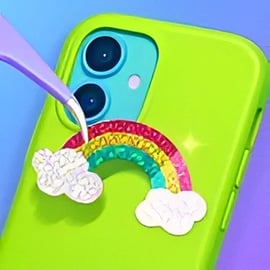
Phone Case Diy is a relaxing browser game where you become a virtual phone case artist. If you love decorating, coloring, and DIY projects, this phone case maker game lets you design your own covers with paint, glitter, stickers, pop it textures, and more. It’s perfect for kids, teens, and anyone who enjoys girl art and creativity games with no stress or pressure.
Instead of running a full shop or managing customers, Phone Case Diy keeps things simple and fun. Your main goal is to decorate phone case designs in your own style. Mix colors, experiment with gradients, and place cute stickers to create the prettiest phone looks. Every new case feels like a fresh canvas in a diy art game online you can play instantly in your browser.
The game plays directly in HTML5, so there’s no download required. You can jump in from desktop, tablet, or mobile and start painting cases within seconds. Whether you want a glittery pastel case or a bold neon design, Phone Case Diy gives you plenty of tools to explore your creativity.
Phone Case Diy Control Guide
The controls in Phone Case Diy are super simple, making it very accessible for younger players and casual gamers. You don’t need any gaming experience to enjoy this creative coloring game. Here’s how the basic input works depending on your device:
Desktop & Laptop Controls
- Mouse Left Click: Select colors, brushes, tools, stickers, and decorations.
- Click & Drag: Paint on the phone case, spray areas, or drag stickers and jewels into place.
- On-screen Buttons: Tap icons to undo, confirm designs, switch tools, or move to the next step.
Mobile & Tablet Controls
- Tap: Choose colors, tools, and sticker packs with a single tap.
- Tap & Hold / Slide: Draw lines, spray paint, or spread glitter on the case.
- Drag & Drop: Move stickers, jewels, and shapes around until they’re in the perfect spot.
Everything is handled through a simple on-screen interface. There are no complex menus or hidden inputs, which makes the game ideal for younger players and anyone just looking to relax and decorate.
Key Features
Phone Case Diy packs a lot of creative tools into a single phone case maker game. Instead of just choosing a premade skin, you actually step through the whole design process, from basic colors to tiny details.
- Multiple Case Shapes: Start by picking the phone case shape or outline you love most.
- Rich Coloring Tools: Use solid colors, gradients, patterns, and special paints to set your base design.
- Glitter, Jewels & Shine: Add sparkly layers, gems, and glowing details for extra flair.
- Stickers & Icons: Decorate with cute characters, animals, food, flowers, hearts, and more.
- Pop It & Textured Designs: Create trendy pop it–style cases with fidget-like bubbles and 3D looks.
- Undo & Adjust: Made a mistake? Undo the last action and keep experimenting without stress.
- Play in Browser: Enjoy the game instantly without any installation, right from your favorite device.
Because the game is focused on expression and not competition, there’s no strict win condition. Your “victory” is the finished case that looks exactly the way you imagined it.
Performance & Troubleshooting
Phone Case Diy is built with lightweight browser technology, so it usually runs smoothly on most modern devices. If you run into performance problems, lag, or visual glitches, try these easy fixes:
- Close Extra Tabs: Too many open browser tabs can slow your device. Close unused ones before playing.
- Refresh the Page: A quick refresh can fix loading issues or missing graphics.
- Check Your Connection: A stable internet connection helps the game load assets correctly.
- Update Your Browser: Use an up-to-date version of Chrome, Firefox, Edge, or Safari for best compatibility.
- Switch Device Orientation: On phones and tablets, rotating between portrait and landscape can realign the UI.
- Clear Cache (If Needed): If the game keeps freezing, clearing your browser cache can help resolve old or corrupted files.
If you’re on a very old device and notice low frame rates, try closing background apps to free memory. Phone Case Diy doesn’t require high-end hardware, but a little extra system room always helps.
Is Phone Case Diy Safe to Play?
Phone Case Diy is designed as a family-friendly art & creativity experience. There’s no violence, no inappropriate themes, and no chat systems, making it suitable for kids and younger players who enjoy girl art and creativity games and gentle simulation titles.
Some general safety tips for parents and guardians:
- Use Trusted Sites: Always load the game from reputable browser gaming platforms that you recognize.
- Monitor External Links: Kids should avoid clicking ads or external links that may appear around the game frame.
- Set Screen Time Limits: Creative games can be addictive in a positive way; gentle limits keep play balanced with homework and rest.
- No Personal Info: Remind children never to share names, emails, or other personal details on any website forms unrelated to gameplay.
Within the game itself, players focus on coloring, decorating, and enjoying a relaxing diy art game online. As long as it’s played on a reliable platform, Phone Case Diy is a safe and wholesome option.
How to Create the Prettiest Phone Case Designs Online
Making a gorgeous case in Phone Case Diy is all about layering and planning. You don’t have to be an artist to get great results—just follow a simple step-by-step approach:
- Start with the Shape: Choose a phone case shape or outline that matches the vibe you want—round corners for a cute style, sharper lines for a more modern look.
- Pick a Base Color: Lay down a solid base or gradient. Soft pastels give a dreamy aesthetic, while bold neon shades feel energetic and fun.
- Add a Pattern or Texture: Before jumping to stickers, experiment with stripes, dots, waves, or tie-dye effects. This turns your case into a real canvas.
- Define a Focal Point: Decide where you want the eye to go—center, top, or bottom of the case—and plan your main sticker or design element around that spot.
- Decorate with Stickers: Add characters, animals, sweets, or flowers. Group similar stickers together to create a small “scene” rather than scattering them randomly.
- Apply Glitter & Highlights: Use glitter or sparkles to frame your main design, not cover everything. Borders and corners are great places for shine.
- Refine the Details: Move stickers slightly, clean up edges with paint, and make sure colors don’t clash too hard.
- Finalize & Save: Once you’re happy, confirm your design and move on to the next case with fresh inspiration.
This flow keeps your designs organized and balanced, turning the game into a mini digital art studio rather than random scribbles.
Tips and Tricks for Using Colors, Glitter, and Stickers
To make your creations stand out in this phone case maker game, it helps to understand a few basic design tricks. These tips are simple enough for kids but powerful enough to make every case look intentional.
Smart Color Choices
- Stick to 2–3 Main Colors: Too many colors can be overwhelming. Pick one main color and one or two accent colors.
- Use Light vs. Dark: For text or main stickers, place light items on dark backgrounds and vice versa so they “pop.”
- Try Themes: Go for a “cotton candy,” “galaxy,” or “sunset” palette instead of mixing random shades.
Glitter Without the Mess
- Outline, Don’t Overload: Use glitter to outline shapes, borders, or edges rather than fully covering the case.
- Highlight Key Areas: Add sparkle near your favorite sticker or around a central pattern.
- Match Glitter Color: Choose glitter that’s close to your base color for a subtle glow, or silver/gold for a classic shine.
Sticker Placement Tricks
- Create Clusters: Group 2–3 stickers together to form mini scenes (like stars around a moon, or sweets around a drink).
- Balance the Case: If you place a big sticker at the top, add a smaller one near the bottom so the design doesn’t feel too heavy on one side.
- Use Empty Space: Don’t feel obligated to fill every gap. Some breathing room makes designs look cleaner and more professional.
Using these tips, Phone Case Diy becomes more than a simple creative coloring game—it’s a mini lesson in design, color harmony, and composition.
Phone Case Diy Game Features: Painting, Pop It, and More
One reason Phone Case Diy stands out from other diy art game online titles is the variety of tools you get to play with. You’re not just placing a single sticker and calling it a day; you’re actually crafting layered designs.
- Painting & Spraying: Use brushes, sprays, or fill tools to cover your case with solid colors, gradients, or blended shades.
- Patterns & Textures: Add dots, stripes, marble, or tie-dye effects for more complex backgrounds.
- Pop It Elements: Design pop it–style phone cases that look like colorful fidget toys, complete with bubble-like layouts.
- Stickers & Icons: Choose from cute characters, animals, emojis, sweets, flowers, and more to personalize each design.
- Glitter, Jewels & Shine: Decorate with sparkly overlays and small jewel-like accents that make your case feel luxurious.
- Undo / Redo Steps: Safely experiment, undoing recent changes if something doesn’t look right.
Together, these tools make Phone Case Diy feel like a digital art kit. It blends the satisfaction of coloring books with the style of fashion games, which is why it fits so well under girl art and creativity games and simulation categories.
Play on Any Device: Mobile and Browser Controls Explained
One of the best things about Phone Case Diy is how easy it is to play across devices. As an HTML5 browser game, it’s designed to work on phones, tablets, and computers without needing an app store download.
Playing on Desktop or Laptop
- Open your favorite supported browser (Chrome, Edge, Firefox, or Safari).
- Visit the gaming site hosting Phone Case Diy.
- Press the play button and wait a moment for the game to load.
- Use your mouse to paint, drag stickers, and confirm your designs.
Playing on Mobile & Tablet
- Launch a mobile browser (like Chrome or Safari).
- Go to the platform where Phone Case Diy is available.
- Tap to start—no installation is needed.
- Use taps and swipes instead of mouse clicks; the UI adjusts to touch controls automatically.
If you enjoy decorating on the go, playing on mobile is especially satisfying. The touch controls feel very natural—like drawing directly onto the phone case with your fingers.
Best Creative Games Like Phone Case Diy to Try Next
If you love Phone Case Diy, there are plenty of similar titles that scratch the same creative itch. Here are a few types of girl art and creativity games and simulation experiences you might enjoy after you’ve designed a whole collection of cases:
- Coloring & Drawing Games: Look for browser games where you color pictures by number, free-draw doodles, or paint scenes with digital brushes.
- Nail Art & Makeup Games: These games let you decorate nails, style makeup, and create beauty looks in the same relaxing, low-pressure way as Phone Case Diy.
- Room & Home Decor Games: If you like designing, try titles where you decorate bedrooms, apartments, or houses with furniture and color themes.
- Fashion & Outfit Styling Games: Mix and match clothes, accessories, and hairstyles—another fun form of creative expression.
- Craft & DIY Simulators: Explore games that simulate slime making, cake decorating, or crafting other accessories.
All of these game types share the same relaxing, creative core as this phone case maker game. Once you’ve mastered how to decorate phone case designs in Phone Case Diy, you’ll find it easy to bring your style and color sense into any other art-focused browser game you try.
Frequently Asked Questions
What is Phone Case Diy?
Phone Case Diy is a casual art game where you design and decorate virtual phone cases using paint, glitter, stickers, and other creative tools.
Is Phone Case Diy free to play?
Yes, this browser version of Phone Case Diy is free to play. You can jump in, design as many cases as you like, and play without any downloads.
Can kids play Phone Case Diy safely?
Yes, Phone Case Diy is family-friendly. It focuses on creativity and decoration with no violent or scary content, making it suitable for younger players.
Do I need to download Phone Case Diy?
No download is needed for the browser version. Just open the game page in your web browser, wait for it to load, and start decorating phone cases.
What can I customize in Phone Case Diy?
You can customize phone cases and other gadgets with spray paint, acrylic art, gradients, glitter, pop-it textures, and lots of cute stickers and patterns.