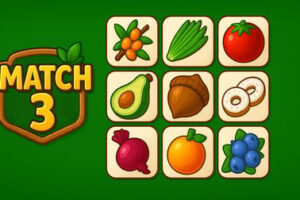
Picnic Maker lets you build the perfect picnic basket in your browser. Draft tasty foods, plan your meal, and enjoy a quick, family-friendly game.











Picnic Maker
Overview of Picnic Maker
Picnic Maker is a relaxing online picnic game that plays like a light family picnic board game right in your browser. Instead of setting up a real table full of pieces and cards, you draft colorful food items on screen and try to build the tastiest picnic spread before the round ends. It feels like a free tabletop style game, but you can jump in instantly without any downloads or sign-ups.
The core idea is simple: every turn, you choose cards or tiles that represent classic picnic foods — sandwiches, fruit, snacks, desserts, and treats. Different combinations score differently, so you’re constantly weighing whether to grab a high-value dish now or start collecting a set that will be worth big points later. That drafting tension will feel familiar to fans of casual browser card drafting games and modern tabletop titles.
Because the art is bright and playful and the rules are easy to grasp, Picnic Maker works beautifully as a kids food making game as well as a chill strategy puzzle for adults. It fits neatly into the Board, Casual, and Family categories: quick to learn, satisfying to replay, and friendly for mixed-age groups all playing around the same screen.
How to Play Picnic Maker
While different versions of Picnic Maker may add their own twists, most browser implementations follow a straightforward, card-drafting style loop. Here’s how a typical game session works from start to finish.
Turn-by-Turn Gameplay
Picnic Maker usually runs over a set number of rounds. In each round, you and the other players are dealt a hand of picnic cards. A turn generally looks like this:
- 1. Review your hand: Look at the food cards you’ve been dealt — sandwiches, sides, drinks, desserts, and special scoring cards.
- 2. Draft one card: Choose a card that best fits your strategy and add it to your personal picnic area.
- 3. Pass the rest: Remaining cards are passed to the next player (or cycled by the game in solo modes), just like a classic browser card drafting game.
- 4. Repeat: Everyone selects again from their new hand of cards until all cards in the round have been played.
At the end of each round, the game tallies points based on the food you’ve collected and how well you’ve filled your virtual picnic basket. After a few rounds, the player with the highest total score wins.
Types of Picnic Cards You’ll See
To keep things interesting, Picnic Maker usually mixes several food categories and scoring styles. You may encounter:
- Sandwich cards: Basic points based on type or size. Great for steady scoring.
- Fruit & veggie cards: Often worth more when collected in sets or rainbows of different colors.
- Snack cards (chips, crackers, etc.): May reward majority control — whoever has the most gets bonus points.
- Dessert cards: Cupcakes, cookies, and cakes that can break ties or act as end-game bonuses.
- Special combo cards: Drinks, sauces, or picnic accessories that multiply points for certain foods in your basket.
This blend of straightforward and combo-driven scoring is what makes Picnic Maker feel like a true family picnic board game: easy enough for kids to play on instinct, but deep enough that adults can plan clever strategies over multiple rounds.
Key Features
Picnic Maker packs a surprising amount of tabletop flavor into a lightweight online picnic game. Here are some of the standout elements that make it worth adding to your browser favorites.
- Card-drafting strategy: Every pick matters. Do you go for an immediate point boost or start building a set that might pay off later?
- Set collection scoring: Many foods score exponentially the more you have, turning every new card into a satisfying upgrade to your picnic basket.
- Short, replayable sessions: Most games last just a few minutes, making this a perfect coffee-break or after-school board-style experience.
- Colorful, kid-friendly visuals: Bright art and clear icons make it easy for young players to follow what’s happening on screen.
- Easy to play in-browser: No installs, no registrations, and no complicated setup like a physical board game.
- Fits all skill levels: New players can focus on grabbing their favorite foods, while experienced players optimize combos like a seasoned tabletop strategist.
Combined, these features create a free tabletop style game experience that feels polished but approachable, whether you’re playing solo or with friends and family.
Performance & Troubleshooting
Picnic Maker is designed to run smoothly in a modern browser, but a few basic checks can help if you run into performance issues or glitches.
Recommended Browsers and Settings
For the best experience, try the following:
- Use a modern browser: Updated versions of Chrome, Firefox, Edge, or Safari usually provide the smoothest play.
- Enable JavaScript: Picnic Maker relies on JavaScript for animations, card interactions, and scoring updates.
- Disable heavy extensions: Ad-blockers or script-blockers can interfere with game loading. Temporarily whitelist the gaming site if needed.
Fixing Common Issues
- Game not loading at all: Refresh the page first. If that fails, clear your browser cache and reload the online picnic game.
- Laggy or stuttering animations: Close other tabs or apps using lots of memory. On older devices, lowering system graphics settings can help.
- Input not responding: Click inside the game window to ensure it has focus, then try again. If nothing works, reload the page.
- Audio glitches: Toggle the in-game sound on and off, then check your system volume and output device.
Because Picnic Maker is a browser-based casual and family game, it normally recovers quickly if you simply refresh the tab, making troubleshooting low-stress even for younger players.
Is Picnic Maker Safe to Play Online?
Picnic Maker is generally considered a family-friendly online picnic game with gentle visuals and non-violent, food-focused gameplay. There are a few points parents and guardians may want to know:
- No graphic content: The entire experience revolves around cute food cards and picnic baskets, with no combat, horror, or mature themes.
- Minimal text complexity: Any on-screen text is usually simple enough for reading-age children to follow, and younger kids can lean on icons and colors.
- No real-money purchases in typical browser versions: Most free browser implementations play like a straightforward tabletop card game with no in-game purchases.
- Supervision for chat (if present): If the platform offers multiplayer lobbies or chat features, consider supervising or disabling chat for kids, as with any online activity.
As always, it’s wise to preview the specific site hosting Picnic Maker first. But in terms of themes and mechanics, it’s designed from the ground up as a safe, lighthearted kids food making game and family experience.
How to Play Picnic Maker Online in Your Browser
Getting into a game of Picnic Maker is quick, especially compared to setting up a full physical family picnic board game on the table. Follow these simple steps to start playing:
Step-by-Step Setup
- Open your browser: On desktop, laptop, tablet, or even some phones.
- Navigate to the hosting site: Find Picnic Maker in the Board or Family category on your favorite browser gaming platform.
- Launch the game: Click the Play button. The game will load directly in the browser without any download.
- Choose your mode (if available): Some versions let you pick solo play, local pass-and-play, or online matches with friends.
- Read the in-game tutorial: Most Picnic Maker implementations include a short rules overview or illustrated guide for first-time players.
Playing with Friends and Family
If the game supports multiplayer, you may be able to:
- Share a link: Send a private room URL so friends can join your picnic table from their own devices.
- Use local pass-and-play: Take turns drafting cards on the same device, ideal for families gathered on the couch.
Either way, the whole process is quick and intuitive, making it easy to introduce Picnic Maker to anyone who enjoys light strategy and cozy picnic themes.
Tips to Build the Perfect Virtual Picnic Basket
Winning in Picnic Maker is all about smart drafting choices and building strong food combos. These strategy tips can help you turn a simple snack spread into a high-scoring feast.
1. Balance Steady Points and Big Combos
It’s tempting to chase only the flashiest combo cards, but consistent scoring matters. Try to:
- Grab reliable sandwiches or basics early in the round so you don’t end up with low-value leftovers.
- Sprinkle in combo pieces like desserts or special drinks only when you&rsquore reasonably sure you&rsquoll see matching cards later.
2. Watch What Other Players Are Collecting
In any browser card drafting game, paying attention to your opponents is crucial:
- If someone is clearly collecting a certain snack type, deny key cards that would complete their set.
- If a food type is under-contested, lean into it for easy majority or set bonuses.
3. Prioritize End-of-Game Bonuses
Always keep an eye on cards that score at the end of the entire game, not just a single round:
- Dessert or treat cards that break ties or give final-round points can swing the outcome.
- Don’t wait too long — start building those bonuses by the second round in most rule sets.
4. Don’t Over-Commit Too Early
If you lock yourself into one food type from the very first pick, you might get stuck if those cards stop appearing. Instead:
- Use your first few turns to probe the deck and see which combinations are showing up most.
- Then specialize mid-round once you understand your options.
Family-Friendly Picnic Maker Gameplay for Kids
Picnic Maker shines as a family picnic board game alternative for kids because it naturally teaches useful skills without feeling like homework.
What Kids Learn While Playing
- Basic counting and addition: Children constantly total up points from different foods and sets.
- Pattern recognition: Spotting which icons or colors match and which combinations score best.
- Planning ahead: Deciding whether a card helps now or sets up a stronger move later.
- Taking turns and sharing: In local pass-and-play mode, everyone learns patience and fair play.
Ways Parents Can Join In
To make the most of this kids food making game, parents or older siblings can:
- Co-pilot a turn: Talk through card choices together and ask, “Which foods go well with what you already have?”
- Set mini-goals: For younger kids, focus less on winning and more on making a “balanced” picnic with all food groups.
- Use it as a conversation starter: Discuss real-life picnics, favorite snacks, and how to pack a healthy basket.
The cozy theme and simple touch or mouse controls make Picnic Maker accessible even to kids who are just starting to explore browser-based casual games.
Picnic Maker Controls, Goals, and Win Conditions
Even though Picnic Maker feels like a tabletop experience, the digital controls are intentionally minimal so the focus stays on strategy and fun.
Controls & Input
- Mouse (desktop/laptop): Click to select cards, confirm choices, and navigate menus.
- Touch (phones/tablets): Tap to highlight a card, then tap again or hit a confirm button to add it to your basket.
- Optional keyboard shortcuts: Some versions allow using arrow keys to move between cards and Enter or Space to confirm.
Core Goals of the Game
Regardless of small rule variations, your main objectives remain:
- Build the highest-scoring picnic basket by the end of the final round.
- Collect smart combinations of foods — sets, majorities, and bonus cards.
- Adapt to the draft as cards rotate between players and new opportunities appear.
How You Win
At the end of the game, Picnic Maker usually:
- Calculates points per category: Sandwiches, fruits, snacks, desserts, and special combos.
- Adds any majority or end-game bonuses: For example, most of a certain snack type or the most desserts.
- Breaks ties: Often with a specific card type like cupcakes or a highest-single-set rule.
The player with the most total points is crowned the picnic champion. In solo modes, you might instead compare your score to a star rating system or try to beat your personal best, which adds replay value for single players.
Similar Free Picnic-Themed Games You Can Try Next
If Picnic Maker hits the right mix of cozy visuals and tabletop-style strategy, there are plenty of other free picnic-themed and food-focused games worth exploring.
Picnic Go and Other Drafting Games
- Picnic Go: A browser card drafting game similar to Sushi Go, where you draft sandwiches, chips, eggs, and more to build the best meal over three rounds.
- Other food drafting titles: Look for games that mention “card drafting” or “set collection” in the Board or Family categories for a similar feel.
Casual Food-Making Games for Kids
- Cooking and baking simulators: Kid-friendly titles that let players assemble cakes, pizzas, or lunchboxes using drag-and-drop ingredients.
- Restaurant management lites: Simplified management games where timing and serving orders matter more than complex rules.
Rotating through these games keeps things fresh while still scratching the same itch as a free tabletop style game with a fun picnic or food theme. Together, they make a great playlist of browser titles for families who love both snacks and strategy.
Frequently Asked Questions
What is Picnic Maker?
Picnic Maker is a free online game where you collect different foods to build the perfect picnic meal, similar to a light board or card game you can play in your browser.
How do I play Picnic Maker?
You play by choosing food items, arranging them into a complete picnic set, and meeting the game’s goals, such as collecting mains, sides, and desserts to maximize your score.
Is Picnic Maker suitable for kids?
Yes. Picnic Maker is family-friendly, uses simple controls, and has easy-to-understand food and picnic themes that are appropriate for children and adults.
Do I need to download Picnic Maker?
No download is needed. Picnic Maker runs directly in your web browser, so you just press play and start building your picnic online.
Can I play Picnic Maker with friends?
Depending on the version on your site, Picnic Maker may offer local pass-and-play or online multiplayer modes so you can compare scores and share a picnic with friends.