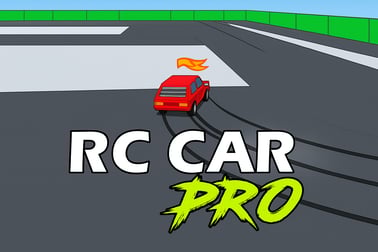
Rc Car Pro lets you race realistic RC cars on challenging tracks with pro-level physics, tuning options and online competition, all in your browser.
















Rc Car Pro
Introduction to Rc Car Pro
Rc Car Pro is a fast, skill-based online RC racing game you can play instantly in your browser. It combines the precision of a rc racing simulator with pick‑up‑and‑play controls, letting you feel like you’re driving a real radio controlled car around detailed tracks without needing any hardware, downloads, or registrations.
Designed for fans of radio controlled cars, sim racers, and casual players alike, Rc Car Pro focuses on realistic RC car physics, responsive handling, and tight lap times. You’ll drift through corners, manage throttle carefully over bumps, and fine‑tune your setup just like you would at a real RC track. And because it runs in the browser, you can jump into a race from almost any modern device.
Whether you want to grind time trials alone, race your friends in multiplayer rc racing, or learn the basics of RC driving from scratch, Rc Car Pro gives you a complete radio controlled car game experience with the convenience of online play.
Rc Car Pro Control Guide
Even though Rc Car Pro aims to feel like a realistic rc racing simulator, the controls are intentionally simple so you can get on track quickly. Exact bindings can vary depending on the platform or portal you’re playing on, but the typical layout in your browser looks like this:
- Arrow keys / WASD – Steer left and right, accelerate, and brake/reverse.
- Spacebar – Handbrake or emergency brake for tight turns and quick rotation.
- R – Reset your car back onto the track if you flip or get stuck on barriers.
- C – Change camera view (chase cam, trackside, or low “driver” view, depending on the mode).
- Esc / P – Pause the game, open the in‑game menu, or return to main menu.
On some portals, Rc Car Pro also supports gamepad controls. In that case, you typically use the left stick for steering, the triggers for throttle and brake, and face buttons for reset, camera, or pause. If a control legend is shown on the loading screen, take a second to read it before your first race.
Because Rc Car Pro focuses on realistic RC car physics, subtle movements matter. Quick tips for better control:
- Feather the throttle – Don’t hold full throttle in every corner. Easing in and out keeps traction.
- Avoid jerky steering – Smooth inputs prevent spins and let the car track cleanly through curves.
- Brake in a straight line – Heavy braking while turning can cause understeer or a spin.
Spend a few laps in practice mode until steering, throttle, and braking feel natural. Once you’re comfortable, you’ll be ready to explore every mode the game offers.
Rc Car Pro Game Modes
Rc Car Pro isn’t just about solo lapping. It bundles several modes that appeal to different playstyles, from casual players to competitive multiplayer rc racing fans. Depending on the portal, the exact names may differ, but you’ll typically find variations of these modes:
Practice Mode
Practice is the best place to start, especially if you’re new to RC or sim racing. You run solo laps on a track with no countdown timer and no pressure. This mode is perfect for:
- Learning the track layout and braking points.
- Testing different car setups and gear ratios.
- Experimenting with lines through technical sections.
Use practice mode frequently when you unlock new tracks or upgrade your virtual car. The more familiar you are with the layout, the better you’ll perform in races.
Time Trials
Time trials are where Rc Car Pro turns into a pure rc racing simulator. You drive alone on track but race against the clock and sometimes a ghost car of your best lap. Time trials reward consistency and smooth driving:
- Beat your own lap record on each track.
- Compare times with friends or global leaderboards if available.
- Try different setups to see what gives you the fastest laps.
This mode is ideal for players who love chasing hundredths of a second and mastering the nuances of realistic rc car physics.
Single Races
Single race mode pits you against AI‑controlled RC cars. Here you’ll learn how to:
- Start cleanly off the grid.
- Manage overtakes without crashing.
- Defend your racing line against opponents.
The AI difficulty may scale with your results, making races more challenging as you improve. This is a great stepping stone between practice and intense multiplayer rc racing.
Online Multiplayer
When available on your chosen platform, online multiplayer lets you race live against other players. This is the heart of the online rc racing game experience in Rc Car Pro. Typical online features can include:
- Quick join public lobbies.
- Private rooms for friends.
- Ranked or casual events.
Multiplayer highlights where Rc Car Pro shines: car‑to‑car battling, slipstreaming, and strategy all come into play. It’s also where consistent lap times from practice and time trials really pay off.
Performance & Troubleshooting
Because Rc Car Pro runs as an online rc racing game in your browser, most performance issues can be solved with a few simple checks. Here are common problems and solutions so you can stay focused on racing.
Game Feels Laggy or Stutters
- Close unused tabs and apps – Other browser tabs, streaming video, or downloads can steal CPU and bandwidth.
- Lower in‑game graphics options – If Rc Car Pro offers quality presets (Low/Medium/High), try lowering them for smoother performance.
- Check your connection – For multiplayer rc racing, stutter may be network lag. Use a stable Wi‑Fi network or wired connection where possible.
- Update your browser – The latest version of Chrome, Edge, or Firefox can provide better performance and WebGL support.
Game Won’t Load
- Disable aggressive ad‑blockers – Some extensions can interfere with the game canvas.
- Enable JavaScript and WebGL – Rc Car Pro needs them to run. Check your browser settings or flags.
- Hard refresh the page – Use Ctrl+F5 (Windows) or Cmd+Shift+R (Mac) to clear cached assets.
- Try another browser – If something is broken in one browser, switching often fixes the issue instantly.
Input Feels Delayed
- Turn off background streaming – Heavy network use can introduce input lag during online races.
- Use wired devices where possible – A wired keyboard or gamepad can feel more responsive than a weak wireless connection.
- Reduce graphics detail – If your system is struggling, the delay may be frame‑rate related rather than network‑related.
If you’re playing Rc Car Pro through a specific portal, check its help or FAQ pages for any additional compatibility notes or recommended system specs.
Is Rc Car Pro Safe to Play Online?
Rc Car Pro is designed as a family‑friendly radio controlled car game. There’s no graphic violence, explicit language, or adult content; you’re simply racing scale RC cars around detailed tracks. That makes it a solid choice for kids, teens, and adults who love racing games.
Safety considerations mainly relate to the platform where you access the game:
- No downloads required – Rc Car Pro typically runs directly in the browser, so you don’t have to install random executables.
- Reputable portals – Always launch the game from trusted gaming or publisher websites to avoid spoofed copies or misleading ads.
- Online chat and usernames – If the multiplayer lobby includes chat, treat it like any online space: don’t share personal info, and use the mute, report, or block tools if available.
Parents who want extra peace of mind can supervise younger players while they race online and use browser‑level controls to restrict communication features if needed.
From a gameplay perspective, Rc Car Pro is focused on driving skill, car control, and competition — all age‑appropriate themes that make it a safe and enjoyable hobby‑style experience.
Master Realistic RC Racing Physics in Your Browser
One of the biggest draws of Rc Car Pro is how closely it mimics the feel of real RC racing. Instead of arcade‑style, floaty cars, the game uses realistic rc car physics so that weight transfer, traction, and throttle control all matter.
Here’s how those physics translate into your driving:
- Weight Transfer – Braking causes the weight to shift forward, increasing front grip and helping the car turn in. Accelerating shifts weight to the rear, improving traction but sometimes causing understeer.
- Suspension & Bumps – On uneven sections or jumps, your RC car reacts to the surface, so landing angle and speed affect how stable you are on touchdown.
- Tires & Grip – Cold tires in the opening laps may feel looser, while warmed‑up tires can provide more consistent traction. Pushing too hard can still cause slides.
- Oversteer vs Understeer – Too much steering or throttle can rotate the car too quickly (oversteer), while entering too fast or with too little weight on the front can cause you to wash wide (understeer).
To get the most from Rc Car Pro’s physics:
- Brake earlier than you think and focus on smooth exits rather than late dives into corners.
- Use small steering corrections mid‑corner instead of big movements that destabilize the car.
- Listen and watch – Visual cues like body roll and sliding, along with engine sound, help you sense the limit of grip.
By leaning into the game’s simulation‑style handling, you’ll find Rc Car Pro is more than just a browser pastime — it’s a compact rc racing simulator that rewards genuine driving skill.
How to Tune Your RC Car Setup for Maximum Speed
Rc Car Pro includes tuning options that let you customize how your virtual RC car behaves. You don’t need to be an engineer to benefit; small changes can deliver big improvements in lap time.
Gearing
Gear ratio defines the balance between acceleration and top speed:
- Short gearing (lower top speed) – Better acceleration out of slow corners, ideal for tight technical tracks.
- Tall gearing (higher top speed) – More speed on long straights, but may feel sluggish off the line.
Test different gear settings in time trials; watch your engine revs and adjust so you’re near top RPM at the end of the longest straight without constantly hitting the limiter.
Suspension & Ride Height
Suspension tuning has a big impact on stability and cornering:
- Stiffer suspension – Sharper response and less body roll, but more twitchy and less forgiving over bumps.
- Softer suspension – More grip and stability on rough surfaces, but a bit slower to react in quick direction changes.
Lower ride height improves cornering on smooth tracks but can cause bottoming out on curbs or jumps. Higher ride height is safer on bumpy layouts but slightly reduces responsiveness.
Steering & Differential Settings
Some versions of Rc Car Pro let you adjust steering sensitivity or differential lock:
- More steering lock/sensitivity – Quicker turn‑in but easier to oversteer if you’re aggressive.
- Less steering lock – Smoother, more stable, but may feel slow in tight hairpins.
- Tighter differential – Both driven wheels turn more together, great for traction on power but can cause understeer.
- Looser differential – Better rotation mid‑corner, but you might lose traction exiting corners.
Make one small change at a time and run a few laps so you understand how each adjustment affects handling. Over time, you’ll develop your own “go‑to” setup for specific track types and conditions.
Online RC Racing: Compete Against Drivers Worldwide
Rc Car Pro becomes truly addictive when you dive into its online rc racing game features. Racing real people forces you to be consistent and strategic, not just fast over a single lap.
Multiplayer RC Racing Basics
Typical online sessions follow this structure:
- Lobby / Room Selection – Choose a track and car class, or join an existing room that matches your skill level.
- Qualifying – Set your best time to determine your grid position.
- Main Race – Line up on the grid and battle through a set number of laps.
Because Rc Car Pro uses realistic rc car physics, safe driving is just as important as raw pace. Avoid divebombs, give room in side‑by‑side corners, and try to finish races cleanly; it’s more satisfying than a risky pass that ends in a crash.
Race Etiquette
- Respect blue flags and faster cars – If you’re being lapped, hold a predictable line and let them pass.
- Don’t intentionally block – Defend your position, but don’t weave aggressively on straights.
- Own your mistakes – If you knock someone off track, slow down and let them retake the position when possible.
The more you race online, the more you’ll appreciate how Rc Car Pro captures the feel of a real RC club night — with racers from all over the world meeting up in one online rc racing game.
Tracks, Time Trials and Practice Modes Explained
The variety of tracks in Rc Car Pro is a big part of its replay value. While the specific list depends on your portal, you can expect a mix of on‑road and off‑road layouts, each demanding different driving styles and setups.
Track Types
- On‑Road Circuits – Smooth asphalt‑style surfaces, chicanes, and fast sweepers. Here, precision, braking points, and stable high‑speed setups are crucial.
- Off‑Road / Dirt Tracks – Jumps, ruts, and varying grip levels. Suspension tuning and throttle control become your best friends.
- Technical Kart‑Like Layouts – Tight hairpins and slow corners test your patience and low‑speed handling.
Time Trial Strategy
To get the most out of time trials in Rc Car Pro:
- Break the track into sectors – Focus on improving one tricky section at a time instead of the whole lap at once.
- Use ghost replays if available – Study your previous best run to see where you can brake later or carry more speed.
- Experiment with setups – On tracks with long straights, test taller gearing; on technical layouts, prioritize downforce and mechanical grip.
Why Practice Mode Matters
It’s tempting to jump straight into races, but practice mode is where you build the foundation for success. It lets you explore every inch of the circuit, figure out ideal racing lines, and adapt your car’s behavior to the surface. In a physics‑based rc racing simulator like Rc Car Pro, those habits translate directly into better race results.
Tips for Beginners: Learn RC Racing Like a Pro
If Rc Car Pro is your first serious radio controlled car game or sim‑style racer, don’t worry. You can become competitive with some focused practice and a few core habits.
Start Slow, Then Build Speed
- Drive at 80% effort until you can complete multiple laps without crashing.
- Increase your pace gradually once you’re consistent; lap times will improve naturally.
Focus on Exits, Not Entries
Fast laps don’t come from braking as late as possible; they come from getting on the throttle early and smoothly out of corners. In Rc Car Pro, prioritize clean corner exits and you’ll see your times drop.
Use Aids if Available
If traction control, stability aids, or simplified handling options are offered, use them at first. They help you understand the tracks and racing lines. You can turn aids off later as you grow more comfortable with realistic rc car physics.
Watch Faster Drivers
When racing online, observe how quicker players approach corners, where they brake, and how early they get back on throttle. Try copying just one or two techniques at a time rather than everything at once.
With patience and practice, Rc Car Pro lets you grow from a casual browser gamer into a capable virtual RC racer, all without leaving your desk or investing in physical RC gear.
Frequently Asked Questions
What is Rc Car Pro?
Rc Car Pro is a browser-based RC racing game that simulates realistic radio-controlled cars, detailed tracks and competitive racing modes.
Do I need to download anything to play Rc Car Pro?
No, Rc Car Pro runs directly in your browser. As long as you have an updated browser and a stable internet connection, you can start racing online.
Is Rc Car Pro suitable for kids and beginners?
Yes. Rc Car Pro is family-friendly and offers easy controls and practice modes, so kids and new players can learn RC racing at their own pace.
Can I race against other players in Rc Car Pro?
Yes. Rc Car Pro includes online racing where you can compete in multiplayer lobbies, time trials, and leaderboards against players from around the world.
Can I customize or tune my RC car in Rc Car Pro?
Rc Car Pro offers tuning options like suspension, tires and gearing, letting you adjust your RC car setup to match different tracks and driving styles.