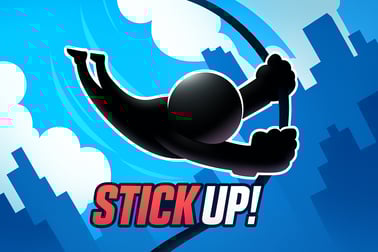
Stick Up lets you guide a stickman across gaps by extending a stick to the perfect length. Test your timing, judgment, and arcade skills online.










Stick Up
Overview of Stick Up
Stick Up is a fast-paced stickman platform game where every jump comes down to one thing: how well you judge distance. You control a tiny stickman running across floating platforms. Between each platform is a gap, and your only way across is to build a stick bridge that’s exactly the right length. Too short and you fall into the void. Too long and you overshoot the platform and tumble off the far side.
Designed as a quick-fire browser stickman arcade experience, Stick Up is all about timing, precision, and instinct. Rounds are short, restarts are instant, and it’s incredibly easy to learn—making it a perfect casual distance judgment game when you’ve got a few minutes to spare. The challenge ramps up as you go, turning simple taps and holds into tense, high-stakes decisions.
If you enjoy simple but addictive arcade challenges, Stick Up delivers that classic one‑more‑try loop. No long tutorials, no complicated menus—just your stickman, a growing score, and a series of ever‑trickier platform gap challenges.
How to Play Stick Up
Stick Up uses a straightforward, one-button style that makes it easy to pick up in seconds but tough to master. Here’s how the core gameplay works from your first tap.
Basic Rules & Mechanics
Each round starts with your stickman standing on a platform with another platform visible somewhere to the right. There’s a gap in between, and you’ve got to build a stick bridge to cross it:
- Press and hold to extend a vertical stick from the edge of your current platform.
- Release to make the stick fall horizontally, forming a bridge to the next platform.
- If the stick’s length lands anywhere within the width of the next platform, your stickman walks safely across.
- If the stick is too short, it drops into the gap and your stickman follows it down.
- If the stick is too long, it reaches past the platform and your stickman walks right off the far edge.
Your goal is to survive for as many platforms as possible in a single run. Every successful bridge increases your score, and in some versions of the game, hitting the exact center of a platform awards bonus points or streaks.
The simplicity of this arcade bridge builder hides the real challenge: your eyes and fingers need to work together, judging each new gap and tapping at just the right moment.
Objectives & Win Conditions
Stick Up doesn’t have traditional “levels” with endings—it’s built around survival and high scores, like a classic arcade cabinet. Here’s what you’re aiming for each time you play.
Score and Progress
- Primary objective: Cross as many platforms as possible without falling.
- Score tracking: Each successful bridge adds to your score; the deeper you go, the higher it gets.
- Personal records: Try to beat your own high score run after run, improving your distance judgment bit by bit.
High Score & Skill Growth
Because there’s no fixed finish line, “winning” Stick Up means:
- Surpassing your best platform streak.
- Improving how consistently you bridge medium and long gaps.
- Reaching the point where you can handle sudden changes in platform spacing without panicking.
It’s a pure skill-based platform gap challenge: no power-ups, no pay-to-win, just pattern recognition and touch precision. Over time, you’ll feel your judgment sharpen as you intuitively sense how long to hold for different distances.
How to Play Stick Up: Learn the Basics in Seconds
One of the main reasons Stick Up works so well as a casual distance judgment game is that it explains itself visually. Still, a quick breakdown helps you get comfortable faster.
Step-by-Step Beginner Guide
- Start the game: Load the Stick Up page in your browser. Once the game finishes loading, press the play button to begin.
- See the first gap: Your stickman stands on the left platform. Look at the space between your platform and the next one to the right.
- Press and hold: If you’re on a keyboard, press and hold the action key (or click and hold your mouse on desktop / tap and hold on mobile). You’ll see the stick grow downwards.
- Release at your guess: When you think the stick is long enough to reach the next platform, let go. The stick swings down to form the bridge.
- Watch the result: Your stickman automatically walks across the stick. If the stick covers at least part of the platform’s surface without overshooting too far, you’re safe.
- Repeat with new gaps: The next platform appears with a different distance. React, adjust, and build a new bridge.
That’s it. You don’t need written instructions, but knowing this flow makes your first few attempts less random and more intentional.
Early Mistakes to Avoid
- Holding too long: New players often overestimate gaps. Remember: it’s easy to overshoot; learn what “short” actually looks like in this game.
- Panicking at sudden long gaps: Some platforms are much farther away; stay calm, build steadily, and release based on visual comparison, not fear.
- Not watching platform width: Wider platforms are more forgiving. Narrow ones require tighter precision, so adjust your tolerance for error accordingly.
Tips to Judge Platform Distance and Perfect Your Stick
Success in Stick Up comes from learning how to judge distance at a glance. Because it’s a pure stickman platform game without clutter, you can use several visual and timing tricks to improve quickly.
Use Timing as a Ruler
Most players naturally convert visual distance into “how long to hold.” You can turn that into a simple system:
- Pick a gap you’re comfortable with and mentally count how long you hold: “one, two”.
- For a smaller gap, think “one and a half”; for a larger gap, try “three”.
- Stick to consistent counting so your finger pressure and reactions become muscle memory.
After a few runs, your brain will build an internal map: specific gap sizes will feel like specific tap durations.
Compare Against Known Lengths
- Use your current platform width as a reference unit: if the gap looks about as wide as your platform, try to grow the stick roughly that length.
- For longer gaps, think in multiples: does the space look like 1.5x or 2x the platform’s width?
- Keep your eyes focused roughly on the leading edge of the next platform while the stick grows; your brain naturally tracks relative size.
Practice on Smaller Gaps First
Smaller gaps are forgiving training wheels. Use the early part of a run to:
- Experiment slightly with holding a bit shorter or longer.
- Find your comfort zone for what “safe” looks like visually.
- Lock in a mental picture of the stick’s correct length for common gap sizes.
As your judgment improves, you’ll turn Stick Up from a guessing game into a rhythm-based arcade bridge builder where your instincts do most of the work.
Stickman Challenges: Increasing Difficulty and New Gaps
Stick Up starts simple, but it’s designed to get harder in a smooth, satisfying curve. That’s where the replay value really lives.
Dynamic Platform Distances
Instead of a fixed pattern, the game varies how far apart platforms appear. As your score climbs:
- Short and long gaps appear more frequently and less predictably.
- You’ll see very narrow platforms that punish tiny miscalculations.
- The game might subtly speed up or tighten the reaction windows, depending on the version you’re playing.
Mental Pressure and Mistakes
Even though the controls are relaxed and minimal, the real difficulty emerges from pressure:
- After a strong streak, you’ll feel more risk-averse, which can cause overcorrection.
- A single huge gap can break your rhythm; resisting the urge to panic-hold is part of the challenge.
- The closer you get to your personal best, the more each click feels important—making it easier to misjudge.
This natural escalation keeps Stick Up firmly in the skill and arcade genres: every failure is traceable to your own decision, not randomness, which makes improvement feel meaningful.
Casual Arcade Fun: Why Stick Up Is So Addictive
Stick Up looks simple, but it nails the core loop that makes browser stickman arcade titles so compelling.
Instant Restarts, Short Rounds
Whenever you miss a platform gap challenge, you can jump back in almost immediately. There’s no waiting around, no loading new maps, and no complex menus to click through. This fast restart cycle creates a classic “just one more try” feeling that’s perfect for quick breaks.
Clear Feedback and Satisfying Success
- You instantly see whether your stick was too short, too long, or just right.
- Walking safely to the next platform delivers a little hit of success every few seconds.
- Watching your score tick upward makes progress visible and rewarding.
Easy to Learn, Hard to Master
Because anyone can understand the idea of bridging a gap, Stick Up works for almost any age group. But mastering precise distance judgment—especially at higher scores—gives dedicated players something to chase. That balance makes it a standout casual distance judgment game you can enjoy in quick sessions or longer score-chasing marathons.
Controls, Devices, and Browser Tips for Smooth Stick Up Play
Stick Up is built to be accessible across common devices and control setups, so you can enjoy this stickman platform game whether you’re on a laptop, desktop, or mobile device.
Desktop & Laptop Controls
- Mouse: Click and hold to extend the stick; release to drop it into place.
- Keyboard (if supported): Press and hold a designated key (often the spacebar) to grow the stick; release the key to set the bridge.
Mouse control gives fine-grained pressure and timing, which many players find more precise for advanced gap challenges.
Mobile & Tablet Controls
- Touch: Tap and hold anywhere in the action area to grow the stick; lifting your finger drops the bridge.
- Make sure your device’s touchscreen is clean and responsive to avoid missed inputs.
Browser Performance Tips
- Use a modern browser (Chrome, Edge, Firefox, or Safari) updated to the latest version.
- Close extra tabs or background-heavy apps if you notice lag or frame drops.
- Disable any aggressive ad blockers or script blockers that might interfere with game scripts loading correctly.
- On laptops, plug in your charger or enable performance mode to avoid CPU throttling that could cause stutters.
Smooth performance makes your timing more reliable, which is crucial in a precision-focused platform gap challenge like Stick Up.
Where to Play Stick Up
Stick Up is designed as a browser-friendly stickman platform game, which means you don’t need consoles or heavyweight hardware to enjoy it.
Playing in Your Browser
- Open your preferred modern browser on desktop, laptop, or mobile.
- Navigate to your chosen online arcade or gaming portal that hosts Stick Up.
- Wait for the game to load, then press play and start building bridges.
Because there’s no large download, it’s ideal for quick gaming sessions in school breaks, work downtime, or while relaxing at home.
Device Compatibility
- Windows & macOS: Play via browser with mouse or keyboard input.
- Chromebooks: Stick Up’s simple 2D visuals and controls are well suited to lightweight devices.
- Android & iOS: Use your mobile browser to enjoy touch-based bridge building on the go.
As long as your device can run a modern browser smoothly, you’ll be able to enjoy this browser stickman arcade experience with minimal setup.
Can I Play Stick Up Offline?
Stick Up is generally built as an online browser game, which usually means:
- You’ll need an active internet connection to load the game page and its assets (graphics, scripts, and sound).
- Once the game is fully loaded, some browsers may allow limited offline play if you don’t close the tab and your connection briefly drops—but this isn’t guaranteed.
Some platforms or versions might package Stick Up as a downloadable app, but the standard experience is online browser-based. Check the details on the specific site or platform you’re using for any offline or installable options.
Is Stick Up Safe to Play Online?
Stick Up is a family-friendly casual arcade game with simple visuals and no violent or graphic content. Still, smart online safety habits are important:
- Play Stick Up on trusted gaming sites or official portals.
- Avoid downloading unofficial “mods” or “hacks” for this or any other game.
- Parents should guide younger players to reputable browser gaming platforms and supervise screen time where appropriate.
When enjoyed on safe platforms, Stick Up is a clean, skill-based challenge that’s appropriate for a wide range of ages and perfect for quick, fun sessions of distance-judging, stick-building arcade action.
Frequently Asked Questions
What is Stick Up about?
Stick Up is a casual arcade game where you control a stickman and extend a stick to bridge gaps between platforms. Your goal is to judge the distance correctly so the stick reaches the next platform without being too short or too long.
How do you play Stick Up?
You press and hold a key or tap and hold on mobile to extend the stick, then release to drop it between platforms. If the stick length matches the gap closely enough, your stickman safely walks across and you move on to the next platform.
Is Stick Up suitable for kids?
Yes. Stick Up is family-friendly, with simple controls, no violence, and easy-to-understand gameplay. It focuses on timing, spatial judgment, and quick reflexes, making it suitable for players of all ages.
Can I play Stick Up for free in my browser?
On many browser gaming platforms, Stick Up or similar stickman distance games can be played for free without downloads. Just load the game page, wait for it to start, and play directly in your web browser.
Do I need special controls or a gamepad for Stick Up?
No gamepad is required. On desktop, you usually play with the mouse or a single keyboard key. On mobile, you tap and hold on the screen. The one-button control scheme makes the game easy to pick up and play.