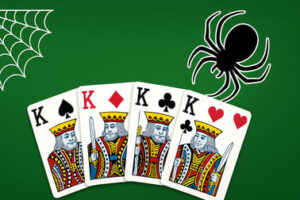
Solitaire Master ti permette di giocare online al solitario classico gratuitamente. Rilassati, allena la tua mente e goditi un gameplay fluido delle carte direttamente nel tuo browser.





Solitaire Master
Introduction to Solitaire Master
Solitaire Master è una versione moderna del classico gioco di carte Klondike che probabilmente conosci dai vecchi PC e desktop Windows. Questa versione basata sul browser ti permette di giocare online solitario classico immediatamente, senza download, senza registrazioni, e senza paywall che ostacolano il divertimento. È un rilassante gioco di carte per un solo giocatore che funge da allenamento mentale quotidiano, perfetto per pause rapide o sessioni di concentrazione più lunghe.
Se ti piace impilare le carte alternando colori, liberare il tableau e inseguire quella “vittoria perfetta,” Solitaire Master offre esattamente ciò che vuoi. Con controlli fluidi, layout personalizzabili e strumenti intelligenti per la qualità della vita come annulla e suggerimenti, è una scelta eccellente per chi ama giochi di carte solitario gratuiti che sono facili da iniziare ma difficili da lasciare.
Che tu sia alle prime armi con il solitario o un fan di vecchia data delle regole del Klondike card game, questa versione è pensata per essere accessibile, reattiva nel browser e amichevole sia per sessioni di gioco casual sia per sessioni leggere di giochi di allenamento mentale per l'occasione.
How to Play Solitaire Master
Solitaire Master segue le note regole del Klondike, quindi puoi iniziare rapidamente. Ecco come funziona il flusso di base dall'assegnazione alla vittoria.
Setup and Layout
When you start a new round, the game automatically deals a standard 52-card deck into familiar solitaire areas:
- Tableau – 7 columns of cards. The first pile has 1 card, the second has 2, and so on up to 7. Only the top card in each pile starts face up; the rest are face down.
- Stock – The remaining cards form a draw pile in the upper corner. You’ll pull cards from here as the game goes on.
- Waste – Cards flipped from the stock are placed here if they’re not immediately usable.
- Foundations – 4 empty slots where you’ll build each suit from Ace up to King. Filling all four foundations is how you win.
Core Rules & Mechanics
The heart of this classic solitaire online experience is moving cards between these areas using a few simple rules:
- Building on the tableau: You can place a card on another card that’s exactly one rank higher and a different color. For example, you can place a black 6 on a red 7.
- Moving card sequences: You can drag whole stacks of ordered cards (e.g., 9–8–7–6) as long as the sequence follows the descending, alternating-color pattern.
- Empty columns: Only a King (or a sequence starting with a King) can be moved into an empty tableau column.
- Foundations: Each foundation pile is built by suit, starting with an Ace, then 2, 3, and so on up to King.
- Drawing from the stock: Depending on the settings, you draw one or three cards at a time. The top waste card is the one you can play.
Every move you make is about uncovering hidden cards, freeing Aces and low cards, and gradually clearing the tableau while building foundations.
Solitaire Master Game Modes
While Solitaire Master focuses on a clean Klondike experience, it still offers enough variety to keep you engaged. For fans of single player card games, the different modes and tweaks subtly change how strategic or relaxed each session feels.
Draw 1 vs. Draw 3
Most players will recognize these two classic formats:
- Draw 1 – Each click on the stock flips a single card. This is the most forgiving style and ideal for beginners or relaxed play. It’s especially good when you’re using solitaire as a brain training card game but don’t want too much pressure.
- Draw 3 – Flips three cards at a time from the stock. You can only play the top card, which makes planning ahead crucial. This mode is more challenging and rewards strong pattern recognition and foresight.
Timed and Untimed Play
Depending on implementation, Solitaire Master may include different scoring or pacing options:
- Casual / untimed mode – Take as long as you like. Great for stress-free sessions.
- Timed or score-based modes – Try to win as fast as possible or with the fewest moves, adding a light competitive edge.
Even if you’re just playing free solitaire card puzzle rounds, these small tweaks can make familiar layouts feel surprisingly fresh.
Where to Play Solitaire Master
Solitaire Master is designed to run directly in your browser, so you can start a round in seconds from almost any modern device. There’s no need to install bulky apps or create extra accounts just to enjoy a quick card session.
Desktop and Laptop Browsers
You can play Solitaire Master on major desktop browsers like Chrome, Edge, Firefox, and Safari. As long as your browser supports standard HTML5 features and JavaScript, the game should load quickly and run smoothly.
- Windows / macOS / Linux – Just open your preferred browser, navigate to your chosen gaming portal that hosts Solitaire Master, and press play.
- Work and school machines – Because it’s a straightforward classic solitaire online title, it usually runs fine even on low-power or older hardware.
Play Solitaire Master on Phones & Tablets
If you prefer mobile play, Solitaire Master typically works on smartphones and tablets via the browser as well. This makes it a great choice when you want a quick klondike card game fix without installing an app.
- iOS – Play via Safari or any modern iOS browser.
- Android – Play via Chrome or other updated Android browsers.
- Touch controls – Tap and drag gestures usually feel natural, making the game ideal for one-handed play on the go.
Wherever you choose to play, Solitaire Master fits nicely into short breaks, commutes, or evenings on the couch.
Play Solitaire Master Offline
Whether you can play Solitaire Master offline depends on how it’s integrated into your chosen platform or gaming site.
Typical Browser-Based Behavior
Most web-based versions require an active internet connection to:
- Load the game code and graphics initially.
- Sync your preferences, stats, or leaderboards (if supported).
- Serve in-game ads on free platforms, helping keep the free solitaire card puzzle experience available to everyone.
Once a page is fully loaded, some browsers may allow partial offline play if assets stay cached, but you shouldn’t rely on that. If you lose connection and refresh the page, the game may stop working until you’re back online.
Is Solitaire Master Safe to Play Online?
Solitaire Master, as a straightforward card title, is generally family-friendly and low-risk, especially compared with multiplayer or chat-based games. To keep things safe and comfortable:
- Play on trusted gaming portals or sites you know.
- Avoid entering personal details; solitaire doesn’t need them.
- If ads appear, supervise younger players and close anything that looks unrelated to games or age-inappropriate.
As long as you stick to legitimate websites, Solitaire Master is a safe, simple option for fans of single player card games.
How to Play Solitaire Master Online in Your Browser
Getting started with Solitaire Master online only takes a few clicks. Here’s a quick, practical walkthrough.
Step-by-Step: Start a New Game
- Open your browser on desktop, phone, or tablet.
- Go to your preferred gaming site that hosts Solitaire Master.
- Find Solitaire Master using site search or the Card / Puzzle categories.
- Click or tap “Play”. The game will load in a few seconds in your browser window.
- Adjust settings like Draw 1 vs. Draw 3, sound, or background if that’s offered.
- Press “New Game” to deal your first layout and start playing.
Basic Turn Flow
On each turn, you’ll do one or more of the following:
- Move available cards in the tableau to reveal face-down cards.
- Send Aces and low cards to the foundation piles whenever possible.
- Draw from the stock when you run out of immediate moves.
- Use undo o hint if you’re stuck and the game provides them.
You win when all four foundations are completely filled from Ace to King, clearing the deck. If no more valid moves exist and the stock is exhausted, the game ends in a loss—but you can always start a new round instantly.
Tips to Win More Solitaire Games and Train Your Brain
Even though luck plays a role in any klondike card game, good strategy dramatically improves your win rate. Here are some practical tips to turn Solitaire Master into one of your favorite brain training card games for casual play:
Prioritize Uncovering Face-Down Cards
Whenever you can choose between a move that reveals a hidden card and one that doesn’t, favor the move that flips a new card. Uncovered cards:
- Increase your options.
- Help you reach critical cards like Aces and low values sooner.
- Reduce “dead” columns that stall your progress.
Don’t Rush Cards to the Foundation
In many classic solitaire online rounds, sending cards to the foundation feels satisfying, but it’s not always optimal. Holding back mid-value cards (like 5–7) can give you more flexibility in the tableau. Move them up only when:
- They clearly won’t be needed for building sequences.
- They help free a stuck column or reveal a vital hidden card.
Open Up Empty Columns Wisely
Empty tableau spaces are powerful. Reserve them for Kings that unlock long sequences or reveal many hidden cards behind them. Avoid dumping a random King into an empty column if a different King would create better cascading moves.
Watch the Stock Carefully (Especially in Draw 3)
In Draw 3 mode, card order matters a lot. Try to remember which cards are coming up and which ones you’ve seen but couldn’t play. Sometimes delaying a move allows a more useful card to rotate to the top of the waste pile on the next pass.
Use Hints and Undo as Learning Tools
If Solitaire Master offers hints and undo, use them to improve your skills—not just to escape tough spots:
- Check hints to see alternative plays you didn’t spot.
- Use undo to test different sequences and see which leads to more uncovered cards.
Over time, these tools help you naturally recognize stronger moves without assistance.
Solitaire Modes, Features, and Customization Options
One of the best parts of playing Solitaire Master online is the ability to fine-tune the experience. These features can turn a simple card layout into your ideal giochi di solitario gratuiti setup.
Common Gameplay Options
- Stile di pesca – Passa da Pescata 1 (più facile) a Pescata 3 (più difficile) per diversi livelli di sfida.
- Punteggio – Alcune versioni offrono modalità standard, Vegas o senza punteggio, così puoi giocare per divertimento o tenere traccia delle prestazioni.
- Suggerimenti e Annulla – Utilizzi illimitati o limitati a seconda della piattaforma; utile per l’accessibilità e l’apprendimento.
- Completamento automatico – Abilitalo se ti piacciono finish rapidi una volta che una vittoria è garantita.
Impostazioni visive e di comfort
- Retro delle carte e temi – Scegli design delle carte e temi che rispecchiano i tuoi gusti.
- Backgrounds – Cambia colori o texture per rendere il gioco più rilassante e userai un gioco di carte per un solo giocatore più tranquillo.
- Suoni e musica – Attiva o disattiva gli effetti per ambienti silenziosi o sessioni di concentrazione.
Caratteristiche di accessibilità
Molte implementazioni moderne del solitario considerano l'accessibilità, utile soprattutto per giocatori più anziani o chi è sensibile a elementi visivi caotici:
- Carte / font più grandi per una migliore leggibilità.
- Modalità ad alto contrasto in modo che i semi e i colori siano più facili da distinguere.
- Mosse con un solo tocco per ridurre la precisione richiesta dal trascinamento su schermi piccoli.
Queste modifiche rendono Solitaire Master un'opzione più inclusiva nel più ampio mondo dei giochi di solitario per l'allenamento mentale e dei puzzle casual.
Is Solitaire Master Good for Relaxing and Mental Focus?
Solitaire è stato un passatempo digitale di riferimento per decenni, e c'è una ragione per cui continua ad essere popolare. Solitaire Master si inserisce perfettamente in questa tradizione come un gioco facile da capire ma mentalmente coinvolgente.
Relaxation and Stress Relief
La natura ripetitiva e prevedibile del solitario può essere sorprendentemente calmante. Mescolare le carte, impilare i semi e liberare colonne creano un ritmo delicato che aiuta a rilassarsi:
- Le regole sono stabili e familiari, quindi non c'è pressione di «imparare una meta».
- Le manche sono autoconclusive; una rapida vittoria o sconfitta non influisce sul gioco successivo.
- Controlli il ritmo, rendendo Solitaire Master ideale per brevi pause di relax.
Light Brain Training and Focus
Allo stesso tempo, il solitario è più di un semplice clic. È una sottile forma di esercizio mentale, motivo per cui molte persone lo considerano uno dei più efficaci giochi di solitario per l'allenamento mentale per il gioco casual:
- Pianificare in anticipo – Decidere se spostare una carta ora o aspettare mette alla prova la tua capacità di pensare a qualche mossa avanti.
- Riconoscimento dei modelli – Sei costantemente alla ricerca di sequenze e di alternanze di colori nel tableau.
- Memoria di lavoro – In particolare nella modalità Draw 3, terrai mentalmente traccia di quali carte sono sepolte nel stock e quando riappairanno.
Perché la sfida è dolce e auto-ritmica, Solitaire Master può migliorare la concentrazione senza aggiungere stress—facendone un ponte perfetto tra un puzzle puro e un gioco di carte accogliente e rilassante.
Solitaire Master Controls and Settings Explained
Solitaire Master è volutamente semplice da controllare, così puoi concentrarti sulla strategia invece di lottare con l'interfaccia.
Mouse and Keyboard Controls (Desktop)
- Clicca / trascina – Clicca e trascina carte o pile da una pila all'altra.
- Clic singolo – Molte versioni ti permettono di cliccare una carta per inviarla automaticamente in una posizione valida, come una fondazione ovvia.
- Pulsante Nuova Partita – Avvia subito una nuova disposizione.
- Annulla / Ripristina – Torna indietro attraverso le ultime mosse se la piattaforma lo supporta.
- Menu / icona Impostazioni – Apri opzioni per suono, stile di pesca, aspetto e altro.
Touch Controls (Mobile and Tablet)
- Tocca – Seleziona o muovi automaticamente carte verso fondazioni o posizioni logiche.
- Tocca e tieni, poi trascina – Sposta carte e pile tra le colonne del tableau.
- Tocca il mazzo – Capovolgi nuove carte dal mazzo nel mucchio degli scarti.
- Pulsanti sullo schermo – Usa icone per annulla, suggerimento, impostazioni e nuova partita.
Key Settings to Check First
Prima di iniziare a giocare regolarmente, vale la pena aprire il menu delle impostazioni e personalizzare alcuni elementi essenziali:
- Pescata 1 / Pescata 3 – Determina il tuo livello di difficoltà preferito.
- Suono attivo/disattivato – Decidi se vuoi feedback audio o una sessione silenziosa di giochi di carte per un solo giocatore.
- Tema visivo – Scegli uno stile di carte e uno sfondo che sembrino facili da guardare.
- Completamento automatico – Abilitalo se ti piace finire rapidamente una volta che la vittoria è garantita.
Con questi controlli e impostazioni tarate sui tuoi gusti, Solitaire Master diventa un modo fluido e personalizzabile per goderti solitario classico online ogni volta che vuoi una rapida e soddisfacente soluzione di carte.
Frequently Asked Questions
Cos'è Solitaire Master?
Solitaire Master è un classico gioco di carte a giocatore singolo che puoi giocare online, basato sulle tradizionali regole del solitario Klondike.
Devo scaricare qualcosa per giocare?
No, puoi giocare direttamente nel tuo browser senza dover scaricare o installare alcun software.
Solitaire Master è gratuito da giocare?
Sì, Solitaire Master è completamente gratuito da giocare, con turni illimitati disponibili.
I principianti possono giocare a Solitaire Master?
Sì, il gioco è facile da imparare, con controlli di trascinamento e rilascio semplici e regole chiare del solitario classico adatte ai principianti.
Posso giocare a Solitaire Master su dispositivi mobili?
Sì, Solitaire Master può essere giocato nei moderni browser mobili su telefoni e tablet, così come su desktop.