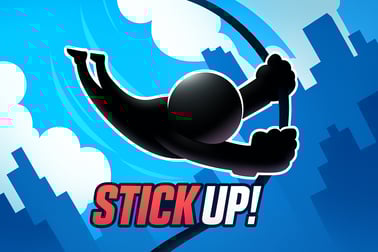
Stick Upは、棒を伸ばして隙間を渡すことで棒人間を導くことを可能にします。タイミング、判断力、アーケードスキルをオンラインで試してください。
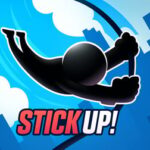







Stick Up
Stick Upの概要
Stick Upは、速いテンポの stickman platform game で、すべてのジャンプは1つのことにかかっています: 距離をどれだけ正確に判断するか。あなたは浮かぶプラットフォームを横断して走る小さな棒人間を操作します。各プラットフォーム間には隙間があり、渡る唯一の方法は正確な長さの棒ブリッジを作ることです。短すぎれば虚空に落ち、長すぎるとプラットフォームを越えて遠くの端から転落します。
クイックファイアな ブラウザスティックマンアーケード 体験として設計されたStick Upは、タイミング、正確さ、直感が全てです。ラウンドは短く、リスタートは瞬時で、学ぶのは信じられないほど簡単です—少しの時間があれば完璧な カジュアルな距離判断ゲームと言えます。挑戦は進むにつれて難しくなり、単純なタップと長押しを緊張感のある高リスクな決断へと変えます。
シンプルですが中毒性の高いアーケードチャレンジを楽しむなら、Stick Upはクラシックな“もう一度挑戦したい”ループを提供します。長いチュートリアルも、複雑なメニューもありません—ただあなたの棒人間、徐々に増えるスコア、そして次々と難しくなるプラットフォーム間の隙間チャレンジの連続です。
Stick Upの遊び方
Stick Upは、直感的で1ボタンのスタイルを用いて、数秒で覚えるのは簡単ですが習得は難しいです。最初のタップからコアなゲームプレイの仕組みは以下の通りです。
基本ルールと仕組み
各ラウンドは、棒人間がプラットフォームの上に立っており、右側のどこかに別のプラットフォームが見える状態から始まります。間には隙間があり、それを渡るための棒ブリッジを作らなくてはなりません:
- Press and hold to extend a vertical stick from the edge of your current platform.
- Release to make the stick fall horizontally, forming a bridge to the next platform.
- If the stick’s length lands anywhere within the width of the next platform, your stickman walks safely across.
- If the stick is too short, it drops into the gap and your stickman follows it down.
- If the stick is too long, it reaches past the platform and your stickman walks right off the far edge.
Your goal is to survive for as many platforms as possible in a single run. Every successful bridge increases your score, and in some versions of the game, hitting the exact center of a platform awards bonus points or streaks.
The simplicity of this arcade bridge builder hides the real challenge: your eyes and fingers need to work together, judging each new gap and tapping at just the right moment.
Objectives & Win Conditions
Stick Up doesn’t have traditional “levels” with endings—it’s built around survival and high scores, like a classic arcade cabinet. Here’s what you’re aiming for each time you play.
Score and Progress
- Primary objective: Cross as many platforms as possible without falling.
- Score tracking: Each successful bridge adds to your score; the deeper you go, the higher it gets.
- Personal records: Try to beat your own high score run after run, improving your distance judgment bit by bit.
High Score & Skill Growth
Because there’s no fixed finish line, “winning” Stick Up means:
- Surpassing your best platform streak.
- Improving how consistently you bridge medium and long gaps.
- Reaching the point where you can handle sudden changes in platform spacing without panicking.
It’s a pure skill-based platform gap challenge: no power-ups, no pay-to-win, just pattern recognition and touch precision. Over time, you’ll feel your judgment sharpen as you intuitively sense how long to hold for different distances.
How to Play Stick Up: Learn the Basics in Seconds
One of the main reasons Stick Up works so well as a casual distance judgment game is that it explains itself visually. Still, a quick breakdown helps you get comfortable faster.
Step-by-Step Beginner Guide
- Start the game: Load the Stick Up page in your browser. Once the game finishes loading, press the play button to begin.
- See the first gap: Your stickman stands on the left platform. Look at the space between your platform and the next one to the right.
- Press and hold: If you’re on a keyboard, press and hold the action key (or click and hold your mouse on desktop / tap and hold on mobile). You’ll see the stick grow downwards.
- Release at your guess: When you think the stick is long enough to reach the next platform, let go. The stick swings down to form the bridge.
- Watch the result: Your stickman automatically walks across the stick. If the stick covers at least part of the platform’s surface without overshooting too far, you’re safe.
- Repeat with new gaps: The next platform appears with a different distance. React, adjust, and build a new bridge.
That’s it. You don’t need written instructions, but knowing this flow makes your first few attempts less random and more intentional.
Early Mistakes to Avoid
- Holding too long: 新しいプレイヤーは隙間を過大評価しがちです。覚えておいてください: はみ出すのは簡単です; このゲームで“short”が実際にどう見えるかを学んでください。
- Panicking at sudden long gaps: Some platforms are much farther away; stay calm, build steadily, and release based on visual comparison, not fear.
- Not watching platform width: Wider platforms are more forgiving. Narrow ones require tighter precision, so adjust your tolerance for error accordingly.
Tips to Judge Platform Distance and Perfect Your Stick
Success in Stick Up comes from learning how to judge distance at a glance. Because it’s a pure stickman platform game without clutter, you can use several visual and timing tricks to improve quickly.
Use Timing as a Ruler
Most players naturally convert visual distance into “how long to hold.” You can turn that into a simple system:
- Pick a gap you’re comfortable with and mentally count how long you hold: “one, two”.
- For a smaller gap, think “one and a half”; for a larger gap, try “three”.
- Stick to consistent counting so your finger pressure and reactions become muscle memory.
After a few runs, your brain will build an internal map: specific gap sizes will feel like specific tap durations.
Compare Against Known Lengths
- Use your current platform width as a reference unit: if the gap looks about as wide as your platform, try to grow the stick roughly that length.
- For longer gaps, think in multiples: does the space look like 1.5x or 2x the platform’s width?
- Keep your eyes focused roughly on the leading edge of the next platform while the stick grows; your brain naturally tracks relative size.
Practice on Smaller Gaps First
Smaller gaps are forgiving training wheels. Use the early part of a run to:
- Experiment slightly with holding a bit shorter or longer.
- Find your comfort zone for what “safe” looks like visually.
- Lock in a mental picture of the stick’s correct length for common gap sizes.
As your judgment improves, you’ll turn Stick Up from a guessing game into a rhythm-based arcade bridge builder where your instincts do most of the work.
Stickman Challenges: Increasing Difficulty and New Gaps
Stick Up starts simple, but it’s designed to get harder in a smooth, satisfying curve. That’s where the replay value really lives.
Dynamic Platform Distances
Instead of a fixed pattern, the game varies how far apart platforms appear. As your score climbs:
- Short and long gaps appear more frequently and less predictably.
- You’ll see very narrow platforms that punish tiny miscalculations.
- The game might subtly speed up or tighten the reaction windows, depending on the version you’re playing.
Mental Pressure and Mistakes
Even though the controls are relaxed and minimal, the real difficulty emerges from pressure:
- After a strong streak, you’ll feel more risk-averse, which can cause overcorrection.
- A single huge gap can break your rhythm; resisting the urge to panic-hold is part of the challenge.
- The closer you get to your personal best, the more each click feels important—making it easier to misjudge.
This natural escalation keeps Stick Up firmly in the skill and arcade genres: every failure is traceable to your own decision, not randomness, which makes improvement feel meaningful.
Casual Arcade Fun: Why Stick Up Is So Addictive
Stick Up looks simple, but it nails the core loop that makes browser stickman arcade titles so compelling.
Instant Restarts, Short Rounds
Whenever you miss a platform gap challenge, you can jump back in almost immediately. There’s no waiting around, no loading new maps, and no complex menus to click through. This fast restart cycle creates a classic “just one more try” feeling that’s perfect for quick breaks.
Clear Feedback and Satisfying Success
- You instantly see whether your stick was too short, too long, or just right.
- Walking safely to the next platform delivers a little hit of success every few seconds.
- Watching your score tick upward makes progress visible and rewarding.
Easy to Learn, Hard to Master
Because anyone can understand the idea of bridging a gap, Stick Up works for almost any age group. But mastering precise distance judgment—especially at higher scores—gives dedicated players something to chase. That balance makes it a standout casual distance judgment game you can enjoy in quick sessions or longer score-chasing marathons.
Controls, Devices, and Browser Tips for Smooth Stick Up Play
Stick Up is built to be accessible across common devices and control setups, so you can enjoy this stickman platform game whether you’re on a laptop, desktop, or mobile device.
Desktop & Laptop Controls
- Mouse: Click and hold to extend the stick; release to drop it into place.
- Keyboard (if supported): Press and hold a designated key (often the spacebar) to grow the stick; release the key to set the bridge.
Mouse control gives fine-grained pressure and timing, which many players find more precise for advanced gap challenges.
Mobile & Tablet Controls
- Touch: Tap and hold anywhere in the action area to grow the stick; lifting your finger drops the bridge.
- Make sure your device’s touchscreen is clean and responsive to avoid missed inputs.
Browser Performance Tips
- 最新バージョンに更新されたモダンブラウザ(Chrome、Edge、Firefox、またはSafari)を使用してください。
- 遅延やフレーム落ちを感じた場合は、追加のタブやバックグラウンドアプリを閉じてください。
- 攻撃的な 広告ブロッカー やスクリプトブロッカーを無効にしてください。
- ノートパソコンでは、充電器を接続するか、パフォーマンスモードを有効にして、CPUのスロットリングを回避してください。
滑らかなパフォーマンスはタイミングをより信頼性のあるものにし、Stick Upのような精密さを重視したプラットフォーム間ギャップチャレンジでは特に重要です。
Stick Upを遊ぶ場所
Stick Upはブラウザ対応の stickman platform game として設計されており、それを楽しむにはコンソールや重量級のハードウェアは必要ありません。
ブラウザでのプレイ
- デスクトップ、ノートパソコン、モバイルのいずれかで、好みのモダンブラウザを開きます。
- Stick Upをホストしているオンラインのアーケードやゲームポータルにアクセスします。
- ゲームが読み込まれるのを待ち、プレイを押してブリッジの構築を始めます。
大きなダウンロードがないため、学校の休憩時間、仕事の休憩、家でのんびりしているときなど、短時間のゲームセッションには最適です。
デバイスの互換性
- Windows & macOS: ブラウザ経由でマウスまたはキーボード入力でプレイ。
- Chromebooks: Stick Upのシンプルな2Dビジュアルと操作は軽量デバイスに適しています。
- Android & iOS: 外出先でタッチ操作のブリッジ構築を楽しんでください。
モダンなブラウザをスムーズに動作させられれば、最小限のセットアップでこの ブラウザスティックマンアーケード を楽しめます。
Stick Upをオフラインでプレイできますか?
Stick Upは通常 オンラインブラウザゲーム として作られており、通常は以下を意味します:
- ゲームページとアセット(グラフィック、スクリプト、サウンド)を読み込むには アクティブなインターネット接続 が必要です。
- ゲームが完全に読み込まれた後、タブを閉じず接続が一時的に切断された場合、一部のブラウザで限定的なオフラインプレイが許可されることがありますが、保証はありません。
一部のプラットフォームやバージョンでは Stick Up をダウンロード可能なアプリとしてパッケージ化している場合がありますが、標準体験はオンラインのブラウザベースです。オフラインまたはインストール可能なオプションがあるかは、使用している特定のサイトやプラットフォームの詳細を確認してください。
Stick Upはオンラインで遊ぶのは安全ですか?
Stick Upは家族向けのカジュアルなアーケードゲームで、視覚的にはシンプルで暴力的またはグラフィックな内容はありません。それでも、オンラインの安全な習慣は重要です:
- Stick Upを信頼できるゲームサイトや公式ポータルでプレイしてください。
- このゲームや他のゲームの公式でない“ mods”や“ hacks”をダウンロードしないでください。
- 保護者は若年プレイヤーを信頼できるブラウザゲームプラットフォームへ導き、適切なスクリーンタイムを監督してください。
安全なプラットフォームで楽しむと、Stick Upはクリーンでスキルベースの challenge で、幅広い年齢層に適しており、距離を判断して棒を作るアーケードアクションを短時間の楽しいセッションに最適です。
Frequently Asked Questions
Stick Up とは何ですか?
Stick Upは、棒人間を操作して棒を伸ばし、プラットフォーム間の幅を橋渡しするカジュアルなアーケードゲームです。あなたの目的は、棒が次のプラットフォームに届く距離を正確に判断することで、短すぎたり長すぎたりしないようにします。
Stick Up の遊び方は?
棒を伸ばすには、キーボードの場合はキーを押して長押し、モバイルの場合は画面をタップして長押しします。棒を適切な長さまで伸ばしたら離して、プラットフォーム間に橋を落とします。棒の長さが次の隙間の幅にほぼ一致すれば、棒人間は安全に渡り、次のプラットフォームへ進みます。
Stick Upは子供に適していますか?
はい。Stick Upは家族向けで、操作は簡単、暴力なし、理解しやすいゲームプレイです。タイミング、空間認識、そして迅速な反射神経に焦点を当て、すべての年齢層のプレイヤーに適しています。
ブラウザでStick Upを無料で遊ぶことはできますか?
多くのブラウザゲームプラットフォームでは、Stick Up や類似の棒人間の距離ゲームをダウンロード不要で無料で遊ぶことができます。ゲームページを読み込み、起動を待ち、ウェブブラウザ上で直接プレイしてください。
Stick Upには特別なコントロールやゲームパッドが必要ですか?
ゲームパッドは必要ありません。デスクトップでは通常、マウスまたは1つのキーボードキーでプレイします。モバイルでは画面をタップして長押しします。1ボタンの操作体系により、ゲームを簡単に始められます。