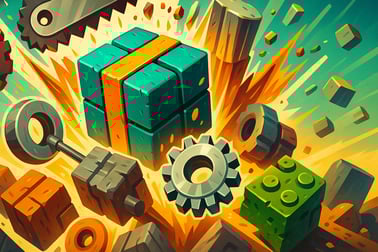
Crusher Block — безкоштовна idle-клікер гра, де ви розбиваєте блоки, заробляєте монети і вдосконалюєте свою машину до потужного автоматичного подрібнювача блоків.






Crusher Block
Introduction to Crusher Block
Crusher Block is a satisfying idle clicker game where you build a gigantic block crushing machine and watch cubes explode into coins. Inspired by a Minecraft style block game, this browser-based incremental idle game lets you start small with basic crushers and slowly evolve into a full-blown industrial mining empire. Whether you love watching numbers climb, tweaking upgrade paths, or just relaxing with a free idle mining game, Crusher Block hits that perfect “one more upgrade” loop.
You don’t need downloads, installs, or a powerful PC. Just open the game in your browser, start crushing blocks, and let the automated machines keep working while you sit back. It’s part clicker, part block crushing simulator, and entirely about turning dirt and stone into endless digital profit.
In this guide you’ll learn how to play Crusher Block online, how the idle progression works, what each block and crusher type does, and why this incremental idle browser game is such a good AFK background tab while you’re doing other things.
How to Play Crusher Block
Even if you’ve never touched an idle clicker game before, you’ll pick up Crusher Block in seconds. The game is designed so that your first blocks are crushed almost instantly, giving you coins to spend and showing you how the whole system fits together.
Basic Rules & Mechanics
The core loop of Crusher Block is straightforward:
- Spawn blocks at the top of the conveyor or chute.
- Move downward through saws, crushers, and other destroyers.
- Break the blocks into pieces to earn coins and resources.
- Use coins to buy more spawners, stronger crushers, and automation upgrades.
Every upgrade you buy improves your income per second, so progress feels faster and faster. That constant acceleration is what makes an incremental idle browser game so addictive.
Controls & Input
Crusher Block is built for simple mouse or touch controls:
- Left-click / Tap on buttons in the UI to buy or upgrade items.
- Hover over certain objects (like manual tools or pickaxes, depending on the version) to trigger additional actions or bonuses.
- Click repeatedly on highlighted areas if the game offers “active” boosts to speed up crushing for a short time.
On desktop, a single mouse button is all you need. On mobile or tablet, just tap where you’d normally click. You don’t need keyboard input, which is ideal for a casual idle clicker game that’s meant to sit in a tab while you multitask.
Objectives & Win Conditions
Like most idle games, Crusher Block doesn’t have a hard “ending” in the traditional sense. Instead, it’s about pushing your production chain further and further, chasing milestones and efficiency goals rather than a final boss.
Key Features
- Endless progression: Keep upgrading crushers, spawners, and automation to see your coin income skyrocket.
- Relaxing visuals: Watch dirt, stone, and other blocks get shredded in a Minecraft style block game environment.
- Idle & active play: Let your machine run on its own or jump in with clicks and manual boosts to speed things up.
- Incremental upgrades: Every purchase improves something—spawn rates, crushing power, coin multipliers, or special bonuses.
- Play in-browser: No account or installation required on most portals; just load and play.
Your personal “win condition” might be reaching a certain income per second, unlocking late-game block types, or fully maxing out every crusher in your factory. Because it’s a block crushing simulator, the satisfaction is in seeing a messy pile of cubes enter the system and pure profit come out the other side.
Performance & Troubleshooting
Crusher Block is built using HTML5 / WebGL technology, so it runs directly in modern browsers. Still, any incremental idle browser game that spawns lots of objects can start to feel heavy on older devices over long sessions. Here are some quick performance tips if things slow down.
Common Issues & Fixes
- Game running slowly or choppy:
- Close extra tabs or background apps that use lots of memory.
- Try a different browser (Chrome, Firefox, Edge, or a modern Chromium-based browser).
- Lower any visual effects settings if the game provides options.
- Game not loading:
- Disable aggressive ad-blockers on the page and refresh.
- Check that JavaScript is enabled in your browser.
- Clear your cache and reload the game if the loading bar gets stuck.
- Progress missing or not saving:
- Some portals save progress in browser storage, so don’t use incognito mode if you want it to persist.
- If an account or “Save” option is offered, log in and save manually from time to time.
Since Crusher Block is fairly lightweight, most players on desktop and modern phones should be able to run this free idle mining game smoothly without special tweaks.
Where to Play Crusher Block
Crusher Block is designed as a browser-based idle clicker game, so it’s made to run instantly without any installations. You simply visit a supported gaming site, click the play button, wait for the short loading period, and you’re ready to crush your first block.
The game typically supports:
- Desktop and laptop browsers: Best performance and easiest for long idle sessions.
- Mobile browsers: Great for quick sessions and AFK progression on the go.
- Tablet browsers: A comfortable middle ground with more screen space for managing upgrades.
Because it’s a casual incremental idle browser game, you can jump in for two minutes or leave it running for hours. Just keep the tab open if you want the crushers to keep working while you do something else.
Offline Play Availability for Crusher Block
Most versions of Crusher Block are primarily online browser games. That means:
- You usually need an internet connection to load the game initially.
- Once loaded, your progress is often stored locally in your browser or linked to an online account on the hosting site.
In many cases, after the game assets are fully loaded, the core gameplay can continue if your connection briefly drops, but you shouldn’t rely on Crusher Block as a true offline game. Treat it as an online idle clicker game that may keep running in the background tab even if your connection is unstable, as long as the page doesn’t need to refresh.
If offline support matters to you, look for:
- A “download app” or “install” version from official app stores on mobile.
- Explicit mentions of offline play on the portal where you’re launching the game.
For standard browser play, assume Crusher Block is mostly an online, in-tab experience rather than a fully offline title.
How to Play Crusher Block Online in Your Browser
Getting started with Crusher Block takes less time than crushing your first block. Here’s a quick walkthrough to go from zero to fully operational crusher line.
Step-by-Step Start Guide
- Open the game page on your favorite browser and wait for it to load.
- Start the first wave of blocks: Most versions automatically spawn basic dirt blocks, or you click a button to begin.
- Watch your first crushers work: Early on, a basic saw blade or crusher will chop those blocks into pieces, rewarding you with coins.
- Upgrade your income: Use those coins to buy improvements—faster spawns, stronger crushers, or extra lanes.
- Keep the tab open: As an idle clicker game, income continues even if you’re less active, as long as the page remains open.
Early Priorities
For a smooth start:
- Focus on upgrading block spawners to increase the number of blocks entering your crusher.
- Then improve crusher strength or speed so they can keep up with the extra blocks.
- Grab any cheap automation upgrades so your machine keeps earning even when you’re away from the screen.
Within a few minutes, you’ll feel the pace pick up as your little crusher setup becomes a serious block destroying factory.
Часті запитання
Що таке Crusher Block?
Crusher Block — це безкоштовна браузерна idle-клікер гра, у якій ви розбиваєте нескінченні блоки, заробляєте монети та вдосконалюєте свої дробарки та спавнери блоків, щоб побудувати потужну автоматизовану машину.
Як грати в Crusher Block?
Починаєте, натискаючи, щоб розбивати блоки та заробляти монети. Використовуйте ці монети для покращення ваших дробарок, збільшення швидкості появи блоків та розблокування автоматизації, щоб машина продовжувала працювати, поки ви розслабляєтеся і дивитесь.
Чи можу я грати в Crusher Block безкоштовно?
Так, Crusher Block повністю безкоштовна для гри у вашому браузері. Завантаження не потрібно, і ви можете почати грати одразу на настільних чи мобільних пристроях, які підтримують HTML5.
Чи є Crusher Block idle або активною гроєю-клікером?
Crusher Block — обидва типи. Ви можете активно клікати, щоб пришвидшити розбивання для швидших монет, або дозволити вдосконалені дробарки та спавнери працювати самостійно як idle-гра в фоновому режимі.
Чи потрібен обліковий запис, щоб зберегти свій прогрес у Crusher Block?
Деякі платформи можуть дозволяти зберігати прогрес, увійшовши в обліковий запис, але зазвичай Crusher Block можна грати як гість. Перевірте опції збереження на платформі, якщо хочете зберегти свої оновлення між сесіями.