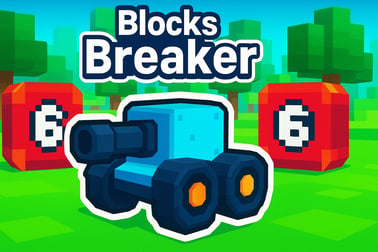
Blocks Breaker is a free online brick-smashing game. Aim, shoot, and clear every block using smart angles and power-ups right in your browser.







Blocks Breaker
Overview of Blocks Breaker
Blocks Breaker is a fast, satisfying mix of arcade action and block breaking puzzle strategy. If you love classic brick breaker online titles but want something you can instantly load in your browser, this arcade brick game is made for you. Your goal is simple: aim your ball shooter, smash every block on the screen, and keep the balls from dropping past the bottom line.
Unlike old-school paddle games, Blocks Breaker focuses on precision aiming, clever use of rebounds, and smart timing. Each level gives you a fresh brick layout with numbered blocks that show how many hits they need before they disappear. The result is an addictive browser brick breaker that feels both relaxing and strategic, perfect for quick casual sessions or long puzzle marathons.
Because it runs right in your browser, Blocks Breaker is easy to jump into from almost any device. There’s no download, no long tutorial, and no steep learning curve. Just point, shoot, and start chipping away at the wall of blocks while you chase higher scores and perfect clears.
Blocks Breaker Control Guide
Controls in Blocks Breaker are designed to be intuitive so you can focus on the puzzle in front of you instead of fighting the interface. Whether you’re on desktop or mobile, you’ll be lining up shots in seconds.
Mouse and Keyboard Controls (Desktop)
- Aim: Move your mouse to change the direction of the aiming line.
- Shoot: Click the left mouse button to fire your ball shooter and launch the volley of balls.
- Charge / Preview: Hold the button before release to fine-tune your angle, especially useful for tricky corner shots.
- Next Turn / Fast-Forward: Some versions support clicking again or pressing a key to speed up ball returns after a shot.
Touch Controls (Phones & Tablets)
- Aim: Touch and drag on the screen to move the trajectory guide.
- Shoot: Release your finger to fire the balls along the line you set.
- Fine Aiming: Drag slowly and use small adjustments to squeeze the perfect bounce between tight gaps.
There’s no complex button layout to memorize. Once you know how to aim and shoot, you’ve mastered the core control system. The challenge comes from reading the board, understanding how blocks move, and deciding which targets matter most each turn.
Key Features
Blocks Breaker blends the accessibility of a casual ball shooter game with layers of puzzle depth. Here are some of the features that make this browser brick breaker so engaging:
- Simple but deep gameplay: One control, countless ways to clear the board using angles, rebounds, and power-ups.
- Incremental block numbers: Each block shows how many hits it needs to break, turning every shot into a mini math and strategy puzzle.
- Power-ups and special balls: Unlock balls that split, pierce, or explode to shred bricks faster.
- Unique block types: Indestructible walls, bomb blocks, and bonus targets that change how you think about each level.
- Star ratings and scores: Earn up to three stars per stage based on how efficiently you clear blocks and how many balls you use.
- Instant browser play: No installation required; just load the page and start playing.
- Casual-friendly pacing: Play one quick level or grind through a long session chasing that perfect clear.
Together, these features keep Blocks Breaker from feeling like just another brick breaker online clone. It adds enough variety to keep you thinking while still retaining that classic, satisfying feeling of watching cascades of blocks disappear.
Performance & Troubleshooting
Because Blocks Breaker is an HTML5 browser brick breaker, performance usually depends on your device and browser. If you experience lag, stuttering, or input delay, try the following quick fixes.
Optimize Performance on Desktop
- Close extra tabs: Having lots of tabs and apps open can eat memory and cause the ball shooter game to slow down.
- Update your browser: The latest versions of Chrome, Firefox, Edge, and Safari tend to handle HTML5 arcade games more smoothly.
- Disable heavy extensions: Ad blockers or script-heavy extensions can interfere with game scripts.
- Lower background usage: Pause downloads, streaming, or other CPU-heavy tasks while playing.
Improve Performance on Mobile
- Use a modern browser: Chrome, Safari, or another updated mobile browser is recommended.
- Check your connection: A stable connection helps the game load assets and run smoothly, especially on the first load.
- Restart your browser: If the game feels sluggish, closing and reopening the browser tab often helps.
- Rotate your screen: Playing in landscape mode gives you a wider view of the blocks and can feel easier to control.
Common Issues & Simple Fixes
- Game not loading: Refresh the page, clear your browser cache, or try another browser.
- Input not responding: Make sure the game canvas is focused by clicking or tapping once before aiming.
- Sound problems: Check in-game sound toggles and your device volume; some browsers block auto-play audio until you interact with the game.
Once set up correctly, Blocks Breaker runs smoothly even on modest hardware, making it a great everyday arcade brick game to keep bookmarked.
Offline Play Availability for Blocks Breaker
Blocks Breaker is primarily designed as an online, browser-based arcade and block breaking puzzle experience. Because it runs in your web browser, you typically need an active internet connection to load and start the game.
- Initial load: You must be online to access the game page and download the necessary assets.
- Ongoing play: Many browser versions expect you to remain connected so that progress, scores, or settings can be tracked properly.
Some browsers may temporarily cache files so the game appears to work after you lose connection, but this isn’t guaranteed and isn’t the main way Blocks Breaker is meant to be played. If you’re looking for fully offline support, consider keeping a stable connection whenever you want a smooth, consistent brick breaker online session in your browser.
How to Play Blocks Breaker and Clear Every Level
At its core, Blocks Breaker is all about aiming cleverly and managing the growing wall of blocks. Understanding the basic flow of a turn will help you survive the tougher stages.
Step-by-Step Turn Structure
- Study the board: Look at the numbered bricks. Higher numbers need more hits, so they’re priority targets.
- Aim your shot: Drag or move your mouse to set the angle of your ball shooter. Use the guide line to predict the first bounce.
- Fire the balls: Release to launch a stream of balls. They’ll bounce off walls, bricks, and sometimes special objects.
- Watch the damage: Each collision reduces the number on a block by one until it breaks.
- End of round shift: After all balls return, the board usually shifts down one row or new blocks appear at the top.
Your mission is to keep blocks from crossing the bottom line. If a block reaches that boundary, the run or level is over, and you’ll have to restart or try again.
Target Priorities
- Bottom row threats: Focus on blocks closest to the bottom, especially ones with high numbers.
- Clusters and chains: Look for angles that let balls bounce between many bricks in a single run.
- Power-up positions: Sometimes it’s worth a slightly weaker clear if it means grabbing a powerful bonus for later turns.
Combine smart targeting with good aim and you’ll consistently clear even dense, high-numbered boards in this block breaking puzzle game.
Tips and Tricks to Smash All the Bricks Faster
If you want to move beyond basic clears and start dominating levels, these strategy tips will help you turn Blocks Breaker into a deeply satisfying arcade brick game.
Master the Angles
- Low horizontal shots: A shallow angle along the bottom or side walls lets balls skim across rows, hitting many bricks in one pass.
- Corner loops: Aim into tight corners to trap balls bouncing back and forth over the same cluster of blocks.
- Backside hits: Sometimes it’s better to curve around and strike high-value bricks from behind where blocks are less crowded.
Think Several Turns Ahead
- Plan for the shift: Remember that blocks will drop after your shot. Weakening an entire row now may save you from a game over later.
- Don’t chase every single block: It’s okay to leave a high-number brick alone for a turn if it’s still far from the bottom.
- Set up combos: Use one turn to line up blocks in a favourable pattern, then blow them apart on the next shot.
Use Power-Ups Intelligently
- Save big power-ups: Don’t waste explosive or piercing balls on easy levels; keep them for when the board gets crowded.
- Stack effects: Try firing power balls into tight knots of blocks where each bounce does maximum work.
- Clear danger zones: Use your strongest tools on the bottom rows first to avoid sudden losses.
Playing this brick breaker online like a puzzle instead of pure reflex action will give you far better results and let you reach higher stages with more consistency.
Power-Ups, Balls, and Special Blocks Explained
Part of what makes Blocks Breaker so replayable is the variety of balls and blocks you encounter. Learning what each one does turns chaos into a controlled strategy.
Common Ball Types
- Standard ball: Your default projectile. Reliable, predictable, and the backbone of every shot.
- Multi-ball: Splits into several balls after impact or at a certain point in its path, multiplying your hits across the board.
- Piercing ball: Passes through bricks instead of bouncing off the first hit, damaging a line of blocks in one direction.
- Explosive ball: Triggers a small blast radius on impact, damaging nearby bricks at once.
Special Block Types
- Numbered bricks: The main targets. Their number indicates how many hits they can take before breaking.
- Indestructible blocks: Can’t be destroyed, forcing you to weave shots around them to reach other bricks.
- Bomb blocks: Destroying one creates an explosion that damages surrounding bricks, ideal for clearing thick clusters.
- Bonus orbs: Extra balls, score boosts, or star-granting items that reward clever angles to grab them mid-shot.
Combining Effects
Blocks Breaker becomes especially fun when you start combining these elements. Fire a multi-ball into a bomb block cluster, or send a piercing ball through a line of high-number bricks to soften them before a big explosive follow-up. Thinking about how your ball types and special bricks can interact is where the game transforms from a simple arcade brick game into a flexible block breaking puzzle.
Play Blocks Breaker Online Free on Your Browser
One of the best parts of Blocks Breaker is how easy it is to access. You don’t have to install anything or create an account to start enjoying this brick breaker online.
No Download, Just Play
- Open your browser: Use any modern desktop or mobile browser.
- Load the game page: Navigate to the Blocks Breaker page on your favorite gaming portal.
- Press play: Once the game loads, tap or click start and jump straight into the first level.
Because it’s an HTML5 arcade brick game, all the action runs directly in your browser tab. This means ultra-fast access whether you’re at home, on a break, or just filling a few minutes between tasks.
Device Compatibility
- Desktop and laptop: Experience crisp visuals and precise mouse control.
- Tablets: Enjoy a balance of screen size and touch controls that feel natural for aiming.
- Smartphones: Quick, on-the-go sessions with touch aiming make it easy to squeeze in a level anytime.
As long as your device can run a modern browser, you can enjoy Blocks Breaker as a convenient and polished browser brick breaker wherever you are.
Progression, Stars, and High Scores in Blocks Breaker
Beyond simply passing levels, Blocks Breaker rewards skillful play with stars, scores, and long-term progression goals. This turns each stage into more than just a pass/fail challenge.
Star Ratings
- Three-star system: Most levels award up to three stars based on how efficiently you clear the board.
- Criteria: Fewer turns, smart use of power-ups, and avoiding wasted shots usually lead to higher star counts.
- Replay value: You can revisit earlier levels to improve your star ratings as your skills grow.
Score and Combos
- Points per block: Each brick you break adds to your score.
- Combo bonuses: Hitting multiple bricks in rapid succession or in a single long chain can trigger combo multipliers.
- Power-up scoring: Strategic use of special balls often leads to huge score spikes when timed right.
Long-Term Progression
- Level unlocking: Clearing a level usually unlocks the next, letting you advance through increasingly complex layouts.
- Skill growth: As you continue, you’ll naturally learn better angles, timing, and shot planning techniques.
- Personal records: Try to beat your own best star ratings or high scores, or compete informally with friends.
This progression system keeps Blocks Breaker from feeling like a one-and-done arcade brick game. Instead, it becomes a rewarding block breaking puzzle journey where every level you master makes the next set of challenges a bit more approachable.
Часті запитання
What is Blocks Breaker?
Blocks Breaker is a free browser game where you aim and shoot balls to break numbered blocks before they reach the bottom of the screen.
How do you play Blocks Breaker?
Drag to aim, release to shoot, and bounce balls off walls and blocks. Clear all blocks on the board before any of them reach the bottom.
Can I play Blocks Breaker for free?
Yes, Blocks Breaker can be played for free in your web browser with no downloads required.
Is Blocks Breaker suitable for kids?
Yes, Blocks Breaker is family-friendly with simple controls and no violent content, making it suitable for players of all ages.
Do I need an account to play Blocks Breaker?
No account is required to start playing Blocks Breaker, though some platforms may offer optional login to save scores or progress.