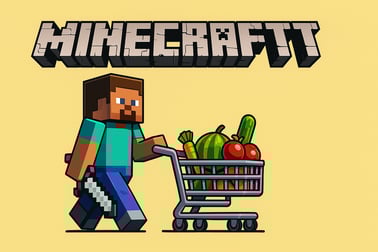
Craftmart puts you in charge of a blocky grocery store. Grow crops, raise animals, restock shelves, and serve customers in this fun farm shop simulator.













Craftmart
Introduction to Craftmart
Craftmart is a charming blocky farming game that blends grocery shop simulation, idle market management, and light strategy into one addictive browser experience. If you enjoy Minecraft-style farm games and love the idea of running your own grocery shop, this online shop management game is a perfect choice. You play as a hardworking Noob who decides to open a blocky supermarket to feed the local villagers, and it’s your job to grow the farm, stock the shelves, and turn a tiny shop into a thriving mega market.
Instead of mining and building, Craftmart focuses on real-time resource management. You’ll plant fields, raise cows and chickens, harvest fresh ingredients, and rush between counters to keep every customer satisfied. As you earn more money, you’ll unlock new zones, upgrade equipment, and even automate some of the work through clever idle-style systems. The result is a management, strategy, and simulation hybrid that feels fast, fun, and surprisingly deep.
Because everything happens inside a colourful blocky world, Craftmart is easy to read at a glance. You can quickly see which shelves are empty, which crops are ready to harvest, and which customers are still waiting at the cashier. New players can jump right in, but there’s enough optimisation and time management to keep management and strategy fans engaged for hours.
Craftmart Control Guide
Craftmart keeps controls simple so you can focus on smart online shop management instead of complex button combos. Whether you’re playing in your desktop browser or on a laptop, you’ll mostly rely on the mouse or a single input method.
Typical controls for the browser version are:
- Movement: Move your character by holding the left mouse button and dragging, or by clicking on the ground where you want Noob to go. Some versions may use WASD or arrow keys for movement, with the mouse for targeting stations.
- Interact / Perform Tasks: Simply walk up to a work area (fields, animal pens, shelves, cashier, ovens, etc.). When Noob reaches the highlighted zone, he automatically starts the relevant task, such as harvesting, milking cows, collecting eggs, or restocking products.
- Upgrades & Menus: Click on upgrade icons or signs that appear above counters, machines, or areas of the supermarket. This opens a small menu where you can spend coins to boost production speed, storage capacity, or unlock new product types.
- Pause / Settings (if available): Use the on-screen gear or menu icon to adjust volume, restart, or sometimes tweak basic options.
The game is designed to feel like an idle market management and grocery shop simulator, so once you understand where each station is located, the controls fade into the background. You’ll mostly be guiding Noob along a loop: fields → animals → processing stations → shelves → cashier, then back again.
Key Features
Craftmart packs a surprising amount of depth into its blocky supermarket theme. It blends elements of management, strategy, and simulation with a light idle feel. Here are some of the key features that make this blocky farming game stand out:
- Minecraft-style visuals: The entire farm and supermarket are built from colourful, blocky models, appealing to fans of Minecraft-style farm games without needing any downloads.
- Farm-to-shelf gameplay: Grow crops like wheat and beets, raise cows and chickens, and turn raw ingredients into finished goods such as bread, milk, and eggs. Then stock them on your shelves for customers to buy.
- Real-time grocery shop simulator: Customers stream into your market looking for specific foods. You have to manage stock levels, refill shelves, and collect payments before anyone leaves unhappy.
- Idle market management feel: As you unlock upgrades and extra areas, parts of your workflow become more automated and efficient, giving the game a light idle management vibe where your supermarket runs smoother over time.
- Progressive expansion: Start with a tiny stall and a small field. Over time you’ll unlock new sections of your farm, more shelves, additional animals, and advanced production stations.
- Simple but rewarding strategy: Decide which crops to prioritise, when to invest in upgrades, and how to balance time between farming, stocking, and cashier duty.
- Family-friendly design: No violence, no complex text, and a cheerful blocky look make Craftmart suitable for kids, teens, and adults who enjoy relaxed management games.
All of these systems work together to deliver a satisfying online shop management game where every second counts, but the cute visuals and intuitive design keep things lighthearted.
Where to Play Craftmart
Craftmart is a browser-based game, so you can jump into your blocky farming adventure without downloads or installations. It’s commonly hosted on free gaming portals that specialise in management, strategy, and simulation titles. Just open your favourite modern browser, search for “Craftmart blocky farming game” or “Craftmart grocery shop simulator,” and you’ll find multiple sites that let you play instantly.
Because it runs in the browser, Craftmart is ideal for quick sessions during breaks or long marathons when you want to grind upgrades and expand your supermarket. Most platforms will let you:
- Play for free: The core game is typically free-to-play, supported by the hosting site.
- Enter fullscreen mode: Many hosts offer a fullscreen button so you can see your entire farm and store more clearly.
- Use mouse-only controls: This is especially handy on laptops and desktops where you just want to point and click to manage your shop.
For the best experience, use an up-to-date version of Chrome, Edge, Firefox, or another modern browser, and close unnecessary tabs so Craftmart has enough memory and CPU power to run smoothly.
Is Craftmart Safe to Play Online?
Craftmart is generally considered safe to play online as a family-friendly management and farming simulation game. The core gameplay focuses on planting fields, tending animals, and stocking a grocery shop with blocky food items. There’s no graphic content, no real-world money trading inside the game itself, and no player-to-player chat systems in typical browser versions.
However, safety also depends on the site you’re playing on. To keep your experience safe:
- Stick to reputable gaming portals: Look for well-known browser gaming platforms that curate their libraries and clearly label ads and external links.
- Avoid downloading extra files: Craftmart should run directly in the browser without extra installers. If a site asks you to download unknown software, back out.
- Supervise younger players: While the content is family-friendly, kids may still click ads or external links. Keeping an eye on them ensures they remain on the game page.
- Use browser safety tools: Enable pop-up blockers and security features so third-party ads don’t disrupt the experience.
When played on trusted platforms, Craftmart is a wholesome grocery store simulator and blocky farming game that’s perfectly suitable for players of all ages.
How to Run Your Own Blocky Supermarket Like a Pro
Running a successful blocky supermarket in Craftmart means thinking like both a farmer and a store manager. Your customers don’t care how busy the fields are—they care that shelves are full and service is fast. To operate like a pro, you’ll need a smart routine.
- Start with a clear loop: At the beginning of the game, focus on a simple cycle: harvest crops → feed and collect from animals → process goods (like baking bread) → restock shelves → collect payments at the register. Repeat this loop constantly.
- Watch shelf indicators: Shelves usually show when they’re low or empty. Prioritise restocking high-demand items first, like bread or basic vegetables, before less popular products.
- Don’t ignore the cashier: A long line at the register means customers will leave if they’re forced to wait too long. If your queue is growing, temporarily pause harvesting and clear out the line.
- Time upgrades smartly: When your income rises, invest in productivity upgrades rather than cosmetic ones. Faster harvesting, bigger inventory, or more shelf space directly increase profits.
- Plan movement paths: Because Craftmart is a real-time management game, wasted walking time hurts your efficiency. Learn the layout and move in efficient routes that chain tasks together with minimal backtracking.
Think of your supermarket as a miniature logistics puzzle. The better you plan your movement and prioritise tasks, the more your grocery shop simulator run will feel smooth and professional.
Tips to Grow, Harvest, and Stock Faster
Speed is everything in an idle market management style game. Faster growing, harvesting, and stocking means more sales per minute and quicker access to new upgrades. These tips help you maximise your pace in Craftmart:
- Unlock additional fields early: The more plots you have, the more crops you can harvest in a single loop. This is especially important for staple items like wheat that feed into multiple products.
- Prioritise growth and harvest speed upgrades: When upgrade options appear, spend your first coins on speeding up crop growth and reducing collection time. This boosts your entire production chain.
- Batch your actions: Instead of harvesting a small batch, running to stock, then going back for more, try to fully harvest a field or finish all animal products before returning to the store. Batching reduces wasted movement.
- Keep shelves organised: Allocate specific shelves to specific products and keep them that way. This makes it easier to quickly top off items without stopping to think about placement.
- Watch demand patterns: In many runs, you’ll notice some items sell out faster than others. Grow extra raw materials for those high-turnover products so you’re never caught empty-handed.
- Upgrade carrying capacity (if available): Some versions of this Minecraft-style farm game let you increase how much Noob can carry at once. Higher capacity means fewer trips from farm to store.
By treating your farm and supermarket as one continuous system, you’ll quickly feel the game shift from frantic to satisfyingly efficient.
Managing Cows, Chickens, and Crops for Maximum Profit
Animals are at the heart of your blocky farm economy, and balancing cows, chickens, and fields is the key to maximum profit in Craftmart. This isn’t just about planting everything you can; it’s about syncing production with demand.
- Balance crops and animal feed: Some crops might be needed directly for shelves, while others support animals. Make sure you always have enough feed so cows and chickens never idle.
- Respect production times: Cows generally take longer between milkings than chickens do for eggs. Use the shorter egg cycles to fill gaps while waiting on milk or crops.
- Use animals to diversify products: Milk, eggs, and any processed goods made from them often sell for more than basic crops. Unlock and focus on these higher-value items once you have a stable supply.
- Expand pens strategically: When you have the option to add more cows or chickens, don’t immediately max everything. Increase animals gradually so you can keep up with feeding and collection without leaving stock rotting unused.
- Combine with processing stations: If bread, cakes, or other processed foods exist in your version of Craftmart, they’re usually worth more than their ingredients. Always keep ovens or production machines working when possible.
- Prevent bottlenecks: If your milk shelves are often empty but you’re overflowing with grain, that’s a sign to invest more in cows or faster milking instead of new crop fields.
Mastering this triad—crops, cows, and chickens—turns Craftmart from a simple grocery store simulator into a strategic farm management challenge, and that’s where the big profits lie.
Best Upgrades to Turn Your Tiny Shop into a Mega Market
Upgrades are what transform your humble stall into a bustling blocky supermarket. Because not every upgrade has the same impact, choosing the right ones will dramatically speed up your progress in this online shop management game.
- Production speed upgrades
Why: Faster crop growth, quicker egg and milk production, and shorter processing times keep your shelves full nonstop. This is often the strongest early investment. - Movement speed and carry capacity
Why: In a real-time management game, walking is invisible downtime. Moving faster and carrying more items per trip lets you serve more customers in the same amount of time. - Extra shelves and storage capacity
Why: More space means you can stock up before a big rush. This is especially useful once your farm can produce faster than you can manually restock. - Customer patience and queue upgrades (if available)
Why: Longer patience bars or better cash registers reduce the number of customers who leave without buying anything. - New product unlocks
Why: Higher-tier goods like refined foods or specialty products usually sell for more coins, making each sale more profitable. - Additional work zones and expansions
Why: Unlocking new farm areas or store sections increases your overall production ceiling and opens up fresh strategies.
A good rule of thumb is to first remove obvious bottlenecks—anything that regularly slows your progress—and then invest in expansions. With the right upgrades, Craftmart starts feeling like a full-scale idle market management experience, where your mega market almost runs itself.
Beginner’s Guide: Controls, Tasks, and Time Management
If you’re new to Craftmart or to this style of Minecraft-style farm game, this quick beginner’s guide will help you avoid early frustration and build a smooth routine.
Learn the Layout First
Spend your first minute simply walking around to see where everything is: fields, animal pens, processing stations, shelves, and the cashier. Knowing the shortest paths between them will save you time later.
Master the Core Tasks
- Farming: Move Noob onto a field to plant or harvest. You’ll see progress bars or animations while he works. Revisit fields regularly so they’re always cycling.
- Animal Care: Visit cow and chicken pens to collect milk and eggs. Some versions require feed; others produce passively. Either way, don’t let pens sit full for too long.
- Processing: If the game includes baking or cooking, bring raw ingredients to the machine, wait for the process to finish, then move finished products to shelves.
- Stocking Shelves: Carry items from storage or your inventory to the correct shelf spots. Keep popular products topped off.
- Serving Customers: When customers line up at the register, step into the cashier zone to finalise purchases and collect money.
Basic Time Management Strategy
- Follow a repeating cycle: A simple starter loop is: harvest fields → collect from animals → process goods → restock shelves → clear the cashier line. Then repeat.
- Respond to emergencies: If shelves are empty or the customer line is huge, break your loop to fix the problem, then resume your usual pattern.
- Upgrade gradually: As coins accumulate, buy one upgrade at a time and feel how it changes your flow before grabbing another.
- Don’t try to do everything at once: Focus on a few product lines at the start, then expand your catalogue once your base routine feels comfortable.
With these basics in place, Craftmart quickly becomes a satisfying mix of management, strategy, and simulation. You’ll go from a small corner shop to a fully stocked blocky supermarket, all while enjoying the relaxed, colourFUL style of a Minecraft-inspired farm and store.
Frequently Asked Questions
What is Craftmart about?
Craftmart is a blocky farming and store management game where you grow crops, collect products from animals, restock shelves, and serve customers in your own grocery shop.
Is Craftmart free to play online?
Yes, Craftmart is a free-to-play browser game. You can start playing instantly in your web browser without downloading or installing anything.
How do you play Craftmart?
You move your character to different areas to plant and harvest crops, collect milk and eggs, stock shelves, and work the cash register. Keep products flowing so customers never leave hungry.
Can kids play Craftmart safely?
Yes, Craftmart is family-friendly. The gameplay focuses on farming, time management, and running a store with no graphic violence or inappropriate content.
Are there upgrades in Craftmart?
Yes, you can unlock new fields, animal pens, and store areas, as well as improve your production speed and storage to grow from a tiny shop into a busy supermarket.