
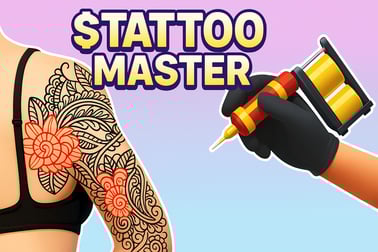
Tattoo Games: Design, Shade, and Build Your Dream Studio
Step into the creative world of Tattoo Games, where every line tells a story and every color choice sets a mood. This category is all about style, precision, and personal expression, letting you sketch flash art, customize clients, and run a buzzing studio vibe, all from the comfort of your browser. Whether you love clean outlines, bold patterns, or relaxing color work, Tattoo Games deliver a satisfying mix of art, simulation, and quick-play challenges that feel approachable for beginners while still rewarding careful players.
Studio Simulator and Shop Management
If you enjoy progress, upgrades, and a sense of building something over time, studio-style Tattoo Games are made for you. These experiences often combine creative tasks with light management, meaning you might schedule appointments, pick tools, organize a clean workstation, and unlock new inks, needles, and decor as your reputation grows. The best shop simulators make each session feel like a mini story: you start with simple requests like small symbols or name art, then move toward larger compositions as your client list expands. Look for games that reward consistency, such as bonus tips for steady linework or faster service when you set up the station efficiently. This subgenre is perfect for players who want more than a single drawing and enjoy the satisfying loop of skill, feedback, and progression.
Stencil, Linework, and Precision Challenges
For players who love accuracy, precision-focused Tattoo Games turn the act of tracing and lining into an engaging skill test. You may begin by placing a stencil, adjusting angle and position, then carefully following the guide with a steady hand. Small mistakes usually affect a score meter, a client satisfaction rating, or your final review, which keeps the gameplay focused and goal-driven without feeling harsh. These games shine when they provide clear visual feedback, like showing areas that need stronger saturation or lines that drifted off the intended path. If you want to improve quickly, start with simpler designs, zoom in when available, and prioritize smooth movement over speed. The thrill comes from nailing a clean outline and watching the artwork snap into place with crisp detail.
Coloring, Shading, and Gradient Art
Not every Tattoo Game is about fast reflexes, many are wonderfully calming and center on coloring and shading. In these experiences, you may blend tones, fill sections with balanced saturation, and create gradients that make designs look dimensional. Some titles borrow ideas from coloring games and art puzzles, pairing numbered palettes with tattoo-style line art, while others simulate ink layering by rewarding multiple passes for richer color. To get a polished finish, think like an artist: choose a consistent light source, keep shadows soft in curved areas, and avoid overfilling tiny details that need contrast. This subgenre is especially popular for players who want a relaxing creative break, plus it is a great way to explore composition and color harmony without needing advanced drawing skills.
Character Customization and Style Makeovers
Many Tattoo Games blend body art with character creation, letting you customize a look from head to toe and then finish it with meaningful designs. You might pick skin tones, hairstyles, outfits, and accessories, then place tattoos on arms, legs, backs, or shoulders. The fun here is styling, matching placement and scale to the character aesthetic, like minimalist wrist art for a clean streetwear look or bold sleeve patterns for a more dramatic vibe. The most replayable makeover games include varied themes such as classic flash, floral motifs, geometric patterns, and fantasy-inspired symbols, so every session feels fresh. If you are unsure where to start, build a simple outfit palette first, then select tattoo colors that either complement the outfit or intentionally contrast for a statement.
Flash Art, Symbol Libraries, and Design Mix and Match
One of the easiest ways to jump into Tattoo Games is through flash art and library-based design play. Instead of drawing from scratch, you choose from a catalog of motifs, then adjust elements like size, rotation, layering, and color to create a custom piece. This approach is beginner-friendly while still surprisingly creative, since thoughtful combinations can produce unique results. Great mix-and-match games teach design principles naturally: symmetry feels satisfying, negative space creates clarity, and repeating shapes can turn a simple icon into a cohesive pattern. If the game offers stickers, stamps, or pattern packs, try building a theme, for example, ocean symbols with soft blues, or botanical lines with earthy tones, then refine spacing until the design feels intentional.
No matter your play style, Tattoo Games offer an inviting blend of creativity and challenge, with sessions that can be quick and casual or longer and more strategic. Explore the category, test different subgenres, and play in-browser whenever inspiration strikes. Try new designs, experiment with color and placement, and most importantly, have fun creating art that feels uniquely yours.
FAQs About Tattoo Games
How can I improve my accuracy in Tattoo Games with linework challenges?
Slow down, use small controlled movements, and prioritize smooth curves over speed. If the game supports zoom or sensitivity settings, adjust them to reduce oversteering and keep your lines consistent.
Can I play Tattoo Games on mobile, tablet, and desktop?
Most browser-based Tattoo Games run well on modern phones, tablets, and desktops. Touch controls often feel natural for tracing and shading, while a mouse can be great for precise clicks and careful placement.
What age group are Tattoo Games best for?
These games are typically designed for teens and adults who enjoy art, design, and simulation. Many titles are casual and approachable for younger players too, especially coloring and customization modes.
How do I get better performance if a game feels slow in my browser?
Close extra tabs, disable heavy browser extensions, and refresh the page. On mobile, switching to a stable Wi-Fi connection and lowering in-game effects, if available, can help the game run smoother.
What are the best types of Tattoo Games for beginners?
Start with flash art mix-and-match or coloring and shading games, since they teach design basics without demanding perfect drawing. Then move into stencil and linework titles when you feel ready for more precision-focused gameplay.