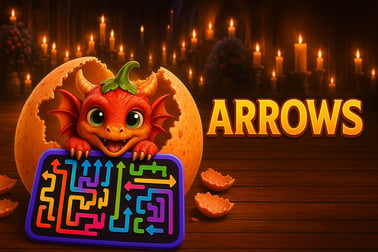
Arrows is a browser logic puzzle game where you clear the board by launching arrows in the right order. Plan each move, avoid collisions, and beat every level.

















Arrows
Overview of Arrows
Arrows is a clean, minimalist arrow puzzle game you can play directly in your browser. Each level is a logic grid puzzle filled with arrows pointing in different directions. Your job is to fire those arrows in the right order so they can leave the board without colliding. When you clear the board within the move limit, you win the level and move on to tougher puzzles.
If you enjoy step-by-step reasoning, pattern recognition, and brain training puzzle games that reward careful planning, Arrows is a great fit. It runs as a no download browser puzzle, so you can jump in on desktop, laptop, tablet, or phone in just a few seconds. No accounts, no installs – just logic and arrows.
Every board starts simple and gradually grows into a dense maze of trajectories to untangle. You’ll learn to scan the shapes, predict collisions, and build satisfying chains of clean shots that wipe the grid. It’s relaxing to look at, but surprisingly challenging to master.
How to Play Arrows
Arrows keeps the rules as simple as possible so you can focus on solving the puzzle instead of memorizing systems. Here’s how the core mechanics work when you play this arrow puzzle game online.
Basic Rules & Mechanics
- Each tile is an arrow – The board is a grid filled with curved or straight arrows, each one already pointing in a fixed direction.
- Tap or click an arrow to launch it – When you activate an arrow, it travels along its path in the direction it’s facing.
- Clean exit vs. collision
- If the path is completely clear, the arrow flies off the edge of the board and is removed.
- If there’s another arrow in its way, they collide. Your launched arrow bounces back or stops, and it stays on the board. That move is effectively wasted.
- Limited moves – Most levels give you a set number of moves. Your goal is to clear the board puzzle before you run out.
- No random elements – Arrows is a pure logic grid puzzle; there’s no luck involved. Every board is solvable with the information visible on the screen.
This simple rule set means each level becomes a question of sequence. The board doesn’t just ask, “Can this arrow leave?” It asks, “When should this arrow leave so it doesn’t block anything else?”
Step-by-Step Flow of a Turn
- Survey the grid – Look for arrows with obviously open paths to the boundary.
- Choose one arrow – Tap or click to launch it along its trajectory.
- Watch the outcome – It either exits cleanly and disappears, or it hits another arrow and stays.
- Re-evaluate the board – Each successful move opens up new paths for remaining arrows.
Play continues until you either clear every arrow or you run out of available moves. Because the visuals stay minimal and clean, you can concentrate on reading sequences and improving your logic.
Arrows Game Modes
Depending on the specific Arrows build you’re playing in your browser, you’ll usually see a few core ways to play. Some modes are about steady progression, others about quick replayable challenges.
Main Route / Level Progression
The most common way to experience Arrows is a linear route of handcrafted or curated levels. Difficulty ramps up gradually:
- Early levels teach you the basics with almost obvious solutions, making it easy to understand the rule “only an arrow with a clear path can leave.”
- Mid-range levels introduce more crowded grids, tighter angles, and sequences where one bad shot can block several later moves.
- Advanced levels feel like dense mazes where you’ll plan several moves ahead, spot long chains of dependent arrows, and occasionally restart to test new orders.
As you clear stages, some versions of Arrows reward you with coins, cosmetic unlocks, or collectible creatures, adding a sense of progression on top of the pure puzzle-solving.
Random or Endless Boards
Some browser versions include Random Play or Endless modes where you can generate new boards anytime:
- Endless replay – Perfect when you want a quick brain teaser with no concern for long-term progress.
- Dynamic difficulty – Boards can scale in size, density, and complexity as you keep playing.
- Great for practice – Ideal for training your pattern recognition and move ordering without worrying about stars, coins, or strict goals.
Challenge or Timed Modes
For players who like pressure, some Arrows setups offer a Challenge or Timed mode:
- Timers push you to read the board quickly.
- Score chasing encourages you to clear as many levels as possible in a set time.
- Replayability comes from revisiting the same mode to beat your best time or move count.
Whether you prefer a quiet, methodical brain training puzzle game or a faster “beat the clock” style, Arrows offers variants that stay true to the same logical core.
Performance & Troubleshooting
Arrows is designed as a lightweight no download browser puzzle, so it usually runs smoothly even on older laptops and mid-range phones. If you hit issues, a few quick checks usually fix things.
Common Performance Tips
- Close extra tabs – Having many heavy tabs open can slow any browser game.
- Update your browser – The latest versions of Chrome, Firefox, Edge, and Safari tend to handle HTML5 games best.
- Disable heavy extensions – Ad blockers, script managers, or VPN extensions can sometimes interfere with game scripts.
- Reload the page – A simple refresh clears minor hiccups and reloads game assets.
Fixing Input or Visual Glitches
- Touch not registering? Try rotating your device (portrait/landscape) or refreshing the page to restart the input layer.
- Graphics missing or frozen? Switch temporarily to another browser to see if it’s a rendering issue.
- Lag on older devices? Lower system load by closing apps, disabling battery saver, and making sure your device isn’t overheating.
Because Arrows uses simple 2D graphics and limited animations, it’s usually very forgiving on system resources. If you can run typical web pages, you can almost always run this arrow puzzle game online without trouble.
Is Arrows Safe to Play Online?
Arrows is built as a family-friendly logic grid puzzle with clean visuals and no violent or mature content. It’s safe for teens and adults, and suitable for younger players who are comfortable with basic spatial reasoning.
Content & Gameplay Safety
- No graphic content – You’re working with geometric shapes and arrows, nothing more.
- No chat systems – There’s no public chat or user-generated text inside the puzzles.
- Short sessions – Levels are compact, making it easy to pause or stop at any time.
As always, parents and guardians should review the hosting site’s general policies and ads if younger children are playing, but the puzzle itself stays focused purely on logic.
How to Play Arrows Online and Clear Every Board
Winning in Arrows feels incredibly satisfying because every solved board is proof that your reasoning was solid. Here’s a practical approach you can use on almost every level.
Start with Obviously Open Paths
- Scan the edges of the board first and look for arrows that point directly toward the boundary with no arrows in front of them.
- Launch these arrows early – they’re “free” clears that rarely hurt your long-term plan.
- Each removal opens space, sometimes making other arrows immediately solvable.
Work from Outside to Inside
In many clear the board puzzle layouts, outer arrows block inner arrows. A reliable tactic is to:
- Clear rim arrows that shoot outward or along the edge.
- Then handle mid-layer arrows whose paths are starting to open up.
- Leave deeply nested or heavily blocked arrows until later, when the grid is more open.
Think in Chains, Not Single Moves
Instead of asking “Which arrow can I fire now?”, ask:
- “If I fire this arrow, which three moves does that unlock?”
- “Does this shot clear space for multiple others, or does it only fix one problem?”
The best moves usually unlock chains of new possibilities rather than just one next step.
Tips and Strategies to Solve Tricky Arrow Logic Puzzles
As boards get denser, you’ll need more deliberate strategies to avoid soft-locking yourself. Use these tactics when levels start to feel impossible.
Use Backward Reasoning
When you’re stuck, switch from forward-thinking to working backward:
- Pick a particularly blocked arrow and ask, “What needs to move first so this arrow is free later?”
- Trace a possible path from that arrow to the board edge, identifying every arrow that must be removed ahead of it.
- Now look for ways to remove that prerequisite set safely.
Mark “Dangerous” Arrows Mentally
Some arrows cause a ton of collisions or close off future exits if used too early. Train yourself to notice:
- Arrows pointing into crowded clusters of other arrows.
- Arrows that, once fired, rotate or bounce into new blocking positions (if the version you play uses ricochet rules).
- Arrows that travel through critical chokepoints more than once.
Treat these as late-game moves you shouldn’t touch until you’ve cleared safer paths.
Restart Intentionally
Because Arrows levels are short, restarting isn’t a failure; it’s a tool. If you feel your current path has left you with only collisions:
- Restart the level and replay your first 2–3 moves differently.
- Focus on preserving as many potential future paths as possible.
- Compare which opening sequence leaves you with the most open exits visible.
Over time, this builds a strong sense of reading the board “at a glance,” turning tough levels into quick warm-up puzzles.
Game Modes, Levels, and Progression in Arrows
Arrows supports a variety of ways to test your logic, all built on the same directional rules.
Structured Level Routes
Most players start in a Main Route or Story-style progression:
- Sequential levels grow from tiny 3x3 grids to large, complex shapes.
- Stars or scores may reward you for using fewer moves than the limit.
- Collectibles or unlocks provide lightweight goals alongside the pure puzzle.
Random, Daily, or Infinite Boards
To keep your brain training puzzle game habits fresh, look for modes like:
- Random / Shuffle – Generates a new board on demand, great for short sessions.
- Daily puzzles – A single board everyone can attempt each day, ideal if you like routine.
- Endless survival – Play until you run out of lives or moves, seeing how many puzzles you can beat in one run.
Progression without Pressure
Even as levels become more intricate, Arrows avoids heavy penalties:
- You can usually replay levels without losing anything.
- No hard fail states beyond restarting the board.
- Short level length means you’re never far from your next win.
This balance is part of what makes Arrows a relaxing yet engaging browser puzzle you can dip into anytime.
Mobile and Desktop Controls for Smooth Arrow Gameplay
Because Arrows is designed to run in the browser, it uses straightforward controls on both mouse and touch screens. Here’s how to get smooth play on any device.
Desktop & Laptop Controls
- Left-click – Select and launch an arrow along its path.
- Click-and-drag (if the board is larger than the view) – Pan the camera to see other parts of the grid.
- Mouse wheel scroll (where supported) – Zoom in for dense boards or out to see the full puzzle.
Keyboard input usually isn’t required; the game is built for fast point-and-click logic.
Mobile & Tablet Controls
- Tap – Launch the arrow you tap in the direction it’s facing.
- Drag – Pan across bigger grids by dragging your finger.
- Pinch to zoom – Zoom in for precise taps on crowded sections, especially on smaller screens.
The interface is typically touch-friendly, with generous tap zones so you don’t misfire. If your device supports rotation, try both portrait and landscape to see which view makes the grid easier to read.
Why Arrows Is a Relaxing Yet Challenging Brain Puzzle
Arrows hits a rare sweet spot for puzzle fans: it’s calm to play, but it doesn’t insult your intelligence. Its design makes it one of the more satisfying arrow puzzle games online.
Minimalist Look, Deep Logic
The visual style is clean and uncluttered: arrows, lines, and simple backgrounds. That means:
- Your brain spends its energy on logic, not on decoding icons.
- Dense boards stay readable, even on smaller devices.
- The overall feeling is relaxing, closer to pen-and-paper puzzles than flashy arcade games.
Perfect for Short Sessions or Long Runs
Because Arrows is a no download browser puzzle, it fits around your day easily:
- Play one quick level as a warm-up before work or study.
- Run a long chain of levels when you’re in the mood for a deeper challenge.
- Use it as a brain training puzzle game to sharpen planning, pattern recognition, and spatial reasoning over time.
No Pressure, Just Better Solutions
There are no enemies, no timers in most modes, and no forced grind. The main reward is that satisfying moment when a board that looked impossible suddenly “clicks” into a clean sequence of exits. If you enjoy pure, thoughtful problem-solving without distractions, Arrows delivers a focused, family-friendly logic experience straight from your browser.
Frequently Asked Questions
What is Arrows?
Arrows is a browser-based logic puzzle game where you launch arrows off the board in the correct order while avoiding collisions. Your goal is to clear every arrow using a limited number of moves.
How do you play Arrows?
Read the grid, then click or tap an arrow to launch it in its pointing direction. If its path is clear, it leaves the board. If it hits another arrow, it bounces back and the move is wasted. Clear all arrows to win the level.
Can I play Arrows for free?
Yes, Arrows can be played for free in your browser with no download required. Just open the game page on desktop or mobile and start solving puzzles.
Is Arrows suitable for kids and families?
Yes. Arrows is family-friendly and focuses on logic, planning, and problem-solving instead of violence. It’s suitable for players of all ages who enjoy brain puzzles.
Can I play Arrows on mobile devices?
Yes. Arrows works on both desktop and mobile browsers. On mobile, you tap to launch arrows, drag to move the camera, and pinch to zoom in or out on the board.