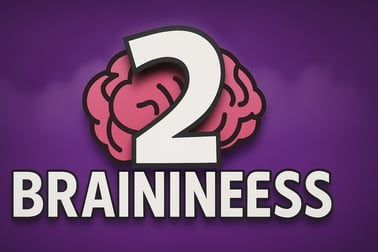
Braininess 2 is a clever tile puzzle game where you collect brains, use portals, and plan every move to reach the yellow goal tile.












Braininess 2
Introduction to Braininess 2
Braininess 2 is a clever tile-based brain teaser that challenges you to think several moves ahead on every single level. You guide a little empty-headed character across a floating grid of tiles, collecting brains and finally reaching a glowing yellow exit. It sounds simple, but this logic puzzle game online quickly turns into a tricky strategy pathfinding game where one wrong step can drop the floor out from under you.
Because Braininess 2 runs as a free browser puzzle game, there’s nothing to install and no complicated setup. It loads quickly and is easy to understand, yet deep enough to keep both kids and adults hooked. Every stage introduces a new twist with colored tiles, portals, and shared traps, forcing you to experiment, plan routes, and use trial and error in a fun, low-pressure way.
If you enjoy family friendly logic puzzles and want something that trains spatial reasoning, planning, and patience, Braininess 2 is a great pick. The rules are straightforward, but mastering every tile and finishing all levels with clean, efficient paths is where the real challenge begins.
Braininess 2 Control Guide
Braininess 2 keeps the controls extremely simple so you can focus entirely on solving the puzzles and not on learning complicated inputs. Here’s how to play on desktop or laptop:
- Move: Use the Arrow Keys or WASD keys to walk one tile at a time in any of the four directions.
- Restart Level: Press R at any time to reset the current puzzle if you’re stuck or you’ve made an irreversible mistake.
- Mute / Unmute: On some platforms you can press M or use an on-screen sound button to toggle audio.
There are no time limits, combo buttons, or hidden actions. Every move is deliberate, which makes this a perfect logic puzzle game online for players who prefer thinking over reflexes. Because the layout is tile-based, it’s easy to count steps, visualize paths, and carefully check whether a route is safe before you commit.
On touch devices (if supported by your browser platform), you’ll usually see on-screen arrows or be able to swipe in the direction you want to move. The underlying rules don’t change: one tap or swipe equals one tile of movement.
Braininess 2 Features
Braininess 2 may look minimalist, but it packs in a surprising amount of strategic variety. Here are the key features that make this tile based brain teaser stand out:
- Simple but deep mechanics: You only move one tile at a time, but different tile types create complex puzzle situations that feel fresh across levels.
- Color-coded special tiles: White, pink, yellow, purple, and green tiles each behave differently, turning each board into a mini logic challenge.
- Pure pathfinding gameplay: Every puzzle is about plotting a route that lets you collect all brains and still have a safe way to reach the exit.
- Undo through restarts: Instead of punishing you, the game lets you instantly reset and try a new strategy with the press of a key.
- Gradual learning curve: Early stages introduce one tile type at a time, so players of all ages can learn at a comfortable pace.
- Browser-based, no download: As a free browser puzzle game, you just open it in a modern web browser and start playing.
- Family-friendly style: No violence, no jump scares, only clean visuals and smart family friendly logic puzzles.
Together, these features make Braininess 2 an excellent choice if you enjoy structured challenges similar to maze games, Sokoban-style puzzles, or other strategy pathfinding games that reward planning over speed.
Performance & Troubleshooting
Because Braininess 2 is built to run in the browser, it usually works smoothly on most modern desktops, laptops, and Chromebooks. If you run into issues, here are common problems and easy fixes:
Game won’t load or stays on a black screen
- Check your browser: Use the latest version of Chrome, Edge, Firefox, or another modern browser. Older browsers or outdated versions can cause loading issues.
- Disable heavy extensions: Ad-blockers or script-blockers can sometimes interfere with web games. Temporarily pause them for the page and refresh.
- Clear cache: If you’ve played before and it suddenly stops working, clearing cache and reloading can help.
Lag or slow performance
- Close other tabs and apps: Freeing up memory can reduce lag, especially on school or low-powered devices.
- Lower browser load: Avoid streaming videos or running heavy downloads in the background while playing.
Controls not responding
- Click the game window: Make sure the game canvas is focused before using arrow keys or WASD.
- Check keyboard settings: On some school systems, specific keys may be remapped or limited by accessibility tools.
Unlike some older Flash-based versions of logic titles, Braininess 2 typically runs in HTML5, which means no Flash plugin is required and compatibility is much better on current browsers.
Offline Play Availability for Braininess 2
Braininess 2 is designed primarily as an online experience. In most cases, you’ll need an active internet connection and a browser tab pointed at a gaming portal to play. That makes it easy to jump into this logic puzzle game online from school computers, home PCs, or shared family devices without installing anything.
On some platforms that support saving offline web content or progressive web apps, it may be possible to cache the game for limited offline play, but that depends on the specific website you’re using and your device settings. In general, you should treat Braininess 2 as an online-only free browser puzzle game that works best with a stable connection.
If you’ll be playing on a laptop during travel or in areas with unreliable Wi-Fi, it’s a good idea to test your setup first. Load a few levels while connected, see how the site behaves when you go offline, and plan to play mainly when you have internet access.
How to Play Braininess 2 and Master Every Tile
The goal of Braininess 2 is straightforward: collect all the brains, then reach the yellow exit tile. The strategy comes from how tiles behave as you step on them. Here’s the basic flow of each puzzle:
- Survey the board: Before moving, look at all colored tiles, where the brains are placed, and where the exit tile is located.
- Plan a safe route: Decide an order to collect the brains that still leaves you a path to the exit.
- Move step by step: Use arrow keys or WASD, watching how each tile reacts when you step on and off it.
- Adjust or restart: If you trap yourself or run out of tiles, press R to restart instantly and apply what you’ve learned.
The trick to mastering this tile based brain teaser is to treat every move like a chess decision. Ask yourself: “If I step here, what tiles disappear? Will I still have a way back?” With experience, you’ll start to recognize common layouts and patterns, turning what looks like a maze into a clean logical sequence of moves.
Early stages act like a tutorial, letting you experiment without overwhelming complexity. Later, the game combines multiple special tile types, turning Braininess 2 into a full-blown strategy pathfinding game where foresight and pattern recognition are essential.
Braininess 2 Puzzle Tips: Think Ahead and Plan Your Path
To get the most out of this logic puzzle game online, it helps to adopt a methodical approach. These tips will give you an edge on tougher levels:
- Work backwards from the exit: Often the smartest way to solve a level is to plan from the yellow exit tile back toward your starting point, identifying which tiles must remain intact for your final steps.
- Save permanent tiles for last: Solid yellow tiles that never disappear are precious. Use vanishing white or pink tiles first when collecting brains, and try to end your route on the safer yellow platforms where possible.
- Think in groups, not single tiles: Green linked tiles all fall together, so treat them as one shared resource. Step on them only when you’re sure you won’t need any of them again.
- Use restarts as a learning tool: Don’t worry about failing. Each restart gives you more information about how the board behaves, and that’s the heart of family friendly logic puzzles—experimenting and improving.
- Count moves across fragile areas: When crossing regions of white or pink tiles, count how many steps you’ll need to get there and back. If the math doesn’t work, find another route.
- Pause and visualize portals: With purple tiles, imagine the path both before and after teleporting. It’s easy to strand yourself by popping out on an isolated island of tiles with no way back.
As the game progresses, try challenging yourself to solve levels with fewer restarts, or to find alternate paths. That transforms each board from a single-solution puzzle into a richer strategy pathfinding game where you’re constantly refining and optimizing your routes.
All Special Tiles Explained: Portals, Platforms, and Traps
Understanding how each tile type behaves is crucial to solving Braininess 2 efficiently. Here’s a breakdown of the main tiles you’ll see in this free browser puzzle game:
White tiles
White tiles are the most basic and also the most dangerous:
- Step on them once, then leave—when you hop off a white tile, it falls and disappears.
- They can’t be used again, so every white tile is a one-time step in your path.
Pink tiles
Pink tiles give you one extra chance:
- When you step on a pink tile, it stays solid.
- After you leave it, the pink tile turns white, meaning you can cross it one more time before it finally disappears.
This effectively makes pink tiles “two-use” tiles and extremely valuable in tight spaces.
Yellow tiles and circular platforms
Yellow tiles are your safe spaces:
- Standard yellow tiles do not disappear when you step off them.
- They act as reliable hubs where you can change direction without worrying about the floor vanishing.
Yellow circular platforms behave differently:
- Each time you move while standing on or near a yellow circle, the hole in the circle expands.
- Eventually, the platform is completely gone—then, after a short cycle, it fills back up again.
These platforms add timing and sequencing to the puzzle, forcing you to consider not just where you step, but when you cross.
Purple portal tiles
Purple tiles come in pairs, creating teleportation shortcuts:
- One purple tile has a visible portal; the other is its landing partner.
- When you step onto the portal tile, you are teleported to the other purple tile.
Portals are central to the game’s identity as a tile based brain teaser. They let you jump between far locations but can also strand you if you haven’t preserved enough tiles on the other side.
Green linked tiles
Green tiles are the ultimate group trap:
- All green tiles on the board are linked together.
- Step on one green tile, and all green tiles fall and disappear.
This means you must plan exactly when to use any green tile. Once you trigger one, you’ve permanently removed every other green tile from your available routes.
Braininess 2 Levels: From Simple Starts to Tricky Brain Mazes
Braininess 2 is structured as a series of handcrafted stages that gradually grow more complex. The pacing is designed to guide you from simple tutorials into challenging strategy pathfinding game scenarios.
- Early levels: These focus on white and yellow tiles, teaching you the basic idea of one-use paths and safe hubs.
- Intermediate levels: Pink and purple tiles appear, introducing multi-use paths and portals that require more planning.
- Advanced levels: Green linked tiles and yellow circles join the mix, creating puzzle boards that feel like intricate brain mazes with multiple moving parts.
Each time a new tile type appears, the first few levels using it are relatively simple, giving you space to experiment. Then the game starts to layer multiple mechanics together. You might, for example, teleport through a purple portal onto a small island of pink tiles, step across green traps, then time your crossing of a yellow circle platform before it fully opens up.
This structure makes Braininess 2 ideal for short sessions or longer marathons. You can tackle one or two fresh family friendly logic puzzles during a break, or sit down and grind through a whole cluster of levels as the difficulty ramps up.
Why Braininess 2 Is a Great Logic Game for Kids and Adults
Braininess 2 hits a rare sweet spot: it’s accessible enough for kids but offers enough depth to keep adults genuinely engaged. Here’s why it works so well as a cross-generational logic puzzle game online:
- Clear visual feedback: Tiles change color, vanish, or trigger visible effects, so younger players quickly understand cause and effect.
- No reading required during play: Once you know what each tile does, you don’t need to read long instructions—great for emerging readers.
- Encourages persistence: Instant restarts and short levels make failure feel like part of the learning process rather than a punishment.
- Cognitive benefits: The game naturally trains planning, spatial reasoning, logical deduction, and systematic testing of ideas.
- Non-violent and calm: With no combat and no timers in most versions, it’s a stress-free environment for problem solving.
For parents and teachers, Braininess 2 can double as a low-key educational tool. It fits neatly alongside other family friendly logic puzzles used in classrooms and at home to support critical thinking. For puzzle-loving adults, it’s simply a satisfying free browser puzzle game that you can open in a tab and return to whenever you need a mental refresh.
Whether you’re new to tile puzzles or experienced with spatial logic games, Braininess 2 offers a smart, focused challenge that rewards patience, experimentation, and careful planning on every level.
Frequently Asked Questions
What is Braininess 2?
Braininess 2 is a tile-based logic puzzle game where you collect all the brains on the board and then reach the yellow goal tile while navigating disappearing and special tiles.
How do you play Braininess 2?
Use the arrow keys or WASD to move your character across the tiles, collect every brain, and finish on the yellow brain tile. If you get stuck or trapped, press R to restart the level.
Is Braininess 2 suitable for kids?
Yes. Braininess 2 is family friendly and focuses on problem solving, spatial reasoning, and planning ahead. There is no violence, just colorful tiles and logical challenges.
Can I play Braininess 2 for free in my browser?
Yes. Braininess 2 runs in modern browsers as an HTML5 game, so you can play it online for free without downloads or installs, as long as you have an internet connection.
Are there any tips for beating harder levels in Braininess 2?
Study how each tile type behaves, plan a full route before you move, and try to leave safe tiles for later so you don’t block the path to the last brains or the yellow goal tile.