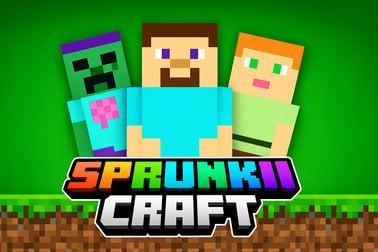
Sprunki Craft lets you explore, build, and battle in a 3D block sandbox. Gather resources, unlock Sprunki allies, and survive online in your browser.
















Sprunki Craft
Overview of Sprunki Craft
Sprunki Craft is a fast-paced sandbox 3D building game that mixes block crafting, exploration, and survival battles in one colourful world. Inspired by Minecraft and the wild Sprunki universe, it drops you into a huge blocky map where you’re free to build bases, mine resources, and fight enemies while unlocking new Sprunki allies with special abilities.
Everything happens right in your browser, so there’s no download or installation. You jump in, start shaping the landscape, and quickly learn that Sprunki Craft isn’t just another block game. It’s a full block crafting adventure with RPG-style progression, character upgrades, and intense combat against mobs and rival Sprunki.
As you explore this online survival sandbox, you’ll collect crystals, ore, wood, and other materials to craft structures and defences. The more you explore and survive, the more you unlock: new allies, new combat skills, and better tools to dominate the map. Whether you like chill base-building or aggressive PvE battling, Sprunki Craft gives you plenty of ways to play.
Because it’s a browser-friendly Sprunki-style Minecraft game, you can hop in for quick sessions or marathon build-and-fight runs. Either way, every block you place and every enemy you defeat pulls you deeper into the game’s creative loop.
Sprunki Craft Controls
Mastering the controls is the first step to thriving in this browser crafting battle game. The layout is simple and familiar if you’ve played other first-person or third-person 3D sandboxes, but it’s still worth learning the exact inputs so you can move, build, and fight without fumbling.
- W / A / S / D – Move your character forward, left, backward, and right.
- Mouse Move – Rotate the camera, look around, and aim your attacks or building placement.
- Spacebar – Jump to clear gaps, get on top of blocks, or dodge incoming hits.
- Left Mouse Button – Attack enemies or interact with objects depending on what’s equipped.
- Right Mouse Button – Place blocks or use specific items (varies with your current tool).
- E – Destroy or mine targeted blocks, gathering resources for crafting.
- C – Change camera view if the game offers first-person and third-person perspectives.
- Tab – Hide/show cursor to free your mouse and adjust browser UI if needed.
On some platforms, you may also have number keys mapped to quick slots, letting you switch between weapons, tools, and blocks instantly. Always spend a minute in a safe zone to test how your version of Sprunki Craft handles hotbar switching.
Once these basics feel comfortable, practice fluid movement: strafe with A/D while aiming with your mouse and jumping with Space. This makes a huge difference when you’re surrounded by mobs or rival Sprunki, especially when defending your base.
Sprunki Craft Features
Sprunki Craft stands out because it isn’t just building for the sake of building. It mixes creative tools with combat and progression, making it a full-featured online survival sandbox. Here are the main features you’ll notice as you play:
- Open 3D Block World – Explore large maps made of destructible blocks, from hills and caves to open plains. Every block can be reshaped into your ideal base or fortress.
- Deep Building System – Place blocks to create houses, walls, towers, bridges, and custom arenas. You’re playing a true sandbox 3D building game, not just a combat arena.
- Resource Gathering & Crafting – Mine crystals, break rocks, chop trees, and collect materials. These resources power your construction, upgrades, and sometimes ally unlocks.
- Action-Packed Battles – This is a browser crafting battle game at its core. You’ll fight enemies roaming the map, fend off threats near your base, and test your skills against higher-level foes.
- Sprunki Allies with Unique Abilities – As you progress, you unlock new Sprunki characters to fight beside you. Each ally has its own stats or abilities that affect combat and survival.
- Levelling & Progression – Collect crystals and defeat enemies to gain levels. Higher levels often open up stronger allies, better gear, and more efficient resource collection.
- Strategy-Driven Exploration – The world rewards risk-takers. Venture farther for better resources, but be ready for tougher enemies and harsher environments.
- Browser-Based Play – Play instantly without installing large clients. This makes Sprunki Craft ideal for school breaks, shared PCs, or quick gaming sessions.
These systems blend together so that every activity feeds into the next: you explore to gather materials, materials help you build and survive, survival lets you level up, and levelling unlocks new Sprunki allies to take on even bigger challenges.
Where to Play Sprunki Craft
You can play Sprunki Craft online directly in your browser on major gaming portals that host Sprunki titles. Look for it under categories like Adventure, Building, or Sandbox. Many platforms list it as Sprunki Craft – Sandbox 3D or similar variants.
To get the best experience:
- Use a modern browser like Chrome, Edge, or Firefox.
- Enable hardware acceleration if your PC supports it for smoother 3D rendering.
- Close heavy background tabs or downloads that might slow down the game.
Because Sprunki Craft is a web-based Sprunki-style Minecraft game, it typically runs using HTML5 or WebGL. That means no extra plugins, but you’ll want a stable internet connection so assets and textures load cleanly.
Many sites also recommend playing in full-screen mode to avoid accidental clicks outside the game window. Just look for the full-screen icon or use the platform’s keyboard shortcut if available.
Is Sprunki Craft Safe to Play Online?
Sprunki Craft is generally designed as a family-friendly block crafting adventure. The combat is stylised and blocky, without graphic violence, making it suitable for teens and older kids, depending on parental preferences. That said, safety also depends on the specific website hosting the game.
To keep your experience safe:
- Play on reputable gaming portals that you recognise or that are widely used by other players.
- Avoid downloading any “mods” or “hacks” from unofficial sources; Sprunki Craft is meant to be played in-browser without extra files.
- If the platform includes chat or social features, use privacy settings where available and avoid sharing personal information.
- Parents can use content filters or supervise younger players to ensure they stay on trusted sites.
From a gameplay standpoint, Sprunki Craft focuses on creative building, exploration, and tactical battles. There’s no need to enter real-world data to enjoy the game, and you should never have to provide passwords or payment info directly inside the game screen itself.
How to Play Sprunki Craft Online in Your Browser
Getting started with Sprunki Craft is straightforward, especially if you’ve played other online survival sandbox games. Here’s a simple step-by-step guide to jump into your first session:
- Open a supported browser like Chrome or Edge on your PC or laptop.
- Visit a trusted browser gaming platform that hosts Sprunki Craft and look for the game’s thumbnail or title.
- Click “Play” or “Start Game.” The game will load in a new frame or tab.
- Wait for the loading bar to complete; this may take longer on the first run as assets are cached.
- Adjust in-game settings if available – graphics quality, sensitivity, and sound levels.
- Enter the world and start by testing the basic controls: move, jump, and mine a few blocks.
Once you’re in the map, your early priorities are simple:
- Collect basic resources near your spawn zone – wood, stone, or crystals.
- Build a quick shelter or raised platform to retreat to if enemies swarm.
- Learn enemy patterns by fighting a few weaker mobs before wandering into more dangerous areas.
Because Sprunki Craft is a sandbox 3D building game, there’s no single “right” way to play. You can rush into combat, focus on building a mega-base, or steadily explore the map while picking your battles. Over time, you’ll develop your own rhythm that balances crafting, fighting, and ally management.
Tips to Build, Battle, and Survive in the Blocky World
Survival in Sprunki Craft is all about smart preparation. This isn’t just a building toy—it’s a block crafting adventure where enemies punish careless players. Use these tips to last longer and thrive:
1. Start with a Safe, Simple Base
Don’t overthink your first base. A small, elevated structure with walls and a narrow entrance is enough. Use common blocks so you can expand quickly. The goal is to have somewhere safe to retreat when you’re low on health or surrounded.
2. Control High Ground in Battles
In any browser crafting battle game, vertical advantage is huge. Build stairs or pillars you can quickly climb during fights. From higher ground:
- You see enemies coming sooner.
- You can funnel them into chokepoints.
- You get more time to react and counterattack.
3. Fight Enemies Below Your Level First
Many servers or modes encourage you to challenge lower-level foes first. This lets you gather crystals and gear without risking instant defeats. Only approach tougher enemies once you’ve upgraded allies and defences.
4. Keep a Dedicated Escape Route
Always build at least one exit path from your base: a back door, tunnel, or ladder to the roof. When battles go wrong, that escape route can save your progress, your resources, and your Sprunki allies.
5. Balance Exploration and Defence
It’s tempting to run off exploring the entire map right away, but remember: unprotected bases attract trouble. After every major expedition, come back and reinforce your structure with thicker walls, traps (if available), and better positioning for allies.
Best Sprunki Craft Strategies for Collecting Resources
Efficient resource collection is the backbone of every online survival sandbox. The faster you gather materials, the sooner you can expand your base and upgrade allies. Try these strategies:
1. Learn the Resource Hotspots
Different parts of the map tend to spawn different resources. Over time, you’ll notice clusters of crystals, certain ores, or wood types. Mark these hotspots mentally (or with distinctive blocks) and return to them regularly for farming runs.
2. Mine in Layers
When digging down, don’t just punch a vertical tunnel. Instead:
- Create stair-step or layered tunnels to keep a safe path out.
- Clear side passages to check for hidden pockets of ore or crystals.
- Light or open up areas when possible so you can spot enemies early.
This systematic approach makes it easier to gather large quantities of materials without getting trapped.
3. Use Off-Peak Times for Farming
If you’re playing on shared servers through a browser platform, try grinding resources when fewer players are online. With less competition, you’ll secure more high-value nodes and avoid PvP-style confrontations, if they’re enabled.
4. Don’t Hoard Everything at Once
While it’s smart to stockpile, it’s risky to carry your entire inventory during deep expeditions. Return to your base to deposit resources regularly so one unlucky defeat doesn’t wipe out hours of gathering.
5. Upgrade Tools When Possible
In many Sprunki-style Minecraft games, better tools mine faster and may unlock new block types. Prioritise upgrades that:
- Speed up mining and block destruction.
- Increase durability so you’re not constantly replacing tools.
- Boost your ability to reach deeper or more dangerous zones safely.
Unlocking New Sprunki Allies and Special Abilities
One of the most exciting parts of Sprunki Craft is building your roster of Sprunki allies. These characters turn a simple block crafting adventure into a strategic, almost squad-based experience.
1. Complete Key Challenges and Levels
Many allies unlock as you clear specific levels or objectives. Focus on missions or challenges that mention rewards like “new Sprunki,” “ally unlock,” or “special ability.” These often provide the biggest power spikes.
2. Gather Crystals for Upgrades
Crystals usually double as both currency and progression items. By farming them efficiently, you can:
- Unlock higher-tier Sprunki allies.
- Upgrade existing allies’ stats or abilities.
- Access zones that house more powerful characters.
3. Build a Balanced Team
Instead of stacking only damage-focused allies, think in roles:
- Damage Dealers to eliminate threats fast.
- Tanky Allies to soak up hits in the front line.
- Utility or Support Allies that help with control, mobility, or resource flow.
This balance lets you tackle tougher enemies and defend your base more effectively.
4. Experiment with Synergies
Some abilities work better when combined. For example, an ally that slows enemies pairs well with a high-damage Sprunki that needs time to land shots. Test different team compositions around your base and adjust your lineup before heading into dangerous zones.
Controls Guide: Move, Build, and Fight Like a Pro
Once you understand the basic control scheme, the next step is refining your technique so every movement and action feels intentional.
1. Bind Keys Comfortably (If Options Allow)
If Sprunki Craft or your platform lets you remap keys, choose bindings that match your habits from other games. Comfort equals speed—especially in combat.
2. Combine Movement with Mining
While mining blocks with E or the left mouse button, keep moving with WASD. This makes you a harder target for wandering enemies and prevents you from getting stuck in tight corners.
3. Practice Quick Block Placement
It’s one thing to place blocks slowly while building, and another to spam defensive walls mid-battle. Practice looking down and right-clicking quickly to create instant barriers or staircases while enemies chase you.
4. Use Camera Swaps Smartly
If C toggles first- and third-person views, experiment:
- Use first-person for precise mining and tight combat.
- Use third-person when you need greater awareness of enemies around your base.
5. Keep One Finger Ready to Jump
Jumping is more than just traversal; it’s part of your defence. Time your Spacebar presses to dodge attacks, clear projectiles, or escape pits mid-fight. In a fast browser crafting battle game like Sprunki Craft, dodging can matter as much as attacking.
With these control tricks, smart resource strategies, and a strong roster of Sprunki allies, you’ll be ready to dominate Sprunki Craft’s blocky arenas and build a world that’s uniquely yours.
Часті запитання
What is Sprunki Craft?
Sprunki Craft is a 3D sandbox game where you explore blocky worlds, gather resources, build structures, and battle enemies with the help of Sprunki allies.
Can I play Sprunki Craft for free?
Yes, Sprunki Craft can be played for free in your browser with no download required. Just load the game and start exploring and building.
Is Sprunki Craft safe and family-friendly?
Sprunki Craft is designed as a family-friendly action and building game. Combat is cartoon-style, with no realistic violence or inappropriate content.
Do I need to install or download Sprunki Craft?
No installation is needed. Sprunki Craft runs directly in your browser, so you can start playing instantly as long as you have an internet connection.
What devices can I use to play Sprunki Craft?
Sprunki Craft is made for modern web browsers on desktop and laptop computers. Some mobile browsers may work, but the best experience is on PC.