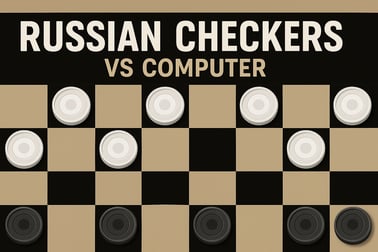
Russian Checkers Vs Computer lets you play classic Russian draughts online against smart AI. Practice tactics, learn rules, and enjoy quick board duels.












Russian Checkers Vs Computer
Introduction to Russian Checkers Vs Computer
Russian Checkers Vs Computer – Play Online vs AI lets you dive into one of the most strategic classic board games online right in your browser. Whether you call it Russian checkers or a Russian draughts game, this version focuses on fast turns, smart moves, and a strong computer opponent that will keep you thinking every step of the way.
Unlike many casual board games, Russian checkers has its own twist on the familiar rules. You can play checkers against the computer with no download, no signup, and no extra hassle. Just load the page, hit Play, and you’re immediately facing a fully functioning AI that understands advanced patterns and tactical traps. It’s a great way to train your brain, learn a new ruleset, or simply enjoy a quick puzzle break when you have a few minutes to spare.
This browser checkers with AI experience is designed to run smoothly on both desktop and mobile. You can play during a lunch break at work on your PC, continue a match at home on a tablet, or squeeze in a few games on your phone. If you enjoy classic board games online, Russian Checkers Vs Computer offers a focused, strategy-heavy alternative to standard American checkers.
Basic Rules & Mechanics
Russian Checkers Vs Computer follows the traditional rules of Russian draughts, with a few important mechanics that set it apart from other variants. Understanding these basic rules will help you get comfortable quickly, even if you’re used to another type of checkers.
Board layout and starting position
The game is played on an 8x8 board using only the dark squares, just like many other checkers versions. Each player starts with 12 pieces, placed on the first three rows of dark squares on their side of the board. Your pieces usually appear at the bottom of the screen, with the computer’s pieces at the top.
- Black and white pieces (or dark and light) occupy alternating dark squares.
- Your goal is to capture all enemy pieces or block them so the AI has no legal moves.
Movement of regular pieces
In this online Russian checkers version, regular pieces (often called men) move:
- One square diagonally forward to an empty dark square.
- No backward movement for regular men, unless they are capturing.
This forward-only movement makes positioning important. You’ll need to coordinate several pieces at once to attack and defend efficiently.
Capturing rules
Russian checkers has distinctive capture mechanics that add depth to the Russian draughts game feel:
- Captures are mandatory when available.
- You can capture both forward and backward with regular pieces.
- Multi-jump sequences are allowed and often critical to winning.
To capture, your piece jumps diagonally over an adjacent enemy piece into an empty square immediately beyond it. If another capture is possible from the landing square, you must continue the sequence in the same move. The AI automatically checks all legal capture paths and forces you to choose one when a jump is available.
Kings (dams) and their power
When one of your pieces reaches the farthest row on the opponent’s side, it’s crowned as a king (often called a “dam” in Russian draughts). Kings are powerful:
- They move any number of squares diagonally, not just one.
- They can capture over distance, jumping pieces that are several squares away.
- They capture in any diagonal direction, efficiently sweeping the board.
This long-range movement turns kings into major threats. A big part of the strategy in Russian Checkers Vs Computer is getting your pieces promoted while preventing the AI from doing the same.
Objectives & Win Conditions
Like most classic board games online, the core objective is easy to understand but tricky to master. In Russian Checkers Vs Computer, winning is all about using smart tactics and careful planning.
Main win conditions
- Capture all enemy pieces: If the AI has no pieces left on the board, you win.
- Block all legal moves: If the computer still has pieces but cannot make a legal move, it’s also a win for you.
Because captures are forced, you can often set up positions where the AI is trapped into making bad jumps that ultimately lose the game.
Draws and stalemates
Some positions naturally end in a draw, especially when both sides have only a few kings left and neither can force progress. While specific draw rules can vary slightly by implementation, typical Russian checkers conventions include:
- Repeated moves or positions resulting in a draw after several cycles.
- Long endgames with no captures or pawn moves eventually being declared a draw.
In this browser checkers with AI version, the computer will keep playing until a clear win, loss, or stalemate is reached, encouraging you to search for creative breakthroughs even in tight positions.
Key features of Russian Checkers Vs Computer
- Fast browser play: No installation or registration required.
- Smart AI opponent: Challenge an opponent that looks for strong tactical replies.
- Classic rules: Experience authentic online Russian checkers mechanics.
- Casual-friendly: Great for short sessions, quick rematches, or regular practice.
How to Play Russian Checkers Against the Computer
Jumping into a game is intentionally simple so you can focus on the match instead of menus. Here’s how to play checkers against the computer step by step.
Starting your first match
- Open the game page in your browser on PC, phone, or tablet.
- Press the Play button to load directly into a new match.
- By default, you’ll control one side (often the bottom color), and the computer controls the opposite side.
The first player is usually set automatically. Watch the indicator or the highlighted pieces to see whose turn it is.
Selecting and moving pieces
- On PC: Click a piece with your mouse to select it. Then click the destination square. The game will highlight legal moves when a piece is selected.
- On mobile: Tap the piece you want to move, then tap a highlighted square to confirm the move.
If a capture is available, the game will only show valid capture options, because jumping is mandatory in Russian checkers.
Capturing and multi-jumps
When you jump an opponent’s piece:
- The captured piece is removed as soon as you land on the square beyond it.
- If another capture is possible from that new square, the game expects you to continue jumping.
- Keep following the highlighted path until no more captures are available.
These long capture chains are where you can really outsmart the AI by setting up clever sacrifices and forks.
Ending a game and starting a rematch
Once the match ends (win, loss, or draw), you’ll typically see an option to start a new game immediately. Use this rematch option to test new opening ideas or practice specific endgames against the same computer strength.
Key Rules and Differences of Russian Checkers Online
Russian checkers looks familiar if you know standard checkers, but several rule differences dramatically change how the game feels. Knowing these distinctions will help you quickly adapt when you play checkers against the computer in this variant.
Mandatory capture with choice of sequence
As in many draughts variants, if you can capture, you must capture. However, in Russian checkers, if more than one capture sequence is available, you’re often allowed to choose which path to take. This means:
- You can select a capture line that leads to a better long-term position.
- You can sometimes sacrifice extra captures now to create a deadly king later.
Backward captures for men
Unlike some other checkers rulesets, regular pieces in Russian checkers can capture both forward and backward. This makes defending a bit trickier, and it gives you more counterplay possibilities.
Long-range kings
Kings in Russian checkers behave more like queens in chess than in some basic checkers games. They can move and capture multiple squares diagonally, changing direction during capture sequences. This increases the dynamic complexity of the endgame and rewards careful planning when you’re trying to promote.
Online convenience and quality-of-life rules
Because this is an online Russian checkers implementation, several quality-of-life features help keep the experience smooth:
- Automatic detection of legal moves and captures.
- Visual highlights for selected pieces and target squares.
- Quick restart after each game to encourage rapid improvement.
These online tweaks don’t change the core rules of the Russian draughts game; they just remove bookkeeping and rule-checking so you can focus purely on strategy.
Tips to Beat the AI in Russian Checkers
Even if you’re new to this variant, there are reliable ways to improve your chances when you play checkers against the computer. The AI is disciplined but predictable in certain patterns.
1. Control the center
Try to occupy central dark squares with multiple pieces. Central control gives you:
- More capture opportunities in multiple directions.
- Better defensive coverage if the AI tries a breakthrough on one flank.
2. Avoid unnecessary advances
Pushing pieces too far forward without support is a common beginner mistake. In this browser checkers with AI setup, the computer will quickly punish overextensions with forced capture sequences. Move in coordinated groups instead.
3. Set capture traps
Because capturing is mandatory, you can often place a piece where the AI must capture it, only to land in a worse position afterward. Look for ways to:
- Offer a piece that lures a king or key man onto a square you can double-jump.
- Force the computer into a multi-jump that ends on a vulnerable square.
4. Race for safe promotions
Try to create a “promotion lane” on one side of the board where your piece can advance safely to become a king. Use other pieces to block or distract the AI from that path.
5. Practice endgames
If you’re down in material, don’t resign mentally. Russian checkers endgames are surprisingly rich, and a single well-timed king can still turn the tables. Use repeated games against the AI to practice:
- King vs. king scenarios.
- Converting a small material edge.
- Defending stubbornly when behind.
Play Russian Checkers on PC and Mobile Browser
One big advantage of Russian Checkers Vs Computer is its flexibility. You can play the same Russian draughts game anytime, on almost any modern device, with nothing to install.
Playing on PC or laptop
On desktop, you get the most comfortable view of the board and the clearest graphics. It’s ideal if you’re serious about studying positions and analyzing moves.
- Use a mouse or trackpad for precise clicks.
- Keep the browser window in fullscreen for better focus.
- Open multiple games over time to track how your strategy evolves.
Playing on mobile phones
The game also works smoothly as a classic board game online on mobile:
- Tap to select and move pieces; the interface is optimized for touch.
- Rotate your device to portrait or landscape depending on the specific implementation.
- Use mobile data or Wi‑Fi; the game requires only a small amount of bandwidth once loaded.
Playing on tablets
Tablets give you a nice middle ground: larger screen than a phone, more portability than a PC. They’re perfect for relaxed matches on the couch, while traveling, or when teaching kids how to play online Russian checkers.
Performance & Troubleshooting
Because Russian Checkers Vs Computer is a browser-based game, performance mostly depends on your device and internet connection. If you experience slowdowns or glitches, these quick checks usually help.
Improving performance
- Close unused tabs: Many open tabs or heavy sites (video streaming, large downloads) can slow the game.
- Update your browser: The latest versions of Chrome, Firefox, Edge, or Safari tend to handle web games better.
- Check your connection: A stable connection helps with initial loading and any online features.
Fixing common issues
- Game doesn’t start: Refresh the page, or try another browser.
- Pieces don’t respond: Ensure it’s your turn and that you’re clicking/tapping a legal move. Captures must be made if available.
- Visual glitches: Clear browser cache and reload, or switch temporarily to a different device.
Because this is a fairly lightweight browser checkers with AI experience, most modern devices can run it without any dedicated graphics hardware.
Offline Play Availability for Russian Checkers Vs Computer
Russian Checkers Vs Computer is primarily built as an online Russian checkers experience, so you generally need an active internet connection to start and play matches.
Do I need to be online to play?
Yes. The game loads its assets, interface, and AI logic through your web browser. Without a connection, the page can’t initialize correctly, and you won’t be able to play checkers against the computer.
Why an always-online design?
- Ensures you’re always using the latest version of the AI and rules.
- Makes cross-device play easy—just open the browser on any supported device.
- Eliminates the need for local installations or large downloads.
If offline play is crucial for you, you can still use Russian Checkers Vs Computer as a training tool when online, then apply what you learn on a physical board or another local checkers app when you’re offline.
How to Play Russian Checkers Vs Computer
To summarize the flow of a typical session with Russian Checkers Vs Computer, here’s a quick checklist you can follow anytime you want a match.
Step-by-step quickstart
- Open your browser: Use a modern, updated browser on PC, phone, or tablet.
- Navigate to the game page: Load the Russian Checkers Vs Computer link from your preferred gaming platform.
- Hit Play: Wait for the board to appear and for the pieces to be placed.
- Learn by doing: Play a few practice games focusing on moves and captures, not just winning.
- Review: After a loss, consider where you overextended or missed a capture trap.
Repeated short sessions are one of the best ways to master a Russian draughts game and build confidence against both AI and human opponents.
Beginner Strategy Guide for Russian Checkers vs AI
If you’re just getting started with Russian Checkers Vs Computer, this compact strategy guide will help you build solid habits from your first games onward.
Openings: Start solid, not flashy
- Advance central pieces early to fight for the middle of the board.
- Avoid moving the same piece repeatedly without purpose—it wastes tempo.
- Look two moves ahead: if you move a piece, ask what the AI can attack next turn.
Midgame: Build formations
During the midgame, focus on structure:
- Keep pieces connected so they can defend one another.
- Create small “walls” of men that the AI can’t easily break without giving you counter-captures.
- Watch for backward capture chances—one surprise jump can flip the balance instantly.
Endgame: Use kings efficiently
Once kings appear on the board, the game speeds up. To convert an advantage:
- Use your king’s long-range moves to control key diagonals.
- Cut off the AI’s king from its men, isolating it on one side of the board.
- Avoid pointless checks or chases; try to shepherd enemy pieces into a corner instead.
By following these guidelines and playing frequent matches in this classic board game online, you’ll steadily improve. Russian Checkers Vs Computer offers an accessible way to practice, experiment, and enjoy the deep strategy behind Russian draughts whenever you have a browser and a few free minutes.
Frequently Asked Questions
How do I play Russian Checkers Vs Computer?
Move your pieces diagonally forward to capture all of your opponent’s pieces. Click or tap a piece, then a highlighted square to move. The computer makes its move right after yours.
Is Russian Checkers Vs Computer free to play?
Yes, the game is completely free to play in your browser. You do not need to pay, download, or install anything to start a match against the computer.
Can I play Russian Checkers on mobile devices?
Yes. Russian Checkers Vs Computer runs in modern mobile browsers on Android and iOS, as well as on desktop browsers, so you can play on phone, tablet, or PC.
Does the game follow official Russian checkers rules?
The game is based on standard Russian checkers rules, including capturing both forward and backward with men and powerful king moves, so you can practice real Russian draughts.
Can beginners enjoy Russian Checkers Vs Computer?
Yes. The AI is suitable for beginners who want to learn and practice, and you can play as many short matches as you like to improve your board skills at your own pace.