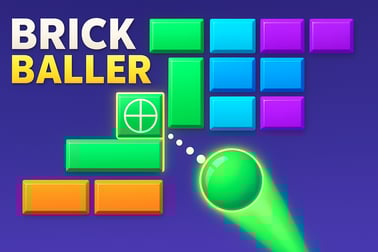
Block Crasher lets you smash colorful blocks, earn points, and clear levels in your browser. Enjoy fast, free arcade action with no download needed.






Block Crasher
Introduction to Block Crasher
Block Crasher is a fast-paced brick breaking game online that combines classic arcade action with modern, idle-style upgrades. You’ll bounce a ball around the screen, smash colorful bricks, collect rewards, and unlock stronger power-ups to destroy the blocks even faster. It’s easy to learn in a few seconds, but surprisingly addictive once you start chasing higher scores and tougher stages.
Because Block Crasher runs directly in your browser, there’s no download, no signup, and no install required. Just press play and you’re instantly in the action. Whether you’re looking for a quick free block arcade game during a break or a longer session where you optimize upgrades like an idle block crusher, this block puzzle browser game fits both play styles.
The game leans into the joy of pure destruction. Every shot that shatters a wall of bricks, every chain reaction you trigger, and every wave of falling blocks you dodge is designed to feel satisfying. Combined with simple controls and smooth performance on most devices, Block Crasher is an easy favorite for fans of classic arcade and puzzle experiences.
How to Play Block Crasher
At its core, Block Crasher works like a classic brick breaking game online: you control a paddle or launcher at the bottom of the screen, and your goal is to keep the ball in play while you destroy the blocks floating above. As you progress, you’ll see new brick layouts, tougher block types, and more chances to upgrade your crushing power.
Here’s the basic gameplay loop you can expect in this block puzzle browser game:
- Launch your ball: Aim your shot and fire upward into the stack of blocks.
- Destroy the blocks: Each hit chips away at a block’s health until it finally shatters.
- Collect rewards: Grab coins, power-ups, and bonuses that fall when you destroy the blocks.
- Upgrade your crusher: Use your earnings to increase damage, add more balls, or unlock special abilities.
- Advance to new stages: Clear enough bricks or reach a target score to move on to more challenging levels.
Some versions of Block Crasher lean more into the idle block crusher style, where your machine keeps grinding away at blocks even when you’re not constantly clicking. In those modes, you’ll spend a lot of time optimizing upgrades between rounds so that each new run feels more powerful than the last.
Key Features
Block Crasher focuses on simple, replayable fun with layers of progression that keep you coming back. Below are some of the standout features you can expect when you load up this free block arcade game in your browser.
- Classic brick breaking gameplay: Bounce a ball, destroy the blocks, and keep the chain going as long as you can.
- Idle-style upgrades: Turn your basic paddle into a serious block crusher with damage boosts, extra balls, wider paddles, and automatic attacks.
- Varied block types: Face reinforced blocks, explosive bricks, multi-hit tiles, and special blocks that trigger chain reactions when you break them.
- Progressive difficulty: Levels start relaxed and ramp up with denser layouts, higher block health, and trickier angles to master.
- Accessible browser play: Everything runs in HTML5, so you can jump into the action without downloads or plugins.
- Short, satisfying sessions: Each run only takes a few minutes, making this block puzzle browser game perfect for quick breaks.
- Family-friendly design: No gore, no mature themes—just bright visuals and clean brick-breaking action that’s appropriate for all ages.
Combined, these features make Block Crasher an appealing choice whether you’re a fan of retro brick breakers, incremental clickers, or puzzle-filled arcade games where you simply get to destroy the blocks and unwind.
Where to Play Block Crasher
Block Crasher is designed as a browser-first experience, so the easiest way to get started is simply to play it online in your favorite up-to-date web browser. Modern versions of Chrome, Firefox, Edge, or Safari should all handle the game smoothly without any additional setup.
When you find Block Crasher on a reputable browser gaming portal, you can typically:
- Play instantly: Click the game thumbnail, wait a moment for it to load, and you’re ready to go.
- Play for free: Most platforms host Block Crasher as a free block arcade game supported by light ads instead of paywalls.
- Switch devices: Because it saves progress in your browser, you can often resume wherever you left off on the same device without any login.
Always choose trusted gaming sites that don’t ask you to download extra executables for a simple brick breaking game online. Legitimate HTML5 portals let you run Block Crasher right inside the page, keeping your system safer and your play session smoother.
Is Block Crasher Safe to Play Online?
For most players and families, Block Crasher is a safe, kid-friendly choice. It’s a simple brick breaking and idle block crusher experience without any violent or mature content. You’re just bouncing a ball, smashing colorful tiles, and watching the numbers climb as you destroy the blocks on screen.
To keep things safe and comfortable:
- Use trustworthy sites: Only load Block Crasher from reputable browser gaming platforms that don’t force shady downloads or intrusive permissions.
- Watch for external ads: The game itself is family-friendly, but ad content is controlled by the site. Consider enabling basic ad filters or supervised browsing for younger players.
- Take screen breaks: As with any clicker or arcade puzzle game, it’s easy to lose track of time. Short breaks help avoid eye strain and keep gameplay balanced.
As long as you stick with well-known gaming portals, Block Crasher is one of the easier, safer ways to introduce kids to arcade and puzzle-style games in the browser.
How to Play Block Crasher Online in Your Browser
Starting a session of Block Crasher in your browser takes just a few steps, and you’ll be destroying blocks within seconds. Here’s a simple walkthrough for your first game:
- Open the game page: Visit a trusted browser gaming site that hosts Block Crasher and load the game.
- Wait for the load bar: Give the HTML5 loader a moment to finish. On slower connections, this may take a bit longer the first time.
- Check the tutorial prompts: Most versions will show a quick tooltip or tutorial panel explaining the basics of how to destroy the blocks and control your paddle.
- Aim your first shot: Move your mouse (or drag with your finger on touch devices) to set the angle of the ball, then tap or click to launch.
- Keep the ball in play: Slide your paddle left and right to keep the ball bouncing back into the bricks.
- Collect power-ups: As you break bricks, watch for falling boosts. Move your paddle under them to collect and activate effects.
- Upgrade between rounds: Use coins or points you’ve earned to improve your idle block crusher—more damage, more balls, or special shot types.
If you’re playing on a desktop browser, you’ll get the best experience by using a mouse or trackpad. On mobile, tap and drag controls make it just as easy to guide your paddle and destroy the blocks from your phone or tablet.
Block Crasher Game Features: Power-Ups, Levels, and Challenges
Beyond its simple surface, Block Crasher offers a surprising amount of variety. Each session can feel a little different, depending on the power-ups you collect and the upgrades you focus on.
Power-Ups That Change the Game
As you smash through bricks, keep an eye out for icons dropping from above. These can dramatically change the way you play this brick breaking game online:
- Multi-ball: Splits your current ball into multiple balls, letting you destroy the blocks in several spots at once.
- Laser paddle: Temporarily turns your paddle into a weapon that can shoot straight up at blocks.
- Magnet or sticky paddle: Helps you catch the ball more easily and aim precise shots.
- Damage boosters: Temporarily increase how much health each hit removes from reinforced bricks.
Level Design and Increasing Difficulty
Each level in this block puzzle browser game introduces new layouts. Early stages might have simple rows of blocks, while later stages create tight clusters, gaps, and staggered walls that demand more careful aiming. High-health blocks and special tiles appear more frequently as you advance.
This gradual ramp in challenge makes Block Crasher feel both casual and competitive. You can relax and chip away at levels, or push yourself to clear them as efficiently as possible by mastering power-ups and smart shot angles.
Tips and Tricks to Clear Tough Levels in Block Crasher
Once you’ve cleared the first few worlds, Block Crasher starts to ask a bit more from you. Here are some practical tips to help you consistently destroy the blocks and climb to higher levels.
- Prioritize weak spots: Aim for clusters of fragile blocks first. Clearing them opens space for the ball to bounce around and deal more hits per shot.
- Learn the bounce angles: Shots off the far edges of your paddle produce steeper angles. Use these to slip the ball into tight gaps between bricks.
- Target power-up bricks: If you see a block that tends to drop a power-up, prioritize breaking it early in the round.
- Invest in consistent upgrades: In the idle block crusher progression, steady upgrades to ball damage or speed often pay off more than very situational bonuses.
- Keep your paddle central: When you’re not sure where the ball will fall, stay near the center of the screen so you can react to either side.
- Use early levels as “farm” runs: If allowed by the mode you’re playing, replaying easier stages can be a relaxed way to stockpile currency for stronger upgrades later.
Combining these strategies with patient aiming helps turn hard layouts into manageable puzzles, even when the screen is packed with reinforced blocks.
Controls and Gameplay Guide for Block Crasher
The control scheme for Block Crasher is intentionally minimal so you can focus on the arcade action rather than complicated inputs. Whether you’re on PC or mobile, moving your paddle and launching shots stays intuitive.
Desktop Controls
- Mouse move: Move the cursor left or right to guide your paddle along the bottom of the screen.
- Left-click: Launch the ball at the start of a level or confirm upgrade selections in menus.
- Hold & drag (in some modes): Hold the mouse button down and drag to fine-tune your launch angle before releasing.
Mobile & Tablet Controls
- Tap & drag: Place your finger on the screen and slide left or right to move your paddle.
- Tap to shoot: Tap the play or shoot button to send the ball flying when you’re ready.
- Touch UI buttons: All upgrades, menus, and pause options are handled through large, finger-friendly buttons.
Because the inputs are so light, Block Crasher plays especially well as a casual browser game. You can play one-handed on mobile or with minimal wrist movement on desktop, which makes it easy to enjoy short sessions without strain.
Free Browser Games Like Block Crasher to Try Next
If you enjoy the blend of destruction, upgrades, and puzzle-like aiming in Block Crasher, there are plenty of similar titles you can explore once you’ve mastered this one.
- Other brick breaking games online: Look for classic-style block breaker games with power-ups, multiple balls, and stage progression.
- Idle clickers with destruction themes: Games where you tap or upgrade machines to crush, smash, or break objects scratch a similar “watch the numbers go up” itch as an idle block crusher.
- Block puzzle browser games: If you like the block visuals but want more pure strategy, try drag-and-drop block puzzles where you fill rows and columns on a grid.
- Arcade combo chasers: Titles that reward long combo chains and high multipliers give the same thrill you get when you destroy the blocks in rapid succession in Block Crasher.
All of these options are typically available as free block arcade games that run directly in the browser, so you can rotate between them without installing anything new. That makes Block Crasher a great gateway into a whole library of quick, satisfying block-based titles you can enjoy on almost any device.
Frequently Asked Questions
What is Block Crasher?
Block Crasher is a free browser game where you break or crush blocks, clear patterns, and score points through fast arcade or idle-style gameplay.
Do I need to download anything to play Block Crasher?
No, you can play Block Crasher directly in your web browser with no download or installation required.
Is Block Crasher suitable for kids?
Yes, Block Crasher is family-friendly, featuring simple controls and non-violent block-crushing gameplay that’s suitable for most ages.
Can I play Block Crasher on mobile devices?
Yes, as long as your phone or tablet has a modern web browser and internet connection, you can play Block Crasher on mobile.
Are there any tips to score higher in Block Crasher?
Focus on creating combos, using power-ups wisely, and planning your moves so you clear multiple blocks or rows at once to boost your score.