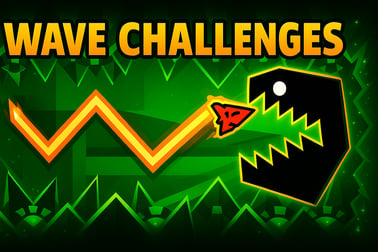
Wave Challenges is a hardcore wave arcade game. Dodge spikes, squeeze through tight gaps, and test your reflexes in fast one-button browser levels.







Wave Challenges
Introduction to Wave Challenges
Wave Challenges is a hardcore wave arcade game that turns a single input into a full-on skill test. Inspired by the legendary geometry style wave mode, it drops you into a neon obstacle course online where timing, precision, and fast reactions are everything. Your wave glides forward automatically, and your only job is to control its height while dodging spikes, tight corners, and razor-thin gaps.
This reflex based browser game is built for players who love demanding mechanics and fast restarts. One mistake sends you right back to the beginning of the route, but that instant retry loop is what makes the game so addictive. You learn the patterns, refine your reactions, and slowly push a little farther with each attempt.
Because Wave Challenges runs directly in your browser, you can jump into the action on PC, laptop, or mobile without downloads or installation. Whether you want a quick one button skill challenge during a break or a long grind to beat the hardest routes, it’s always just a click away.
Wave Challenges Control Guide
Wave Challenges keeps its controls incredibly simple so that the challenge comes purely from your skill, not from memorizing keybinds. That’s the core of this geometry style wave mode: one button, endless precision.
Basic One-Button Inputs
The exact key can vary depending on the site you play on, but the control logic is always the same:
- Hold Left Mouse Button / Spacebar / Up Arrow – Your wave moves diagonally upward.
- Release – Your wave moves diagonally downward.
This creates a clean, responsive up-and-down motion that feels almost like drawing a sharp zigzag line through the level. You’re not steering left or right – the wave always moves forward on its own. All of your focus is on vertical control and timing.
Why the Controls Feel So Hardcore
Because there’s no backup system or extra lives, every input matters. A hold that’s a fraction of a second too long will send you straight into a wall. Releasing too late might slam you into a spike at the bottom of a corridor. This is why the game feels like a true hardcore wave arcade game, even though it uses just one button.
The simplicity also makes Wave Challenges easy to pick up for beginners. You don’t need a tutorial to understand how to move. But mastering that same one button at high speed is where advanced players separate themselves, especially on the later “devil-level” style routes.
Objectives & Win Conditions
Wave Challenges keeps its objective focused and crystal clear, which is perfect for a reflex based browser game where you want to restart instantly and try again.
Core Objective
Your primary goal in every level is simple:
- Guide your wave safely from the start of the tunnel to the end portal without touching any obstacles or walls.
If you crash into a spike, floor, ceiling, or wall, your run instantly resets. There are no checkpoints and no rewinds – the game is built around the classic “fail, learn, improve, repeat” loop.
Win Conditions and Progression
- Beat the level without crashing – Completing a route unlocks the next wave challenge (depending on the specific version or platform).
- Clean runs – Advanced players chase flawless, smooth movement with no panicked taps or messy zigzags.
- Optional collectibles – In some versions, you can grab coins or crystals along the way to unlock skins and cosmetic upgrades.
You don’t need to collect everything to finish a level, but going for those tight optional pickups adds a second layer of difficulty for players who want more than just reaching the finish.
Master Wave Control: How the One-Button Gameplay Works
Mastering the one-button system is what turns Wave Challenges from “chaotic and impossible” into a smooth, satisfying flow. Understanding how the wave responds to your input is the first big step.
Hold vs. Tap Behavior
- Short taps create tiny, controlled bumps in your trajectory, perfect for minor height adjustments in wider corridors.
- Medium holds help you follow slanted paths or climb carefully through zigzag tunnels.
- Long holds send your wave sharply upward, ideal for steep climbs but dangerous around tight ceilings.
The wave doesn’t turn instantly – there’s a smooth arc to its movement. This means you must anticipate turns just a bit earlier than you think. Players who simply react with panic taps often struggle, while those who learn to anticipate level patterns can glide through dangerous sections with calm, confident holds.
Reading the Level Layout
Since the game is a neon obstacle course online with a strong geometry style, each section visually telegraphs what’s coming:
- Long, flat tunnels usually test your ability to hold a stable height.
- Rapid up-and-down segments ask for rhythmic taps instead of long holds.
- Jagged spike formations push you to ride the exact center of a thin corridor.
- Sudden vertical shifts demand early anticipation and strong pattern memory.
The more you play, the more you recognize repeating ideas: gently sloping climbs, sharp drops, tight zigzags, and deceptive “fake safe zones” that push you into spikes if you relax too early.
Tips and Strategies to Beat the Hardest Wave Levels
Once you understand the basics, the next step is pushing through the extreme routes that make Wave Challenges a true hardcore wave arcade game. These strategies will help you survive tougher levels and improve steadily.
1. Focus on Rhythm, Not Panic
High-speed corridors can feel overwhelming, but they often have a clear rhythm. Try counting the beats in your head or syncing your taps to the background music. Calm, consistent timing beats frantic mashing every time.
2. Break Levels into Mental Segments
Don’t think of a route as one giant, impossible run. Instead, mentally divide it into parts:
- Intro – Warm-up section where you find the pace.
- Mid-section challenge – Sharp patterns where most players fail.
- Final sprint – Often easier, but still punishing if you relax.
Each time you die, pay attention to which segment killed you, then focus on improving just that part.
3. Use Safe Zones to Reset Your Focus
Many levels include micro safe zones – short straight tunnels without spikes. Use them to quickly reset your grip, relax your hand, and refocus your eyes before the next tricky sequence. Staying relaxed helps your reactions stay sharp.
4. Practice with Sound On
Wave Challenges often feels better with audio. The sound effects and music can give you a sense of speed and timing. Many players find that they react more consistently when they sync their inputs with the track’s rhythm.
5. Switch Inputs if Needed
If you struggle using the mouse, try the Spacebar or Up Arrow instead. Everyone has a slightly different comfort zone. For long sessions in this reflex based browser game, a stable, comfortable key can make a big difference.
6. Accept Failure as Part of the Game
Wave Challenges is built around repetition. You’re supposed to fail a lot. That’s how you memorize layouts and nail your timing. Instead of getting frustrated, treat each death like a free hint about what to adjust on the next run.
Difficulty Levels and Progression in This Wave Arcade Game
Wave Challenges doesn’t just throw you into the hardest patterns from the start. It ramps up over multiple routes designed for different skill levels, which keeps the game welcoming for new players while still offering extreme challenges for experts.
Typical Difficulty Curve
- Easy to Medium routes – Slower speed, wider corridors, forgiving spike placements. Great for learning the feel of the wave.
- Hard routes – Faster movement, sharper angles, and narrower paths. You’ll start relying on muscle memory.
- Harder to Extreme routes – Near-perfect precision required. Tiny mistakes instantly end the run. These feel like classic hardcore wave arcade game challenges.
Some versions label levels with names or icons, while others simply unlock tougher paths as you clear earlier ones. In either case, the progression encourages you to practice and gradually build toward more brutal layouts instead of jumping straight into the hardest map.
Replay Value
Because each level is short but intense, Wave Challenges is highly replayable:
- Speed runs – Aim for faster, cleaner completions with smoother lines.
- No-death goals – Challenge yourself to beat several levels in a row without crashing.
- Collectible runs – Go back to earlier levels and grab every optional item or skin unlock.
This steady progression, paired with tough-but-fair design, gives the game strong long-term appeal for players who love polishing their skills.
Visual Style, Skins, and Customization Options
Wave Challenges is built around a clean, high-contrast geometry style that makes reading the level easy even when your wave is flying at top speed. The visuals aren’t just for show – they’re designed around clarity and readability, which is crucial in a reflex based browser game.
Geometry Style and Neon Effects
Expect sharp shapes, glowing edges, and bold colors. Levels often feature:
- Bright neon tunnels against dark backgrounds.
- Spikes and walls outlined clearly so threats stand out.
- Dynamic decorations like pulsing lights or subtle particles that add energy without distracting too much.
This style makes the game feel modern and intense, like you’re guiding an energy wave through a digital circuit.
Wave Skins and Unlockables
Depending on the version you’re playing, Wave Challenges may include cosmetic customization such as:
- Different wave shapes – arrows, triangles, energy beams, or abstract icons.
- Color variations – choose from bold neon colorways to stand out against the course.
- Trail effects – glowing streaks that follow behind your wave for extra flair.
These skins are usually unlocked by completing levels, grabbing collectibles, or reaching specific milestones. They don’t change gameplay, but they add a nice sense of progression and personal style as you conquer harder routes.
Browser Performance: Play Smoothly on PC and Mobile
Because Wave Challenges is such a timing-sensitive game, smooth performance is essential. Lag or stutters can ruin a perfect run, especially in the toughest sections.
Optimized for Browser Play
Wave Challenges is designed as a lightweight HTML5 or WebGL experience, so it runs well in modern browsers without any extra downloads. It’s ideal if you want a neon obstacle course online that loads quickly and responds instantly to your input.
For the best experience on desktop:
- Use an up-to-date browser like Chrome, Edge, Firefox, or Safari.
- Close heavy background tabs (video streams, big downloads) that may cause frame drops.
- Disable unnecessary browser extensions if you notice stuttering.
Mobile and Tablet Performance
On phones and tablets, Wave Challenges generally runs well too, but you’ll want to:
- Play in landscape mode for better visibility.
- Ensure a stable internet connection if the platform streams assets or ads.
- Turn on “Do Not Disturb” if notifications might interrupt your taps.
Because this is a reflex based browser game, even minor delays can throw you off, so prioritizing smooth playback will noticeably improve your performance.
Performance & Troubleshooting
If Wave Challenges doesn’t feel responsive or looks choppy, a few quick tweaks usually fix the issue.
Common Performance Fixes
- Lower browser load – Close other tabs, streaming services, or CPU-heavy apps.
- Update your browser – Old versions can struggle with modern HTML5 games.
- Switch browsers – Sometimes performance is much better in Chrome vs. an older browser, or vice versa.
- Disable hardware acceleration (or enable it, if it’s off) in browser settings and test which feels smoother.
Input Lag and Control Issues
- Try another input – Swap from mouse to Spacebar or Up Arrow and see if it feels more precise.
- Check your mouse – Wireless devices with low battery can cause delayed clicks.
- Close screen-recording or overlay tools that may add latency.
If you’re playing on mobile, restarting the browser app, clearing temporary cache, or switching from data to Wi-Fi (or vice versa) can also help.
Is Wave Challenges Safe to Play Online?
Wave Challenges is generally a family-friendly, skill-based arcade experience. There’s no graphic violence, no inappropriate content, and no complex social features. You’re simply guiding a stylized wave through geometric tunnels, focused on timing and reflexes.
Content and Age Appropriateness
- Visuals – Abstract, neon geometry style with no realistic characters or gore.
- Gameplay – Pure reaction and control challenge, suitable for older kids, teens, and adults who enjoy fast-paced skill games.
- Sound – Energetic effects and music without explicit language.
Parents should note that the game can be quite difficult, which may frustrate very young players. However, from a content standpoint, it’s a safe, non-violent reflex based browser game.
Platform Safety Considerations
Because Wave Challenges is played in the browser, always use trusted gaming sites to avoid sketchy pop-ups or misleading ads. On reputable platforms, you can typically enjoy the game without creating an account or sharing personal data.
As with any browser game:
- Avoid clicking suspicious third-party ads or download prompts.
- Keep your browser and security software updated.
- For kids, use child-friendly platforms and browser safety tools.
Within those basic guidelines, Wave Challenges is a safe, tightly focused one button skill challenge that tests your reactions, not your luck.
Frequently Asked Questions
What is Wave Challenges about?
Wave Challenges is a fast arcade game where you guide a moving wave through tight tunnels filled with spikes and obstacles using simple hold-and-release controls.
How do I control the wave in the game?
Use the left mouse button, spacebar, or up arrow to make the wave move upward. Release to let it move downward, timing your presses to avoid obstacles.
Can kids play Wave Challenges?
Yes, the game is family-friendly with no violence. However, the difficulty is high, so younger players may need practice and short play sessions.
Do I need to download or install anything?
No, Wave Challenges runs directly in your browser. Just open the game page, press play, and start navigating the wave through each level.
Is Wave Challenges suitable for beginners?
Yes, there are easier early levels that teach the wave movement, but the game quickly becomes challenging and rewards patience, focus, and practice.