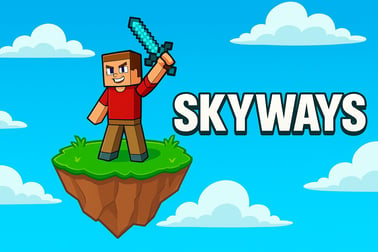
Skyways is a fast-paced sky platform racer. Dodge obstacles, jump between floating roads, and test your reflexes on challenging aerial tracks.







Skyways
Introduction to Skyways
Skyways is a high-speed sky road racing game that throws you onto narrow tracks, floating roads, and aerial platforms suspended in the clouds. Blending the intensity of a 3D platform runner with the precision of a space racing title, it feels like an endless runner in the sky where one wrong move sends you plunging into the void. You'll dash across glowing tiles, leap between broken highways, and weave through a sprawling space obstacle course filled with hazards and tight corners.
Instead of driving along a regular racetrack, you're piloting a futuristic craft over shifting sky bridges, ramps, and suspended islands. Every level is a futuristic sky platformer challenge that tests your reflexes and your ability to remember track patterns. As speed ramps up, so does the pressure: platforms get thinner, jumps get riskier, and obstacles demand split-second reactions.
Whether you're chasing a new best time, collecting every coin in sight, or just trying to survive one more section of floating road, Skyways delivers quick, replayable runs that are perfect for action, arcade, and platformer fans alike.
Basic Rules & Mechanics
Skyways keeps its core rules easy to understand while leaving plenty of room for skill. Here's how the basic systems work in a typical sky road racing game session:
- Stay on the track: Your main goal is simple: don't fall. The floating roads, jump pads, and aerial platforms are your lifeline. If you slip off an edge, miss a jump, or collide too hard with some obstacles, you'll likely plummet and have to restart from the last checkpoint or the beginning of the run.
- Forward motion is constant: In most runs, your craft is always moving forward. You control steering, speed adjustments, and jumping, but you can't just stop in the middle of the track. This creates that endless runner in the sky feel, even if levels technically have finish lines.
- Lane and path shifting: Many skyway tracks split into multiple routes, each with its own risks and rewards. Some paths have more coins, others are safer but slower, and a few are hard-mode shortcuts designed for expert players.
- Jumping and dashing: As a hybrid between a 3D platform runner and a futuristic sky platformer, jumping is crucial. You'll leap over gaps, hop onto higher platforms, and use mid-air dashes (if available) to adjust your landing.
- Obstacles everywhere: Expect barriers, moving blocks, floating mines, and other hazards scattered across each space obstacle course. Some must be dodged, others can be timed, and a few can be neutralized or bypassed with power-ups.
- Coins and collectibles: While just surviving is challenging enough, Skyways encourages risk-taking by placing coins and special items in dangerous spots. Collecting them unlocks cosmetic upgrades, new sky routes, or higher scores.
Runs are short and intense, which makes it easy to "just play one more" as you slowly master skyway tracks and refine your reactions.
Skyways Features
Skyways stands out among sky road racing games thanks to a mix of platforming, racing, and arcade elements. Here are some hallmark features you can expect:
- Fast-paced 3D platform runner gameplay: Tight movement and responsive controls make every jump, dash, and drift along the sky roads feel satisfying.
- Layered sky tracks: Levels are built vertically and horizontally, with stacked floating roads, spiraling ramps, and aerial platforms you can approach from multiple angles.
- Dynamic space obstacle course design: Tracks may include moving blocks, collapsible tiles, rotating beams, and other reactive elements that force you to adapt on the fly.
- Risk vs. reward routes: Safer paths trade speed and loot for stability, while advanced skyways offer huge time savings and bonus coins if you can handle the precision jumps.
- Boost pads and jump pads: Launch yourself across massive gaps, chain boosts to maintain insane velocity, and line up landings on tiny platforms floating in the sky.
- Progression through coins and collectibles: The more you master a route and explore alternate paths, the more in-game rewards you unlock, encouraging replay and experimentation.
- Instant restarts for fast practice: Miss a jump or slam into a barrier? Quick resets let you jump straight back into the action without long loading screens.
This combination makes Skyways feel like a time-attack puzzle and a reflex-based racer all at once, ideal for players who love learning track layouts and shaving milliseconds off their best runs.
Where to Play Skyways
Skyways is built to feel right at home on desktop browsers and PC setups, delivering that classic sky road racing game vibe without complicated installation steps.
On many browser gaming platforms, you can:
- Launch instantly in your browser: Just open the game page, wait a moment for assets to load, and you're piloting your ship across floating roads with minimal setup.
- Use keyboard or supported controllers: Whether you prefer WASD, arrow keys, or a gamepad, Skyways typically supports multiple input styles for better comfort.
- Play short sessions: Quick loading and compact levels make it perfect for break-time runs, practice sessions, or extended leaderboard grinds.
For best results, use a modern browser (like Chrome, Edge, or Firefox), keep your GPU drivers updated, and close unnecessary tabs or background apps if you experience stutters during high-speed sections.
Is Skyways Safe to Play?
Skyways is designed as a family-friendly futuristic sky platformer with a strong focus on reflexes, navigation, and spatial awareness rather than violence or mature themes. You're racing along sky platforms, collecting coins, and dodging obstacles; when you fail, you simply fall off the track or crash, then restart.
Typical safety and content notes include:
- No graphic violence: Crashes are brief and stylized, with no gore or disturbing imagery.
- No explicit content: The focus is on action, arcade-style scoring, and route memorization.
- Minimal text and story: Most of your attention is on the sky tracks, not on complex dialogue or themes.
- Online safety: When played on reputable browser gaming platforms, Skyways doesn't require downloading suspicious files or interacting with unknown players. Always use official or trusted game portals and avoid third-party "cracked" copies.
Parents may still want to supervise younger kids, especially because some sections are fast and intense, but overall Skyways is a safe and clean option for fans of action, arcade, and platformer games.
How to Master High-Speed Skyway Tracks and Floating Roads
Skyways really shines when you're confidently drifting along narrow sky roads at maximum speed. Mastery comes from understanding how the game communicates risk and reading the layout as you move. Here are practical strategies to dominate high-speed skyway tracks:
- Memorize track segments in chunks: Treat each section of the space obstacle course as a "pattern." Play it a few times slowly, learn where platforms narrow or shift, then gradually speed up as your muscle memory kicks in.
- Use peripheral vision: Don't stare only at your craft. Train your eyes to scan farther down the sky road so obstacles don't catch you by surprise.
- Align early for jumps: As a 3D platform runner, landing accuracy is everything. Start lining up your ship with the next platform well before you hit the jump pad or edge.
- Learn safe lines first: Every futuristic sky platformer route usually has a "safer," wider path. Master this line before attempting risky shortcuts or coin-heavy detours.
- Brake and accelerate intentionally: If the game allows speed control, don't be afraid to briefly slow down before technical sections. A slightly slower, clean run often beats a faster run ruined by repeated falls.
- Chain boosts with control: Boost pads feel great, but they magnify small steering errors. Practice hitting them straight-on and resisting the urge to over-correct mid-air.
Over time, you'll start to recognize common skyway patterns—zigzag roads, alternating gaps, spiral ramps—and your reactions will become more automatic, letting you focus on collecting coins and optimizing routes.
Tips for Dodging Obstacles and Surviving in the Sky
The sky may be beautiful, but in Skyways it's also full of danger. To keep your run alive in this endless runner in the sky–style experience, you'll need to combine timing, positioning, and smart risk management.
- Learn obstacle behavior: Some hazards move in fixed patterns (back-and-forth or rotating), while others react when you get close. Watch a full cycle once before charging through when possible.
- Stay centered when unsure: On narrow floating roads, hugging the middle gives you more time to react if an obstacle appears from either edge.
- Use height to your advantage: In a vertical space obstacle course, high and low platforms may give you safer paths around hazards. Look for alternate levels rather than forcing a dangerous line.
- Prioritize survival over coins: It's tempting to grab every collectible, but an over-aggressive line can end a promising run. Sometimes it's smarter to skip a risky coin cluster and finish the route cleanly.
- Jump earlier than you think: At high speeds, reaction time shrinks. Start your jumps a hair sooner to avoid clipping platform edges or low-hanging obstacles.
- Use short, controlled movements: Huge steering swings often lead to over-corrections and missed platforms. Small, deliberate taps on your movement keys or analog stick keep your ship stable.
With practice, dodging obstacles becomes less about panic reactions and more about rhythm—timing jumps and sidesteps to the flow of each sky route.
Best Keyboard and Controller Settings for Smooth Sky Racing
Because Skyways plays like a hybrid between a racer and a 3D platform runner, your controls and sensitivity settings have a massive impact on performance. Fine-tuning inputs can easily turn frustrating runs into smooth, predictable flights across the sky roads.
Recommended Keyboard Layout
- Movement: WASD or Arrow Keys for left/right steering and limited vertical adjustment (if the level supports altitude changes).
- Jump: Spacebar (large, easy to hit during intense sequences).
- Dash/Boost (if available): Left Shift or Left Ctrl, close enough to your movement keys for quick combos.
- Restart/Respawn: R or Enter, so you can instantly reset failed attempts without looking down.
Recommended Controller Setup
- Left Stick: Steering and directional movement.
- Face Button (A/Cross): Jump.
- Right Bumper/Trigger: Dash or Boost.
- Start/Options: Pause and access settings.
When possible, slightly lower your horizontal sensitivity so that small stick movements don't send you swinging off narrow floating roads. For keyboards, focus on tapping instead of holding keys for fine corrections.
If Skyways offers separate sliders for camera and ship sensitivity, try:
- Camera sensitivity: medium (so you can still quickly look ahead).
- Ship steering sensitivity: slightly below medium for precise lane changes.
Ultimately, the best settings are the ones you don't have to think about. Once you find a layout that feels natural, stick with it so your muscle memory can develop for those intense space obstacle course sections.
Collectibles, Coins, and Power-Ups on Aerial Platforms
Part of the thrill in Skyways is choosing whether to play it safe or dive for every shiny reward along the track. The game uses collectibles and power-ups not just as score bonuses, but as a way to guide you toward alternate sky routes and advanced platforming challenges.
- Coins: Scattered along the main sky roads and hidden side paths, coins typically act as your core currency. Gather enough, and you can unlock new visual styles, ships, or tracks depending on the platform you're playing on.
- Gem or rare tokens: These high-value collectibles are often located in the riskiest spots—on tiny aerial platforms, at the end of difficult jump chains, or behind moving obstacles.
- Speed boosts: Temporary power-ups that dramatically increase your velocity. Use them to chase personal best times, but be ready for sharper reactions.
- Shields or safety bubbles: Some runs may include a protective power-up that lets you survive one collision or fall. They're especially useful when exploring new, untested routes in the sky.
- Score multipliers: These encourage aggressive play by rewarding consecutive coins and clean runs along challenging sections of the space obstacle course.
A smart strategy is to map the collectibles first. During early attempts, focus on making it to the end of the level while taking mental notes of where valuable items sit. Once you're comfortable with the layout, start incorporating those risky aerial platform detours into your main route.
Beginner’s Guide: Navigating Space Routes and Sky Fortresses
If you're new to Skyways or to sky road racing games in general, the floating highways and towering sky fortresses can feel intimidating. This quick beginner's guide will help you get comfortable with the game's rhythm and structure.
- Start with slower routes: Choose early levels or practice modes that emphasize wide platforms and fewer obstacles. These are perfect training grounds for basic steering and jump timing.
- Use landmarks: Many sky fortresses and routes have visual cues—arches, towers, glowing signs—that you can use to anticipate upcoming jumps or obstacle clusters.
- Break the level into sections: Think of each major obstacle group as a checkpoint in your mind. Master one segment at a time instead of trying to nail the entire sky route in a single go.
- Watch your replays (if available): Some platforms let you review your best runs. Look for places where you oversteer, jump too late, or hesitate before turns.
- Gradually explore side paths: Once the main line feels comfortable, start testing alternate branches of the skyway. Many of these side paths lead to coins, power-ups, or faster shortcuts through the fortress.
- Stay patient: Skyways is designed around trial and error. Falling off the track is part of learning the layout, not a sign that you're bad at the game.
With persistence, you'll transition from nervously inching along the first floating roads to confidently sprinting across dizzying sky bridges and complex fortress loops, fully embracing what makes this futuristic sky platformer so addictive.
Frequently Asked Questions
What type of game is Skyways?
Skyways is a fast-paced action platformer where you race along floating roads in the sky, dodging obstacles and making precise jumps to stay on track.
Can kids play Skyways safely?
Yes. Skyways is family-friendly, with no graphic violence or inappropriate content. It focuses on reflexes, timing, and fun arcade-style challenges.
Do I need to download anything to play Skyways?
On most browser gaming platforms, Skyways runs directly in your web browser with no download required, as long as you have a modern browser and a stable connection.
What controls does Skyways use?
Skyways typically uses keyboard controls for moving left and right, jumping, and dashing. Many versions also support gamepads for more precise movement.
Can I pause and continue my run in Skyways?
Yes. You can pause during a run to take a break, then resume from the same point so you don’t lose your progress on the current track.