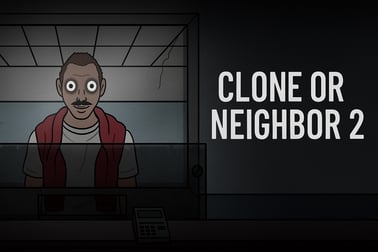
Clone Or Neighbor 2 puts you on guard duty to stop sneaky clones. Check IDs, call residents and protect the apartment in this free online imposter game.




















Clone Or Neighbor 2
Overview of Clone Or Neighbor 2
Clone Or Neighbor 2 is a tense, fast-paced imposter spotting game that mixes puzzle thinking with strategy and quick reactions. You play as a night guard in an apartment complex where dangerous clones are trying to sneak in by pretending to be real residents. Your job is to protect every tenant by checking documents, questioning visitors, and deciding who’s a trusted neighbor and who’s a deadly clone.
If you enjoy games like document verification simulators, identity check puzzles, or apartment security games, Clone Or Neighbor 2 gives you that satisfying “spot the mistake” feeling in every shift. You’ll scan ID cards, match faces to photos, compare personal details, and use your in-game phone to confirm stories. One wrong decision—letting a clone in or turning away a real neighbor—can cost you your job or even your life.
The pressure ramps up over seven in-game days. Each day introduces new neighbors, more complex forged documents, and subtle clone mutations that are harder to detect. It’s not just about clicking fast; it’s about thinking clearly under time pressure and building a reliable verification routine. Whether you’re here to spot the clone online for fun or push your skills to the limit, this game delivers a tight, immersive experience directly in your browser.
How to Play Clone Or Neighbor 2
Clone Or Neighbor 2 plays like a streamlined document verification game mixed with a security checkpoint simulator. Each in-game day, a line of people approaches your desk, and it’s your responsibility to decide who gets into the building.
Here’s the basic flow of a typical shift:
- 1. A visitor approaches your desk – You’ll see them standing in front of you with their ID or documents ready.
- 2. Review their documents – Check the photo, name, apartment number, dates, and any other key fields that matter for that day.
- 3. Compare appearance & details – Look closely at the visitor’s face, hairstyle, accessories, and clothing. Compare them to the ID photo and listed details.
- 4. Use the phone if needed – If you’re unsure, you can call the tenant’s apartment or, in more dangerous situations, contact building security.
- 5. Decide: approve or reject – After checking everything, you must choose: let them in as a neighbor or reject them as a suspected clone.
- 6. Survive the shift – You’re judged on the accuracy of your decisions. Too many mistakes, and you’ll fail the day.
The game balances observation and intuition. You’ll often have to make a quick call with incomplete information, but the best players build a mental checklist that makes those decisions faster and safer over time.
Clone Or Neighbor 2 Features
As an identity check puzzle and strategy game, Clone Or Neighbor 2 offers more than just yes/no decisions. It layers different mechanics to keep every day fresh and challenging.
Key Features
- Deep document verification – IDs, photos, and apartment data all matter. Tiny inconsistencies can expose a clone.
- In-game phone system – Call residents directly to confirm a visitor’s story, or contact security to handle dangerous imposters.
- Clone mutations & behavior – Clones don’t just look odd; they can have subtle physical mutations or suspicious dialogue that gives them away.
- 7-day survival structure – You play through a full week of shifts, with each day unlocking new rules, neighbors, and threats.
- Escalating difficulty – Early days teach basics; later days test your mastery with trickier forged documents and smarter imposters.
- Browser-based play – No downloads needed. You can spot the clone online directly in your desktop or mobile browser.
- Replay value – Different patterns, randomized visitors, and multiple ways to fail or succeed encourage repeated runs.
Altogether, these systems turn Clone Or Neighbor 2 into more than just a simple apartment security game. It feels like you’re really running a front desk, balancing safety, empathy, and suspicion shift after shift.
Where to Play Clone Or Neighbor 2
You can play Clone Or Neighbor 2 as a free browser game on major HTML5 gaming platforms that host action, puzzle, and strategy titles. It runs directly in your web browser, using HTML5/WebGL, so there’s no installation or large download required.
To enjoy the best experience:
- Use a modern browser – Chrome, Edge, Firefox, or Safari with the latest update works best.
- Enable hardware acceleration – This helps the game run smoothly and reduces stutters.
- Close unnecessary tabs – Freeing up memory makes the game more responsive, especially on older machines.
- Check your internet connection – While the game doesn’t stream video, a stable connection helps avoid loading interruptions.
Because it’s fully browser-based, you can jump into a quick shift whenever you have a few minutes, or binge an entire 7-day run in a single sitting.
Is Clone Or Neighbor 2 Safe to Play Online?
Clone Or Neighbor 2 is designed as a family-friendly imposter spotting game with a suspenseful atmosphere but no graphic violence or explicit content. You’ll encounter eerie situations and tense decisions, but everything is presented in a stylized, non-gory way.
Key safety notes:
- Age suitability – Most platforms list it as suitable for older kids and teens due to mild horror themes and suspense.
- No real personal data – All “documents” and identities are fictional; nothing involves your real information.
- No downloads required – Playing in the browser avoids the risk of installing unknown files.
- Ad-supported platforms – Some sites may run ads around the game; parents may want to use ad blockers or supervise younger players.
If you’re comfortable with mildly creepy, tension-based stories, you’ll likely find this apartment security game intense but appropriate. For very young children, the theme of clones and danger might be a bit scary, so guidance is recommended.
How to Play Clone Or Neighbor 2 and Spot Every Imposter
To consistently spot every imposter, you need a structured routine. Treat each visitor as a mini puzzle in this document verification game.
Step-by-Step Verification Process
- Start with the photo
- Look at the face shape, hairline, facial hair, and accessories.
- Is the visitor older or younger than they appear on the ID?
- Are there scars, tattoos, or features missing or newly added?
- Check the basic details
- Full name spelling and formatting.
- Apartment number and building section.
- Issue and expiration dates on IDs.
- Compare behavior and story
- Does their explanation match the documents?
- Are they nervous in an unusual way, or overly aggressive?
- Do they hesitate when you ask simple follow-up questions?
- Use the phone smartly
- Call the claimed tenant if anything feels off.
- If the conversation sounds odd or contradictory, escalate to security.
- Make a confident decision
- If two or more details don’t match, treat them as a probable clone.
- If everything lines up and behavior is normal, approve them.
Over time, you’ll form habits—like always checking dates first, or always confirming apartment numbers—that help you catch clones faster without missing subtle differences.
Tips and Tricks to Catch Clones Faster in Clone Or Neighbor 2
Winning this apartment security game isn’t just about being careful; it’s about being efficient. Here are practical tips to improve your detection rate:
- Prioritize high-value checks – Photos, apartment numbers, and dates reveal more clones than minor text details. Check these first.
- Watch for tiny mutations – Clones might have odd eye colors, too-long fingers, strange smiles, or subtle asymmetry in the face.
- Listen to dialogue carefully – Some imposters slip up when you ask about everyday things like neighbors, pets, or routines.
- Don’t spam the phone – Calls take time. Use them only when your visual checks and gut feeling are truly mixed.
- Learn recurring residents – Frequent neighbors become easier to recognize. Use memory to confirm them faster.
- Stay calm under time pressure – Rushing leads to more mistakes than slow, consistent checking. A steady pace is better than random speed bursts.
- Mentally categorize clones – Some rely on bad documents, others on creepy behavior, others on mutations. Recognizing categories helps you respond faster.
As you apply these tricks, Clone Or Neighbor 2 turns from a chaotic imposter spotting game into a manageable routine where you feel in control, even on the hardest days.
Document Verification Guide: IDs, Photos and Phone Calls
At its core, Clone Or Neighbor 2 is a document verification game. Mastering document checks is the difference between surviving the week and being overrun by clones.
Checking IDs and Personal Data
- Names – Look for swapped letters, missing accents, or extra spaces. Clones may copy names imperfectly.
- Apartment numbers – Confirm the number exists and belongs to the claimed tenant. Some clones use valid names with wrong apartments.
- Dates – Expired IDs or impossible birthdates are instant red flags.
- Photo framing – If the face angle, hairstyle length, or accessories differ heavily from the ID picture, proceed cautiously.
Photo and Appearance Matching
- Facial structure – Even if hair changes, the jawline, nose, and eyes should stay consistent.
- Skin details – Moles, scars, tattoos, and other markings should line up.
- Age – Does the ID suggest someone older or younger than who’s in front of you?
- Expression & posture – Some clones “feel off” because of how they stand or stare; this can back up subtle document mismatches.
Smart Phone Call Usage
- Tenant confirmation – Call when you’re 50/50 uncertain, not just a little suspicious.
- Listen for contradictions – If the tenant claims to be elsewhere or describes themselves differently, you’ve likely found a clone.
- Security intervention – When everything screams “danger” (mutations, aggressive behavior, badly forged papers), don’t hesitate to involve security.
The more disciplined your approach, the more satisfying it becomes to catch clones with just a glance at the paperwork and a short conversation.
Game Features: Phone Checks, Mutations and 7-Day Survival
Beyond basic verification, Clone Or Neighbor 2 includes specific mechanics that make each run unique and replayable.
Phone Checks and Security Calls
- Resident verification – Directly ask tenants if they’re expecting visitors, roommates, or deliveries.
- Suspicious calls – Some clones may try to manipulate you through the phone. Stay alert to strange tone or wording.
- Security backup – When a visitor is clearly hostile or heavily mutated, you can escalate, turning your identity check puzzle into a high-stakes standoff.
Clone Mutations
- Visual anomalies – Distorted limbs, odd eye shapes, or unnatural smiles.
- Behavioral glitches – Delayed responses, robotic phrases, or incorrect emotional reactions.
- Paper trail errors – IDs that almost match, but with tiny, deliberate mistakes that hint at a forged identity.
7-Day Survival Structure
- Day 1–2 – Learn the basics of document checks and simple visual differences.
- Day 3–4 – Clones become smarter; more forged documents and odd behaviors appear.
- Day 5–7 – Full challenge: complex mutations, high-pressure shifts, and little margin for error.
This structured week keeps the gameplay fresh and gives you clear milestones to aim for every time you load the game and decide to spot the clone online again.
Beginner Strategy: Survive Your First Week as Building Guard
New to Clone Or Neighbor 2? These beginner strategies will help you conquer your first seven days as a building guard.
- Focus on accuracy before speed – In your first runs, ignore the clock a bit and train your eye. Misjudgments hurt more than being slightly slow.
- Create a mental checklist – Photo → Name → Apartment → Dates → Behavior → Phone (if needed). Follow it every time.
- Use early days to learn residents – Pay attention to recurring neighbors; they become anchors of certainty later.
- Accept that some calls will be close – Not every decision is obvious. When 60% sure someone is a clone, trust your instincts.
- Review your mistakes – If the game reveals what you missed, mentally note it. Was it a date? A small mutation? A wrong floor?
- Don’t panic when difficulty spikes – Midweek days often feel like a jump in challenge. Stick to your system and resist the urge to randomly click.
With these strategies, you’ll quickly move from confused rookie to confident guard, turning Clone Or Neighbor 2 from a stressful experience into a rewarding, replayable imposter spotting game that sharpens your observation every time you play.
Frequently Asked Questions
What is Clone Or Neighbor 2 about?
Clone Or Neighbor 2 is a browser game where you work as a security guard checking visitors’ documents and appearance to stop clone imposters from entering an apartment building.
How do you play Clone Or Neighbor 2?
You compare each visitor’s face and details with their ID, use the in-game phone to call residents or security, then decide to approve or reject them before time runs out.
Is Clone Or Neighbor 2 free to play?
Yes, Clone Or Neighbor 2 is free to play online in your browser with no download required on most gaming websites that host the game.
Can kids play Clone Or Neighbor 2?
The game has light suspense and clone themes but no graphic content. It is generally suitable for older kids and teens, though parents can decide based on their child’s sensitivity.
Do I need to install anything to run Clone Or Neighbor 2?
No installation is needed. Clone Or Neighbor 2 runs directly in a modern web browser that supports HTML5, on desktop or mobile devices.