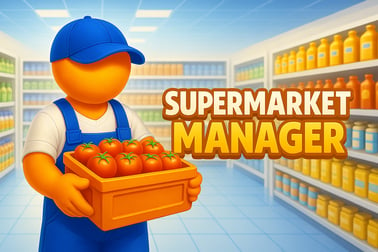
Supermarket Manager lets you run your own virtual store. Stock shelves, set prices, manage staff, and grow a busy supermarket in your browser.

























Supermarket Manager
Overview of Supermarket Manager
Supermarket Manager is a free browser-based supermarket simulator online where you run every part of a busy grocery store. From stocking shelves and managing prices to working the checkout and expanding your aisles, this store management game turns everyday shopping into an addictive business challenge.
You start with a small corner-style shop and a limited budget. As customers arrive, you’ll need to keep inventory flowing, set smart prices, and make sure nobody waits too long in line. The better you balance stock, speed, and service, the faster your tiny market grows into a full-blown grocery shop tycoon empire.
Because it runs in the browser, there’s nothing to download or install. Jump straight into the action and learn the basics in minutes, while still enjoying the depth of a full business management simulator that rewards planning and strategy over time.
Basic Rules & Mechanics
Supermarket Manager keeps its core rules simple so you can focus on smart decisions. Here’s how the main systems work in this cashier and inventory game:
- Money & profits: You earn money every time a customer checks out. Profits depend on how you price items and how efficiently you run the store.
- Stock levels: Each shelf has a limited capacity. When items sell out, customers get frustrated and you lose potential income.
- Ordering goods: Restock from suppliers using your available cash. Order too little and you’ll run out; order too much and your storage fills up and your money gets locked in unsold goods.
- Customer flow: Shoppers enter, browse, grab what they need, and head to the checkout. Long lines or empty shelves can cause them to leave early.
- Time & pace: Time usually moves in short days or sessions. Your goal is to finish each day with a positive balance and gradually increase your daily income.
- Upgrades: Invest profits into bigger shelves, new product types, faster checkout options, and nicer interiors that attract more customers.
The main loop of this supermarket simulator online is straightforward: buy stock → place items → serve customers → reinvest profits. The challenge comes from deciding what to buy, where to place it, and how to price it.
Supermarket Manager Features
As a grocery shop tycoon experience, Supermarket Manager packs in a surprising number of systems for a browser game while staying easy to play. Expect features like:
- Hands-on shelf stocking: Drag or place products onto shelves, fridges, or special displays, making sure you don’t waste space.
- Dynamic pricing: Adjust item prices to find a balance between customer satisfaction and profit per sale.
- Interactive checkout: Act as the cashier, scan items quickly, and handle payments to keep the line moving.
- Inventory and storage: Track how much of each product you own, what’s on the floor, and what’s still in the back room.
- Store upgrades: Unlock more shelves, better equipment, and store expansions as your daily revenue increases.
- Visual store growth: Watch your supermarket evolve from a bare-bones mini-mart into a bustling, well-decorated marketplace.
- Casual-friendly pacing: There’s no harsh punishment for mistakes, so you can experiment with new layouts and strategies.
All of this comes together to create a well-rounded business management simulator that works equally well for quick casual sessions or longer grinding and optimization runs.
Performance & Troubleshooting
Supermarket Manager is designed to run smoothly in a modern web browser, but if you ever hit slowdowns or issues, try these quick fixes:
Improve in-game performance
- Close extra tabs: Having many tabs or other web apps open can eat memory and cause lag.
- Lower browser zoom: Reset zoom to 100% to reduce rendering strain on low-end devices.
- Disable heavy extensions: Ad-blockers and script-heavy extensions sometimes interfere with browser games. Temporarily pause them for the game tab.
Fix loading or display problems
- Refresh the page: A simple reload often clears stuck loading screens.
- Clear cache: If graphics look broken or controls don’t respond, clearing browser cache and cookies for the site can help.
- Switch browser: For best results, use updated versions of Chrome, Edge, or Firefox.
- Check internet connection: A weak or unstable connection can interrupt saving or updating certain online features.
If your device is older, try playing in a smaller browser window instead of full-screen to keep this supermarket simulator online running more smoothly.
Play Supermarket Manager Offline
Supermarket Manager is built as an online browser title, so an internet connection is typically required to load the game and save your progress. In most cases, it isn’t meant to function as a pure offline game.
However, once assets are loaded, some sessions may continue to run briefly if your connection drops, depending on the platform’s setup. To get the intended cashier and inventory game experience, including saving, updates, and new features, you should play while connected.
If you prefer true offline play, look for downloadable versions or similar store management games that explicitly support offline mode—but expect those to be separate from this browser-based Supermarket Manager version.
How to Run Your Own Virtual Supermarket Like a Pro
To turn your basic store into a thriving grocery shop tycoon business, you’ll want to think like a real manager from day one. Here are core habits that separate casual players from pros:
- Plan your layout: Place popular items where customers can reach them easily, and keep essentials near the front to speed up browsing.
- Track what sells: Notice which products are always running out and which ones sit on shelves. Shift budget toward the winners.
- Keep lines under control: Long waits at checkout cost you sales. Prioritize cashier speed and clear paths for customers.
- Reinvest, don’t hoard: Use profits to upgrade shelves, inventory capacity, and equipment early, so your daily income climbs faster.
- Avoid empty shelves: In this business management simulator, an empty shelf is lost money. Restock in advance instead of waiting until you’re at zero.
Think of your supermarket as a living system: your layout directs traffic, your prices guide behavior, and your stock levels determine how much money you can actually make every in-game day.
Store Management Tips: From Empty Shelves to Mega Market
Growing from a small shop to a mega market in this supermarket simulator online takes a steady upgrade path. Use these practical store management tips:
Start small, specialize first
Instead of buying a little bit of everything, focus on a few core product categories you can always keep stocked. It’s better to be known for fully stocked essentials than for offering lots of half-empty aisles.
Build a smart restocking rhythm
- Check levels often: Do quick inventory checks between rushes.
- Order in batches: Combine orders to save time and reduce the risk of forgetting key items.
- Prioritize fast movers: Always restock your most profitable or most popular goods first.
Balance speed and appearance
As a cashier and inventory game, Supermarket Manager rewards both efficiency and presentation. Don’t crowd aisles so much that customers move slowly. Keep enough space for smooth walking paths, especially around checkout.
Use data from each day
After each in-game day, review which sections ran dry and which stayed overstocked. Adjust your shelf space and orders based on real performance instead of guessing.
Stocking, Pricing, and Checkout: Core Gameplay Features
Three systems sit at the heart of Supermarket Manager: stocking, pricing, and checkout. Mastering these is key to winning this store management game.
Stocking shelves efficiently
- Group similar items: Keep all dairy together, all snacks together, etc. It makes refills faster and customers happier.
- Fill front-facing spaces first: Always keep shelf fronts full so the store looks well-stocked, even if your total inventory is modest.
- Use storage wisely: Don’t clog your back room with low-selling items. Treat storage as a buffer for high-demand products.
Smart pricing strategies
Pricing is where Supermarket Manager really feels like a business management simulator rather than a simple clicker game.
- Competitive pricing for staples: Milk, bread, and basics should stay affordable to keep foot traffic and customer satisfaction high.
- Higher margins on premium goods: Specialty items can have a slightly higher markup without scaring customers away.
- React to demand: If something flies off the shelf instantly, try a small price increase. If it lingers, consider lowering the price or reducing how much you order.
Running a smooth checkout
- Stay focused at the register: In this cashier and inventory game, mismanaging checkout time can back up the entire store.
- Avoid long queues: If lines get too long, consider upgrading your checkout speed or adding more capacity when possible.
- Keep the path clear: Make sure nothing blocks the line to the register so customers can move quickly.
These three systems loop into each other: good stocking feeds good pricing, and good pricing controls how intense your checkout rush becomes.
Upgrades, Expansions, and Customization Options
What makes Supermarket Manager feel like a true grocery shop tycoon experience is the sense of progression. Your bare-bones shop doesn’t stay small for long if you manage it well.
Core upgrades
- Shelf capacity: Larger or more shelves let you stock bigger quantities and wider varieties.
- Storage space: More back-room slots mean you can order in bulk and avoid running dry during busy periods.
- Checkout speed: Faster registers reduce queues and increase how many customers you can serve per in-game hour.
Store expansions
As profits climb, you’ll often unlock the option to expand your floor plan. Bigger stores mean:
- Room for more aisles and product categories
- Better traffic flow, reducing bottlenecks at hot spots
- Higher potential income per day once you fill the new space
Cosmetic customization
Even though this is a strategy-focused supermarket simulator online, looks still matter:
- Wall colors and floors: Create a clean, bright atmosphere that feels welcoming.
- Decorations: Plants, posters, and seasonal items make your store more attractive.
- Layout themes: Build narrow, efficient aisles or open, boutique-style sections depending on your preferred play style.
Customization isn’t just visual—it can subtly affect how easily you manage stock and how naturally customers move through your supermarket.
Beginner’s Guide: Supermarket Management Strategies for New Players
If you’re new to this style of store management game, here’s a straightforward starter plan to avoid common mistakes and grow steadily.
Step 1: Stabilize essentials
- Pick a handful of essential products and keep them consistently stocked.
- Keep their prices fair to guarantee a steady customer flow.
Step 2: Control your spending
- Avoid maxing out your budget on fancy decorations too early.
- Always keep some cash reserved for emergency restocks.
Step 3: Improve checkout early
A faster or more efficient checkout dramatically increases how much you can earn per day. In this cashier and inventory game, it’s one of the best early investments you can make.
Step 4: Gradually expand product variety
- Add new categories one at a time, watching how they perform.
- If a new product sells poorly, scale back or adjust its price quickly.
Step 5: Treat each day as data
Pay attention to what went wrong: Were shelves empty? Did lines get too long? Did you end the day with too much unsold stock? Use those answers to adjust your strategy for the next in-game day.
Follow these steps, and Supermarket Manager quickly becomes more than a casual time-killer. It turns into a rewarding business management simulator where smart planning, not just clicking fast, is what builds your supermarket empire.
Frequently Asked Questions
What is Supermarket Manager?
Supermarket Manager is a browser game where you run a virtual grocery store, stocking shelves, setting prices, serving customers, and expanding your supermarket.
Is Supermarket Manager free to play?
Yes, Supermarket Manager is free to play in your browser. Some versions may offer optional ads or in‑game purchases, but basic gameplay is free.
Do I need to download anything to play?
No download is required if you play the browser version. Just open the game page on a supported device with an internet connection and start playing.
Is Supermarket Manager suitable for kids?
Yes, the game is family‑friendly. It focuses on light business management, organization, and time management without any violent or inappropriate content.
Can I upgrade and expand my supermarket?
Yes, you can invest your earnings to unlock new shelves, products, decorations, and larger store areas, gradually turning a small shop into a big supermarket.