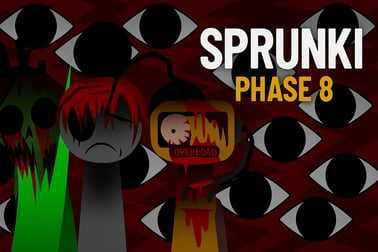
Sprunki Phase 8 lets you mix eerie beats, horror sounds, and creepy visuals in your browser. Unlock characters and build your own dark soundtrack.


















Sprunki Phase 8
Overview of Sprunki Phase 8
Sprunki Phase 8 is a browser-based horror music game that lets you build twisted soundtracks by combining creepy characters, eerie loops, and glitchy effects. Think of it as a dark, interactive browser music maker where you experiment with rhythm, timing, and layering to create your own unsettling audio collage.
Instead of traditional levels or enemies, Sprunki Phase 8 plays like a rhythm puzzle online. Your goal is to drop characters into the scene, discover how their sounds work together, and shape a coherent – but chilling – beat. Each character represents a sound: a bass hit, a ghostly vocal, a distorted synth, or a background ambience that deepens the creepy soundscape mixer vibe.
The phase leans heavily into horror aesthetics without crossing into graphic or inappropriate territory, making it a great pick for players who love spooky themes but want something that stays family-friendly. You can load it directly in your browser, hit play, and start constructing dark beat remixes in just a few seconds – no downloads, no signup, and no extra software needed.
How to Play Sprunki Phase 8
Sprunki Phase 8 is simple to start but surprisingly deep once you begin experimenting. Here’s how a typical session works from first click to finished track:
- 1. Launch the game in your browser
Open the game page on your preferred device. Sprunki Phase 8 runs in most modern browsers that support HTML5. - 2. Explore the character roster
You’ll see a row or grid of horror-themed characters, each tied to a specific sound type – drums, bass, melodies, FX, or ambience. Hover or tap on them to see subtle visual hints about their vibe. - 3. Drag characters into the stage
Place characters onto the main stage or scene area. When they’re active on the stage, their sounds are added to your current loop, building your creepy beat in real time. - 4. Stack and layer sounds
Try combining percussion with eerie vocals and atmospheric noise. The game acts as a dark beat remix sandbox, so layering is a big part of the fun. - 5. Remove or swap characters
If a character throws off your rhythm or makes things too chaotic, remove them from the stage. Replace them with a different sound until the mix feels balanced and haunting. - 6. Listen, adjust, repeat
Let your loop run for a while, then tweak the arrangement, timing, or character combinations until you’re happy with the final result.
You don’t “lose” in Sprunki Phase 8. Instead, it’s all about exploring sound, experimenting with musical horror, and solving the gentle “puzzle” of making a track that feels intentional rather than random.
Sprunki Phase 8 Features
Sprunki Phase 8 blends music creation with light puzzle and horror elements, making it stand out from ordinary mixer tools. Here are some key features that define the experience:
- Horror-inspired sound library
Every character contributes to a tense, uneasy soundscape. Expect low booms, reversed effects, eerie pads, and ghostly voices that fit the horror music game theme perfectly. - Character-based music system
Sounds are attached to characters instead of knobs or menus. This keeps things visual and playful, ideal for players who want to make music without dealing with complex software. - Loop-based rhythm engine
The game runs on a looping bar of music, aligning each sound to a grid. That means even chaotic, glitchy choices still lock into a satisfying beat. - Visual horror flair
Dark colors, flickers, and creepy animations support the audio. Everything is stylized and abstract enough to stay safe for teens and younger players who like spooky atmospheres. - Instant, in-browser access
Because it’s an HTML5 browser music maker, there’s nothing to install. Load, click, and play from nearly any modern device. - Endless remix potential
There are no fixed levels or strict objectives. You’re encouraged to keep tweaking, remixing, and discovering new combinations every time you play.
Together, these features turn Sprunki Phase 8 into a playful, creative sandbox for anyone interested in dark audio experiments and rhythm puzzles.
Where to Play Sprunki Phase 8
Sprunki Phase 8 is designed as a browser-first experience, so you can jump into the action with very little setup. To play, you simply need:
- A modern web browser such as Chrome, Edge, Firefox, or Safari.
- Stable internet access to load the game files and any assets.
- Audio output (headphones or speakers) to hear your creepy creations.
Once you’ve loaded the game page, the horror music mixer runs directly in your browser window. You don’t need a powerful gaming PC; the lightweight nature of the engine makes it playable on many school laptops, older desktops, and casual home devices.
Because it’s categorized under Music, Puzzle, and Horror, you’ll often find Sprunki Phase 8 grouped with other experimental rhythm puzzle online titles. Look for it in browser game hubs that focus on creative tools, Incredibox-style experiences, or fan-made Sprunki mods.
Safety & Content for Sprunki Phase 8
Sprunki Phase 8 aims to be creepy without being disturbing. Here’s what to expect in terms of safety and content:
- No graphic violence or gore
The horror elements come from sound design, mood, and stylized visuals rather than explicit scenes. - Stylized characters and environments
The cast may look unsettling or distorted, but they’re more cartoonish than realistic. - No offensive language in gameplay
The core game relies on sound effects and music instead of spoken dialogue or text-heavy storytelling. - Online-only play
There’s no direct chat with strangers built into the game itself, and the focus remains on solo music creation.
Parents and guardians should still treat it as a horror-themed experience. Sensitive players might find certain sounds tense or unnerving, but overall, Sprunki Phase 8 stays comfortably within a spooky, PG-friendly zone rather than true horror or mature content.
Dive Into the Dark Soundscape of Phase 8
Phase 8 pushes the Sprunki formula into deeper, darker territory. Instead of bright, upbeat loops, you’re dropped into a shadowy mix of rumbling basses, off-kilter rhythms, and reverb-drenched whispers. It feels like you’re sculpting the soundtrack to a haunted arcade or a cursed late-night broadcast.
As you add characters, the creepy soundscape mixer fills with layers of tension. A simple drum loop becomes sinister when it’s paired with reversed bells, metallic clanks, and far-off echoes. The game cleverly balances dissonant sounds with enough groove to keep everything musical, so you’re never just making noise – you’re crafting a horror-leaning track that still makes rhythmic sense.
This is what turns Sprunki Phase 8 into more than just a toy. There’s a built-in puzzle: how do you fit these nightmare textures together so they feel intentional? When you solve that question for a given loop, you get the satisfaction of both solving a puzzle and finishing a piece of music.
How to Build Creepy Beats With Horror-Themed Characters
To get the most out of this horror music game, it helps to think like a composer and a puzzle-solver at the same time. Try this basic structure when building your first dark beat:
- Start with a backbone rhythm
Pick one or two characters that provide a clear beat – kicks, snares, or simple percussive hits. This gives you a steady pulse to build on. - Add one unsettling texture
Grab a character with a droning pad, eerie choir, or low hum. Keep the volume of spooky ambience controlled so it supports the rhythm without overwhelming it. - Introduce a melodic hook
Look for characters that produce short melodies or repeating motifs. A sinister piano riff or warped synth can instantly define your track’s identity. - Layer occasional jump-scare sounds
Use stingers, glitches, or sharp FX sparsely. Dropping them every few bars can create “surprise” moments without turning your mix into chaos. - Strip back and rebuild
Once you’ve got a heavy arrangement, remove a few characters to hear how the core idea sounds. Re-add only the elements that truly enhance the vibe.
By treating each character like a puzzle piece, you’ll quickly discover which combinations reinforce the horror atmosphere and which ones clash. Over time, your instincts for balancing rhythm, melody, and creepiness will sharpen, and your dark beat remixes will sound more polished.
Key Features of This Chilling Music Puzzle Experience
Viewed through the lens of a rhythm puzzle online, Sprunki Phase 8 offers several standout elements that make it worth revisiting:
- Implicit puzzle design
There are no written objectives, but the challenge of finding a satisfying mix functions like a puzzle. The “solution” is a track that feels tight, scary, and musically coherent. - Character synergy
Some sounds naturally fit together, while others fight for space. Learning which characters complement each other is part of mastering the game. - Replay-friendly structure
Each new session can produce a totally different vibe: slow and brooding, frantic and noisy, or minimal and eerie. - Accessible creativity
You don’t need music theory knowledge or production software. If you can drag and drop, you can build a track. - Atmospheric focus
The entire experience is tuned to horror, from audio design to visual feedback. Everything nudges you toward darker, more suspenseful musical ideas.
If you enjoy creative tools that double as games, Sprunki Phase 8 is a great way to explore music production concepts like layering, dynamics, and texture through a fun, horror-themed interface.
Tips for Creating Your Own Haunting Sprunki Mixes
Want your mixes to sound more intentional and less like a random jumble? Use these practical tips while you experiment in this browser music maker:
- Limit the number of active characters
It’s tempting to fill every slot, but fewer, well-chosen sounds often create a stronger mood than a crowded arrangement. - Think in layers
Assign roles: one or two characters for rhythm, one for bass, one for melody, and one or two for ambience or FX. - Contrast loud and quiet moments
Try removing a character for a bar or two, then bringing it back in. These small drops and returns can make your loop feel more alive. - Lean into repetition
Horror music often relies on repeating figures that slowly evolve. Keep your main idea consistent, and only tweak one element at a time. - Use headphones when possible
Headphones help you catch subtle details like background whispers, reversed sounds, or stereo effects that you might miss on small speakers. - Save mental “presets”
When you find a combo that works, remember which characters built it. Next time you play, you can rebuild that base and branch off in new directions.
Over time, these habits will make your Sprunki Phase 8 sessions feel less like random button-mashing and more like true dark beat remix sessions.
Play Free in Your Browser: Controls, Modes, and Platforms
Sprunki Phase 8 keeps its input system straightforward so you can focus on sound. While the exact layout can vary slightly by host site, usage generally looks like this:
Controls & Input
- Mouse / Touch – Click or tap characters to select them; drag them into or out of the main stage.
- Play / Pause – Some versions include a play/pause toggle to start or stop the master loop.
- Fullscreen – A fullscreen icon may be available to maximize immersion while you build your mix.
Modes & Variants
Most releases of Sprunki Phase 8 offer a single “sandbox” mode focused on freeform creation rather than formal levels. You’re encouraged to:
- Experiment endlessly with character combinations.
- Reset your board and try entirely new mixes.
- Challenge yourself to recreate certain moods or imaginary soundtracks.
Platforms & Devices
Because it’s an HTML5 horror rhythm puzzle online, Sprunki Phase 8 typically runs on:
- Windows and macOS computers via modern browsers.
- Chromebooks commonly used in schools.
- Android and iOS devices when using a mobile browser that supports the game canvas.
Performance can vary on older phones or tablets, but for most casual setups, the game loads quickly and responds well, letting you dive straight into crafting your next haunting mix.
Is Sprunki Phase 8 Safe to Play Online?
Sprunki Phase 8 is generally safe to play online, especially when accessed from reputable browser gaming platforms. Here are some best practices to keep it that way:
- Use trusted sites
Play through well-known gaming portals or official fan hubs rather than random pop-up domains. - Keep your browser updated
A current browser improves security and ensures the audio engine runs smoothly. - Supervise younger players
While the content is non-graphic, the horror audio and visuals may be intense for very young children. - Avoid sharing personal info
If the hosting site has comment sections or forums, remind kids not to share names, emails, or other personal details.
When played within these guidelines, Sprunki Phase 8 is a safe, spooky, and creative way to explore horror-themed music without venturing into inappropriate territory. It’s a fun option for players who love mixing sounds, solving soft puzzles, and experimenting with dark, rhythmic atmospheres right in their browser.
Frequently Asked Questions
What is Sprunki Phase 8?
Sprunki Phase 8 is a browser-based music game where you combine horror-themed characters and sounds to create your own dark, rhythmic tracks.
Do I need to download Sprunki Phase 8 to play?
No, Sprunki Phase 8 runs directly in your browser as an HTML5 game, so you can play online without any downloads or installations.
Is Sprunki Phase 8 free to play?
Yes, Sprunki Phase 8 is free to play online. Some platforms may show ads, but the core experience and music tools are available at no cost.
Can kids play Sprunki Phase 8?
The gameplay is simple and non-violent, but the horror visuals and eerie sounds may be too spooky for younger children. Parental guidance is recommended.
Can I save or share my music in Sprunki Phase 8?
You can usually replay your mix in the same session and share your screen or a recording, though saving features depend on the platform hosting the game.