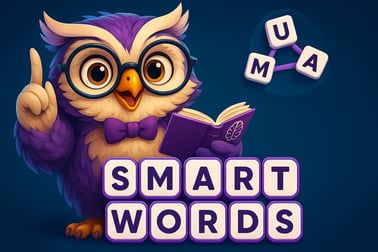
Smart Words is a free online word puzzle game. Build words from letters, train your brain, and grow your vocabulary right in your browser.















Smart Words
Introduction to Smart Words
Smart Words is a free online word puzzle game you can play right in your browser, no download required. If you enjoy crossword style word puzzles, free vocabulary games, and bite-sized brain training word game sessions, this title fits perfectly into your daily routine. Each level gives you a small set of letters, and your job is to connect them and discover as many valid words as possible.
The rules are simple, but finding every hidden word can be surprisingly challenging. That mix of simplicity and depth makes Smart Words ideal for quick play breaks, classroom use, or longer word-marathon sessions. Because it runs in your browser, you can jump into these browser word challenges on PC, phone, or tablet whenever you have a spare minute.
Unlike complicated word RPGs or large downloadable apps, Smart Words focuses on pure word-building. You’re not fighting monsters or managing resources – you’re untangling letters, sharpening spelling, and stretching your vocabulary in a relaxed, distraction-free interface.
How to Play Smart Words
Smart Words is designed so you can learn it in seconds and keep improving for hours. Here’s how a typical round of this online word puzzle game works:
- You see a small group of letters arranged in a circle or line.
- Below or above the letters, there are empty slots representing the target words.
- Your goal is to form valid words by combining the available letters.
To play a level from start to finish:
- Look over the letter set
Scan the letters and think of simple, short words you can build. Start with 3-letter combinations; they’re easiest to spot. - Drag or tap to connect letters
On touch devices you drag your finger from letter to letter. On desktop, you usually click or click-and-drag with your mouse. As you connect letters in order, the game previews the word you’re forming. - Release to submit the word
When you let go, the game checks if your word is valid. If it matches one of the target slots, it appears on the board. Extra valid words may count as bonus vocabulary finds, depending on the version you’re playing. - Fill every slot to clear the level
Once all required words are discovered, the level completes and you move on to a fresh arrangement of letters with new answers to uncover.
There’s no need for complex tutorials. If you’ve tried other crossword style word puzzles where you connect letters to fill a grid, you’ll feel right at home with Smart Words.
Smart Words Game Modes
While the core loop is always about building words from a limited letter set, Smart Words usually offers a couple of ways to play so every type of word fan can enjoy it:
- Standard Level Progression
This is the main mode most players start with. You advance through a series of handcrafted levels, each with a new letter combination and a predefined list of answers. Early stages focus on easy words so beginners can warm up, and later levels introduce trickier letter mixes. - Streak-based Play
Some versions of Smart Words reward you for completing several puzzles in a row without breaking your flow. These streaks can unlock extra hints, bonus points, or cosmetic milestones. It turns a casual free vocabulary game into a light progression challenge. - Daily Challenge Boards
Many browser word challenges include a daily puzzle that all players receive at the same time. You’ll see a fresh board each day, often with unique difficulty patterns or themes, ideal for a quick brain warm-up.
Across these modes, the heart of the experience stays the same: rearrange letters, spot patterns, and stretch your vocabulary. There’s no strict time pressure in the main campaign, which keeps Smart Words accessible for kids, language learners, and relaxed puzzle fans.
Performance & Troubleshooting
Because Smart Words is a lightweight browser word challenge, performance problems are rare, even on older machines. Still, if you hit loading issues or lag, here are simple fixes that usually solve them:
- Refresh the page
A quick reload clears one-time glitches and reconnects your session. Most progress is stored online, so you can usually continue where you left off. - Close extra tabs or apps
If your device is low on memory, too many open tabs can slow games down. Close unused pages and background apps, then reopen Smart Words. - Check your internet connection
While Smart Words uses very little data, an unstable connection can interrupt loading. Switch from mobile data to Wi‑Fi or move closer to your router if possible. - Update your browser
Modern HTML5 games run best in the latest version of Chrome, Firefox, Edge, or Safari. Make sure you’re not using an outdated or very old browser. - Disable aggressive ad blockers for the game page
Some browser extensions can accidentally block game files. If the puzzle area is blank, try disabling blockers on that site and reload.
If none of these help, open the game in a different browser or device. Since Smart Words is a compact brain training word game, even mid-range phones and lower-spec laptops can usually run it smoothly.
Is Smart Words Safe to Play Online?
Smart Words is designed as a family-friendly, educational experience. There’s no graphic content, chat, or competitive pressure, which makes it a comfortable option for kids, teens, and adults who just want clean word puzzle levels.
General safety notes when playing this and other free vocabulary games online:
- Age-appropriate content – The word lists and interface are typically suitable for all ages. Most words are everyday English vocabulary, great for school practice and ESL learning.
- No player-to-player messaging – With no open chat or social feed, there’s minimal exposure to user-generated content or strangers.
- Respectful ads and links – If you play Smart Words on a larger game portal, that portal may run ads or show links to other browser titles. Stick to reputable platforms and supervise children if they’re likely to click out to other pages.
- Optional accounts – Some portals offer sign-in options to sync progress. You can usually play as a guest if you don’t want to create an account. Always review any privacy policy on the platform that hosts the game.
As with any online experience, parents should briefly check the hosting site, but the game itself focuses entirely on letter puzzles and word discovery.
How to Play Smart Words Online for Free
Playing Smart Words as a free online word puzzle game only takes a few clicks. You don’t need to install anything, and there are no large downloads to wait for.
- Open your preferred browser
Use Chrome, Firefox, Edge, Safari, or any modern browser on PC, Mac, Android, or iOS. - Go to your trusted browser gaming site
Search for “Smart Words play online” or navigate directly through your favorite puzzle portal’s Word or Educational category. - Click the Play button
The game usually loads in an embedded window. After a short loading bar, you’ll see the first puzzle and the available letters. - Choose to log in or play as guest
On some platforms, you can log in to save your progress across devices. If you’re just trying it out, you can typically skip this and jump straight into word-building. - Complete the tutorial-level
The first few levels are intentionally easy and serve as a built-in tutorial, letting you learn the drag-and-connect letter controls with zero pressure.
From there, you can grind through new word puzzle levels at your own pace, return for daily challenges, or use the game as a warm-up before tackling tougher logic and strategy titles.
Tips and Tricks to Find More Hidden Words
Even though Smart Words starts gently, the later stages of this browser word challenge can surprise you. When you’re stuck, use these strategies to extract more words from each letter bank:
- Start with the shortest words
Look for 2- and 3-letter combos first. They’re easier to spot, and finding them often reveals patterns you can extend into longer solutions. - Hunt for prefixes and suffixes
Common prefixes like “re”, “un”, and “pre” and endings like “ed”, “ing”, and “er” can turn a simple base word into several correct answers. - Shuffle the letters
Many builds of Smart Words include a shuffle or rotate button. Tap it whenever your brain freezes. Simply seeing the letters in a new order is often enough to spark fresh ideas. - Work from common letter pairs
Focus on combinations such as “th”, “ch”, “sh”, “st”, and “tr”. Start a word with those and try different vowels around them to see what fits. - Use the level layout as a hint
The pattern of empty word slots (their lengths) gives you structure. If you see a 5-letter slot that ends with “ing” and you’ve already spotted “sit”, then “siting” or “siting” patterns might be available depending on the vowels provided. - Take a short break
If you’ve been staring at the same letters for too long, step away for a minute. Coming back with fresh eyes is often better than burning a hint right away.
Practicing these habits turns Smart Words into more than just a pastime; it becomes a personal toolbox for tackling any other online word puzzle game you run into.
Why Smart Words Is a Great Brain Training Game
Word games have long been recommended by teachers and psychologists as gentle mental workouts, and Smart Words fits that tradition nicely. Here’s why this seemingly simple brain training word game is surprisingly effective:
- Vocabulary growth
Constant exposure to new word combinations nudges you to recall terms you haven’t used in a while and discover less common ones hidden in the letter sets. - Spelling reinforcement
Because you have to input the correct order of letters, you’re rehearsing spelling patterns every time you drag, tap, and submit answers. Over time you’ll instinctively feel when a word “looks wrong.” - Pattern recognition
Smart Words trains you to spot common prefixes, suffixes, and consonant clusters. That same pattern recognition skill transfers to reading, language learning, and even some logic puzzles. - Low-stress cognitive workout
Unlike high-speed action games, you can play Smart Words at your own pace. It gently pushes memory and language centers without overwhelming you with timers or penalties. - Perfect for short daily sessions
A single level can take less than a minute, making Smart Words ideal as a daily warm-up activity. Doing a few puzzles each morning or evening can become a consistent habit, similar to a crossword or word search.
For students, older adults, and anyone who enjoys keeping their mind active, Smart Words offers a focused, language-driven way to stay sharp without feeling like homework.
Play Smart Words on PC and Mobile Browsers
One of the biggest advantages of Smart Words is its flexibility. You can jump into the same online word puzzle game on virtually any device with a modern browser.
Playing on PC or Laptop
On desktop, Smart Words behaves like any other HTML5 puzzle:
- Use your mouse to click letters in sequence, or click-and-drag to connect them.
- The larger screen gives you plenty of space to see every letter clearly and track multiple word slots at once.
- PC play is ideal for longer sessions, where you might work through dozens of word puzzle levels in one sitting.
Playing on Phones & Tablets
Smart Words also works well as a touch-first experience:
- Open the game in your mobile browser and rotate your device if the puzzle supports portrait or landscape modes.
- Drag your finger across letters to spell words; the interface is generally designed with large, tap-friendly buttons.
- Short levels make it excellent for commuting, waiting rooms, or quick breaks between tasks.
Because progress is often stored online or tied to a simple portal account, you can start on your PC and later pick up on your phone without losing your place. That makes Smart Words one of the more convenient free vocabulary games for players who switch devices often.
Word Puzzle Levels, Streaks, and Daily Challenges
Smart Words keeps things interesting by layering light progression systems on top of its core gameplay loop. You’re not just solving disconnected puzzles; you’re building a history of wins and personal milestones.
- Progressive word puzzle levels
Early stages feature simple letter sets and obvious answers, giving newcomers a quick path to success. As you climb higher, you’ll see trickier consonant clusters, more vowels, and larger grids that demand better pattern recognition. - Streak rewards
Keeping a daily or multi-level streak is a fun meta-challenge. Clearing several puzzles in a row without skipping or using too many hints can unlock badges, score boosts, or simply a higher rank on in-game meters. - Daily and weekly challenges
Dedicated challenge puzzles arrive on a set schedule and are perfect for competitive families, classrooms, or friend groups. Everyone gets the same letter bank and target answers, so you can compare completion time, hints used, or total extra words found.
Because these elements don’t add pressure or complex rules, Smart Words remains accessible while giving you reasons to return. Whether you’re playing casually after work or using it as a regular language exercise, the combination of levels, streaks, and daily puzzles keeps this brain training word game fresh and rewarding over time.
Frequently Asked Questions
What is Smart Words?
Smart Words is a free online word puzzle game where you build as many valid words as possible from a set of letters to train your brain and vocabulary.
Is Smart Words free to play?
Yes, Smart Words is completely free to play in your browser with no download required.
Do I need an account to play Smart Words?
You can start playing without an account. Creating an account is only needed if the platform offers extra features like saving progress or stats.
Can kids play Smart Words?
Yes, Smart Words is family-friendly and suitable for kids and adults who want to practice spelling and discover new English words.
Can I play Smart Words on mobile?
Yes, you can play Smart Words on most modern mobile browsers, as well as on desktop, as long as you have an internet connection.