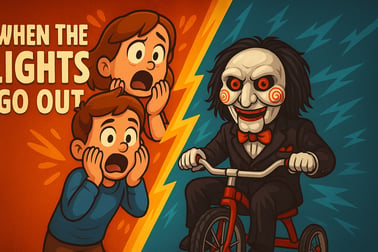
When The Lights Go Out is a tense survival horror game. Explore dark rooms, manage light, avoid the creature in the shadows, and find your way out.





















When The Lights Go Out
Overview of When The Lights Go Out
When The Lights Go Out is a first person indie horror experience that traps you in a vast, cluttered warehouse where the power never stays on for long. Every time the lights flicker out, something in the dark starts hunting you. Your only hope is to search the shelves, crates, and back rooms for keys, manage what little light you have, and find the exit before the monster in the dark finds you.
This survival horror game blends atmospheric tension with exploration and light puzzle solving. Instead of giving you heavy weapons or combat skills, it forces you to survive using awareness, timing, and good route planning. The warehouse layout, frequent blackouts, and sudden noises create a constant sense of dread that makes every step feel risky. If you love lights out horror and the feeling of being stalked by something you can’t fully see, When The Lights Go Out is built exactly for that.
Played directly in your browser, it’s easy to jump in and try a quick run. But escaping this dark warehouse escape is anything but easy. Master the patterns of the power system, learn how the creature reacts to your movements, and you might just make it to the exit alive.
How to Play When The Lights Go Out
At its core, When The Lights Go Out is about balancing exploration with survival. You need to move through the warehouse, locate key items, and unlock the way out, all while the power constantly fails around you. Here’s how the basic rules and systems work in this survival horror game:
- Explore the warehouse: Move through storage halls, narrow corridors, and hidden side rooms to search for keys and clues.
- Find keys to progress: Keys unlock doors, storage cages, and locked sections that stand between you and the exit.
- Survive the blackouts: When the lights go out, the monster becomes active. Staying in darkness too long is almost always deadly.
- Use light strategically: Light sources, power switches, and sometimes temporary emergency lights are your lifeline. Learn where they are and how long they last.
- Listen for audio cues: Footsteps, scraping metal, and distant growls help you understand where danger is coming from even when you can’t see it.
- Escape the warehouse: Collect enough keys, reach the final locked door, and interact with the exit to win the run.
There’s no complicated HUD, crafting system, or combat tree. Instead, When The Lights Go Out focuses on pure tension: tight corridors, small hiding spots, and the constant threat of the lights dying at the wrong moment. Every decision—whether to check another shelf or sprint for the next switch—can be the difference between escape and a jump scare that ends your run.
When The Lights Go Out Controls
Because you’re moving through a 3D environment packed with shelves, boxes, and doors, getting comfortable with the controls quickly is important. Below are the most common control schemes used in browser-based first person indie horror games like When The Lights Go Out. Always check any in-game help screen, but you can usually expect something like this:
- Move: W, A, S, D keys
- Look around: Move the mouse
- Interact / Use: E (doors, switches, keys, notes)
- Pick up / Hold item: Left Mouse Button
- Sprint: Shift (hold while moving, if enabled)
- Crouch: Ctrl or C (for low cover and sneaking, if supported)
- Pause / Options: Esc
For the best survival horror experience, play with a mouse and keyboard rather than a touchpad. Smooth camera control is essential when you’re trying to spot a light switch in the distance or quickly turn to see what just made that sound in the dark.
If the game supports it, you can also tweak mouse sensitivity in the options menu. Slightly lower sensitivity often makes the tension feel more grounded and keeps you from overshooting small objects like keys or switches in the dark.
Key Features
When The Lights Go Out keeps its setup simple but leans hard into atmosphere and suspense. Here are the standout features that define this lights out horror experience:
- First person indie horror: Immersive first person view puts you directly into the center of the warehouse, heightening every jump scare and close call.
- Dynamic lighting and blackouts: The core mechanic revolves around rooms going dark without warning. Every flicker of light can mean safety—or a sign that something is about to happen.
- Monster in the dark: A lurking creature becomes active when the lights fail. You rarely see it clearly, but you’ll feel its presence in footsteps, breathing, and shadowy movement.
- Exploration-based progression: You’re not guided by obvious waypoints. Instead, you’ll learn the warehouse layout by exploring storage halls, side rooms, and lower levels.
- Key hunting gameplay: Keys are your main progress gate. They open doors to new areas and ultimately lead you to the final exit.
- Sound-focused tension: Creaking floors, distant machinery, and sudden, sharp audio cues create a constant sense of unease.
- Short but replayable runs: Many players will die several times learning the warehouse routes and blackout patterns, making each attempt feel like a new puzzle.
- Browser-based convenience: No large downloads, no lengthy installs—just load it in your browser and dive into the dark.
Because it focuses on pure survival horror rather than complex upgrades, When The Lights Go Out is perfect for players who want a tight, focused scare experience with a clear objective: find the keys, reach the exit, and don’t get caught in the dark.
Performance & Troubleshooting
Even though When The Lights Go Out is a browser-based survival horror game, smooth performance is crucial. Stutters or lag can make it much harder to react when the lights cut out and the monster is nearby. If you’re facing issues, try the following tips:
Basic Performance Tips
- Close unnecessary tabs and apps: Extra browser tabs, streaming videos, or background downloads can eat RAM and CPU power.
- Use a modern browser: Chrome, Edge, Firefox, or another up-to-date browser generally provides better WebGL performance.
- Disable heavy extensions: Ad blockers, script blockers, or overlay tools can interfere with game performance.
- Plug in your laptop: Some devices throttle performance on battery power, which can cause frame drops during intense sequences.
Graphics and Lag Fixes
- Lower in-game graphics settings: If options are available, reduce texture quality, shadow detail, and post-processing effects such as bloom or motion blur.
- Reduce resolution: Playing at a slightly lower resolution can dramatically improve smoothness, especially on older GPUs.
- Play in full-screen mode: Full screen can be more stable than running the game inside a tiny, resizable browser window.
- Update your graphics driver: Outdated drivers are a common cause of WebGL and 3D issues.
Audio, Input, and Loading Issues
- No sound: Check the in-game audio sliders, system volume, and whether your browser is muted. Some browsers also require you to interact (click) once before audio starts.
- Mouse locked or not turning: Try clicking inside the game window, or press Esc and re-enter full screen.
- Game stuck on loading: Refresh the page once, then consider clearing the browser cache if it still hangs.
If your machine is close to the minimum hardware range, consider lowering background activity as much as possible. A smooth frame rate makes timing your sprints between light sources and reacting to the monster’s approach much more manageable.
Is When The Lights Go Out Safe to Play Online?
When The Lights Go Out is designed as a single-player survival horror game with no competitive chat, open lobbies, or player-to-player messaging, which keeps it relatively safe from common online risks like harassment. There are still a few things to keep in mind:
- Horror content: The game uses dark environments, jump scares, unsettling sound design, and a pursuing monster. It’s intended for teens and adults who enjoy scary games.
- No graphic violence: The focus is on atmosphere and fear rather than gore. When you fail, the game typically uses sound, quick visuals, or fade-outs instead of explicit scenes.
- No personal data required to play: Browser-based versions generally don’t ask for personal information just to start a run.
- Ad and link safety: Always access the game through a trusted platform or portal, and avoid clicking on suspicious external links or download prompts outside the official play button.
Parents or guardians should note that, while the game is non-gory, it is still deeply suspenseful and full of jump scares. Sensitive or very young players may find the tension overwhelming. For fans of creepy, lights out horror experiences, however, When The Lights Go Out is a safe and contained way to get a good scare online.
Survive the Darkness: How When The Lights Go Out Works
The central idea behind When The Lights Go Out is simple: light equals safety, darkness equals danger. Everything in the game is built around this rule. The warehouse is wired with unstable power, and at random or scripted intervals, the lights fail. When that happens, the monster in the dark becomes more active and aggressive.
To survive, you have to anticipate these blackout cycles and position yourself near safe zones whenever possible. That could mean:
- Staying within reach of a light switch so you can bring power back quickly.
- Memorizing the layout of key rooms so you can navigate them even when you can’t see much.
- Planning fallback routes that lead to well-lit areas or escape corridors.
The dark warehouse escape design means there are lots of tall shelves, narrow aisles, and blind corners. Light pools often leave edges and corners in shadow, creating spots where the creature can appear unexpectedly. You’re constantly forced to choose between staying in the relative safety of well-lit areas and plunging deeper into risky sections where the keys and exit may be hidden.
Because this is a survival horror game, you’re usually not meant to fight the monster. Instead, it’s about outsmarting and outrunning it. Learn to read audio cues, control your panic when the lights die, and never forget where your nearest switch or light source is.
Controls and Tips for Escaping the Dark Warehouse
Refining your movement and awareness is a big part of beating When The Lights Go Out. Once you’re comfortable with the basic controls, you can start playing smarter. Use these survival-focused tips to improve your odds:
Core Control Tips
- Keep your hand on the sprint key: In many tense moments you’ll need to burst from one pool of light to another. Don’t waste stamina, but react instantly when you hear the monster closing in.
- Use smooth mouse movements: Jerky camera turns make it harder to spot small objects like keys or switches hidden between boxes.
- Practice crosshair placement: Try to keep your view at the level of door handles, lock panels, and wall switches so you can interact quickly without micro-adjusting your aim.
Escape-Oriented Strategies
- Walk the perimeter first: When you enter a new hall or room, circle the outside edges. Keys and switches are often near walls or corners, not dead center.
- Mentally map landmarks: Notice unique features—like a toppled shelf, a stack of red crates, or a forklift. These visual anchors help you know where you are during a blackout.
- Avoid backtracking blindly: Going back through previously cleared areas in the dark is risky. Try to fully search rooms the first time you enter them.
- Don’t ignore small side rooms: Short detours often hide keys or power controls, but only enter them if you’re confident you can get back to the main path before the next blackout.
The more you play, the more you’ll recognize patterns in how the lights behave and how the monster reacts. Eventually, what feels like a chaotic nightmare becomes a series of manageable risks—if you keep calm under pressure.
Monsters in the Shadows: What Happens When Lights Go Out
The monster is the heart of this lights out horror experience. It usually stays passive or distant while the warehouse is lit, but once power drops, its behavior changes dramatically. While specific AI details can vary by version, you can expect some general rules:
- Darkness empowers it: The longer you stay in deep shadow, the more aggressive the creature becomes.
- Sound draws attention: Sprinting, slamming into objects, or rapidly opening and closing doors can reveal your position.
- Line of sight matters: Staying behind shelves or breaking vision with corners can confuse or slow it briefly.
- Light can repel or weaken it: Some encounters let you stun or deter the monster by restoring lights quickly.
When the lights go out, your priorities should shift immediately:
- Stop and listen: Don’t panic-sprint. First, listen for footsteps, breathing, or scraping.
- Identify your nearest light source: Think about where the last switch or lit room was.
- Move with purpose: Sprint in short bursts between cover or toward a known safe point, not randomly.
- Avoid dead ends: Never dive into tiny alcoves unless you’re sure they lead to a door or switch.
Some moments are scripted to maximize fear—flickering bulbs, silhouettes at the end of an aisle, or sudden noises behind you. Accept that not every scare means immediate danger, but treat every full blackout as a genuine threat. Surviving is about recognizing the difference between mood-building horror and actual chase sequences, then acting accordingly.
System Requirements and Best Settings for Smooth Horror
Even though When The Lights Go Out runs in a browser, it still relies on 3D graphics and real-time lighting, so your hardware does matter. Exact numbers vary by version, but you can use these general guidelines to estimate whether your device is ready.
Suggested Minimum Specs
- CPU: Dual-core processor or better
- RAM: 4 GB
- Graphics: Integrated GPU with basic WebGL support (or an older dedicated card, similar to a GTX 650 level)
- Browser: Latest version of Chrome, Edge, Firefox, or similar
Suggested Recommended Specs
- CPU: Quad-core processor
- RAM: 8 GB or more
- Graphics: Modern integrated GPU or mid-range dedicated card (roughly GTX 1050 or better)
- Display: 1080p monitor or laptop screen
Best Settings for a Scare-First Experience
- Resolution: Use your native resolution if your device can handle it; otherwise, step down one level for smoother play.
- Shadows: Medium settings often provide a good compromise between atmosphere and performance. Shadows are important for horror, so avoid turning them off completely unless you must.
- Post-processing: Effects like bloom, motion blur, or film grain can be reduced if you experience motion sickness or lag.
- Brightness: Set gamma so that dark areas are spooky but still readable. Over-brightening might make the game easier, but it also kills the horror mood.
Combine solid performance with headphones and a dark room for the best possible survival horror experience. Clear, directional audio is just as important as frame rate when you’re trying to track a monster in the dark.
Strategies to Find Keys and Unlock the Exit Alive
Finding keys efficiently is the difference between wandering in circles and actually reaching the exit. Since the warehouse is packed with shelves and containers, keys can be easy to miss if you rush too much. Use these strategies to stay organized and alive:
Key Hunting Tactics
- Search systematically: Clear rooms in a pattern—left to right, top to bottom—so you don’t miss small items tucked in corners.
- Check underfoot: Keys might be on the ground near shelves, not always on obvious surfaces.
- Inspect near locked doors: Sometimes keys sit on nearby tables, hooks, or crates close to the doors they open.
- Look behind objects: Slightly rotated crates, open boxes, or gaps between shelves are common hiding spots.
Survival-Focused Planning
- Prioritize safe routes: If you know a hallway has multiple working lights and a clear line of sight, use it as your main “spine” and fan out into side rooms from there.
- Track which rooms are done: Mentally mark rooms you’ve searched thoroughly so you don’t waste time backtracking through empty spaces while power is low.
- Save risky spots for last: Areas with long stretches of darkness or flickering lights should be tackled once you’ve already found several keys and understand the monster’s patterns.
- Stay calm when close to the exit: Many players sprint straight to the final door and make noise, triggering a chase at the worst possible time. Move deliberately and listen for danger first.
Combining calm key hunting with careful light management turns When The Lights Go Out from an overwhelming nightmare into a tense but beatable survival horror game. Learn the map, respect the darkness, and don’t forget: the monster in the dark is counting on you to panic. Don’t give it that advantage.
Frequently Asked Questions
What type of game is When The Lights Go Out?
When The Lights Go Out is a first-person survival horror game where you explore dark rooms, manage limited light, and avoid a creature hiding in the shadows.
Is When The Lights Go Out suitable for kids?
The game features suspense, darkness, and a scary creature, so it is better suited for teens and adults who enjoy horror games rather than young children.
Do I need a powerful PC to play When The Lights Go Out?
No, the game is designed to run on most modern computers. A basic gaming PC or laptop with a dedicated or decent integrated GPU and at least 4 GB of RAM should be enough.
Can I play When The Lights Go Out with a controller?
The game is primarily designed for keyboard and mouse controls. Some controllers may work with additional setup, but keyboard and mouse are recommended for the best experience.
How do you win in When The Lights Go Out?
To win, you must explore the dark environment, find keys or other objectives, keep the lights on as much as possible, and reach the exit without being caught by the monster.