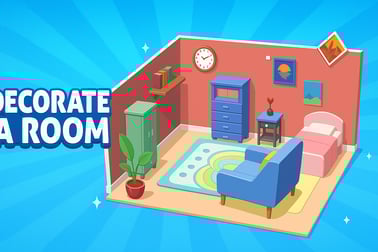
Room Sort Floor Plan is a free browser puzzle game where you arrange rooms like tangram pieces, connect doors, and design cozy home layouts.






















Room Sort Floor Plan
Overview of Room Sort Floor Plan
Room Sort Floor Plan is a relaxing yet brain-twisting floor plan puzzle game you can play right in your browser. Think of it as a mix between tangram puzzles and a cozy online house design game. Each level gives you oddly shaped room pieces and furniture, and your job is to arrange them into a complete, functional layout.
The challenge is all about spatial reasoning. You’ll rotate and place room blocks, line up doors, and keep every tile inside the outlined floor plan. On top of that, you can decorate each room with couches, beds, plants, and more, turning pure logic puzzles into a fun home design brain game.
If you enjoy figuring out how shapes fit together, love interior design, or just want a calm casual spatial puzzle you can dip into for a few minutes at a time, Room Sort Floor Plan is built for you. No downloads, no big setup — just launch in your browser and start sorting rooms.
Room Sort Floor Plan Control Guide
Room Sort Floor Plan is designed to be simple to control so you can focus on strategy instead of buttons. Whether you’re on desktop, laptop, tablet, or phone, the inputs are intuitive and beginner-friendly.
Mouse & keyboard controls (desktop & laptop)
- Click & drag pieces: Use the left mouse button to grab a room or furniture piece, then drag it onto the floor plan.
- Release to place: Let go of the mouse button to drop the piece. If it doesn’t fit, it will snap back, signaling you to try a new spot.
- Hold & move faster: Many versions support “hold to accelerate” when sliding elements into position, which feels smoother on larger layouts.
- Optional rotation: Some layouts may auto-orient pieces; if rotation is available, it’s usually done via an on-screen rotate icon or right-click (varies by host site).
Touch controls (phones & tablets)
- Tap to select: Tap a room tile or furniture item to pick it up.
- Drag with your finger: Slide it across the screen into the floor plan outline.
- Lift to drop: Release your finger to place the piece. If it’s not valid, it will jump back to the side tray.
- Press & hold to speed up: Many mobile builds let you hold slightly longer to move items more fluidly.
Because the interface is streamlined, you don’t need tutorial walls of text. After a single level, the controls become second nature, letting you focus on efficient room layout, door alignment, and creative decor.
Room Sort Floor Plan Features
What makes Room Sort Floor Plan stand out from other browser puzzles is how it blends room layout tangram challenges with light home design and progression. Here are the core features that define the experience.
Spatial room-layout puzzles
- Floor outline: Each level shows you the footprint of an apartment, house, or room cluster.
- Room blocks: You receive pre-shaped rooms — bedrooms, kitchens, bathrooms, and more — that need to fit into that outline like tangram pieces.
- Door matching: Many puzzles ask you to line up doors logically so rooms connect in a believable way.
- Increasing complexity: Early levels feel like simple jigsaw fits; later stages add tighter spaces, more rooms, and trickier shapes.
Home design and furniture decor
- Decorate each room: After placing the core room shapes, you can drag in furniture like sofas, beds, tables, tubs, and shelves.
- Coins and rewards: Successful layouts earn coins you can use to unlock more furniture styles, wall colors, and flooring options.
- Creative freedom: You can follow realistic layouts or build something quirky and artistic if you prefer.
Casual, pick-up-and-play design
- Short levels: Most puzzles only take a few minutes, making it ideal as a casual spatial puzzle during breaks.
- No steep learning curve: It’s approachable for kids and adults, but still satisfying for puzzle fans.
- Browser-based: Play without installing anything, making it a handy online house design game when you just want to jump in and unwind.
How to Play Room Sort Floor Plan in Your Browser
Getting started with Room Sort Floor Plan is easy. Here’s a step-by-step breakdown of how a typical level plays out in a browser.
1. Load the game
Open your preferred browser, navigate to the game’s page on your chosen gaming site, and wait a moment for the HTML5 game to load. Once the title screen appears, hit Play or Start.
2. Study the floor plan
Each level presents an empty floor outline: this is the boundary you must completely fill with the available room blocks. Take a few seconds to scan the shape and note narrow corridors or corners that will likely fit only certain rooms.
3. Examine your room blocks
On the side or bottom of the screen, you’ll see a set of room pieces — usually labeled or icon-marked, like bedroom, kitchen, living room, bathroom, and so on. Because this is a floor plan puzzle game, each piece has a very specific shape that will only fit certain spots.
4. Drag and place rooms
- Drag a room from the tray toward the floor outline.
- Try to align the edges and corners so there are no gaps or overlaps.
- A valid placement usually highlights or “snaps” into place when it fits.
- If it doesn’t fit, it pops back, signaling you to try a different area.
As you progress, you’ll start viewing the whole level like a tangram or jigsaw, spotting where each unique shape must logically go.
5. Connect doors logically
Many puzzles also care about door placement. You’ll need to:
- Place rooms so doors line up with neighboring spaces.
- Avoid leaving doors pointing into solid walls or outside the layout.
- Create a sensible flow: hallway to rooms, living areas near the entrance, etc.
This is where the home design brain game aspect really shines, because you’re not just filling space — you’re designing a functional home.
6. Decorate with furniture
Once rooms are in place, some levels let you drag in furniture and decorative pieces:
- Drop couches, beds, tables, and wardrobes into the correct rooms.
- Stick to common sense (beds in bedrooms, sinks in bathrooms) when the game expects functional placement.
- Experiment with different looks to make each completed plan feel unique.
7. Complete the level and earn rewards
When every room fits inside the floor outline and all required furniture is placed correctly, the level completes. You’ll earn coins or stars based on performance, and you can use those rewards to unlock more visuals and content in later stages.
Tips to Master Floor Plan Puzzles and Room Layouts
Room Sort Floor Plan gets trickier as you go, but a few strategies will help you solve even the toughest layouts more efficiently.
Start with the hardest shapes
Just like in classic tangram or jigsaw puzzles, tackle the weirdest or largest room pieces first. These are often the most constrained in where they can fit, so placing them early gives you more flexibility for the smaller, simpler rooms later.
Fill corners and narrow spaces early
- Identify tight corners and long, thin corridors in the floor outline.
- Look through your room shapes for pieces that match those awkward spaces.
- Lock those in first to avoid awkward gaps at the end of the puzzle.
Use doors as alignment clues
In a room layout tangram puzzle like this, doors aren’t just decoration — they’re hints:
- Place bathrooms near bedrooms, kitchens near living or dining rooms.
- Line up doors so they’re not blocked or leading nowhere.
- Think like an architect: would someone actually live in this layout?
Zoom your thinking out
Instead of over-focusing on one stubborn spot, take a step back mentally and look at the entire floor plan:
- Try swapping two rooms you assumed were fixed.
- Rebuild from a different starting piece if you get stuck.
- Sometimes just reordering the placement sequence solves everything.
Practice for faster recognition
The more you play, the more you’ll develop quick pattern recognition. What starts as trial and error becomes a fluid, satisfying flow where you instantly see where each room block belongs. Over time, Room Sort Floor Plan becomes both a relaxing casual spatial puzzle and a genuine mental workout.
Unlocking Furniture, Rooms, and Home Designs
Part of the long-term fun in Room Sort Floor Plan is progression. You’re not just repeating the same layout; you’re constantly unlocking new content that keeps your designs fresh.
Earn coins from solving puzzles
Each completed level rewards you with coins or similar in-game currency. The better you play — for example, solving faster or using fewer retries, depending on the site’s implementation — the more you typically earn. Those coins are your key to deeper customization.
Unlock new furniture sets
- Living room packs: Sofas, armchairs, coffee tables, rugs, lamps.
- Bedroom packs: Beds, nightstands, wardrobes, vanity desks.
- Kitchen & dining packs: Cabinets, stoves, fridges, dining tables, chairs.
- Bathroom packs: Tubs, showers, sinks, mirrors, storage units.
These unlocks turn each finished layout into your own little showcase, giving the game strong replay value beyond the pure logic puzzle.
New rooms and floor plan styles
As you advance, the game introduces more varied and complex plans:
- Cozy apartments: Compact, efficient layouts that emphasize smart use of space.
- Family homes: Multi-bedroom homes with more rooms to juggle.
- Sprawling estates: Large, multi-room floor plans with tricky shapes, ideal for seasoned puzzle fans.
These new environments keep the floor plan puzzle game fresh and challenging, while still retaining its relaxing, creative vibe.
Why Room Sort Floor Plan Is Perfect for Puzzle Fans
Room Sort Floor Plan doesn’t rely on fast reflexes or complicated systems. Instead, it appeals to players who love thinking ahead, experimenting, and seeing neat, tidy results.
A brain game that feels relaxing
Because it’s a home design brain game, your mind stays active, but the pace is calm. You can spend as long as you want pondering a layout, then enjoy that “aha” moment when all the rooms suddenly click into place.
Great for all ages
- Kids: Develop spatial awareness, logical thinking, and basic design sense.
- Teens & adults: Enjoy the deeper challenge of more complex plans and stylish home customization.
- Older players: Appreciate the slower pace and clear, visual problem solving.
An ideal mix of logic and creativity
Many puzzle games are purely about logic, while many design games are mostly cosmetic. Room Sort Floor Plan blends both: you get to solve structured puzzles and express your own decorating style. That mix makes it a standout online house design game for browser players.
Browser Requirements and Devices Supported
Room Sort Floor Plan is built with modern HTML5 technology, so it runs directly in your browser without plugins. Still, a few basic requirements will help you get a smooth experience.
Supported browsers
- Google Chrome (recommended)
- Mozilla Firefox
- Microsoft Edge
- Safari (on macOS and iOS)
For best results, use the latest version of your browser and close unneeded tabs or heavy apps if you notice any slowdown.
Supported devices
- Desktop & laptop: Windows, macOS, and many Linux setups with a modern browser.
- Tablets: iPad, Android tablets, and other large-screen devices are great for drag-and-drop room placement.
- Smartphones: iOS and Android phones can run the game in mobile browsers; just rotate to landscape mode if the layout feels cramped.
Because the game is a lightweight casual spatial puzzle, you don’t need a powerful gaming PC; any reasonably up-to-date device that handles standard web games should be fine.
Performance & Troubleshooting
If Room Sort Floor Plan isn’t running as smoothly as you’d like, a few quick tweaks usually fix the problem.
Improve game performance
- Refresh the page: A simple reload often clears small hiccups.
- Close other tabs: Streaming video, multi-tab browsing, or downloads can eat memory and slow browser games.
- Switch browsers: If one browser feels laggy, try Chrome or another modern option.
- Check your connection: A stable internet link helps with faster loading and fewer pauses.
Fix input or display issues
- Pieces won’t move: Make sure you’re dragging with the left mouse button on desktop, or using a single clean touch on mobile.
- Screen too small: Use full-screen (if offered by the site) or rotate your phone to landscape.
- Graphics glitches: Clear your browser cache and restart; outdated data can sometimes cause visual bugs.
Most problems are minor and resolved in a minute or two, so you can get back to solving layouts and decorating rooms.
Offline Play Availability for Room Sort Floor Plan
Room Sort Floor Plan is primarily designed as an online browser game, so it usually needs an active internet connection.
Can you play Room Sort Floor Plan offline?
- Browser version: In almost all cases, you can’t fully play in offline mode because the game and its assets are loaded from the host website each session.
- If your connection drops: The game may freeze, fail to load new levels, or stop tracking progress correctly.
If you love the concept and want a fully offline option, look for mobile app versions inspired by this floor plan puzzle game in app stores. Those can often be played without a constant connection once installed.
How to Play Room Sort Floor Plan
To quickly recap, here’s the core loop of Room Sort Floor Plan so you can jump in with confidence:
- Open the game in your browser on desktop, tablet, or phone.
- Look at the empty floor plan outline for the current level.
- Drag room blocks from the tray into the outline, placing the hardest shapes first.
- Line up doors so rooms connect in a realistic, walkable way.
- Fill the entire outline with no gaps or overlaps.
- Decorate rooms with furniture and decor when available.
- Complete the level, earn coins, and unlock new furniture sets and layouts.
With its blend of tangram-style logic and cozy home design, Room Sort Floor Plan is an easy recommendation if you’re looking for a smart, satisfying online house design game to play in your browser.
Frequently Asked Questions
What is Room Sort Floor Plan?
Room Sort Floor Plan is a free puzzle game where you place room blocks to complete floor plans and design cozy home layouts in your browser.
How do you play Room Sort Floor Plan online?
Use your mouse or touch controls to click, drag, and drop room shapes into the floor plan, making sure each piece fits and doors line up correctly.
Is Room Sort Floor Plan suitable for kids?
Yes. The game is family-friendly, with simple drag-and-drop controls and brain-teasing puzzles that are appropriate for kids and adults.
Do I need to download Room Sort Floor Plan to play?
No download is needed when playing in your browser. Just open the game page, wait for it to load, and start solving floor plan puzzles online.
Can I unlock more rooms and furniture in Room Sort Floor Plan?
Yes. As you complete levels, you earn rewards that can unlock new rooms, furniture, and decorative elements to customize your floor plans.