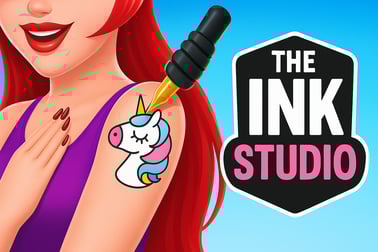
The Ink Studio lets you design custom tattoos, relax with ASMR sounds, and run a virtual tattoo shop. Play the creative tattoo simulator online for free.













The Ink Studio
Introduction to The Ink Studio
The Ink Studio – Tattoo Art ASMR is a creative tattoo artist simulator that lets you design detailed body art right in your browser. You run a tiny virtual tattoo shop, meet different clients, and turn their requests into beautiful designs using realistic tools and vibrant colors. It mixes the fun of a tattoo drawing game online with the calming feeling of a relaxing ASMR art game, making it perfect for casual play sessions.
Instead of intense action, The Ink Studio focuses on steady, satisfying tasks: outlining, shading, filling in colors, and carefully following each client’s reference. As you progress, you unlock new ink colors, patterns, and tools, slowly building your reputation as a professional tattoo artist. If you like creative painting games, cozy simulations, or just want something soothing to play between tasks, this tattoo shop simulation is built for you.
Because the game runs in a browser, you can jump in and start designing tattoos in seconds—no big downloads or complex setup. Just load the page, pick up your virtual tattoo machine, and start inking.
The Ink Studio Controls
The Ink Studio is designed to be very accessible, with simple controls that feel like a drawing app. Whether you’re playing on desktop or mobile, the idea is the same: steady movements, precise strokes, and calm, deliberate drawing.
Desktop Controls (Mouse / Touchpad)
- Move the tool: Move your mouse to position the tattoo needle over the skin.
- Draw / Tattoo: Click and hold the left mouse button, then drag gently to follow the stencil or your freehand design.
- Switch tools: Tap on the icons for different needles, liners, shaders, or color fills in the on-screen toolbar.
- Select colors: Click on the color palette to choose your ink. Many clients have specific color preferences, so pay attention to their request.
- Zoom or pan (if available in your version): Some browser builds let you zoom in on the area you’re working on; usually you’ll use the scroll wheel or on-screen buttons.
Mobile & Tablet Controls (Touch)
- Move the tool: Drag your finger across the screen to move the tattoo needle.
- Draw / Tattoo: Hold your finger down and slide it to trace lines, shade areas, and fill colors.
- Change tools: Tap the icons for different needles or brushes on the interface.
- Pick colors: Tap on the desired ink color swatch in the palette bar.
- Adjust pressure / speed (game-dependent): Some tasks reward slower movements and steady lines, so try not to rush your strokes.
The Ink Studio doesn’t overload you with complex buttons. The controls are intuitive enough that even players who’ve never tried a tattoo artist simulator can start designing confidently after a single client session.
Key Features
The Ink Studio offers a cozy mix of simulation and art, with mechanics that feel like a cross between a drawing app and a light management game. Here are the standout elements that define the experience:
- Realistic tattoo creation: Follow outlines, shade carefully, and apply color in layers to complete each design. The closer you match the client’s request, the better your score and rewards.
- Relaxing ASMR audio: The gentle buzz of the tattoo machine, soft brush sounds, and subtle feedback effects turn every session into a relaxing ASMR art game that’s great for unwinding.
- Client request system: Each customer arrives with a specific tattoo idea—shapes, themes, or colors they love. Your job is to interpret their vision and translate it into ink.
- Tattoo shop simulation elements: As your reputation grows, you can upgrade parts of your studio, unlock better tools, and access more complex designs.
- Creative painting game feel: Beyond tracing templates, the game encourages creativity with custom touches, color choices, and personal flair.
- Short, satisfying sessions: Each tattoo is a self-contained task that can be completed in just a few minutes, making it ideal for quick play breaks.
- Beginner-friendly difficulty curve: Early tattoos are very simple outlines and basic fills; later, you’ll handle gradients, fine line work, and more detailed patterns.
Combined, these features make The Ink Studio feel both like a chill art sandbox and a structured tattoo artist simulator where your performance actually matters.
Where to Play The Ink Studio
The Ink Studio – Tattoo Art ASMR is available as a free, browser-based game on several gaming portals, especially those that focus on simulation, drawing, and casual experiences. You don’t need a powerful PC to enjoy it; any modern browser should work.
Playing in a Browser
You can typically play The Ink Studio on desktop and mobile browsers by:
- Opening your preferred browser (Chrome, Edge, Firefox, Safari, etc.).
- Searching for “The Ink Studio Tattoo Art ASMR browser” or the exact game title.
- Choosing a trusted gaming site that lists the game in the Simulation, Drawing, or Casual category.
- Clicking Play to load the game instantly—no extra installers required.
Once it loads, the game usually starts with a short tutorial client that walks you through the basics of outlining and coloring your first tattoo.
Mobile & Tablet Options
The Ink Studio also exists as an app on mobile platforms, but many players prefer the instant-play browser version. On phones and tablets, just open your browser, go full-screen, and use touch controls to draw. Because this is a portrait-oriented game, it fits naturally on mobile screens and is very comfortable to play one-handed.
Can I Play The Ink Studio Offline?
The browser version of The Ink Studio – Tattoo Art ASMR is generally designed as an online experience. In most cases, you need an active internet connection to:
- Load game assets and levels.
- Save your progress on the hosting platform.
- Access updated content and new tattoo designs.
If you close the tab while offline, your session may not save properly, depending on the site and how it handles local storage. For the smoothest experience, play with a stable connection.
If you’re using a dedicated mobile app version, some content may work offline after the initial download, but features like updates, cloud saves, or ads will still require internet.
Is The Ink Studio Safe to Play Online?
As a family-friendly tattoo drawing game online, The Ink Studio focuses on stylized art and lighthearted clients. While you’re technically working on “body art,” the visuals are non-graphic and cartoon-like, without realistic or disturbing imagery.
Safety points to keep in mind:
- No graphic violence or horror: The emphasis is entirely on art, color, and creativity.
- Suitable for teens and older kids, with guidance: Parents who are comfortable with tattoo themes will generally find the content mild and focused on design, not on real-world tattoo procedures.
- Hosted on mainstream gaming portals: When you play on reputable browser game sites, the content is curated and screened for general audiences.
As always, younger players should use the game under normal parental supervision, especially on open web platforms that may display third-party ads around the gameplay area.
Create Stunning Virtual Tattoos in Your Own Studio
The core fantasy of The Ink Studio is simple: you’re the artist, and each client’s skin is your digital canvas. Your tattoo shop simulation begins with a small, modest studio, but even at the start you can create surprisingly detailed designs.
Each new customer brings a different vibe—some want bold symbols, others prefer delicate lines or colorful art. You’ll see reference images or short descriptions, then you’re free to interpret them within the boundaries of the outline provided in the level.
The game rewards you for:
- Precision: Staying inside the lines, keeping your strokes smooth, and not leaving gaps in outlines or color fields.
- Color harmony: Choosing ink shades that complement each other rather than clashing.
- Completeness: Filling every part of the design and not rushing through the final details.
This makes The Ink Studio feel like the perfect cross between a careful coloring book and a professional tattoo artist simulator. You get all the creative satisfaction with none of the real-world pressure.
How to Master Tattoo Tools and Colors in The Ink Studio
To really shine in this creative painting game, it’s worth mastering how the tools behave. Even though everything’s simplified, there’s still a nice sense of control and skill.
Understanding the Tools
- Outlining needle: Ideal for tracing dark lines along the stencil. Move slowly and steadily to avoid wobbles.
- Shading tool: Softer strokes that let you gradually darken areas. Great for creating depth and smooth transitions.
- Color fill: Lets you apply solid color more quickly to larger sections of the design.
Start each tattoo by carefully outlining, then switch tools to shade and color. Don’t be afraid to lift the tool and reposition—short, controlled strokes often look better than one long risky line.
Choosing the Right Colors
Because this is a tattoo drawing game online, color is a big part of the fun. To improve your results:
- Stick close to the request: If a client says they love blue and gold, make those your main colors.
- Use contrast: Dark outlines with lighter fills help the design pop.
- Avoid overloading: Two or three main colors plus accents usually look cleaner than a rainbow of random shades.
As you progress, you’ll unlock more ink options, letting you experiment with richer palettes and more complex gradients.
Relaxing ASMR Tattoo Gameplay for Creative Players
One of the most distinctive parts of The Ink Studio is its ASMR-inspired atmosphere. Instead of intense background music and flashy effects, the game leans into soft, satisfying sounds and slow, deliberate actions.
While you’re working:
- You’ll hear the gentle hum of the tattoo machine.
- Each stroke creates a subtle feedback sound that makes filling areas feel rewarding.
- Completed sections often come with a soft chime or visual glow that confirms you’re doing well.
This sensory feedback loop turns simple tasks—like tracing a curve or finishing a color block—into tiny moments of achievement. For players who enjoy ASMR videos or calming drawing streams, The Ink Studio delivers that same soothing vibe in an interactive form.
Because there are no timers rushing you, you can take your time, zoom in mentally on each stroke, and just enjoy the process of turning blank skin into finished art.
Tips to Satisfy Client Requests and Boost Your Reputation
In this tattoo shop simulation, happy clients are your path to growth. The more accurately you fulfill their requests, the faster your reputation rises and the quicker you unlock upgrades and new designs.
Read the Request Carefully
Before you start tattooing, pay attention to the client’s short description or the preview image:
- Note any required colors or themes (for example, “fiery dragon,” “pastel flowers,” or “minimalist black ink”).
- Look at shapes and patterns—are they sharp and geometric, or soft and organic?
Matching these details closely helps you score higher.
Prioritize Clean Lines
Even if your color choices are perfect, messy outlines will drag your score down. Go slow on the line work:
- Use small hand movements instead of large sweeping motions.
- Stop and reposition when you approach sharp corners or tight curves.
- Zoom in (if available) or mentally split the tattoo into segments.
Finish Every Section
Don’t leave tiny unfilled areas or partially shaded zones. When the game highlights or subtly hints that a spot is incomplete, go back and touch it up. Fully finished tattoos are more likely to earn top ratings and larger payouts.
Customize Your Tattoo Shop and Unlock New Designs
As you complete more tattoos and satisfy clients, you’ll earn in-game currency or progress points. These unlockable rewards are a big part of what makes The Ink Studio feel like a true tattoo shop simulation instead of just a one-off drawing app.
Studio Upgrades
Depending on the version you’re playing, you can gradually improve your virtual workspace by:
- Unlocking better tools for sharper lines and smoother shading.
- Adding new color sets to your ink palette.
- Decorating your studio with cosmetic items that make the environment feel more personal.
These upgrades don’t just look good—they often make the process of tattooing more efficient and satisfying.
New Tattoo Designs and Challenges
Progress also brings more demanding and interesting clients:
- Simple shapes at the start help you learn the tools safely.
- Intermediate designs introduce multiple colors and light shading.
- Advanced tattoos challenge you with fine details, gradients, and complex patterns.
This progression keeps The Ink Studio engaging over time, giving art-minded players new goals while preserving the chill, ASMR-driven pacing that defines the game.
Whether you’re here for a focused creative outlet or just want a soothing relaxing ASMR art game in your browser, The Ink Studio – Tattoo Art ASMR delivers a surprisingly deep, cozy experience built around patient drawing, color mixing, and the satisfying hum of virtual ink.
Frequently Asked Questions
What is The Ink Studio?
The Ink Studio is a free online tattoo art simulation game where you design tattoos, follow client requests, and enjoy relaxing ASMR-style sounds.
Can I play The Ink Studio in my browser?
Yes. The Ink Studio is a browser game you can play online without downloading, as long as you have an internet connection and a modern web browser.
Is The Ink Studio suitable for kids?
The game focuses on creative tattoo drawing and ASMR sounds. There is no graphic violence, but parents should decide if tattoo themes are suitable for their children.
Do I need any special skills to play?
No special skills are needed. Simple touch or mouse controls let you trace lines, fill colors, and complete tattoos at your own pace.
Does The Ink Studio cost anything to play?
The Ink Studio is free to play online. Some versions may offer optional in‑game purchases, but basic gameplay does not require payment.