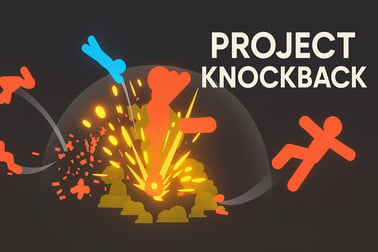
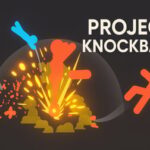
Project Knockback throws you into crazy physics-based stickman combat. Punch, kick and grab enemies in chaotic street fights right in your browser.













Project Knockback
Overview of Project Knockback
Project Knockback is a wild, physics based fighting game where floppy stick fighters launch each other across the screen with over-the-top punches, kicks and throws. Instead of tight, frame-perfect combos, this action stick figure game leans into chaos: every impact triggers dramatic ragdoll reactions, goofy bounces and unpredictable chain collisions.
Set in gritty, arcade-style arenas inspired by street brawlers, you take control of a lone fighter facing off against waves of oversized thugs and quick little pests. Simple controls hide a surprising amount of depth. Master timing, distance and physics momentum, and you can juggle enemies, chain throws together and send opponents flying into hazards or each other.
If you enjoy browser fighting games that are easy to pick up but hard to truly master, Project Knockback is a great pick. The action is fast, the physics are exaggerated, and the stickman street combat feels different every time you play thanks to the reactive, ragdoll fighting online engine underneath.
Project Knockback Control Guide
Project Knockback uses straightforward keyboard and mouse controls so you can jump straight into the action. Exact bindings can vary slightly between sites or updates, but the core layout is usually:
- A – Move left
- D – Move right
- Spacebar – Jump
- Left Mouse Button – Punch (tap for quick jab, hold to charge a stronger punch in many versions)
- Right Mouse Button – Grab (hold nearby enemies, pick up ragdoll bodies or items when available)
- F – Kick
Because this is a physics based fighting game, these inputs don’t just trigger canned animations. They feed into the underlying physics system, which means:
- Your movement speed before an attack affects how far enemies fly.
- The angle of impact (jumping vs grounded, close vs far) changes ragdoll trajectories.
- Charged punches usually create bigger knockback, launching opponents higher or farther.
Most browser builds are pick-up-and-play, so there’s no need to memorize complex combos. If controls feel slightly different on a particular site, check for an in-game help menu or a small “Controls” button on the loading screen, since some portals list bindings in a sidebar or overlay.
Key Features
Project Knockback packs a lot of personality into its simple stickman style. Here are the main features that make it stand out among browser fighting games:
- Wild physics-based combat
Every punch, kick and throw is driven by physics. Enemies ragdoll, tumble, bounce off the ground and collide with each other for chain reactions. - Stickman street combat style
The game captures that classic stick figure fighting vibe, but places it in gritty, street-like arenas inspired by beat 'em up brawlers. - Easy-to-learn controls
Move, punch, kick, grab and jump with just a few keys and mouse buttons. You can understand the basics in seconds and spend the rest of your time mastering physics. - Ragdoll fighting online
Because you play in the browser, there’s no download required. Load the page, hit play and watch the ragdoll mayhem unfold. - Endless replayability
No two fights feel the same. The physics system makes each knockback, pileup and chain reaction slightly different every run. - Lightweight visuals, big reactions
Clean stickman art means the game runs smoothly on most devices, but hits, falls and impacts still look dramatic. - Arcade-style difficulty curve
Early waves help you learn spacing and timing. Later rounds ramp up enemy numbers and aggression so you’re constantly dodging, countering and improvising.
Together, these features make Project Knockback ideal if you want a quick, browser-based brawler with satisfying hits and hilarious outcomes.
Wild Physics-Based Combat: Punch, Kick and Throw
The heart of Project Knockback is its crazy physics fighting. Unlike traditional 2D fighters with fixed animations, here your moves interact with a real-time physics engine. That gives every battle a loose, scrappy, almost slapstick feel.
Using punches for pure knockback power
Punches are your bread-and-butter attack. Quick taps let you stuff enemies who get too close. When the game supports it, holding the punch button charges up a heavy hit that can send foes flying across the stage.
Because enemies ragdoll on impact, a perfect punch can:
- Launch a big target into smaller ones, knocking down a whole pack.
- Smash an enemy into a wall or floor for extra bounces and damage.
- Clear immediate pressure when you’re being surrounded.
Sharp kicks for spacing and crowd control
Kicks tend to have a different timing and reach than punches. In many builds, kicks have a slightly longer range and hit a bit higher, making them great for:
- Tagging enemies as they step into your space.
- Hitting lighter foes into the air, starting accidental “juggles.”
- Keeping opponents off ledges or away from your landing zone if you just jumped in.
A well-timed kick can change the physics mid-air, turning what looked like a safe jump for an enemy into a clumsy, ragdoll fall.
Grabs and throws for maximum chaos
Grabbing is where this physics based fighting game really shines. When you press the grab button close to an enemy, you can snag them and then either release, move or combine with other inputs to toss them.
This opens up tons of chaotic plays:
- Body-slam one enemy into others to knock everyone over at once.
- Throw enemies off platforms to remove them quickly.
- Use an enemy as a shield, letting incoming attacks hit the ragdoll you’re holding.
Because of the ragdoll system, even a simple throw can cause an enemy to bend at strange angles, clip another fighter and start an unexpected chain of knockdowns.
Tips to Master Stickman Street Fighting Moves
Behind the goofy physics, there’s real strategy. To get the most out of this action stick figure game, focus on these fundamentals:
1. Control the distance
In a physics-heavy brawler, spacing matters more than it might seem. Try to:
- Stay just outside enemy attack range and let them step into your punch or kick.
- Back up while charging a punch, then step in at the last moment for a huge knockback.
- Avoid being trapped at screen edges, where ragdoll bounces can pile you into a corner.
2. Use momentum to your advantage
Project Knockback tracks how fast you and your target are moving at the moment of impact. You’ll notice:
- Striking while running forward tends to send enemies farther back.
- Jumping and hitting on the way down often produces steeper, ground-slamming knockback.
- Trying to punch while you’re already flying may cause you to spin instead of land safely.
Practice approaching enemies from different angles and speeds so you can feel how the physics respond.
3. Prioritize threats in crowds
In this kind of stickman street combat, multiple enemies quickly surround you if you’re not careful. Make it a habit to:
- Target the closest or fastest enemy first so they can’t pin you down.
- Use grabs to toss one opponent into a cluster, knocking down several at once.
- Kick enemies away when you need to create breathing room.
4. Learn when to be aggressive vs. evasive
Because the physics system is unpredictable, going all-in every second isn’t always smart. Watch the flow of battle:
- When enemies are scattered and recovering, push in with aggressive punches and kicks.
- When you’re overwhelmed, jump out, reposition and wait for a better opening.
- If you get knocked down, use the moment to quickly pick a safe direction to move when you stand.
Over time, you’ll get a feel for when the chaos favors you—and when it’s better to reset.
Controls Guide: How to Move, Punch, Grab and Jump
While the basic inputs are simple, a few small habits can make a huge difference in how effective you feel during ragdoll fighting online.
Movement and jumping
Move with A/D and jump with Space. Useful habits:
- Feint by stepping in and out of range to bait attacks, then counter.
- Short hops can help you avoid low attacks or bodies sliding across the ground.
- Use jumps to approach from above, then punch or kick on the way down for heavy knockback.
Punching like a pro
Left mouse button handles punching. Try this:
- Tap-punch when enemies are close but not yet attacking, to interrupt their start-up.
- Charge-punch (if supported) when you know you’ll have a clear shot at a big target.
- Aim to land punches when enemies are moving toward you, which amplifies momentum.
Mastering grabs and throws
Right mouse button grabs enemies within reach. Once you’ve grabbed someone:
- Shift your position so that other enemies are in front of you.
- Release or throw them into the crowd to cause a pileup.
- If the game supports it, combine movement keys as you let go to influence throw direction.
Grabs are especially strong in a physics based fighting game because you directly control where the ragdoll projectile goes.
Endless Chaos: Why No Two Fights Feel the Same
One of the biggest reasons players keep returning to Project Knockback is how unpredictable it feels. Even when you repeat the same basic input pattern, the outcome can change because so many things feed into the physics system.
Dynamic enemy reactions
Enemies don’t just fall in one preset way. Their limbs bend, twist and respond differently based on how and where you hit them. The same kick might:
- Flip an enemy over your head.
- Send them tumbling sideways into another attacker.
- Bounce them along the floor like a skipped stone.
Chain reactions and pileups
Once a few ragdoll bodies are flying around, the fight can turn into a domino effect:
- A single heavy punch knocks one enemy into two more.
- One of those ragdolls clips your legs, slightly changing your position.
- Your next punch ends up hitting at a different angle, launching another foe in a new direction.
This is what makes Project Knockback stand out among browser fighting games: it’s less about perfect memorization and more about adapting to the chaos in real time.
Player creativity
Because the physics system is so flexible, players quickly discover their own “homebrew” strategies. You might:
- Use grabs to build a moving wall of enemies in front of you.
- Develop a rhythm of kick → grab → throw to control crowds.
- Experiment with using jump attacks from odd angles to trigger wild bounces.
That experimentation keeps the game fresh, and the funniest moments often come from completely unplanned interactions.
Browser Requirements and How to Play Online Safely
Project Knockback is built to run directly in your web browser, so you don’t need to download or install anything.
Recommended browser setup
For the smoothest experience:
- Use a modern browser: Chrome, Firefox, Edge or a recent version of Safari.
- Keep your browser fully updated to ensure WebGL and JavaScript features work correctly.
- Close heavy background tabs (streaming, multiple downloads, etc.) to reduce lag.
The game is lightweight compared to big downloads, but since it relies on physics, having a stable frame rate makes the ragdoll reactions feel much better.
Playing safely online
To enjoy this action stick figure game without issues, keep a few safety tips in mind:
- Play on reputable sites that host licensed versions of Project Knockback. Well-known gaming portals are generally safer and less likely to include harmful pop-ups.
- Don’t download extra “patches” or executables from random links that claim to modify the game. The browser version should run without any external installers.
- If a site shows excessive pop-ups or redirects, close it and look for an alternative host that feels cleaner.
- Keep your antivirus and browser security features enabled while you play.
Most players will have a smooth time: just load the page, allow the game to initialize, and focus on mastering those knockback combos.
Where to Play Project Knockback
Project Knockback is available as an in-browser game on various online portals. The exact list changes over time as new platforms add or update the game, but in general you can:
- Search for “Project Knockback physics fighting game” to find current browser hosts.
- Look for platforms that list it under Action, Fighting or Beat 'em up categories.
- Check that the version you’re playing matches recent screenshots or descriptions, since the game is actively improved by its developers.
Because it runs in the browser, you can hop between trusted portals to see which one performs best on your device. Some sites may also offer small quality-of-life extras such as on-page control reminders or fullscreen toggles.
Is Project Knockback Safe to Play Online?
Project Knockback is designed as an arcade-style, cartoon violence experience with stick figures. There’s fast-paced combat and ragdoll impacts, but no realistic blood or graphic content, making it generally suitable for teens and older kids who are already comfortable with action games.
To keep the experience safe and family-friendly:
- Stick to established gaming sites that moderate ads and avoid inappropriate content.
- If younger players are involved, an adult should open the game first, verify that the page layout and ads feel appropriate, and then hand it over.
- Avoid any third-party files or “mods” not clearly provided by the official developer or a well-known portal.
When played through reputable browser gaming platforms, Project Knockback is a fun, over-the-top physics based fighting game that focuses on slapstick-style stickman street combat rather than realistic violence, making it a solid choice for quick, chaotic battles online.
Frequently Asked Questions
What is Project Knockback?
Project Knockback is a browser-based action fighting game with stickman characters and over-the-top physics. You punch, kick, grab and throw enemies in chaotic street battles.
How do I play Project Knockback?
Play in your browser and use A/D to move, Space to jump, F to kick, left mouse to punch, and right mouse to grab. Some versions let you hold punch for extra power.
Is Project Knockback free to play?
Yes, Project Knockback is free to play online in supported browsers. You don’t need to pay or download anything for the demo version.
Can kids play Project Knockback?
Project Knockback has cartoon stickman violence but no blood or bad language. It’s generally family-friendly, but parents should decide based on their child’s age and sensitivity to fighting games.
Do I need to install or download Project Knockback?
No download is required. Project Knockback runs directly in your web browser. Just open the game page, wait for it to load, and press play.