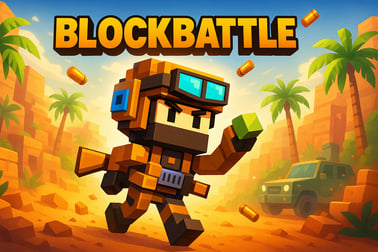
Blockbattle is a fast-paced online block battle game. Drop blocks, clear lines, and outplay rivals in real-time multiplayer matches in your browser.







Blockbattle
Introduction to Blockbattle
Blockbattle is a fast, competitive online block puzzle game that turns classic line-clearing gameplay into intense real time PvP blocks action. Instead of quietly chasing a high score on your own, you'll drop pieces, trigger combos, and send junk blocks to an opponent who's trying to do the exact same thing to you. Every round is a race: clear lines, survive their attacks, and overwhelm their board before yours fills to the top.
Designed for fans of puzzle, arcade, and multiplayer games, Blockbattle focuses on short, high-energy matches that reward smart planning as much as fast reactions. You'll build patterns, prepare chains, time power-ups, and adapt to what your rival is doing in real time. It feels like a mix of classic block puzzlers and modern competitive puzzle battles, with simple rules but surprisingly deep strategy.
Because it runs in the browser, you can jump into a multiplayer block battle from almost any device without long downloads. Whether you play casually for a quick 5-minute match or grind ranks in competitive modes, Blockbattle gives you a low-friction way to enjoy tense head-to-head block puzzle strategy online.
How to Play Blockbattle
The basic rules are straightforward, so you can start your first match within seconds even if you've never tried an online block puzzle game before.
Match Flow
- 1v1 real-time matches: You face one opponent on a shared timer. Both boards play out simultaneously.
- Shared piece queue: Each player gets the same sequence of pieces, so victories come from skill, not luck.
- Clear lines to attack: Whenever you complete one or more rows (or columns, depending on mode), you send "garbage" blocks to your opponent's board.
- Last player standing wins: If your stack of blocks reaches the top of the grid, you lose the round.
Core Mechanics
- Placing pieces: Drag, tap, or use keyboard controls (depending on device) to move and rotate blocks into empty spaces.
- Clearing blocks: Create full rows (and sometimes columns) without gaps. When a complete line forms, it disappears and new space opens up.
- Combos: Clear multiple lines at once or chain clears back-to-back to send larger attacks.
- Power-ups: Earn or activate special abilities (like clearing sections of the board or blocking enemy attacks) to swing the momentum of a match.
Controls & Input Basics
Exact controls can vary slightly by platform, but most setups work like this:
- Keyboard (desktop/laptop):
- Arrow keys or A/D to move pieces left and right
- Up arrow or W to rotate
- Down arrow or S to drop faster
- Spacebar or Shift for hard drop or power-up activation (if supported)
- Mouse or touch:
- Drag pieces into position with your cursor or finger
- Tap or double-tap to rotate
- Swipe down quickly for a fast drop
You can usually tweak input sensitivity or layout in the options menu, which helps if you prefer quick swipes on mobile or precise keyboard inputs during more competitive puzzle battles.
Blockbattle Game Modes
To keep the experience fresh, Blockbattle typically offers several ways to play, from relaxed solo practice to sweaty multiplayer block battle showdowns.
Classic Solo Puzzle
This mode focuses on pure block puzzle strategy without the pressure of an opponent. You'll drop blocks, clear lines, and try to survive as long as possible while the difficulty gradually increases. It's a great place to refine your piece placement, test out new combo patterns, or warm up before jumping into real time PvP blocks.
Real-Time PvP Battles
The heart of Blockbattle is its head-to-head matches:
- Ranked or unranked: In ranked play, your wins and losses move you up or down a competitive ladder. Unranked lets you practice without risking your rating.
- Quick match: Instantly pairs you with another available player.
- Custom rooms: Some versions support private rooms so you can invite friends for casual block puzzle battles.
As the match goes on, pieces may speed up, garbage attacks intensify, and both players will be forced to make high-pressure decisions in seconds.
Arcade & Special Variants
Depending on the implementation, you may also find:
- Time attack: Clear as many lines as possible before the clock hits zero.
- Challenge modes: Survive tricky starting layouts or special rules (like restricted piece types).
- Event modes: Limited-time rulesets that reward unique cosmetics or leaderboard badges.
All of these modes share the same core: place blocks efficiently, control your board, and maximize every clear to keep your grid under control.
Performance & Troubleshooting
Blockbattle is designed to run smoothly in a browser on a wide range of devices, but online play and real-time PvP blocks can expose connection or performance issues. If you run into problems, try the steps below.
Lag or Desync in Multiplayer Block Battle
- Check your connection: Use a stable Wi-Fi or wired connection when possible. If you're on mobile data, make sure your signal is strong.
- Close background apps: Streaming, large downloads, or multiple tabs can cause stutters during competitive puzzle battles.
- Lower visual settings: If the game offers reduced effects or simple graphics mode, enabling it can help on older devices.
Browser or Device Issues
- Update your browser: Modern HTML5 games perform best in up-to-date versions of Chrome, Edge, Firefox, or Safari.
- Clear cache: If Blockbattle fails to load or feels sluggish, clearing cached data and reloading can fix corrupted assets.
- Disable heavy extensions: Ad-blockers or script-heavy add-ons sometimes interfere with online block puzzle game performance.
- Try a different device: If possible, test Blockbattle on another device to see if the issue is local or account-related.
If your multiplayer block battle session frequently disconnects, it's usually due to unstable internet rather than the game itself. Playing closer to your router or switching networks can dramatically improve your experience.
Can I Play Blockbattle Offline?
Because Blockbattle is built around real time PvP blocks and online matchmaking, an active internet connection is required for most of its features. Here's what you can generally expect.
Online-Only Features
- Ranked matches: These competitive puzzle battles always require a live connection for fair matchmaking and accurate rank updates.
- Live leaderboards: Global rankings, seasonal ladders, and friend lists sync your progress to the server.
- Events and tournaments: Limited-time events, special game modes, and community competitions all run through online services.
Possible Offline or Low-Connection Options
Exact support can differ depending on where you play Blockbattle, but in many cases:
- Solo practice or training: Some builds allow a basic single-player mode even with a weak or temporary connection.
- Local caching: If your browser has loaded assets before, you may be able to open the game page with reduced features while offline, though multiplayer block battle modes will still be locked.
For the full experience, including online block puzzle game ranks, leaderboards, and proper real-time PvP blocks, plan to play while connected.
How to Play Blockbattle Online Against Other Players
Entering your first online block puzzle game in Blockbattle is simple. Here's a quick step-by-step guide for jumping into a match.
- Open the game in your browser: Make sure your internet connection is stable.
- Create or log into your account (if required): This lets the game track your stats, cosmetic unlocks, and competitive ranks.
- Complete or skip the tutorial: Even if you're familiar with puzzle games, running through a short tutorial can show you Blockbattle-specific power-ups and combo rules.
- Select a mode:
- Choose "Quick Match" or "1v1" for fast multiplayer block battle matchmaking.
- Head to "Ranked" if you want your victories to count towards long-term progression.
- Ready up and review controls: During matchmaking, quickly glance at the control hints so you're comfortable with rotations and drops.
- Play the round: Focus on keeping your board low, triggering combos, and watching for incoming garbage warnings so you can react quickly.
- Rematch or switch modes: After a match, you can often request a rematch, return to the lobby, or try a different mode.
As you play more online battles, Blockbattle matches you with opponents closer to your skill level, creating fairer and more intense competitive puzzle battles over time.
Tips and Strategies to Win More Blockbattle Matches
Winning consistently in Blockbattle isn't just about speed; it's about smart block puzzle strategy and managing your board under pressure. These tips work across most game modes.
Focus on Board Health First
- Keep the middle low: Avoid stacking too high in the center of your board. A flat, low stack gives you more flexibility for upcoming pieces.
- Minimize holes: Gaps buried under layers of blocks are hard to fix and make it easier for your opponent to overwhelm you.
- Leave "ports" open: Try to include vertical channels where long pieces or key shapes can slide in to rescue a messy board.
Use Combos, Not Just Single Clears
- Build for bigger attacks: Instead of clearing one line at a time, set up shapes so that a single drop triggers multiple lines or a chain reaction.
- Chain timing: Back-to-back clears send more pressure in many modes, so plan two or three quick clears instead of spacing them out.
- Balance risk and reward: Don't over-stack waiting for the "perfect" combo piece if your board is already high.
Read Your Opponent's Board
- Watch their height: If their grid is nearly full, any moderate combo could finish them off.
- Time big attacks: Send your largest garbage bursts when they're already under pressure or clearly misplacing pieces.
- Defensive clearing: If you see an incoming garbage warning, clear extra lines preemptively to create room for it.
Practice Piece Familiarity
- Learn every shape's best placements: With practice, you'll instantly know where any piece fits on an uneven board.
- Use previews: Many online block puzzle games, including Blockbattle, show several upcoming pieces. Factor those into your current placement choices.
- Drill under pressure: Play a few faster modes or time attacks to get comfortable making decisions quickly.
Over time, these habits turn into instinct, helping you stay calm and calculated even in the most chaotic multiplayer block battle rounds.
Power-Ups, Combos, and Special Blocks Explained
Beyond basic line clearing, Blockbattle spices up its competitive puzzle battles with power-ups and special blocks. Understanding how these work can be the difference between a narrow loss and a clutch comeback.
Common Power-Up Types
- Board clears: Remove a row, column, or small area from your board to recover space when you're close to losing.
- Garbage attacks: Send an immediate burst of extra blocks to your opponent, often layered on top of regular combo damage.
- Defense or shield: Temporarily reduce or block incoming garbage, buying you time to stabilize your grid.
- Piece control: Swap the current piece, reorder the queue, or "hold" a piece for later use to execute precise block puzzle strategy.
How to Earn and Use Power-Ups
- By clearing lines: Many systems reward consistent clearing with a power-up meter that fills over time.
- Via combos: Larger combos or chain clears may grant stronger one-time abilities.
- Through events: Special modes or tournaments may grant unique power-ups tied to the theme.
Use power-ups proactively, not just in panic. For example, triggering a garbage attack right as your opponent's board spikes in height can end a round before they can recover.
Special Blocks & Combos
- Charged blocks: Clearing these might double your attack, give score multipliers, or trigger special effects.
- Locked or junk blocks: These can't be rotated or moved once placed, forcing careful planning around them.
- Combo counters: Some versions show a visible combo gauge, encouraging you to chain clears quickly to maintain a "combo streak."
When you understand how special blocks link into your attacks, you can route your placements to maximize pressure in every real time PvP blocks match.
Compete on Leaderboards and Climb the Blockbattle Ranks
If you enjoy long-term goals, Blockbattle's ranking and leaderboard systems give you ongoing motivation to refine your skills and perfect your block puzzle strategy.
Ranked Ladder
- Tiered divisions: Players are placed into ranks (for example: Bronze, Silver, Gold, and beyond) based on their performance.
- Matchmaking by rank: You'll typically be paired with opponents near your skill level, creating fairer and more rewarding multiplayer block battle matches.
- Promotion & demotion: Winning streaks move you up, while repeated losses can eventually drop you down a tier.
Global & Friend Leaderboards
- Global rankings: Compare your win rate, highest combo, or fastest clears against players worldwide.
- Friends or clan boards: In some versions, you can see who's the top Blockbattle player within your friend group or community.
- Seasonal resets: Occasional seasons keep the competitive puzzle battles fresh, giving everyone a chance to climb again.
Even if you're not chasing the absolute top, watching your progression over time is a satisfying way to see your skills grow in this online block puzzle game.
Is Blockbattle Free to Play on Browser and Mobile?
Blockbattle is typically offered as a free-to-play experience, making it easy to try on both browser and mobile without an upfront purchase.
Browser Availability
- Instant play: You can usually launch Blockbattle directly in your browser with no installation, as long as you have a modern HTML5-compatible browser.
- Account sync: Logging into the same account in your browser and on mobile (where available) may sync progress, cosmetics, and ranks.
- Microtransactions: Optional purchases, if present, are often cosmetic (skins, themes, effects) and don't replace the need for solid block puzzle strategy in competitive modes.
Mobile and Tablet Play
- Touch controls: On phones and tablets, simple taps and swipes let you move and rotate blocks intuitively.
- On-the-go PvP: As long as your connection is stable, you can jump into quick real time PvP blocks matches anywhere.
- Same core gameplay: The mobile version usually mirrors the browser experience, keeping all the key features of this online block puzzle game.
Because it's free to start and runs on everyday devices, Blockbattle is one of the more accessible competitive puzzle battles you can pick up and play, whether you're at home on a PC or filling a few minutes on your phone.
Frequently Asked Questions
What is Blockbattle?
Blockbattle is a fast-paced online block puzzle battle game where you place shapes on a grid, clear lines, and compete to score more points than your opponent.
Can I play Blockbattle for free?
Yes, Blockbattle is free to play. You can start a match in your browser without paying, though some versions may offer optional in-game purchases or cosmetic upgrades.
Do I need to create an account to play Blockbattle?
You can usually jump into quick matches without an account, but creating one may let you save progress, track your stats, and appear on leaderboards.
Is Blockbattle suitable for kids?
Yes, Blockbattle is family-friendly. The gameplay focuses on simple block placement, quick thinking, and strategy, with no graphic violence or inappropriate content.
Can I play Blockbattle with friends?
Yes, many Blockbattle modes let you invite friends or join private rooms to challenge them in real-time 1v1 or multiplayer block battles.