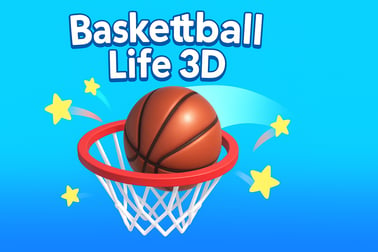
Basketball Life 3D lets you swipe, aim and score through fun 3D mini levels packed with trick shots, puzzles and dunks. Play free in your browser.




















Basketball Life 3d
Overview of Basketball Life 3D
Basketball Life 3D is a bite‑sized, level-based basketball experience that blends arcade action with light puzzle elements. Instead of full 5v5 matches, you jump into quick-fire basketball mini games where every level is a new scenario: bank shots off walls, bounce passes through obstacles, long-range three-pointers, and tricky angle-based dunks. It’s perfect if you enjoy fast, focused online basketball games that you can play in short sessions right in your browser.
The game uses simple swipe mechanics and 3D physics to simulate realistic arcs, bounces, and rim hits. Each challenge is built around a single basket, but the path to the hoop changes constantly—moving objects, rotating boards, barriers, ramps, and other twists turn every shot into a mini puzzle. That mix of 3D dunk game action and situational problem-solving is what makes Basketball Life 3D stand out among other free browser sports games.
Because everything runs in the browser with HTML5/WebGL, there’s no download or install required. Just load the page, pick up the ball with your mouse or finger, and start pulling off trick shot basketball plays within seconds. Whether you’re on a quick break or grinding through all the stages, it’s a lightweight yet surprisingly addictive way to scratch that hoop-shooting itch.
Basketball Life 3D Gameplay: Trick Shots and Mini Challenges
The core of Basketball Life 3D is its rotating set of mini challenges. Each level gives you a ball, a hoop, and a unique environment, then asks a simple question: can you get the ball in the basket under these conditions? The variety makes it feel like a whole collection of basketball mini games rolled into one coherent experience.
Typical scenarios include:
- Clean swish shots – no backboard, no rim, just perfect net for maximum satisfaction.
- Bank shots – bounce off walls, angled boards, or special bumpers before reaching the hoop.
- Obstacle courses – thread the ball through gaps between boxes, cones, and moving blocks.
- Moving hoops – time your release so the traveling basket lines up with your arc.
- Multi-bounce puzzles – use the floor or side walls to change direction and get the right landing angle.
Each level normally gives you a limited number of balls. Miss too many times and you’ll have to restart, but attempts are fast and frictionless, which keeps the flow of this 3D dunk game snappy. You’re encouraged to experiment—try a straight shot, then a higher arc, then a bank, gradually honing in on the perfect path.
The 3D camera sits behind or slightly above your player or the ball, giving you a clear look at depth and height. This perspective is more than cosmetic: you’ll constantly read distances and angles to solve the subtle puzzles baked into each challenge. Because of that, Basketball Life 3D hits a sweet spot between casual arcade fun and light puzzle solving.
How to Play Basketball Life 3D
Getting started in Basketball Life 3D is intentionally easy so anyone can jump in, whether you’re a sports veteran or totally new to online basketball games. The flow of a typical level looks like this:
- Study the setup
Take a second to look at the hoop, obstacles, and any moving elements. Decide if you’re going for a straight shot, a bounce, or a bank. - Press, hold, and drag
On desktop, click and drag with your mouse. On mobile or tablet, touch and drag with your finger. This sets your aim and shot power. - Release to shoot
Let go to launch the ball. The direction and speed of your swipe determine the ball’s trajectory in 3D space. - Adjust and retry
If you miss, quickly reset your aim and shoot again. Each level usually allows several attempts before failing. - Advance to the next challenge
Once you make the basket under the conditions given, you progress to a new scenario with a fresh twist.
There’s no complicated scoreboard to track or deep stat system to manage. Instead, the satisfaction comes from solving trick shot basketball situations and watching your accuracy steadily improve. As you move forward, the game quietly trains your sense of angle, force, and timing, all built on the same simple input scheme.
How to Master Swipe Controls in This 3D Basketball Game
Because the entire experience revolves around swiping, mastering the controls is the key to conquering the later levels. Even though Basketball Life 3D is a casual free browser sports game, the physics are consistent enough that practicing a few techniques will noticeably improve your success rate.
Use these practical tips to tighten your control:
- Think in arcs, not straight lines
The ball always travels in a curve. When you swipe, imagine the highest point of that arc and where it will drop into the hoop, especially for deep or high shots. - Short swipe for close shots
When the basket is near, you don’t need a long, powerful drag. Gentle, controlled swipes are more accurate and reduce the chance of overshooting. - Swipe slightly higher for bank shots
If you’re using the backboard or side surfaces in these basketball mini games, aim a touch higher than the hoop so the ball has room to hit and drop. - Use a consistent starting point
Try to begin your swipe from roughly the same on-screen position each time. That makes it easier to adjust by “just a little more” or “just a little less.” - Watch the first miss closely
Your first attempt is often a free read. Look at where the ball lands relative to the rim—too short, too long, too far left or right—and correct your swipe logically. - Slow down your gesture
Fast, jerky movements make angles harder to control. A smooth, steady swipe translates into cleaner, more predictable arcs.
As you practice, you’ll build a kind of muscle memory for this specific 3D basketball game. Soon you’ll be able to glance at a setup and instinctively know whether you need a tall rainbow arc, a bullet pass-style shot, or a soft lob over obstacles.
Basketball Life 3D Levels: From Easy Hoops to Hard Puzzles
Basketball Life 3D is structured as a long run of progressively tougher levels, a format that’s ideal for online basketball games where players hop in and out between other tasks. The game opens with simple practice shots, then ramps up in both precision and creativity.
You can broadly think of the level flow like this:
- Intro levels (warm-up)
Wide-open hoops, minimal obstacles, and forgiving distance. These teach you how much power you need for different ranges and angles. - Intermediate challenges
Static obstacles appear, like boxes or barriers that block direct lines. You’ll learn to curve shots around objects and start experimenting with banks and bounces. - Advanced puzzle stages
Here, Basketball Life 3D leans into its puzzle side. You might need to bounce the ball off multiple surfaces, time your shot for moving elements, or exploit narrow gaps to reach the hoop. - Precision & trick-shot levels
These harder stages demand near-perfect arcs, tiny margins of error, or high-risk trick shots. They’re built to test everything you’ve learned from earlier basketball mini games.
There’s no hard skill wall; you’re free to retry levels as many times as you need. Because attempts are so quick, it never feels punishing—more like solving a series of short physics riddles. This structure also means it’s easy to play “just one more” level, then another, then another, which is a big part of why this free browser sports game is so sticky.
Tips to Score Perfect Swish Shots in Every Scenario
While simply clearing stages is satisfying, many players quickly start chasing the pure swish—those clean, nothing-but-net shots that feel fantastic in any 3D dunk game. Here are some focused strategies to lift your accuracy and nail more perfect swishes across different setups.
- Target the front of the rim for closer shots
On short-range shots, aim your arc so it just clears the front rim and drops down. This minimizes back-iron clanks and rim-outs. - Use higher arcs for longer distances
The farther away you are, the more helpful a steeper arc becomes. High shots fall nearly straight down into the hoop, increasing the window for a clean swish. - Align your swipe with the hoop’s center
Draw an invisible line from the ball to the center of the basket. Swipe along that path, then only tweak power, not direction, between attempts. - Avoid hitting the backboard unless required
If a level doesn’t specifically encourage or require a bank shot, aim for a direct swoosh. Boards add extra bounces and more chances for the ball to spin out. - Use previous rebounds as reference
If your shot consistently hits front rim, you’re slightly underpowered. If it brushes the back, you’re a bit strong. Use these tiny differences to dial in your next swipe. - Stay calm in tricky setups
In puzzle-style levels, it’s easy to overcompensate when you see moving parts or narrow openings. Focus on one variable at a time: first find the right power, then fine-tune the direction.
Once you internalize these habits, even the busier levels in Basketball Life 3D start to feel manageable. Your shot selection improves, your misses get closer, and your swish rate across all those online basketball games you play will rise noticeably.
Basketball Life 3D Controls
Basketball Life 3D is built for simple, intuitive input so anyone can pick up and play across devices. There are no complicated button combos—everything is driven by a single swipe gesture, which keeps the game accessible to kids and adults alike.
Desktop & Laptop Controls
- Mouse drag to aim – Move the cursor from the ball in the direction you want to shoot.
- Mouse drag length sets power – A longer drag equals a stronger, higher or farther shot.
- Release to shoot – Let go of the mouse button to launch the ball.
- Click UI buttons – Use left-click for menus, restarts, and navigation.
Mobile & Tablet Controls
- Touch and hold on the ball – Place your finger on or near the ball to begin aiming.
- Swipe to set angle and power – Drag in the direction you want to shoot; length equals strength.
- Lift your finger to shoot – Releasing executes the throw.
- Tap for menus – Simple taps handle UI selections and replay buttons.
This straightforward control scheme mirrors a lot of other popular online basketball games, so if you’ve played a mobile hoop shooter before, you’ll feel right at home. It also makes the game easy to share—friends can instantly understand how to play after watching one shot.
Browser Controls and Devices Supported for Basketball Life 3D
Because Basketball Life 3D is a free browser sports game, it’s designed to reach as many players as possible without extra setup. The game runs directly inside modern web browsers using HTML5/WebGL, which offers smooth 3D graphics and responsive physics without plugins.
Supported Browsers
For the best experience, use an up‑to‑date version of one of these browsers:
- Google Chrome
- Mozilla Firefox
- Microsoft Edge
- Safari (on macOS and iOS)
Older browsers or outdated versions may still launch the game but can struggle with performance or visual glitches, especially during more complex trick shot basketball levels.
Supported Devices
- Desktop & Laptop – Windows, macOS, and many Linux systems with a modern browser.
- Tablets – iPad, Android tablets, and other touch-screen devices that run a current browser.
- Smartphones – iOS and Android phones capable of handling HTML5 3D content.
On larger screens, you’ll enjoy a clearer view of level layouts and obstacles, which can give you a small edge on the harder basketball mini games. On mobile, the advantage is portability—you can fit a few levels into any spare moment.
Where to Play Basketball Life 3D
Basketball Life 3D is distributed as a browser-based 3D dunk game across a variety of online gaming portals. You can typically access it simply by visiting the hosting site in your browser and pressing play—no account creation or install needed.
When looking for a place to play:
- Choose reputable gaming platforms – Stick to well-known browser game sites that clearly label age ratings and avoid suspicious pop-ups.
- Check for HTML5/WebGL tags – These labels indicate that the game should run without extra plugins or downloads.
- Confirm mobile support if needed – Many portals highlight whether a game works on phones and tablets, which is useful if you plan to play on-the-go.
Because Basketball Life 3D is popular among online basketball games, you’ll often find it featured alongside other sports titles, dunk challenges, and arcade shooters. It fits especially well in Sports, Arcade, and Puzzle categories, so browsing those sections can help you discover related games once you’ve mastered all the trick shots here.
Offline Play Availability for Basketball Life 3D
Basketball Life 3D is primarily designed as an online, browser-based experience. In most cases, you’ll need an active internet connection both to load the game and to keep playing, since the content is streamed through your browser rather than installed locally like a native app.
Here’s what that means for offline play:
- No standard offline mode in browser
Once your connection drops or you close the tab, you generally can’t continue playing. The assets and scripts that power this free browser sports game aren’t permanently stored like traditional downloads. - Some mobile app versions may differ
If you encounter Basketball Life 3D as a standalone app on a mobile store (separate from the browser version), those versions might cache content for offline use. Availability and behavior will depend on the platform and publisher. - Best experience: stay online
For the smoothest gameplay, reliable scoring, and quick level transitions across all the basketball mini games, it’s recommended to play while connected to the internet.
The upside of this online-first design is that you don’t have to worry about large downloads, storage space, or manual updates. Just open your browser, hit play, and you’re back to working on your next impossible trick shot basketball challenge in seconds.
Frequently Asked Questions
What is Basketball Life 3D?
Basketball Life 3D is a casual 3D sports game with short, level-based basketball challenges focused on trick shots, timing and simple puzzles.
Do I need to download Basketball Life 3D to play?
No, this browser version runs online in HTML5/WebGL. Just open the page, wait for it to load and start playing without any download.
Is Basketball Life 3D free to play?
Yes, Basketball Life 3D is free to play online. Some app versions may include ads or optional in‑app purchases, but the browser game is free.
How do I control the ball in Basketball Life 3D?
On desktop, use the mouse to click, drag and release to aim your shot. On mobile or tablet, swipe on the touchscreen to set direction and power.
Is Basketball Life 3D suitable for kids?
Yes, the game is family‑friendly. It focuses on simple basketball challenges without violence, making it suitable for most children and younger players.