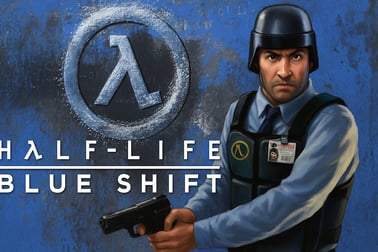
Halflife Blue Shift lets you relive the Black Mesa incident as Barney Calhoun in a classic sci‑fi FPS adventure with updated visuals and story-driven action.


























Halflife Blue Shift
Overview of Halflife Blue Shift
Halflife Blue Shift is a classic sci fi shooter that drops you back into the iconic Black Mesa Research Facility, but this time you're not Gordon Freeman. Instead, you step into the boots of security guard Barney Calhoun, experiencing the alien invasion story from a completely new angle. Originally released as an expansion for the original Half-Life, this retro PC shooter has become a fan favorite for players who love single player action with tight pacing and strong atmosphere.
As a classic FPS game, Halflife Blue Shift keeps things focused: no multiplayer, no sprawling open world, just a compact, story-driven campaign. You'll navigate collapsing corridors, fight hostile aliens and military squads, and escort scientists as you scramble to escape Black Mesa alive. It's the same timeline you remember from Half-Life, but with different routes, different challenges, and a character who was previously just a background ally.
For players revisiting the series or discovering it for the first time, Halflife Blue Shift is a great entry point into retro sci fi shooters. It offers a shorter, more approachable campaign than the original game while still delivering that blend of combat, exploration, and light puzzle solving that made Half-Life famous.
Halflife Blue Shift Control Guide
Because Halflife Blue Shift runs on the classic GoldSrc engine, its controls will feel familiar to anyone who's played older PC shooters. However, if you're jumping in through a browser or modern platform, it helps to understand the basic input layout so you can enjoy smooth single player action right away.
Standard Keyboard & Mouse Layout
- Movement
- W / A / S / D – Move forward, left, backward, right
- Spacebar – Jump
- Ctrl (or C) – Crouch
- Shift – Walk (slower, quieter movement)
- Combat
- Mouse Move – Aim and look around
- Left Mouse Button – Primary fire
- Right Mouse Button – Alternate fire (for weapons that support it)
- R (in most setups) – Reload
- Interaction & Items
- E – Use key (open doors, press buttons, call elevators)
- 1–5 (and higher) – Swap between weapon slots
- Tab – Show stats or menu (varies by setup)
- Menus & Settings
- Esc – Pause, options, and save/load menu
Mouse Sensitivity & Aiming
Because this is a precision-heavy sci fi shooter, mouse sensitivity can make a big difference. Many players prefer slightly lower sensitivity than in modern shooters so they can line up accurate headshots on aliens and soldiers. Take a moment to adjust the sensitivity in the options menu until quick turns and fine aiming both feel comfortable.
Key Rebinding
Most releases of Halflife Blue Shift allow remapping controls. If you're used to a specific setup from more recent FPS games, match those bindings so that the transition to this retro PC shooter feels natural. Rebinding crouch and use keys to comfortable positions can make platforming, ladder climbing, and interaction smoother.
Key Features
Halflife Blue Shift might be a compact expansion, but it packs a lot of features that make it stand out as a classic FPS game with a unique perspective on the Black Mesa disaster.
- Fresh Character Perspective
- Play as Barney Calhoun, a security guard instead of a scientist.
- Experience familiar events from Half-Life from new angles and locations.
- See more of Black Mesa's day-to-day operations before everything goes wrong.
- Tight Single Player Action
- Focused single player action with no filler.
- Blends shooting, light puzzles, and escort missions.
- Paced as a short, story-driven campaign rather than a long marathon.
- Classic Sci Fi Shooter Combat
- Fight iconic Half-Life enemies: headcrabs, Vortigaunts, and HECU marines.
- Use a familiar arsenal of weapons from the original game.
- Combat mixes tight corridors, ambushes, and open firefights.
- High-Definition Visual Upgrade
- Includes the High Definition Pack in many releases.
- Sharpened weapon models, character models, and textures.
- More detailed visuals while preserving the retro PC shooter charm.
- Compact, Replayable Campaign
- Shorter runtime than the main Half-Life, making it easy to finish in a few sessions.
- Great for players who want a quick dose of classic FPS game action.
- Multiple encounters and set pieces that reward replaying on higher difficulties.
Together, these features make Halflife Blue Shift a great pick for gamers looking for a streamlined alien invasion story in a familiar but refreshed setting.
Where to Play Halflife Blue Shift
Halflife Blue Shift is widely available on modern PCs, and some platforms also allow you to enjoy the experience in your browser or via streaming. While availability can change over time, here are the typical ways players experience this sci fi shooter today.
PC Platforms
- Digital PC storefronts
- Available as a standalone title on major PC game platforms.
- Often bundled with the original Half-Life and related expansions.
- Runs on Windows, with many versions also supporting macOS and Linux.
- Retro-focused services
- Some preservation and archival platforms legally host older PC game installers.
- Make sure you always use legitimate, trusted sources and obey license terms.
Browser & Cloud-Based Play
Certain gaming sites and cloud platforms allow you to play Halflife Blue Shift online through your browser. In these cases, the classic FPS game runs on remote hardware or through emulation, streaming the experience to you while your controls are captured locally.
- You typically need only a modern browser and a stable internet connection.
- Saves and settings may be stored in the cloud or in browser storage.
- Input latency can vary depending on your connection quality.
Always check platform-specific instructions for controls, performance options, and save support.
System Requirements
Since it's a retro PC shooter built on late-1990s technology, Halflife Blue Shift is extremely lightweight by modern standards. Even basic modern PCs and laptops are usually more than powerful enough to run it smoothly. When played through a browser platform, the local system demands are mostly limited to running the browser itself and decoding video or emulation output.
Offline Play Availability for Halflife Blue Shift
Halflife Blue Shift is a single player action experience at its core, and it was designed from the beginning to be fully playable offline. How that works for you depends on the platform you're using.
Playing Fully Offline on PC
- Standalone installation
- Once installed and properly activated (if required), the game can be launched without an internet connection.
- All story content, levels, and weapons are available offline.
- Your saves are stored locally, so you can pick up where you left off.
- No online dependencies
- No always-online DRM is built into the original design.
- No online multiplayer, matchmaking, or live-service features required.
Offline Availability in Browser or Cloud
If you're playing Halflife Blue Shift online through a browser or streaming service, that experience is generally online-only. You'll need a steady connection to keep the session active.
- If your connection drops, the session may pause, end, or require reconnection.
- Offline mode is usually not supported for these streaming-style versions.
For guaranteed offline play, a local PC installation is typically the best approach, ensuring you can enjoy this alien invasion story even without internet access.
Step Back Into Black Mesa as Security Guard Barney Calhoun
One of the biggest draws of Halflife Blue Shift is the chance to return to Black Mesa as someone other than Gordon Freeman. Barney Calhoun, previously just a friendly face behind the security desk, becomes the star of his own classic FPS game storyline.
A Familiar Disaster from a New Angle
The game opens on a seemingly normal workday. As Barney, you ride the tram into the depths of Black Mesa, walk past labs, and check in with other staff and guards. This calm setup gives you a grounded look at the facility just minutes before reality tears apart.
When the resonance cascade hits and the alien invasion begins, you're not in a HEV suit or a cutting-edge lab. You're in security corridors, maintenance tunnels, and freight areas—parts of Black Mesa that feel more everyday and lived-in. This perspective makes the chaos feel more personal and gives the entire sci fi shooter a grounded, blue-collar tone.
Working-Class Hero in a Corporate Disaster
As a security guard, Barney isn't the one who caused the experiment to go wrong, but he has to clean up the mess all the same. Throughout the campaign, you escort scientists, open secured doors, and help other survivors find escape routes. Instead of being the lone genius saving the world, you're a professional just trying to get yourself and your coworkers out alive.
This approach gives Halflife Blue Shift a distinctive flavor: it's still a retro PC shooter loaded with combat and tension, but it's also a grounded story about people on the lower rungs of a high-tech facility.
Core Gameplay: Classic Sci-Fi FPS Action with a Fresh Perspective
Moment to moment, Halflife Blue Shift plays like a pure classic FPS game. If you're used to modern sci fi shooters with big skill trees and huge maps, the tight design here feels refreshingly focused.
Combat and Weapons
You'll use a familiar arsenal borrowed from the original Half-Life: pistols, shotguns, SMGs, grenades, and more. Combat loops between close-quarters skirmishes in narrow corridors and more open firefights in larger facility spaces.
- Aliens – Headcrabs leap at you, Vortigaunts fire energy bolts, and larger Xen creatures appear as the story escalates.
- Human enemies – HECU marines and black-ops style forces attempt to contain the incident by eliminating witnesses, including you.
- Resource Management – You'll scavenge ammo, health, and armor from lockers, crates, and storage rooms.
Unlike many modern shooters, Halflife Blue Shift doesn't shower you with supplies. You'll often enter a room low on ammo or health and need to explore carefully to find what you need to survive.
Exploration and Light Puzzles
In between intense firefights, the game slows down for smaller puzzles and navigation segments:
- Find access cards or codes to open secure doors.
- Use machinery like lifts, conveyor belts, and power switches to clear new paths.
- Crouch, jump, and climb through maintenance shafts and vents.
These moments give a nice rhythm to the single player action, preventing it from becoming a nonstop shooting gallery. You're always doing something—fighting, exploring, or figuring out how to progress deeper into Black Mesa.
Escorting Allies
True to its perspective, Halflife Blue Shift features frequent interaction with scientists and other NPCs. You may need to:
- Escort a scientist to a terminal only they can access.
- Protect allies as they open blast doors or operate machinery.
- Coordinate with characters to reach evacuation points.
These sequences help the alien invasion story feel more communal and less solitary, distinguishing it from some other retro PC shooters of its time.
Story Overview: Surviving the Black Mesa Incident from the Inside
The narrative of Halflife Blue Shift runs parallel to the events of the original Half-Life, unfolding during the same catastrophic experiment that opens portals to Xen and unleashes an alien invasion.
From Routine Shift to Catastrophe
Things begin slowly with Barney's normal workday, offering a tour of the facility and a glimpse of how the staff sees their corporate environment. After a short buildup, the resonance cascade hits. Power surges, explosions rock the halls, and alien creatures begin teleporting into the facility.
Your main objective quickly becomes clear: get out of Black Mesa alive. But as in any good sci fi shooter, escaping isn't as simple as heading for the nearest exit.
Working with Dr. Rosenberg
A key figure in Halflife Blue Shift is Dr. Rosenberg, one of the scientists you'll help during the campaign. He becomes your main guide to a potential escape route using experimental teleportation technology.
To make Rosenberg's plan work, Barney has to:
- Reach specific parts of the facility to restore systems and power.
- Escort scientists and ensure they survive crucial sequences.
- Defend key locations while equipment powers up or calibrates.
This story focus creates a sense of teamwork and urgency as you fight your way toward a risky but promising way out.
Parallel Threads with the Original Game
Fans of Half-Life will notice subtle callbacks and overlapping moments. While you rarely cross paths with Gordon directly, you move through areas affected by his journey—collapsed structures, enemy deployments, and security reactions all hint at the bigger picture unfolding in the background.
These layered perspectives make Halflife Blue Shift particularly satisfying for players who love interconnected alien invasion stories. You see how one disastrous experiment ripples through an entire facility, affecting scientists, guards, and everyone in between.
Graphics Upgrade: High-Definition Models and Atmospheric Visuals
Even though Halflife Blue Shift is very much a retro PC shooter, it made a significant visual jump for its time through its optional High Definition Pack.
High-Definition Pack Enhancements
- Updated Models
- More detailed character models with sharper shapes and features.
- Upgraded weapon models with cleaner silhouettes and textures.
- Improved Textures
- Higher-resolution textures for walls, floors, equipment, and props.
- Less blurry surfaces while maintaining the original art style.
These improvements give Halflife Blue Shift a more modern look without rewriting its identity as a classic FPS game. The facility still feels industrial and utilitarian, but sharper details and clearer designs support immersion.
Atmosphere Over Flash
Instead of relying on flashy effects, the game leans on lighting, sound, and level design to build atmosphere:
- Flickering lights and emergency alarms sell the chaos of the facility.
- Echoing corridors and distant explosions keep tension high.
- Alien teleportation effects remain visually striking even today.
This focus on atmosphere is a big reason why players still enjoy the game's alien invasion story decades later—it feels cohesive and grounded, even with low system requirements.
Tips for New Players: How to Make the Most of This Short Campaign
Halflife Blue Shift is relatively short compared to many modern sci fi shooters, but that doesn't mean you should rush through it. With a bit of strategy, you can get much more out of this compact single player action experience.
1. Explore Every Side Room
Ammo, health kits, and armor are often tucked away in security offices, storage rooms, and maintenance closets. Before moving to the next objective:
- Check side doors and small nooks.
- Break open crates and supply boxes.
- Look for wall-mounted health and armor stations.
This habit keeps you better prepared for sudden fights.
2. Conserve Ammo When Possible
Because this is a classic FPS game, headshots and smart weapon choice matter:
- Use the pistol or SMG on weaker enemies when safe.
- Save the shotgun and powerful weapons for tough foes or tight ambushes.
- Use grenades on clustered enemies instead of wasting bullets.
Efficient ammo use prevents you from feeling cornered later.
3. Use Cover and Corners
Combat spaces are often built around corners, doorways, and small pieces of cover. Instead of charging into rooms:
- Peek around corners to spot enemies early.
- Listen for footsteps, radio chatter, or alien sounds.
- Back up to draw enemies into choke points where you have the advantage.
This style of play keeps you alive on higher difficulties and turns each encounter into a fun tactical puzzle.
4. Protect Your Allies
Scientists and other NPCs sometimes need to survive to progress the story. Keeping them alive also makes the alien invasion story feel more intense and meaningful.
- Clear rooms ahead of your allies before inviting them to follow.
- Position yourself between them and incoming enemies.
- Be patient—rushing ahead can leave them exposed.
5. Don't Be Afraid to Lower the Difficulty
If you're primarily here to enjoy the narrative and the atmosphere of this sci fi shooter, there's no shame in lowering the difficulty. You'll still experience the full storyline, puzzles, and environments, but with less pressure from combat.
Once you've finished the campaign, you can always try again on a higher difficulty to really test your classic FPS game skills.
Frequently Asked Questions
What is Halflife Blue Shift about?
Halflife Blue Shift is a story-driven first-person shooter where you play as security guard Barney Calhoun trying to escape the Black Mesa facility during an alien invasion.
Do I need to play the original Half-Life first?
You can enjoy Halflife Blue Shift on its own, but playing the original Half-Life helps you better understand the setting, characters, and timeline of the events.
How long does it take to finish Halflife Blue Shift?
Halflife Blue Shift is a relatively short campaign. Most players can complete it in a few hours, depending on their experience with first-person shooters.
Is Halflife Blue Shift suitable for kids?
The game includes sci-fi violence, weapons, and some intense scenes. It is generally recommended for teens and older players who are comfortable with shooter games.
Does Halflife Blue Shift have multiplayer mode?
No, Halflife Blue Shift is focused on a single-player story experience and does not include a multiplayer mode.