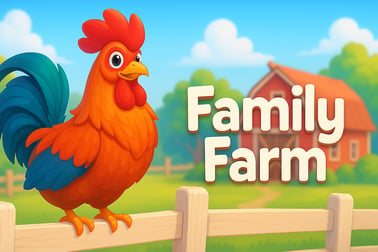
Family Farm lets you plant crops, raise animals, and craft products in a cozy online farm world. Play free in your browser and build a unique homestead.

























Family Farm
Introduction to Family Farm
Family Farm is a colorful online farming simulator where you plant crops, raise virtual farm animals, and build the countryside homestead you’ve always wanted. Played directly in your browser, this free farm building game blends casual gameplay with light strategy, making it perfect for quick sessions or relaxed long play.
Whether you’re a fan of cozy simulators or you just want a laid-back browser farm game to enjoy between tasks, Family Farm gives you plenty to do. You can decorate every corner of your land, unlock new machines, experiment with recipes, and even visit neighbors in a lively multiplayer farming game environment.
Because it runs online, there’s no big download required. Just log in, load your farm, and get back to watering crops, collecting milk, baking pies, or preparing orders. The game eases you in gently, so even total beginners can start harvesting in minutes.
Basic Rules & Mechanics
Family Farm follows simple but satisfying farm sim rules. Once you’ve got the basics down, you’ll understand how nearly everything on your farm connects.
Farming the land
- Planting crops: Select an empty field plot, choose a seed, and confirm. Each crop has its own growth time.
- Harvesting: When crops are ready, click or tap to harvest. The yield goes into your farm storage automatically.
- Replanting: After harvest, plots become free again and you can immediately plant something new.
This core loop powers the entire online farming simulator experience: plant, wait, harvest, repeat—then turn those crops into more valuable goods.
Raising virtual farm animals
- Animal pens: Chickens, cows, and other virtual farm animals live in specialized buildings.
- Feeding: Animals need feed, which you craft from crops or buy in the shop.
- Producing goods: Well-fed animals produce items like eggs or milk over time.
Keeping your animals happy is a big part of the strategy. Their products are often essential ingredients for advanced recipes and orders.
Production buildings and crafting
- Machines & workshops: Use bakeries, dairies, grills, and more to transform raw items into high-value products.
- Production queues: Each building can queue multiple items so they finish while you’re away.
- Order boards & quests: Use your products to complete customer orders, events, and quests for coins and experience.
The more you upgrade these buildings, the faster and more efficient your farm becomes.
Economy and progression
- Coins: Main currency earned from selling goods and completing orders.
- Premium currency: Used to speed up timers, buy rare decorations, or unlock special features.
- Experience (XP): Gained from nearly every action; levels unlock new crops, animals, decorations, and machines.
Balancing what you plant, what you craft, and what you sell is the heart of this free farm building game’s progression system.
Family Farm Features
Family Farm stands out among browser farm games because it packs a lot of depth into an accessible package. Here are some of the key features you can expect.
Deep farming and crafting system
- Large crop variety: From fast-growing grains to long-timer fruits and specialty plants.
- Many animal types: Chickens, cows, and more unique animals with special products.
- Hundreds of recipes: Combine ingredients in your machines to create advanced dishes and products.
This gives you a lot of freedom to choose what kind of farm you run—fast-turnover crops, high-end goods, or a balanced mix.
Extensive customization and decorations
- Buildings and paths: Arrange barns, mills, homes, and roads into a unique layout.
- Seasonal decor: Rotate decorations with holidays or events.
- Themed sets: Match fences, trees, and ornaments for a coordinated look.
You’re not just making a productive farm—you’re designing a cozy rural village that reflects your style.
Social and multiplayer farming gameplay
- Friends & neighbors: Connect with other players, visit their farms, and leave helpful actions.
- Trading: Fill orders for others or request items you’re missing.
- Events & contests: Join limited-time competitions and community events to earn exclusive rewards.
This social layer turns Family Farm into a lively multiplayer farming game, where cooperation (and a little friendly competition) keep things fresh.
Where to Play Family Farm
You can enjoy Family Farm as a browser farm game without a complicated setup. Typically, you’ll access it through a supported browser on desktop or laptop:
- Open a modern browser: Chrome, Edge, Firefox, or Safari generally work best.
- Go to the official Family Farm portal or partner platform: Log in with your account or create a new one.
- Start playing instantly: The game loads online, with progress saved to your profile.
Some versions are also available on social networks or as mobile apps under names like Family Farm or Family Farm Seaside. These still follow the same core idea: manage crops, care for animals, and decorate your property. Always make sure you’re using official links and stores when you search the title, especially if you plan to connect your account or make optional purchases.
Is Family Farm Safe to Play Online?
Family Farm is designed as a family-friendly, casual simulation game, and it’s broadly safe for kids and adults when used responsibly.
Family-friendly content
- Non-violent gameplay: The focus is on farming, building, decorating, and social interaction.
- Positive themes: Cooperation, planning, and creativity are encouraged.
- Colorful visuals: Cute animals and bright fields make it appealing to younger players.
Online and social features
Because it’s an online farming simulator, it can include social features like friend lists, neighbor visits, and shared contests. For younger players, parents may want to:
- Review privacy settings and friend options.
- Supervise chat or social interactions if enabled on your version.
- Set rules around adding new friends or joining groups.
In-app purchases and spending
Many versions of Family Farm are free to play with optional purchases:
- Premium currency: Speeds up timers or unlocks exclusive decorations.
- Bundles: Packs of resources, boosters, or themed items.
If kids are playing, it’s smart to:
- Disable one-click purchases when possible.
- Use password protection or parental controls.
- Talk about spending limits in any free farm building game they try.
Used with basic online safety habits, Family Farm is a wholesome way to unwind and enjoy a peaceful virtual countryside.
Build, Customize, and Grow Your Dream Family Farm Online
One of the biggest joys of Family Farm is turning a tiny starter plot into a sprawling, efficient, and beautiful homestead.
Planning your layout
- Start simple: Keep fields together, close to storage and production buildings for quick harvesting and crafting.
- Cluster machines: Place barns, mills, and kitchens near each other so you can queue items quickly.
- Leave room for expansion: Don’t crowd your borders; you’ll unlock more land as you level up.
Decorating for style and efficiency
Decorations aren’t just eye candy—they help you shape the identity of your online farming simulator:
- Themed zones: Create an orchard corner, a riverside picnic area, or a cozy animal meadow.
- Paths and fences: Use them to organize traffic and visually separate areas.
- Highlight key buildings: Place special decorations near your house or central plaza to create a focal point.
Over time, your farm stops looking like a starter tutorial and starts feeling like a fully realized rural village.
Growing through upgrades
- Storage increases: Upgrade barns and silos so you can hold more crops and products.
- Extra machines: Add more production buildings to handle complex recipes and event items.
- Faster production: Some upgrades reduce craft times, making your farm much more efficient.
Because progress is steady and visible, every login gives you a sense of growth—new crops, more animals, and better tools to manage it all.
Crops, Animals, and Products: What You Can Do on the Farm
Family Farm gives you a surprising amount of freedom in how you run your farm. Do you want to be a dairy expert, a master baker, or a flower farmer? The choice is yours.
Growing crops
- Short-term crops: Quick-growing plants that are great when you’re actively online and checking in frequently.
- Medium-timer crops: Balanced growth for casual play sessions throughout the day.
- Long-timer crops: High-yield plants you set before bed or work, then harvest later.
Mixing these crop types keeps your fields productive no matter how often you log in.
Raising animals
- Poultry: Chickens and other birds that provide eggs and similar ingredients.
- Cattle: Cows and related animals that give milk and dairy bases.
- Special animals: Event or premium animals with rare products or bonuses.
Make sure you produce enough animal feed to keep everyone happy; an underfed barn slows your entire production chain.
Crafting advanced products
This is where Family Farm starts to feel like a true strategy-focused browser farm game:
- Simple products: Flour, butter, sugar, and other basics.
- Complex dishes: Pies, cakes, stews, and more that require multiple ingredients.
- Event items: Limited-time recipes that use seasonal crops or special event ingredients.
Complex products pay more coins and XP, especially when used to complete timed orders and quests.
Tips for Expanding Your Farm and Unlocking New Decorations
Progress in Family Farm isn’t just about higher levels; it’s about using smart strategies to unlock new land, buildings, and decor efficiently.
Prioritize space and storage
- Expand land early: Bare land quickly fills up with fields, machines, and houses. Grab affordable expansions first.
- Keep storage upgrades steady: Don’t let your barn fill to 100%. Regularly upgrade so you can stock up for big orders.
- Sell surplus: If a crop piles up, sell a portion to free space instead of letting it clog your inventory.
Use quests and orders to guide you
- Follow story quests: They often reward you with coins, XP, and sometimes decorations or buildings.
- Fill high-value orders: Focus on orders that pay well in coins or rare items.
- Prepare in advance: Keep a buffer of common ingredients so you can respond to orders quickly.
Unlocking and collecting decorations
- Event participation: Seasonal events in this multiplayer farming game often grant unique decor.
- Shop rotations: Check the in-game shop regularly for limited-time decorative sets.
- Contest rewards: Farm contests and ranking events can provide badges, statues, or themed items that show off your success.
Over time, your collection of decorations becomes a visual history of your progress and event participation.
Play With Friends: Visiting, Trading, and Farm Contests
While you can enjoy Family Farm solo, the social features give the game extra life and replay value.
Visiting neighbor farms
- See new layouts: Get inspiration from high-level farms and creative designs.
- Help actions: Water crops, clean decorations, or give small boosts depending on the version you’re playing.
- Earn small rewards: Visiting usually grants XP or coins, making it worth your time.
Trading and cooperation
In many versions of this online farming simulator, cooperation is the key to progressing smoothly:
- Fill others’ orders: Sell items neighbors need and earn bonuses.
- Request items: Ask friends for that last missing ingredient instead of waiting to produce it yourself.
- Group goals: Team events sometimes require everyone to contribute crops or goods.
Farm contests and events
- Beauty contests: Show off your best decorations and layout.
- Production races: Craft as many specific items as you can within a time limit.
- Seasonal tournaments: Collect event tokens and climb the leaderboard for exclusive prizes.
These activities make Family Farm feel like a true multiplayer farming game, where your creativity and efficiency can shine in front of a community.
Beginner’s Guide: How to Start Your First Harvest in the Browser
If you’re new to Family Farm or to any browser farm game, getting started is easy. Here’s a quick step-by-step guide to your first successful harvest.
1. Launch the game and complete the tutorial
- Open the game in your browser: Visit the official Family Farm site or portal.
- Create or log into an account: This keeps your progress saved online.
- Follow prompts: The game will show you how to plant, harvest, feed animals, and use your first machine.
2. Plant basic crops
- Use all available fields: Don’t leave plots empty; every tile should be growing something.
- Start with short-timer crops: They help you learn the cycle quickly and give fast XP.
- Reinvest coins: Buy more seeds from your early harvest profits.
3. Get your first animals and machine working
- Build a basic animal pen: Usually chickens or cows are available early.
- Craft feed: Use some of your crop harvests to create feed instead of selling everything.
- Start simple recipes: Use your first machine to turn raw ingredients into more valuable goods.
4. Focus on quests and goals
- Check your quest log: It will tell you what the game expects you to do next.
- Don’t rush expansions: Expand land steadily, but make sure you can afford seeds and upgrades too.
- Balance crops and products: Keep a mix of raw crops and crafted goods so you can answer different types of orders.
5. Log in regularly
Family Farm rewards frequent short visits:
- Plant quick crops when you’re online, longer ones when you’ll be away.
- Queue up machines so products finish between sessions.
- Check neighbors and events daily for easy bonuses.
In just a few sessions, you’ll go from a tiny starter plot to a thriving, personalized Family Farm that feels alive every time you log in.
Frequently Asked Questions
What is Family Farm?
Family Farm is a casual farming simulation game where you plant crops, raise animals, craft goods, and decorate your own countryside homestead while playing online.
Is Family Farm free to play?
Yes. Family Farm is free to play, with optional in-game purchases for boosts, decorations, and other extras that can speed up your farm’s progress.
Can I play Family Farm in my browser without downloading?
Yes. You can play Family Farm directly in a supported web browser. Just open the game page, log in, and your farm progress will be saved online.
Do I need an account to save my progress in Family Farm?
You should sign in with a supported account to save your farm. This lets you keep your progress across devices and continue where you left off anytime.
Can I play Family Farm with friends?
Yes. You can add friends, visit their farms, help with tasks, and join events or contests to earn rewards while playing together.