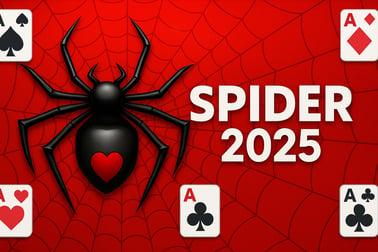
Spider 2025 is a free online Spider Solitaire game with 1 to 4 suits, simple controls, and relaxing brain‑teasing gameplay. Play instantly in your browser.

























Spider 2025
Overview of Spider 2025
Spider 2025 is a modern, browser-based take on classic spider solitaire. You play with a standard deck layout, arranging cards in descending order to clear full sequences from King down to Ace. Whether you’re looking for a free solitaire card game to relax with or a tougher puzzle that really makes you think, Spider 2025 delivers straight from your browser with no download required.
This version of online spider solitaire lets you switch between single-suit, two-suit, and four-suit setups, so you can choose exactly how challenging you want each round to be. It’s designed for quick sessions, but it’s also deep enough for players who enjoy fine-tuning their spider solitaire strategy and pushing for higher win rates and faster clear times.
Because it runs smoothly on both PC and mobile, Spider 2025 fits into any break in your day. It’s one of those brain training card games that feels like a mini workout for your memory, pattern recognition, and planning skills—but still stays light, calm, and fun.
How to Play Spider 2025
Spider 2025 follows the classic spider solitaire rules, so if you’ve played before, you’ll feel at home. If you’re new, don’t worry—this free solitaire card game is easy to learn in just a few moves.
Basic Rules & Mechanics
- Tableau layout: Cards are dealt into several columns (tableau piles). Some are face up, others start face down. You’ll rearrange these cards to build ordered runs.
- Goal: Create full sequences of cards from King down to Ace in the same suit. Once you complete a sequence, it’s automatically removed from the tableau.
- Moving cards: You can drag a single card or a correctly ordered run (for example, 9–8–7–6 of the same suit) onto another column, as long as the sequence remains in descending order.
- Dealing new cards: When you’re stuck or want more options, click the stock pile to deal a fresh row of cards to every tableau column. Use this carefully—new cards can both help and block your current runs.
Basic Strategy Flow
- Look for immediate sequences. First, scan the board for any simple descending moves that help combine cards into longer runs.
- Uncover hidden cards. Prioritize moves that flip face-down cards; every new card gives you more information and more possible plays.
- Free up empty columns. Empty columns are powerful. Use them to temporarily park cards so you can reorder tricky piles.
- Remove full suits. Each time you finish a suit from K to A, it disappears, opening up space and pushing you closer to victory.
Spider 2025 is designed so you can learn by doing. After a few rounds, you’ll naturally start experimenting with deeper spider solitaire strategy and seeing how small decisions early on affect your ability to finish later.
Spider 2025 Features
Although Spider 2025 is easy to load and play in your browser, it still packs the core features you’d expect from a polished online spider solitaire experience.
- Multiple suit options: Choose between single-suit, two-suit, or four-suit layouts (depending on the build you’re playing). This lets beginners and veterans enjoy the same game at totally different difficulty levels.
- Clean, readable cards: Large, crisp card faces make it comfortable to play on laptops, desktops, tablets, and phones.
- Smooth drag-and-drop controls: Click or tap and drag cards where you want them. Many setups also support double-tap to auto-move when a move is obvious.
- Undo support: Most versions of Spider 2025 include an undo button—ideal for testing ideas, correcting slips, or learning safer spider solitaire strategy patterns without penalty.
- Relaxed pacing: No timers are required, so you can treat it like a relaxing puzzle. If you like pressure, you can always self-impose time goals.
- Browser-based convenience: No installation, no signup required to start. Just load, play, and enjoy this free solitaire card game.
Altogether, these features make Spider 2025 a great choice if you want a simple but satisfying solitaire experience that still rewards skill and planning.
Performance & Troubleshooting
Spider 2025 is built to run smoothly in modern browsers, so most players won’t have any issues. If your online spider solitaire session isn’t behaving as expected, a few quick checks usually solve it.
Common Performance Tips
- Use an up-to-date browser: Chrome, Edge, Firefox, and Safari (latest versions) typically deliver the best performance.
- Close heavy tabs and apps: Video streams, downloads, or lots of open tabs can slow down animations in this and other brain training card games.
- Check your internet connection: While the game doesn’t stream much data, a very unstable connection can cause brief pauses during loads or saves.
If the Game Freezes or Won’t Load
- Refresh the page: Often the fastest fix for a stuck load screen or frozen animation.
- Clear browser cache: If you’ve played many similar free solitaire card game titles, stored data can occasionally cause hiccups. Clearing cache and reloading can help.
- Try a different browser or device: If something is off on one setup, switching browsers or devices can rule out local issues quickly.
Because Spider 2025 is relatively light compared to big 3D games, even older laptops and budget phones can usually run it well. If you can run other card or puzzle titles in your browser, you should have no trouble here.
Is Spider 2025 Safe to Play Online?
Spider 2025 is designed as a family-friendly, free solitaire card game. The theme is neutral, and the gameplay is purely about cards, logic, and planning—no violence, no jump scares, and no inappropriate content.
- No downloads required: You play directly in your browser, which reduces the risk of accidentally installing unwanted software.
- Single-player focus: There’s no player-to-player chat or public lobbies, so it’s a safe option for all ages who want quiet brain training card games.
- Ad safety depends on platform: If you’re playing on a hosting site, ad content is controlled by that platform. Stick to reputable gaming portals and enable any available kid-friendly or restricted modes when younger players are involved.
As with any online activity, standard digital safety habits apply: keep your browser updated, avoid sharing personal information, and use parental controls when needed. Within those normal precautions, Spider 2025 itself is a safe, low-stress way to enjoy online spider solitaire.
How to Play Spider Solitaire Online in Your Browser
Starting a game of Spider 2025 in your browser only takes a moment, making it ideal when you want a quick puzzle with zero setup time.
Step-by-Step: Getting Started
- Open your browser: On PC, Mac, tablet, or phone—any modern browser will do.
- Go to your game portal: Navigate to the site hosting Spider 2025. On many portals it’s found under the Puzzle, Card, or Strategy categories.
- Launch the game: Click the game thumbnail or “Play” button. The game loads in a new frame or tab.
- Choose difficulty: Select single suit (easy), two suits (medium), or four suits (hard) if that option is available.
- Play using drag-and-drop: Click/tap and drag cards to rearrange the tableau and build descending runs.
This streamlined flow is what makes Spider 2025 stand out among online spider solitaire options: you’re into the action in seconds, without account creation, downloads, or long tutorials.
Spider 1-Suit vs 4-Suit: Which Difficulty Should You Choose?
Difficulty in Spider 2025 is all about how many suits are in the deck. More suits = more complexity, and your spider solitaire strategy has to get sharper.
Single Suit Solitaire (Easiest)
Single suit solitaire is perfect if you’re new to Spider 2025 or returning after a break.
- All cards are the same suit: You can stack any descending cards together without worrying about mixing suits.
- Great for learning patterns: Focus on reading the tableau, freeing columns, and clearing sequences.
- Higher win rate: Most players win far more often, which is encouraging when you’re just starting out with online spider solitaire.
Two Suits (Intermediate)
Two-suit play ups the challenge without becoming overwhelming.
- More planning required: Mixed suits can sit on top of each other, but only pure-suit runs can be moved as a full block.
- Better brain training: You’ll constantly balance short-term moves against long-term sequence building.
Four Suits (Hardest)
Four-suit games are where Spider 2025 turns into a serious brain training card game.
- Every move matters: With all four suits in play, it’s much easier to trap yourself by mixing suits carelessly.
- Lower win rate, higher satisfaction: Victories feel earned and rely on advanced spider solitaire strategy like multi-step planning and precision use of empty columns.
If you’re unsure where to start, begin with single suit solitaire, then gradually move up once you’re winning consistently and want more of a challenge.
Tips and Tricks to Win More Spider Solitaire Games
Improving your win rate in Spider 2025 comes down to a handful of reliable techniques that apply across all suit counts.
1. Prioritize Uncovering Hidden Cards
Moves that flip face-down cards are usually stronger than moves that simply tidy up the board. Hidden cards expand your options and help you see the full puzzle earlier.
2. Create and Protect Empty Columns
- Empty columns are your main tool for deep reordering of messy piles.
- Try to clear at least one column early and avoid filling it back up with random cards unless it sets up a major improvement.
3. Keep Suits Together Whenever Possible
Even though you can stack different suits in descending order, it’s risky. The more mixed a column is, the harder it becomes to move large runs later.
- Favor moves that keep or restore pure-suit sequences.
- If you must mix suits, do it temporarily and with a plan to separate them soon.
4. Be Cautious When Dealing New Cards
Dealing a new row from the stock pile can bury carefully built runs or block critical moves.
- Before dealing, make every good move you can to expose hidden cards and tidy columns.
- Try to avoid dealing when several columns are empty—cards will still land there and may clog your best tools.
5. Use Undo as a Learning Tool
If your version of Spider 2025 includes undo, use it to test “what if” scenarios and sharpen your spider solitaire strategy. See how a different decision early in the game changes your chances of winning.
Why Spider Solitaire Is Great for Relaxing and Training Your Brain
Spider 2025 hits a sweet spot between calm and challenge that many players look for in brain training card games.
Relaxing Gameplay
- No rush: You can play at your own pace. Step away from the screen mid-game and come back when you’re ready.
- Simple visuals and actions: The focus is always on the cards and patterns, not on flashy effects or loud interruptions.
- Predictable rules: Once you understand the basic mechanics, each move feels controlled and purposeful, which is soothing.
Gentle Brain Workout
At the same time, Spider 2025 quietly works your mind:
- Memory: Remember which columns hide which ranks and suits, and recall where you saw key cards earlier.
- Planning: Look several moves ahead to decide how best to free a column or complete a sequence.
- Pattern recognition: Spot recurring layouts and learn which configurations are promising or dangerous.
If you enjoy games that feel relaxing but still leave you feeling mentally “switched on,” this online spider solitaire experience is a solid choice.
Playing Spider Solitaire on PC and Mobile: Controls and Features
Spider 2025 is optimized for both desktops and touch devices, so you can enjoy the same free solitaire card game wherever you prefer to play.
PC Controls
- Mouse click and drag: Click a card or valid stack, hold, and drag it onto another column.
- Double-click (on some builds): Quickly send a card or sequence to an obvious valid position when available.
- Buttons and UI: Use on-screen buttons for undo, hint (if provided), new deal, or changing difficulty.
Mobile & Tablet Controls
- Tap and drag: Touch a card or stack and slide your finger to the destination column.
- Tap to select, then tap target: Some versions let you tap once to select a card and tap again where you want it to go.
- Responsive layout: The interface adjusts to smaller screens with larger card faces and buttons so your solitaire sessions are comfortable even on a phone.
Because the core controls are intuitive across platforms, you can jump between PC and mobile without relearning anything. That flexibility is a big plus if Spider 2025 is your go-to online spider solitaire for breaks at home, work, or on the go.
Frequently Asked Questions
What is Spider 2025?
Spider 2025 is a free online Spider Solitaire card game where you build sequences from King to Ace using 1, 2, or 4 suits, right in your browser.
Is Spider 2025 free to play?
Yes, Spider 2025 is completely free to play in your browser. You do not need to pay or download anything to start a game.
How do I change the difficulty in Spider 2025?
Before starting a game, choose how many suits you want to play with. One suit is easiest, two suits are moderate, and four suits provide the hardest challenge.
Can I play Spider 2025 on mobile devices?
Yes. Spider 2025 is designed to work on both PC and mobile devices, so you can play in a supported mobile browser without installing an app.
Does Spider 2025 save my game progress?
Spider 2025 can save your progress when you use the save option or log in on supported platforms, letting you continue your game across sessions.