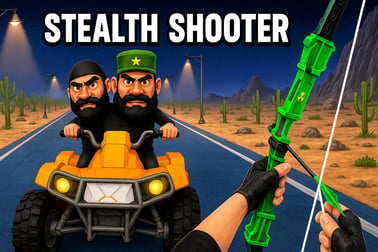
Stealth Shooter drops you into tense missions where every shadow matters. Sneak past guards or go loud with tactical gunplay in your browser.



















Stealth Shooter
Overview of Stealth Shooter
Stealth Shooter is a tense, top down shooter that puts cyberpunk stealth front and center. Instead of rushing in guns blazing, you’re dropped into neon-lit, noir-style environments where every shadow matters and every sound can give you away. As a lone operative infiltrating hostile compounds, you’ll sneak past guards, disable cameras, and perform silent takedowns while planning your escape routes in advance.
This stealth action game blends tactical gunplay with tight, readable level layouts so you can quickly assess patrol routes, hiding spots, and lines of sight from a bird’s-eye view. You’re encouraged to experiment with different approaches: ghost through levels without raising a single alarm, or switch into loud assault if your cover’s blown and you need to fight your way out. The mix of cyberpunk stealth and high-risk firefights creates a fast-paced but methodical experience that rewards patience, awareness, and smart use of gadgets.
Built for instant play right in your browser, Stealth Shooter skips downloads and launchers. Load it, learn the controls in a minute or two, and you’re infiltrating your first mission. It’s designed to be accessible for casual players while still offering enough depth for stealth fans who want to master perfect routes and zero-detection runs.
Stealth Shooter Control Guide
Because Stealth Shooter runs in the browser, its controls are streamlined and responsive. The exact layout can vary slightly depending on the platform hosting the game, but the most common scheme uses a combination of keyboard movement and mouse aiming:
- Movement: Use W, A, S, D or the arrow keys to move your operative in eight directions.
- Aim: Move the mouse to rotate your character and aim your weapon or melee direction.
- Primary fire: Left mouse button to fire your equipped gun or throw a gadget if it’s selected.
- Secondary action / melee: Right mouse button or a dedicated key (often F or E) for silent takedowns or context actions such as interacting with doors or terminals.
- Gadget / item use: Number keys (1–4) to quick-select weapons and gadgets; tap to cycle between pistol, rifle, knife, and utility tools.
- Sprint / slow walk: Hold Shift to sprint or, on some versions, to switch between normal movement and slower, quieter steps.
- Reload: Press R to reload firearms between engagements.
- Pause / menu: Esc to pause, adjust options, or restart the mission.
On some browser platforms, you may be asked to click inside the game window to lock the mouse cursor for more precise aiming. If you prefer playing with a gamepad, many versions of this noir stealth shooter support controllers through the browser: analog sticks for movement and aim, triggers for firing, and face buttons for interact and melee. Use the in-game settings screen to view or customize your control layout if that option is offered.
Stealth Shooter Features
Stealth Shooter focuses on delivering a compact but replayable cyberpunk stealth experience in the browser. While details can vary by build, you can expect the following core features:
- Top down shooter perspective: Get a clear tactical view of rooms, corridors, and enemy patrols while maintaining tight control over your character’s positioning.
- Cyberpunk stealth atmosphere: Dark, neon-soaked environments, heavy shadows, and a noir-inspired color palette give every infiltration a moody, high-tech vibe.
- Diverse missions and layouts: Levels typically include guard posts, security cameras, destructible cover, and multiple paths, inviting different tactics on each run.
- Tactical gunplay and stealth blend: Suppressed weapons, precise headshots, and controlled bursts make combat lethal but risky. Being spotted can mean facing overwhelming firepower, so positioning and timing matter.
- Silent takedown system: Sneak up behind enemies or hit them from the side to perform quiet melee or short-range finishing moves that won’t alert the whole base.
- Weapon and gadget variety: Silenced pistols, compact SMGs, EMP grenades, noise-makers, and other tools support both ghost and assault playstyles.
- Alarm and detection system: Enemies react to sound, corpses, and missing comrades. Triggering an alarm can boost their awareness and aggression, transforming a surgical infiltration into a desperate firefight.
- Browser-based convenience: Instant load, no installation, and progress often stored in your browser data or platform account.
- Short, replayable runs: Missions can usually be completed quickly once you know the layout, making it easy to chase better times, cleaner stealth ratings, or self-imposed challenges.
Together, these features create a focused stealth action game that sits comfortably between pure stealth sims and arcade shooters, keeping the action tight while still rewarding methodical planning.
Performance & Troubleshooting
Because Stealth Shooter runs directly in your browser, performance depends on both your hardware and your browser configuration. If you experience lag, stuttering, or slow input response while playing this cyberpunk stealth title, try the following steps:
Optimize your browser
- Close extra tabs and apps: Free up RAM and CPU by shutting down video streams, other games, and heavy websites.
- Update your browser: Use the latest version of Chrome, Edge, Firefox, or another modern browser to ensure WebGL and input handling work smoothly.
- Disable unnecessary extensions: Ad blockers, script blockers, or performance add-ons can occasionally interfere with top down shooter games; temporarily disable them if you see glitches.
Adjust in-game settings
- Lower graphics quality: If the game includes options for texture detail, shadow quality, or effects, choose low or medium to improve frame rate.
- Reduce resolution: Playing at a slightly lower resolution can dramatically boost performance on older machines while keeping the noir stealth shooter look intact.
- Toggle fullscreen: Some systems run smoother in fullscreen mode; others do better in a window. Try both and pick the most stable.
Fix control or input issues
- Click inside the game frame: Many browser shooters need focus to capture mouse input properly.
- Allow pointer lock: If prompted, grant permission so the mouse doesn’t drift outside the game area while aiming.
- Reconnect or remap your controller: If using a gamepad, unplug and reconnect it, then reload the game. Open the control guide or settings to verify button mappings.
If issues persist, check your internet connection and try another supported browser. While Stealth Shooter mainly runs client-side, slow connections can still affect load times and, on some platforms, save syncing.
Is Stealth Shooter Safe to Play?
Stealth Shooter is designed as a family-friendly accessible action title, but it’s still a combat-focused stealth action game. You’ll be using firearms and melee attacks against enemy guards in a stylized cyberpunk setting. There’s no realistic gore, explicit language, or adult content, making it more suitable for teens and older players who enjoy tactical gunplay in a top down shooter format.
To play safely online:
- Use trusted portals: Launch the game from reputable browser gaming platforms that you already know or that are widely recognized.
- Avoid external downloads: You should not need to install additional software or random browser plug-ins to enjoy this noir stealth shooter. If something asks you to download an unknown file, cancel it.
- Protect your data: Most versions don’t require account creation, but if you do sign in via a platform, choose strong passwords and avoid sharing personal details in public profiles.
- Supervise younger players: Parents may wish to sit with younger gamers, explain the fantasy nature of the stealth action, and ensure they access only appropriate sites.
As long as you stick to legitimate platforms and keep your browser and antivirus software up to date, Stealth Shooter is safe to play online and offers a clean, focused cyberpunk stealth experience without intrusive content.
Master Silent Takedowns in This Stealth Shooter
Silent takedowns are the heart of Stealth Shooter. Pulling them off consistently is what separates a clumsy infiltrator from a true ghost agent. Because the game is a hybrid of stealth action and tactical gunplay, you’re not forced into melee-only runs, but mastering quiet elimination opens up the most satisfying routes.
Positioning and approach
- Stay behind or off-angle: Approach enemies from behind or from a sharp side angle, outside their vision cone. In a top down shooter, cones are usually intuitive: think of a triangle projecting out from their head.
- Use cover edges: Move along walls, crates, and doorframes to minimize exposure before you lunge in for the takedown.
- Don’t sprint at the last second: Sprinting can create noise. Slow down just before you enter the takedown range to stay fully silent.
Timing the strike
- Read patrol patterns: Watch a full loop of an enemy’s route before committing. Strike just as they turn away or pause.
- Chain opportunities: Many levels let you take out one guard, then quickly reposition to grab another while they’re still out of view. Practice smooth movement from one target to the next.
- Use distractions: Toss a gadget or trigger a minor noise to pull a guard into an isolated spot where you can safely perform a silent takedown.
Managing bodies and noise
- Pull bodies into shadows: After dropping a target, drag or move them (when possible) away from bright light and main patrol paths to reduce detection chances.
- Separate guards: If two enemies regularly stand together, use distractions to split them up instead of trying to double-tap them with noisy weapons.
- Watch for camera overlap: Even silent takedowns can trigger alarms if a camera sees a body fall. Observe camera sweeps before acting.
The more you practice, the more you’ll start seeing levels as stealth puzzles rather than shooting galleries. Each silent takedown is a solved piece of that puzzle, slowly dismantling the enemy network while you remain invisible.
Tips for Staying Hidden and Avoiding Enemy Patrols
Stealth Shooter rewards players who think like infiltrators rather than brawlers. Whether you’re a veteran of cyberpunk stealth games or new to the genre, these tactics will keep you out of sight and in control.
Learn how enemies see and hear
- Vision cones: Enemies usually see in a cone in front of them. The further you are, the harder it is for them to spot you, especially in dark areas.
- Noise radius: Running, firing unsuppressed weapons, or breaking objects creates a radius of noise. Stay aware of how close patrols are before doing anything loud.
- Light vs shadow: Stand in darker corners, behind pillars, and along walls. In many noir stealth shooter levels, lighting is a subtle hint about safer routes.
Plan your route
- Observe before you move: Spend a few seconds at the start of each area watching patrols. Note where guards cross paths and where blind spots appear.
- Mark safe zones: Mentally note alcoves, corners, or rooms that are rarely visited; these become your fallback spots if something goes wrong.
- Move in bursts: Don’t constantly creep. Move quickly between safe cover, then pause to reassess.
Reacting to near-detections
- Break line of sight fast: If a guard starts to notice you, duck behind a wall or large object immediately instead of trying to outrun their gaze.
- Use noise to redirect: Toss a distraction away from you so enemies investigate the opposite direction.
- Know when to reset: If an area feels “hot” with multiple alerted guards, backtrack to a safer zone until patrols calm down.
By staying patient, reading enemy behavior, and respecting their detection ranges, you’ll slip through tightly guarded cyberpunk compounds with barely a whisper.
Best Weapons and Gadgets for Quiet Infiltration
While Stealth Shooter supports full-on firefights, the most satisfying runs lean into stealth hardware. Choosing the right tools for each mission lets you keep enemies guessing while you stay off the radar.
Core stealth weapons
- Silenced pistol: Your bread-and-butter weapon. Great for precise headshots at short to mid range with minimal noise. Perfect when a silent takedown isn’t possible but you still want low-profile kills.
- Combat knife or melee tool: Essential for the quietest eliminations. Use it for close-range ambushes, especially when ammo is tight.
- Compact SMG (suppressed): Some versions of the game offer a suppressed SMG for slightly louder but still manageable automatic fire. Reserve it for emergencies when multiple guards cluster together.
Gadgets for control and distraction
- Noise-makers: Toss these to lure single guards away from groups. They’re fantastic for creating isolated takedown opportunities.
- EMP grenades: Temporarily disable cameras, turrets, or electronic doors, letting you slip through high-security zones.
- Flash or stun devices: If stealth fails, a quick stun can give you time to either escape or neutralize a small group before alarms spread.
Choosing a stealth loadout
- Go light: Bring only what supports your current plan. Too many loud weapons tempt you into noisy solutions.
- Prioritize utility: One strong silenced gun, a melee option, and at least one distraction gadget will carry most infiltrations.
- Adapt per mission: Tight hallways favor melee and pistols; open courtyards might benefit more from EMPs and longer-range suppressed fire.
The aim is to stay flexible without becoming dependent on brute force. The right mix of tools turns even the trickiest layout into a solvable stealth puzzle.
Stealth vs Assault: Choose Your Playstyle
One of Stealth Shooter’s strengths is its dual identity as both a stealth action game and a tactical gunplay experience. You can lean heavily into either side depending on your mood, or blend the two as situations change.
Pure stealth runs
In pure stealth mode, your goals are:
- Stay unseen from mission start to finish.
- Avoid setting off alarms or triggering full combat.
- Use silent takedowns or complete objectives without eliminating everyone.
This approach is slower but deeply satisfying and ideal for players who love noir stealth shooters and cyberpunk infiltration fantasies.
Assault-focused play
If you prefer action-heavy gameplay, you can push Stealth Shooter toward aggressive combat:
- Use louder weapons and explosives to clear rooms quickly.
- Take positions behind cover and control choke points with accurate shooting.
- Accept that alarms will go off, but use your tactical skills to outgun responding forces.
This style plays more like a traditional top down shooter, putting reflexes front and center.
Hybrid tactics
Most players end up somewhere in between:
- Start stealthy: Clear as many enemies quietly as possible.
- Switch to assault: When a mistake happens, transition smoothly into gunfights instead of restarting immediately.
- Re-establish stealth: After surviving a firefight, hide, break line of sight, and let the area calm down before resuming infiltration.
The game’s systems support all three approaches, so experiment and see whether you’re a ghost, a gunslinger, or a calculated mix of both.
Browser Controls and Settings for Smooth Stealth Action
Since Stealth Shooter is a browser-based title, getting the most out of it means fine-tuning both in-game options and your browser environment to keep stealth and aiming silky smooth.
Essential settings to check
- Fullscreen toggle: Enable fullscreen in the options or via a key prompt to minimize distractions and reduce accidental clicks outside the game.
- Mouse sensitivity: Adjust sensitivity so you can line up precise headshots and quick turns without over-aiming. Stealth play benefits from slightly lower sensitivity for finer control.
- Sound levels: Raise effects volume enough to hear enemy footsteps and alarms clearly, but keep music balanced so it doesn’t drown out audio cues.
Browser and system tweaks
- Use a hardware-accelerated browser: Make sure hardware acceleration is enabled in your browser settings to help WebGL performance.
- Stable connection: While gameplay often runs locally, a stable connection helps with initial loading and saves on cloud-based platforms.
- Laptop users: Plug in your device and switch to a high-performance power profile to avoid CPU or GPU throttling mid-mission.
With the right combination of settings and a clean browser environment, Stealth Shooter feels responsive and fluid, letting you focus entirely on mastering those silent infiltrations instead of fighting input lag.
Frequently Asked Questions
What is Stealth Shooter?
Stealth Shooter is a browser-based action game where you sneak through guarded areas, avoid detection, and eliminate targets using tactical gunplay.
Can I play Stealth Shooter for free?
Yes, Stealth Shooter is free to play in your browser with no download required. Just load the game and start your mission.
Is Stealth Shooter suitable for kids?
Stealth Shooter features cartoon-style gunplay and non-graphic combat. Parents should review the game first and decide if it’s appropriate for their children.
Do I need to create an account to play Stealth Shooter?
No account is required to start playing. Some platforms may offer optional logins to save progress or high scores.
What controls does Stealth Shooter use?
Stealth Shooter typically uses WASD or arrow keys to move and the mouse or on-screen buttons to aim and shoot. Check the in-game controls menu for exact keys.