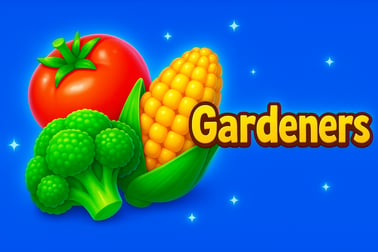
Gardeners is a fast vegetable-matching puzzle game. Swap tiles, hit goals before moves run out, and climb the global garden leaderboard.























Gardeners
Overview of Gardeners
Gardeners is a fast, colorful online vegetable matching game where you swap juicy crops to build the ultimate garden layout. Played right in your browser, this free title blends classic match-3 rules with clever tile placement and pattern recognition challenges. Instead of gems or candy, you're arranging carrots, tomatoes, peppers, and other veggies into satisfying chains and special shapes.
The goal is simple at first glance: match three or more identical vegetables in a row or column to clear them from the board and score points. But as stages progress, Gardeners layers in tougher layouts, move limits, and special objectives that demand careful planning. Your pattern recognition skills are constantly tested as you hunt for long chains, L-shaped patterns, and cascading combos.
Gardeners also leans into competitive play with a real time cooperative board game feel during events and weekly tournaments. Everyone starts with the same puzzle, and your ranking depends on how efficiently you can spot and execute tile swaps. Whether you play casually for a few minutes or grind the leaderboard, this pattern recognition browser game offers a surprisingly deep garden of strategic options.
How to Play Gardeners
Gardeners keeps its controls approachable while allowing plenty of room for clever play. Here's how a typical game session unfolds from the moment the board appears:
Basic Board Layout
Each level presents a grid filled with colorful vegetable tiles. Common crops include carrots, tomatoes, peppers, and other garden favorites. You'll also encounter special tiles like blockers, crates, or power-up veggies in later stages. At the top or side of the screen, you'll see:
- Level objective – what you must accomplish to win (score, collect, clear obstacles).
- Move counter or timer – your limit of moves or time for the level.
- Current score – how many points you've racked up so far.
Core Match-3 Mechanics
Gardeners uses familiar match-3 rules that are easy to pick up in seconds:
- Swap adjacent tiles vertically or horizontally.
- Each swap must create at least one line of 3+ matching vegetables.
- Matched tiles disappear, new veggies fall from above, and chain reactions can trigger additional matches.
- Big matches (4-in-a-row, 5-in-a-row, T- or L-shapes) may create special power-up tiles that clear rows, columns, or entire areas.
Every move counts, especially when you have a strict move limit. Good players think several swaps ahead, setting up the board so that one match triggers another.
Step-by-Step: Your First Level
- Scan the board for obvious 3-in-a-row opportunities, especially near the bottom where cascades are more impactful.
- Perform a tile swap by selecting or dragging one vegetable onto a neighboring tile.
- Watch matches resolve and pay attention to how tiles fall—this helps you develop better pattern recognition.
- Repeat, always checking your remaining moves and trying to combine multiple goals in a single swap.
- Complete the objective before you run out of moves or time to unlock the next garden layout.
Within a few levels, Gardeners starts feeling like a hybrid of a casual free garden match 3 game and a tactical tile placement puzzle online experience, pushing you to optimize each move.
Gardeners Game Modes
While the basic match-3 rules stay constant, Gardeners switches things up with multiple ways to play. These Gardeners game modes and objectives keep the browser experience fresh and replayable.
Classic Puzzle Levels
This is the main single-player mode, where you progress through stage after stage of increasingly challenging garden boards. Typical objectives include:
- Score targets – Reach a certain point total within a fixed number of moves.
- Collect vegetables – Match and remove a specific number of each vegetable type.
- Clear obstacles – Break crates, soil clumps, or other blockers by making matches adjacent to them.
- Bring items down – Guide special tiles to the bottom of the board by clearing the path beneath them.
Real-Time Tournament Mode
For players who crave competition, Gardeners includes a tournament format that feels like a real time cooperative board game merged with a leaderboard race. In this mode:
- All participants face the same starting board and objectives.
- A global timer or move cap applies to everyone.
- Your final score determines your global ranking for that round.
- Some events reward streaks of wins or high combo counts.
While there isn't direct chatting or trading of pieces, the shared puzzle and simultaneous play create a low-key cooperative feeling—everyone tackles the same gardening problem and compares solutions.
Daily & Weekly Challenges
Daily puzzles and weekly cycles add variety to this pattern recognition browser game:
- Daily challenge boards with unusual layouts or strict move limits.
- Weekly seasons where your cumulative scores place you in leagues or brackets.
- Rotating special rules, such as extra points for certain vegetables or bonus multipliers for long chains.
These modes are ideal if you like short bursts of concentrated puzzle play without committing to a full campaign.
Performance & Troubleshooting
Gardeners is designed to run smoothly in a modern web browser, but a few tweaks can help if you encounter lag, visual glitches, or input delays. Here's how to keep this tile placement puzzle online running cleanly.
Recommended Browser Setup
- Use an up-to-date browser like Chrome, Firefox, Edge, or Safari.
- Enable JavaScript and allow the game's domain to run scripts.
- Close heavy background tabs or apps, especially streaming video or other games.
Fixing Lag or Stutters
If tile swaps feel sluggish or animations skip frames:
- Lower system load – close unnecessary programs, especially on older laptops and tablets.
- Disable unnecessary browser extensions that may interfere with scripts or ads.
- Check your internet connection for stability; Wi‑Fi drops can cause pauses while the game syncs scores or leaderboards.
Handling Loading Issues
If Gardeners won't load or gets stuck on a splash screen:
- Refresh the page and wait a few seconds.
- Clear browser cache for the game site only, then reload.
- Temporarily disable ad blockers that may be blocking critical scripts.
- Try another supported browser to rule out local config quirks.
Input or Control Problems
Sometimes drag-and-drop gestures or clicks may not register on touchscreens or high-DPI displays:
- Switch between tap-to-select and drag-to-swap if the game offers both.
- Zoom the browser to 100% so tiles line up accurately with your cursor or finger.
- On touch devices, ensure you're not swiping from the very edge of the screen, which may trigger system gestures instead.
Most common issues are solved by a quick refresh or trying a different browser, thanks to the game's lightweight, browser-first design.
Can I Play Gardeners Offline?
Gardeners is primarily built as a browser-based online vegetable matching game, which means you'll get the best experience with an active internet connection. Here's what to expect regarding offline play.
Online-First Experience
- Levels, leaderboards, and tournaments are all served from the game's servers.
- Your progress, high scores, and rankings are stored online.
- Events like weekly tournaments and daily challenges require a live connection to sync scores and verify attempts.
Limited Offline Functionality
Because this is a pattern recognition browser game, loading it requires at least initial access to the site. Once a particular screen is cached, you might be able to complete a partially loaded level during a short connection drop, but features like:
- Updating your global garden leaderboard position,
- Syncing your latest rewards or unlocks,
- And starting fresh tournament rounds
will wait until you reconnect. For full functionality, plan to play Gardeners while you're online.
How to Play: Arrange the Perfect Vegetable Garden
The heart of Gardeners lies in arranging the most efficient, high-scoring vegetable layouts possible. Turning the board into a thriving garden is all about smart tile placement and pattern recognition.
Think in Shapes, Not Just Lines
Beginners focus on simple 3-in-a-row matches, but this tile placement puzzle online really opens up when you start seeing shapes:
- 4-in-a-row – often creates a line-clearing power-up.
- 5-in-a-row – can trigger a powerful special vegetable that wipes out a color.
- T- and L-shaped matches – perfect for clearing tight corners or boxed-in tiles.
Train yourself to scan for these patterns first. They not only give more points but also rearrange large portions of the board, revealing new options.
Use the Entire Garden Grid
Don't just cycle the same small area; strong players treat the board as a whole:
- Start with matches near the bottom to generate bigger cascades.
- Use top-row moves carefully to set up future combos instead of quick clears.
- Target blocked or corner areas early, before they become a liability with limited moves left.
Combine Power-Ups
One of the highest-impact skills in Gardeners is chaining power-ups together:
- Swap two special vegetables next to each other for board-wide effects.
- Trigger line clearers in perpendicular rows and columns to blast huge crosses out of the garden.
- Save a powerful tile for when it can affect mission-critical areas like blockers or required vegetables.
The more you play, the more you'll learn how to plant these specials in advance and detonate them at just the right moment.
Tips to Master Pattern Matching and Tile Swapping
Gardeners rewards a sharp eye and calm decision-making. These practical tips will help you squeeze more value out of every move in this free garden match 3 game.
Slow Down for the First Few Moves
Even in timed or competitive modes, resist the urge to swap immediately. Spend a few seconds:
- Scanning for 5-in-a-row opportunities and T- or L-shapes.
- Identifying key obstacles that must be cleared to meet the level objective.
- Noticing where future cascades are likely to occur.
Those first 2–3 smart moves can create a momentum that carries you through the rest of the board.
Prioritize Objectives Over Raw Score
When moves are limited, always play to the stated objective:
- If you must collect carrots, match them even if another move gives more points now.
- If you need to clear soil blocks, focus on matches that touch those tiles first.
- Only chase extra points when you're comfortably ahead of your goal.
Develop a Pattern Recognition Habit
To get better at this online vegetable matching game, train your eyes to recognize recurring patterns:
- Practice spotting potential matches that are one move away, not just obvious swaps.
- Look for two or three overlapping matches that can result from a single swap.
- Mentally simulate how tiles will fall before committing to a move.
This habit pays off massively in tournament play, where speed and foresight separate top players from the rest of the garden.
Game Modes, Objectives, and Tournament Challenges
The variety of objectives and tournaments is what turns Gardeners from a quick distraction into a game you'll return to regularly.
Objective-Based Levels
Beyond basic scoring, you'll encounter:
- Harvest missions – gather specific counts of multiple vegetable types.
- Obstacle removal – clear all weeds, stones, or crates blocking your garden.
- Rescue-style boards – escort special tiles to safe zones.
Each objective forces you to adjust your techniques and focus on different sections of the board.
Timed Garden Sprints
Some challenges shift from move limits to real-time pressure:
- You have a fixed number of seconds to score as high as possible.
- Fast pattern recognition becomes more important than deep planning.
- Short human reaction times reward players who can make accurate decisions at a glance.
Tournament and Leaderboard Play
Weekly tournaments take Gardeners from solo puzzler to competitive arena:
- Everyone receives the same board and constraints, leveling the playing field.
- Scores are tallied on a global ladder or league-based rankings.
- You can replay challenges to improve your position before the cycle ends.
This structure transforms a cozy garden into a true test of skill, making every swap count if you're aiming for the top spots.
Strategies to Climb the Global Garden Leaderboard
If your goal is to dominate leaderboard events in this online vegetable matching game, you'll need more than luck. Use these strategies to stand out in Gardeners tournaments.
Replay and Learn the Board
Since competitive boards are often shared among all players:
- Replay the same puzzle multiple times to memorize high-value zones.
- Experiment with different opening sequences to find the one that leads to the best cascades.
- Note which areas consistently produce power-up chains and build your route around them.
Balance Speed and Accuracy
In real-time or move-limited events:
- Move quickly, but avoid random swaps that waste moves.
- Use a mental rule like “never swap without at least one clear benefit.”
- Practice until recognizing strong patterns becomes almost automatic.
Play During the Full Tournament Window
Leaderboard success in this pattern recognition browser game often favors dedicated players:
- Check in early to set a baseline score.
- Return near the end of the cycle to see if your rank needs defending.
- Use your best attempts when you're focused and not rushing.
Over time, you'll develop a personal playbook of openings, power-up combos, and risk levels that work best for your style.
Play Garden-Themed Matching Games Online for Free
One of Gardeners' biggest strengths is accessibility. It's a free garden match 3 game that runs directly in your browser—no downloads, no lengthy installs, and no complex setup.
Instant Play in Your Browser
To start playing Gardeners:
- Open a supported browser on your computer, phone, or tablet.
- Navigate to a trusted gaming portal that hosts Gardeners.
- Tap or click the Play button and let the game load.
Within seconds, you're swapping vegetables and exploring early boards, making it perfect for quick breaks or winding down at the end of the day.
Safe, Family-Friendly Puzzle Fun
Gardeners sticks to a wholesome garden theme with bright produce, simple objectives, and no graphic content. It's suitable for puzzle fans of most ages, and its intuitive controls make it easy for newcomers to match tiles confidently.
Why Gardeners Stands Out
Among the many browser puzzlers, Gardeners stands out by combining:
- Relaxing garden visuals with surprisingly deep strategy.
- Classic match-3 mechanics and tile placement puzzle twists.
- Casual single-player levels and intense tournament challenges.
If you love spotting clever combos, optimizing every move, and watching a chaotic board transform into a perfectly arranged vegetable patch, Gardeners deserves a spot in your regular rotation of free online games.
Frequently Asked Questions
What is Gardeners?
Gardeners is a garden-themed puzzle game where you match rows of vegetables and complete specific objectives before your moves run out.
Can I play Gardeners for free?
Yes. Gardeners can be played for free in your browser with no downloads or sign-ups required.
Is Gardeners suitable for kids?
Yes. Gardeners is family-friendly, with simple controls and colorful vegetable tiles that are easy for children to understand.
Do I need to install anything to play Gardeners?
No installation is needed. Gardeners runs directly in modern web browsers, so you just click play and start matching tiles.
Does Gardeners have leaderboards or tournaments?
Yes. Gardeners features competitive leaderboards and recurring tournaments where you can compare your scores with other players.