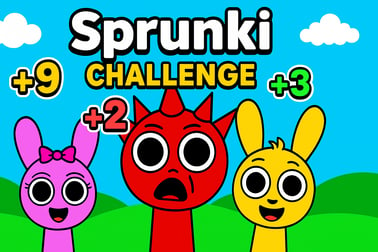
Sprunki Challenge is a free online music mixer game. Drag, drop, and mix sounds solo or in 2 player mode, unlock horror beats, and create unique tracks.












Sprunki Challenge
Overview of Sprunki Challenge
Sprunki Challenge is a free online music mixer game that lets you build catchy beats, experiment with sound layers, and battle friends in fast-paced rhythm duels. Inspired by Incredibox-style gameplay, this browser-based title combines drag-and-drop controls with animated characters, reactive visuals, and a surprise horror mode for extra suspense. It’s easy enough for kids to enjoy, but deep enough for anyone who loves interactive sound mixing and rhythm challenges.
Because Sprunki Challenge runs directly in your browser, there’s no need to download anything. You just open the page, hit play, and start mixing. You can create your own tracks in solo mode, or jump into 2 player music game battles where speed, timing, and creativity decide who becomes the ultimate Sprunki DJ. Each character has unique sounds and animations, and when you combine them, you unlock full arrangements that feel like real songs.
The game fits perfectly into categories like Music, Kids, and Casual gaming. Sessions are short and replayable, letting you quickly build beats, try horror variants, or challenge a friend to a rhythm duel. Whether you’re a parent looking for a beat making game for kids or a casual player who just wants to experiment with loops, Sprunki Challenge offers a safe, colorful, and surprisingly expressive way to play with sound.
Sprunki Challenge Control Guide
Controls in Sprunki Challenge are intentionally simple so you can focus on music instead of mechanics. Everything is driven by drag-and-drop and simple clicks, making it ideal for kids, casual players, and anyone new to rhythm challenge browser games.
Mouse and Touch Controls
- Drag & Drop Icons: Click (or tap) a music icon at the bottom of the screen and drag it onto a character slot to assign that sound.
- Remove Sounds: Drag an icon away, or tap the small X icon (if available) under a character to mute or clear their part.
- Play/Pause Characters: Use the headphones or volume icons under each character to solo, mute, or toggle individual sounds.
- Activate Horror Mode: Drag the black button / black hat icon or tap the horror trigger in the corner to switch a character into its horror variant.
Keyboard Input (If Supported by Your Platform)
Most versions of Sprunki Challenge are designed as a pure mouse or touch experience, but some platforms may support:
- Spacebar: Toggle global play/pause (in some builds).
- Number keys: Quickly select certain icons or character slots.
Since controls can vary slightly between hosting sites, it’s a good idea to hover over interface elements or look for on-screen tooltips. Regardless of platform, the core idea stays the same: drag sounds to characters, layer them, and shape the mix in real time.
Sprunki Challenge Game Modes
Sprunki Challenge includes multiple ways to play, catering to both solo creators and competitive players. Each mode is built around interactive sound mixing, but the objectives and pace can feel very different.
Core Modes & Variants
- Solo Mixing Mode: The classic online music mixer game experience. You have seven Sprunki characters and a bank of around 20 music icons. Your goal is simply to experiment, layer sounds, unlock full arrangements, and discover your favorite combinations.
- 2 Player Rhythm Duels: A competitive twist that turns Sprunki into a 2 player music game. Two players share the same screen, racing to reach a target score (often 2000 points). You’ll swap low-score characters, optimize your sound choices, and try to fill your bar first.
- Horror Mode: A themed variant that gives certain characters darker visuals and more intense sound effects. It doesn’t change the core rules, but it makes your tracks feel more dramatic and spooky.
Objectives & Win Conditions
- In Solo Mode: There’s no strict win condition. The “goal” is to build a track you’re happy with. You can challenge yourself to create specific genres (chill, spooky, upbeat) or try to activate all special combinations.
- In 2 Player Mode: The first player to reach the target score by building an effective mix wins the duel. That score reflects how many active characters, combos, and rhythmic layers you maintain.
This structure makes Sprunki Challenge flexible: it’s a relaxed sandbox for creative kids, and a competitive rhythm challenge browser game when you’re in the mood to duel a friend.
Performance & Troubleshooting
Because Sprunki Challenge runs in a browser, performance depends heavily on your device, browser choice, and internet connection. Here are practical ways to keep the game smooth and responsive.
Optimizing Performance
- Use a Modern Browser: Chrome, Edge, Firefox, or Safari (latest versions) usually deliver the best audio timing and visual performance.
- Close Extra Tabs: Multiple streaming videos, downloads, or heavy web apps can cause audio stutters in music games. Close or pause them before playing.
- Disable Unnecessary Extensions: Ad blockers and script-heavy extensions sometimes interfere with HTML5 games. If you notice issues, try a private/incognito window.
- Check Your Internet: While the game itself doesn’t need huge bandwidth, a weak or unstable connection can affect loading times and cause small hiccups.
Common Issues & Quick Fixes
- No Sound or Very Low Volume:
- Ensure your device volume and browser tab volume are both turned up.
- Check the game’s own volume icons; you may have muted characters.
- Try reloading the page or switching browsers if the issue persists.
- Game Freezes or Lags:
- Refresh the page to reload assets cleanly.
- Close other apps (especially RAM-heavy ones) on low-end devices.
- Lower your browser’s hardware acceleration settings if you suspect GPU issues, then restart the browser.
- Controls Not Responding:
- Click inside the game frame once to ensure it has focus.
- On touch devices, clean your screen and avoid multi-touch gestures if they’re not supported.
- Clear browser cache if you’ve played an older build that might conflict.
If your device is older or has very limited RAM, stick to solo mode and fewer active tabs—this reduces stutter in your interactive sound mixing sessions.
Is Sprunki Challenge Safe to Play Online?
Sprunki Challenge is generally considered a family-friendly, browser-based music game. It focuses on creative beat-building, character animations, and simple competitive scoring. That makes it a strong pick for parents seeking a beat making game for kids that’s fun without being overly intense or graphic.
Content & Age Suitability
- Core Content: Cartoon-style characters, musical loops, rhythm icons, and light visual effects. No realistic violence or explicit themes.
- Horror Mode: Some characters adopt a spooky or eerie aesthetic, with darker sounds and visuals. These are still stylized and not realistic, but very sensitive young children might find them a bit intense.
- Language: Interface text and in-game prompts are simple and clean, suitable for kids and teens.
Online Safety Tips
- Supervision for Younger Kids: Because the game is played in a web browser, an adult should help younger children access trusted sites and avoid clicking unrelated ads or external links.
- No Personal Data Required: Most platforms don’t require registration to play Sprunki Challenge, which reduces privacy concerns.
- Check the Host: Always open the game from reputable gaming portals or your favorite safe kids’ site.
With basic supervision and good browsing habits, Sprunki Challenge is a safe and engaging choice for kids who love interactive music games.
How to Play Sprunki Challenge Online: Controls and Basics
Getting started with Sprunki Challenge takes only a few seconds. The interface is built around characters, icons, and a simple scoreboard in versus mode.
Step-by-Step Beginner Guide
- Launch the Game: Open Sprunki Challenge in your browser and wait for the loading bar to complete.
- Choose Mode: Depending on the platform, you may pick between Solo and 2 Player. Solo is ideal for learning the basics.
- Meet the Characters: You’ll see a row of Sprunki characters on screen. These are your performers. Each can hold one sound at a time.
- Assign Sounds: At the bottom, you’ll find multiple icons (beats, melodies, effects, vocals). Drag one icon onto a character. After a short delay, that character starts performing its loop.
- Layer the Mix: Add more icons to other characters to build a full track. Rhythm, bass, melody, and effects all stack in real time.
- Fine-Tune Your Track: Use the mute/headphone/volume icons beneath each character to adjust which parts are heard. Experiment until your mix feels balanced.
- Try Horror Variants: Drag the black button (or similar horror trigger) onto a character to switch them into a creepier version with alternate sounds.
There’s no wrong way to play. If you treat Sprunki Challenge like a sandbox, you’ll quickly understand how different icons and characters interact—and that’s where the magic of this online music mixer game really appears.
Game Modes Explained: Solo Mixing vs 2 Player Rhythm Duels
Sprunki Challenge stands out because it works both as a chill creative tool and as a competitive rhythm challenge browser game. The two main modes serve very different moods.
Solo Mixing Mode
Solo mode is all about creativity and discovery:
- No Time Limit: Take your time building, tearing down, and rebuilding tracks.
- Explore All Icons: Test every sound, listen to how loops lock together, and find hidden combinations.
- Learn the Sound Palette: Because there’s no opponent, you can focus on how bass, drums, vocals, and effects stack and evolve.
This mode is perfect for kids who just want to play with sound, and for players exploring the game’s full musical range before they start dueling friends.
2 Player Rhythm Duels
In 2 player mode, Sprunki Challenge turns into a 2 player music game where each move affects your score:
- Local Multiplayer: Two players share the same screen, taking turns or controlling different sides depending on the platform.
- Race to the Target Score: A typical goal is 2000 points. The first to fill their bar wins.
- Swap Low-Score Characters: To climb faster, you’ll replace weak combinations with stronger ones, constantly optimizing your lineup.
This mode is more intense than solo play. You’re not just making cool beats; you’re managing time, reacting quickly, and trying to out-think your opponent. It’s an ideal pick for siblings or friends who want a light-hearted musical showdown.
Tips and Tricks to Master Beat Mixing in Sprunki Challenge
Even though Sprunki Challenge is easy to pick up, mastering its beat making systems takes a bit of strategy. These tips will help you sound better and score higher.
Build a Strong Musical Foundation
- Start with Rhythm: Lay down drums or percussive loops first. A stable beat makes everything else feel more cohesive.
- Add Bass Next: Bass lines lock into the rhythm and give your track weight. Avoid stacking too many heavy sounds at once, or your mix can feel cluttered.
- Layer Melodies and Vocals: Melodic icons and vocal sounds should sit on top of your rhythm and bass. Add them gradually so you don’t overwhelm the groove.
Use Mute and Solo Creatively
- Dynamic Drops: Temporarily mute drums or bass for a bar or two to create “drops” that make your track more exciting.
- Spotlight Characters: Solo a single vocal or lead sound for a moment to give your mix a memorable hook.
Scoring Strategies for 2 Player Duels
- Replace Weak Loops Quickly: If a character doesn’t seem to contribute much to your score, swap its icon for a stronger one.
- Stay Calm Under Pressure: It’s tempting to spam icons, but sloppy layering can slow you down. Precise, confident moves win matches.
- Memorize Powerful Combos: Over time, you’ll notice which sets of loops push your bar up the fastest. Reuse these in future matches.
The more you play, the faster you’ll be able to read icons, anticipate sounds, and shape professional-sounding mixes in just a few seconds.
Sprunki Characters, Sounds, and Horror Mode Overview
Characters are the heart of Sprunki Challenge. Each one is a performer waiting for instructions, and every assigned icon transforms them into a unique musical role.
Characters and Sound Roles
- Seven Core Sprunki Characters: Most versions give you a cast of seven performers, each capable of playing different loops.
- Twenty Music Icons: These symbols cover drums, bass, chords, melodies, vocal lines, and FX, giving you a full mini-studio inside your browser.
- Instant Feedback: Characters visually react to their assigned sound—dancing, moving, or changing posture as they perform.
Exploring Horror Mode
- How to Activate: Drag the black button or black hat icon over a character to trigger its horror variant.
- Visual Changes: Characters may gain darker outfits, glowing eyes, or creepier animations—still stylized, but with a spooky twist.
- Sound Changes: Normal loops morph into more unsettling textures, eerie vocals, or tense percussion, creating a horror-themed version of your track.
Horror mode is especially fun around Halloween or when you want your interactive sound mixing to feel more dramatic. Because the mode is still cartoonish, it keeps Sprunki Challenge within a kid-friendly tone while adding a bit of suspense.
Best Browser Setups for a Smooth Sprunki Challenge Experience
Since Sprunki Challenge is a browser game, your setup matters more than raw hardware power. A clean, optimized browser will make your music loops tighter and your visuals more responsive.
Recommended Browsers and Settings
- Use Up-to-Date Browsers: Chrome, Edge, Firefox, and Safari all handle HTML5 audio well when updated to the latest version.
- Enable Hardware Acceleration: This can help animations render more smoothly, especially on laptops and desktops.
- Allow Audio Autoplay: Some browsers block autoplaying sound by default. If you see prompts, allow audio for the site hosting Sprunki Challenge.
Network and Device Considerations
- Stable Connection: While the game doesn’t need a lot of bandwidth, a stable connection avoids mid-game reloads.
- Headphones for Accuracy: Use wired or low-latency wireless headphones to hear timing more clearly, especially in rhythm duels.
- Moderate Screen Resolution: On slower machines, avoid extremely high-resolution displays or full-screen on 4K monitors to reduce load.
With the right browser choices and a bit of setup, Sprunki Challenge becomes a smooth, responsive online music mixer game where you can enjoy every beat, combo, and horror-mode twist without lag getting in the way.
Frequently Asked Questions
What is Sprunki Challenge?
Sprunki Challenge is a browser-based music game where you drag and drop sound icons onto characters to create your own beats. You can play solo or in a 2 player rhythm duel, experiment with different combinations, and even switch into a spooky horror style mode.
How do I play Sprunki Challenge?
Use your mouse or touch controls to drag sound icons onto the characters. Each icon triggers a different beat, melody, or effect. Mix multiple characters to build a full track, mute or unmute them as you like, and in 2 player mode race to reach the target score first.
Is Sprunki Challenge free to play?
Yes, Sprunki Challenge is completely free to play in your browser. There is no download required and you can start mixing music instantly as long as you have an internet connection and a supported device.
Can kids play Sprunki Challenge safely?
Yes, Sprunki Challenge is designed to be family-friendly and suitable for kids. It focuses on rhythm, creativity, and simple drag-and-drop controls. Some versions include a light horror mode with spooky characters, so parents can supervise younger children if needed.
Do I need to install anything to play Sprunki Challenge?
No installation is needed. Sprunki Challenge runs directly in modern web browsers such as Chrome, Edge, and Firefox. Just open the game page, wait for it to load, and start dragging icons to build your own music mixes.