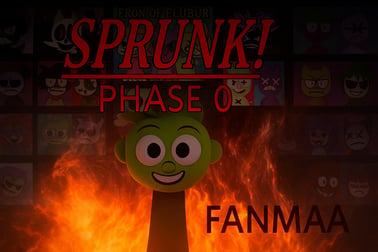
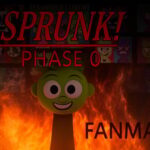
Sprunki Phase lets you build custom tracks with quirky Sprunki characters in your browser. Layer beats, effects, and vocals to create your own remix.












Sprunki Phase
Introduction to Sprunki Phase
Sprunki Phase is a fan-made, browser-based sprunki music game that lets you build your own songs by combining characters, loops, and sound layers. If you’ve ever played an Incredibox-style remix toy, you’ll feel right at home here. Each character in Sprunki Phase adds a new musical element—drums, bass, vocals, effects—until your screen turns into a living, animated mixer.
This casual browser rhythm game focuses on creativity instead of strict timing. There’s no “game over” screen or punishing fail state. Instead, you drag and drop characters to experiment, find grooves you like, and create full tracks you can listen to on loop. It’s a perfect pick if you want a light, playful music creation mod experience that still feels surprisingly deep.
Because it runs right in your browser, there’s no download or installation required. Just load the page, press play, and start stacking sounds. Whether you’re trying Sprunki Phase for the first time or you’re already deep into the many different Sprunki mods and phases, this version gives you a smooth, accessible way to make beats online.
How to Play Sprunki Phase
Sprunki Phase is designed so anyone can play within seconds, even if you’ve never touched a DAW or music editor before. The interface is clean and streamlined, following that familiar sprunki Incredibox style layout: characters at the bottom, a central stage, and simple drag-and-drop interactions.
Here’s how a typical session works from start to finish:
- Load the game in your browser. Wait a moment for the assets and sounds to finish loading. Once you see the characters and icons, you’re ready to go.
- Check the character bar at the bottom. Each icon represents a different sound: beats, melodies, vocals, FX, or bonus elements. Hovering or selecting often shows you a small visual hint of what type of sound it might be.
- Drag a character onto the stage. Click and hold an icon, then drag it to one of the character slots in the center of the screen. As soon as you drop it, that sound starts looping in time.
- Layer more sounds. Add drum loops, bass, and effects by placing additional characters. Sprunki Phase automatically syncs the rhythms so everything stays on beat.
- Mute, swap, or remove characters. Don’t like a sound? Drag it back off the stage, or replace it by dropping another icon on the same slot. This is how you experiment to shape your ideal mix.
- Trigger “Phase” or bonus moments. Many online remix maker mods hide special scenes or mix changes when you use certain character combos. Listen for changes and watch for visual shifts when your setup feels “complete.”
There’s no fixed end goal—your “win condition” is simply creating a track that sounds good to you. Because everything is continuous, it’s easy to leave your favorite mix running like a custom, interactive soundtrack in the background.
Sprunki Phase Features
For a simple browser experience, Sprunki Phase packs in quite a few features that make it stand out among casual music toys and other music creation mods.
Layered, Loop-Based Sound Design
Sprunki Phase follows a modular, loop-based design. Each character is a looping audio clip that’s already tempo-synced with the rest of the mix. When you combine multiple loops, the game automatically locks them to a shared beat. This gives your track a polished feel without forcing you to manage BPM or timing yourself.
Visual Feedback in Sprunki Incredibox Style
The game uses expressive characters with distinct looks and animations that match their sound role. Drummers bounce to the beat, vocalists move like they’re singing, and FX characters might show glitchy or surreal movements. This classic sprunki incredibox style animation makes it easier to remember which sound is which and gives you an immediate visual cue when you’re building or editing your mix.
Instant, No-Download Browser Access
Sprunki Phase runs directly in modern browsers, usually via HTML5. There’s no launcher, no installer, and no account requirement. This makes it perfect for quick sessions on shared or school devices, as long as the site itself isn’t blocked. Everything about the design supports fast, frictionless play.
Casual Yet Deep Remix Possibilities
While it’s categorized as a Music, Rhythm, and Casual game, the number of possible combinations can get surprisingly complex. Swap just one vocal character or FX layer and the whole mood of the track can change. That’s what keeps Sprunki Phase interesting for both newcomers and players familiar with many other Sprunki phases.
Kid-Friendly, No-Fail Structure
Sprunki Phase doesn’t rely on timers, scores, or precision-press rhythm input. Instead, it focuses on safe, creative experimentation. This design makes it appropriate for younger players or anyone who wants a relaxing music toy experience instead of a high-pressure challenge.
Basic Rules & Mechanics
Even though Sprunki Phase feels like freeform creativity, there are a few simple rules that structure how the sprunki music game behaves under the hood.
Character Slots and Sound Limits
- Limited active characters: You can only have a certain number of characters on stage at the same time. This prevents the music from becoming muddy and forces you to make thoughtful choices.
- Role categories: Characters loosely fall into categories like beats, bass, melody, vocals, and FX. For smoother mixes, it’s usually best not to overload a single category.
- Automatic syncing: All loops are pre-aligned to the same tempo grid. The game handles timing so you don’t have to.
Phase and Bonus Mechanics
Different Sprunki phases and mods often include special events that trigger when you find specific combinations of characters:
- Phase transitions: Certain sound setups may cause the background, character art, or soundscape to shift into a new “phase.”
- Bonus scenes: Hitting the right mixture of roles can unlock mini-scenes, extra animations, or new sound layers.
While Sprunki Phase doesn’t always display these combos outright, half the fun is experimenting until you discover them.
Browser Rhythm Game Structure
Unlike traditional rhythm games, Sprunki Phase doesn’t ask you to hit notes in time. Instead, rhythm is embedded in the loops themselves. Your “mechanical” skill is more about curation—deciding what to include, exclude, or highlight at any moment in your evolving remix.
Performance & Troubleshooting
Because Sprunki Phase is a browser-based online remix maker, smooth performance depends heavily on your device and connection. If you run into glitches, audio popping, or laggy animations, try these common fixes:
Browser Recommendations
- Use a modern browser: Chrome, Edge, Firefox, or a recent version of Safari tends to work best.
- Close extra tabs: Lots of open tabs can eat memory, leading to audio stutters.
- Disable heavy extensions: Ad blockers or script managers can sometimes conflict with game scripts—try disabling them temporarily for the game page.
Audio Lag or Desync
- Pause and resume: Sometimes a quick pause/play toggle lets the audio engine resync.
- Lower system load: Close background apps (especially music or video players) that might compete for audio resources.
- Refresh the page: A simple reload can clear minor hiccups with cached assets.
Mobile Performance Tips
- Use Wi‑Fi when possible: Mobile data can cause slower initial loading and hiccups.
- Turn on Do Not Disturb: Incoming calls and notifications may briefly interrupt audio.
- Keep brightness reasonable: High brightness and long sessions can overheat some phones, which may throttle performance.
If the game still doesn’t run well after basic troubleshooting, try another device or browser. Since it’s purely browser-based, swapping platforms is easy.
Is Sprunki Phase Safe to Play Online?
Sprunki Phase is generally designed as a family-friendly sprunki music game focused on creativity, rhythm, and sound design. There’s no explicit violence, gore, or realistic adult content. Instead, you’ll find stylized characters, cartoonish animations, and loop-based music.
Content & Age Appropriateness
- Visual style: Characters may sometimes look slightly spooky or surreal depending on the mod, but they’re typically abstract and stylized.
- Audio: The focus is on beats, basslines, melodies, and vocal snippets—no strong language in most safe-hosted versions.
- No chat or messaging: Standard Sprunki Phase builds don’t include open chats, so there’s no risk of user-generated text content while playing.
Parents or guardians who are cautious about online content may still want to preview the specific site where Sprunki Phase is hosted, but the core game loop itself is comparable in tone to other lighthearted browser rhythm games.
Online Safety Best Practices
- Play on reputable sites: Stick to trusted browser gaming platforms that don’t require suspicious downloads.
- Avoid third-party installers: You should never need an EXE or unofficial installer just to play a web-based Sprunki Phase mod.
- Use content filters where needed: For younger players, enabling safe-browsing or parental controls at the device or browser level adds an extra safety net.
What Is Sprunki Phase? Core Gameplay and Goal
Sprunki Phase takes the essence of an Incredibox-style online remix maker and shifts the focus to phases—different stylistic “chapters” or mood spaces you can build tracks in. The core gameplay is simple:
- Choose and place characters that each represent a musical loop.
- Layer complementary sounds until you’ve created a satisfying groove.
- Fine-tune your mix by swapping, adding, or removing characters.
The “goal” is less about scoring and more about exploration. In many Sprunki phases, certain character combos trigger hidden scenes, special tracks, or transformed backgrounds. Sprunki Phase leans into this idea of discovery, rewarding you when you explore less obvious sound combinations.
Think of it as a sandbox studio packaged as a casual game: you’re nudged to listen, tweak, and experiment, rather than rush to finish.
How to Play Sprunki Phase Online in Your Browser
Getting started with Sprunki Phase is straightforward, even if you’re brand new to music games.
Step-by-Step Guide
- Open the game page. Use a modern browser on desktop, laptop, tablet, or phone.
- Wait for assets to load. You’ll see the main scene with empty character slots and an icon bar below.
- Tap or click an icon. This usually highlights the character and may preview a short animation.
- Drag the icon onto the stage. Drop it into an available slot. The loop starts automatically.
- Add complementary loops. Try starting with a drum loop, then a bass, then a simple melody.
- Fill your phase. Add vocals and FX characters to give your track personality.
- Refine your mix. Replace anything that feels too busy or out of place. Trust your ears.
You can keep iterating as long as you like. Because the game runs in a continuous loop, you can leave your final track playing in the background like a personal radio station.
Tips and Tricks to Build Better Sprunki Phase Tracks
Sprunki Phase is easy to pick up, but a few simple techniques can help your mixes sound cleaner and more intentional.
Start with a Solid Foundation
- Begin with drums: Drop in a beat character first. A steady rhythm makes it easier to judge how other loops fit.
- Add bass next: The right bass loop instantly makes your track feel full and grounded.
Keep the Mix Clear
- Limit overlapping roles: Avoid stacking too many similar melodies or busy FX at once, or your track can sound cluttered.
- Use space: Sometimes removing a sound is better than adding another. Let certain loops breathe.
Use Contrast and Dynamics
- Alternate intensity: Try building up to a heavy, full mix, then dropping back to just drums + bass for contrast.
- Swap vocals: Switching vocal characters periodically keeps long sessions interesting.
Experiment to Trigger Phases
Because Sprunki Phase is built around phases, don’t be afraid to try unconventional combos:
- Mix a “weird” FX loop with a mellow rhythm section.
- Leave one type of sound (like vocals) out entirely and see what changes.
- Cycle through characters of the same category until you hear something that seems to “activate” a phase shift.
Over time, you’ll develop a feel for how each character family influences the mood, letting you sculpt more deliberate soundscapes.
Sprunki Phase Characters, Sounds, and Phases Explained
The heart of Sprunki Phase is its character roster. Each character is both a visual avatar and a sound module in your personal mini-studio.
Common Character Categories
- Beat Characters: Provide drums and percussive loops. They’re the backbone of most tracks.
- Bass Characters: Low-end elements that give your mix weight and groove.
- Melody Characters: Synth lines, chords, or arpeggios that define the song’s main musical idea.
- Vocal Characters: Chants, hooks, or abstract vocalizations that add personality.
- FX / Atmosphere Characters: Glitches, whooshes, pads, and other textures that shape the overall mood.
What Are “Phases” in Sprunki Phase?
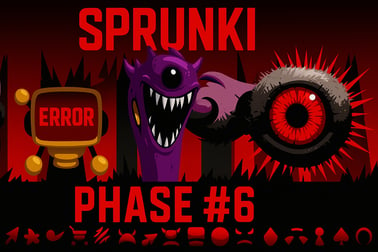
In the broader Sprunki universe, “phases” usually represent distinct thematic or musical chapters—each with its own art direction, sound palette, or lore. In Sprunki Phase specifically, phases can show up as:
- Visual transformations: Backgrounds, character details, or color themes may shift.
- Sound evolutions: Certain combinations might subtly alter how loops are layered or processed.
- Hidden events: Unique scenes, animations, or altered soundscapes triggered by special mixes.
Because Sprunki mods are fan-driven and experimental, discovering exactly how each phase behaves is part of the fun.
Similar Sprunki Mods and Phases You Can Try Next
If you enjoy Sprunki Phase, there’s a huge ecosystem of related mods and spin-offs you can explore. Many of them build on the same sprunki incredibox style design, but shift themes, moods, and sound libraries.
Exploring Other Music-Focused Mods
- Rhythm-heavy phases: Mods that lean harder into complex beats and glitchy FX if you like experimental sound design.
- Melodic/story-driven phases: Phases where visuals and lore play a bigger role, often with more narrative flavor in the character art.
- Remastered or definitive editions: Polished versions of earlier phases with refined sounds and cleaner visuals.
Why Try Multiple Phases?
Each Sprunki mod brings a different emotional palette, from dark and eerie to bright and playful. By trying several phases:
- You’ll discover new loop combinations and character archetypes.
- You’ll improve your ear for layering sounds in any browser rhythm game.
- You’ll find the aesthetic that best matches your personal remix style.
Sprunki Phase is an excellent starting point: accessible, creative, and instantly rewarding. Once you’re comfortable with its characters and phases, branching into other Sprunki mods becomes a natural way to expand your remixing skills and keep your playlists fresh.
Frequently Asked Questions
What is Sprunki Phase?
Sprunki Phase is a fan-made browser music game where you drag and drop Sprunki characters to layer beats, effects, and vocals into your own custom track.
How do I play Sprunki Phase online?
To play Sprunki Phase online, open the game page in a modern browser, press play, then click or tap characters to add or remove their sounds from your mix.
Do I need to download Sprunki Phase?
No, Sprunki Phase runs directly in your browser. You can play instantly without downloading or installing any extra software.
Is Sprunki Phase suitable for kids?
Yes, Sprunki Phase is family-friendly. It focuses on simple music creation and playful characters, making it suitable for most ages with parental guidance as needed.
Can I save or share my Sprunki Phase mixes?
Some versions let you record or share your mix using built-in buttons or screen recording tools. Check the game interface for share or save options.