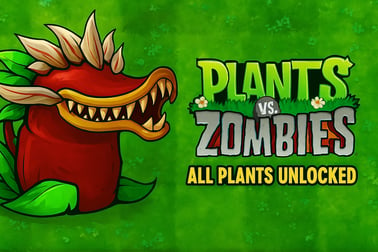
Plants Vs Zombies All Plants Unlocked lets you use every plant from the start to stop fun zombie waves. Play instantly in your browser on PC or mobile.





















Plants Vs Zombies All Plants Unlocked
Overview of Plants Vs Zombies All Plants Unlocked
Plants Vs Zombies All Plants Unlocked is a browser-based twist on the classic tower defense formula where every plant in your arsenal is available from the very first level. Instead of grinding to unlock units, you jump straight into the fun of building wild defenses and countering every zombie type with the perfect plant combo. It’s a kids friendly defense game that still offers deep strategy for older players who love a thoughtful zombie strategy game.
Because you can play it instantly in your browser, Plants Vs Zombies All Plants Unlocked fits perfectly into the world of casual browser games. There’s no big download and no long setup – just load the page and start defending your lawn. Whether you enjoy classic tower defense online titles or you’re new to the genre, the all-plants version makes experimentation easy and rewarding.
The result is a highly replayable experience: you can try dozens of plant combinations, test unusual strategies, and discover clever ways to stop every wave of zombies. The game runs smoothly as a free desktop mobile game in modern browsers, so you can enjoy the same strategy gameplay on laptop, PC, tablet, and phone.
How to Play Plants Vs Zombies All Plants Unlocked in Your Browser
Getting into the game is quick and beginner-friendly. You don’t need any previous experience with tower defense online titles to understand the basics.
Step-by-step start guide
- Open the game in your browser
Use a modern browser like Chrome, Edge, Firefox, or Safari. Make sure you’ve got a stable internet connection so the game can load assets smoothly.
- Wait for the game to load
The game may display a short loading bar or intro. Once that’s complete, you’ll usually see the main menu or go straight into the first level.
- Choose or confirm your mode
Most versions start with a classic lane defense mode by default. If there are multiple modes or levels available, choose an early stage while you’re still learning.
- Place your first sun-producing plants
In the starting phase of each round, focus on building a solid sun economy. Plant sunflowers (or other energy-producing plants) in the back rows so you can generate enough sun to buy stronger defenders later.
- Add attacking and blocking plants
As sun accumulates, place attacking plants (like pea shooters) in lanes with zombies, and use blockers or walls ahead of them. Mix damage dealers, splash attackers, and slowing plants to handle different zombie waves.
- React to new zombies
When tougher zombies arrive, pause for a moment and look at your plant bar. Since all plants are unlocked, you can instantly grab the perfect counter instead of waiting to unlock it in later levels.
- Survive all waves
Each level has several waves of zombies, with a final huge wave at the end. If no zombies make it past your lawn defenses, you win and move on to the next stage.
This loop is what makes Plants Vs Zombies All Plants Unlocked appealing as a casual browser game: quick levels, clear goals, and the satisfying routine of building a perfect defense against silly but dangerous zombies.
Plants Vs Zombies All Plants Unlocked Control Guide
Because this tower defense game is fully playable in the browser, the controls are intentionally simple so that kids and casual players can jump in without a long tutorial.
Desktop controls (PC & laptop)
- Mouse left click
- Select a plant from the plant bar.
- Place the selected plant on an open tile on the lawn.
- Click menu buttons, pause, resume, or restart levels.
- Mouse hover
- Preview where a plant will be placed before confirming.
- Sometimes shows a short tooltip with plant info.
- Keyboard (if supported)
- Esc – open the pause or settings menu.
- Space or Enter – confirm certain prompts in some browser builds.
Mobile & tablet touch controls
- Tap
- Tap a plant icon to select it.
- Tap a tile on the lawn to place the plant.
- Tap UI buttons to pause, resume, or adjust settings.
- Tap-and-hold (when supported)
- Hold a plant icon briefly to see its name, cost, or description.
- Pinch or drag (some versions)
- Drag the field slightly if there’s any scrolling area.
- Pinch to zoom in or out in browser if you need larger buttons.
The straightforward control scheme keeps the focus on planning and strategy instead of complex inputs. This is one reason the game works so well as a kids friendly defense game and a go-to for anyone discovering tower defense online titles for the first time.
Plants Vs Zombies All Plants Unlocked Features
Even as a simple browser-based zombie strategy game, Plants Vs Zombies All Plants Unlocked packs a surprising amount of variety for a casual experience.
Key gameplay features
- All plants available from the start
You’re not locked behind a long campaign or grind. Defensive walls, ranged shooters, splash attackers, slowing plants, and utility plants are all instantly accessible, which encourages experimentation every session.
- Classic lane-based tower defense
Zombies walk across fixed lanes, and your job is to fill those lanes with plants that slow, block, and defeat them. It’s easy to understand yet remains strategic, especially when mixing different plant types.
- Multiple zombie types
From slow walkers and fast runners to shielded and armored zombies, each type forces you to refine your plant layout. Learning which plants counter which zombies is the core of the strategy.
- Wave-based difficulty climb
Early waves teach the basics. Later waves become denser and more chaotic, rewarding smart planning and quick adjustments to your lineup.
- Short, replayable sessions
Matches are usually just a few minutes long, ideal for quick breaks or light evening gaming. Because plant options are wide open, no two runs have to feel the same.
Why it’s great for casual browser games fans
- Low barrier to entry – simple mechanics and controls.
- No long downloads – play instantly online in your browser.
- Kid-friendly visuals – cartoon art, colorful plants, and silly zombies rather than graphic content.
- Works as a free desktop mobile game – ideal if you move between devices.
How to Play Plants Vs Zombies All Plants Unlocked in Your Browser
With all plants open from the start, the main challenge isn’t unlocking content, but learning how to use what you’ve got. Here’s how to structure a typical level for consistent success.
1. Start with sun production
In nearly every tower defense online strategy, economy comes first. Begin each level by filling your back row with sun-generating plants. Don’t rush to spam attackers immediately. A stronger economy lets you buy premium plants later, which makes tough waves much easier.
2. Secure each lane early
Once your first zombies appear, make sure every lane gets at least a basic attacker. If any lane is empty, that’s usually where zombies will slip through. Balance new sunflowers with basic shooters so your defense doesn’t collapse while you build income.
3. Layer your defenses
- Back row: Sun producers and support plants.
- Middle rows: Ranged damage dealers – pea shooters, multi-shot plants, or splash attackers.
- Front rows: Blockers and stalling plants – walls, stuns, or slowing plants that buy time for your attackers.
This layered approach maximizes value: blockers delay zombies while your damage plants slowly wear them down.
4. Adapt to each zombie type
When you notice a new enemy type approaching, pause your planting pattern for a moment and think:
- Does this zombie move quickly?
- Does it have armor or a shield?
- Can it jump or bypass walls?
- Does it spawn extra units?
Since all plants are unlocked, you can instantly introduce hard counters—heavy hitters for tanks, slowing plants for fast runners, or splash damage for grouped enemies.
5. Prepare for the final wave
The last wave usually features the densest zombie rush. Before that wave starts, quickly:
- Fill any empty tiles in your front rows with blockers.
- Add extra damage plants in lanes that will face the toughest zombies.
- Save enough sun to drop emergency plants if a lane looks like it might be overrun.
This flexible, reactive playstyle is what makes Plants Vs Zombies All Plants Unlocked so engaging as a zombie strategy game, even for seasoned players who already know the basics of the original series.
Tips to Use Every Plant and Stop the Zombie Waves
Having every plant unlocked can be overwhelming at first. The trick is to group plants by role and build a strong, balanced lineup around them.
Group plants by their role
- Economy plants
These generate sun or other resources. Always include at least one reliable sun producer in every loadout. Your entire defense is built on this income.
- Single-target damage plants
These are your basic shooters and lane defenders. They’re cheap and efficient, perfect for early waves and covering all lanes.
- Splash or area damage plants
Use these against groups of zombies or lanes that keep getting crowded. Place them where zombies naturally bunch up.
- Blockers and tanks
These plants soak damage and slow down enemies. They’re crucial when facing strong or shielded zombies.
- Control and support plants
These might freeze, slow, knock back, or debuff zombies. They don’t always deal much damage themselves, but they amplify the power of your other plants.
Use synergy instead of random picks
Instead of filling your bar with random favorites, think in combos:
- Slow + high damage – slowing plants give heavy hitters more time to attack.
- Blocker + splash damage behind – blockers keep zombies clustered so splash attacks hit multiple targets.
- Economy + emergency plants – a good economy lets you keep one or two expensive “panic button” plants ready for emergencies.
Adjust your lineup between stages
Because this is a free desktop mobile game you can reload quickly, use early levels as testing grounds. If a particular plant never feels useful, swap it out next round. Over time, you’ll build a mental list of “must-picks” for different zombie types and level designs.
All Plants Unlocked: Best Loadouts for Each Zombie Attack
Different waves demand different strategies. While the exact plant names and stats may vary slightly between browser implementations, the underlying roles stay the same. Here are example loadout ideas you can adapt to your version of Plants Vs Zombies All Plants Unlocked.
1. Basic walker waves
- Sun producer x1–2 types – fill the back row first.
- Cheap single-target shooter – one per lane.
- Simple blocker – front row as a safety net.
- One splash damage plant – for lanes that get crowded.
This is a no-nonsense setup for standard waves and a great starting point for new players.
2. Fast runner attacks
- Sun producer – you still need economy, but don’t overbuild it.
- Slowing/control plant – place these in every lane that sees fast zombies.
- Mid-cost shooter – something with a bit of extra damage.
- Front-line blockers – to catch any runners that break through.
Here, control plants are more valuable than heavy damage. Your goal is to slow the rush so existing shooters can keep up.
3. Tanky and shielded zombies
- High-output sun producer – you need more sun to afford strong plants.
- Heavy damage plant – great against armor and shields.
- Blockers with high health – to stall big zombies.
- Optional piercing or armor-breaking plants – if your version includes them.
Against heavy zombies, cheap shooters aren’t enough by themselves. Save sun early, then drop key heavy hitters as soon as possible.
4. Mixed waves with multiple zombie types
- Reliable sun producer
- Balanced shooter – decent against most enemies.
- One splash plant – covers group threats.
- One slow/control plant – handles fast units.
- Blocker – baseline safety.
Mixed waves test your flexibility. Use your unlocked roster to fill in weaknesses rather than doubling up on plants with the same role.
Why the All‑Plants Version Is So Addictive for Casual Players
Unlocking content is fun, but it can also slow down the pace of mobile and browser games. Plants Vs Zombies All Plants Unlocked removes that waiting period and throws you straight into the creative part of the experience – building clever defenses and watching them work.
No grind, just strategy
Because you’re not farming levels or currency to unlock plants, every match focuses on decision-making:
- Which plants should I bring this time?
- How do I answer this new zombie type?
- What if I try a weird combo I’ve never used before?
That freedom keeps players coming back, especially fans of strategy and tower defense online games who enjoy tweaking lineups and chasing perfect clears.
Perfect fit for casual browser games
Each round is short, self-contained, and easy to restart. You can:
- Play a quick level during a break.
- Experiment with a new plant combo while watching a show.
- Switch between laptop and phone without a huge time investment.
That drop‑in, drop‑out format is exactly what makes it so absorbing for casual players who want something strategic but not overwhelming.
Family-friendly zombie strategy game
The cartoon art, goofy animations, and simple mechanics make it a safe, fun option for kids, while the deeper plant synergies and tougher zombie waves keep older players engaged. It’s that rare mix: a kids friendly defense game that parents can genuinely enjoy too.
Safe Browser Play: Progress, Controls, and Mobile Compatibility
Because this is a browser-based free desktop mobile game, it’s important to understand how your progress is handled and how it behaves across different devices.
Saving your progress
In many browser builds, progress is stored in your local browser data (such as cookies or local storage). That means:
- Your levels or settings are saved on the specific device and browser you used.
- Clearing cache or switching browsers may reset your progress.
- Some hosting platforms may offer account-based saving; in that case, logging in can sync your data across devices.
Always check if the platform hosting Plants Vs Zombies All Plants Unlocked offers login or cloud save options if you want to continue on multiple devices.
Desktop vs mobile compatibility
- Desktop (Windows, macOS, Linux)
Modern browsers handle the game smoothly, especially when hardware acceleration is enabled. Desktop play is ideal if you prefer precise mouse control and a bigger screen to manage multiple lanes.
- Mobile phones and tablets
The touch controls make it easy for kids and casual players to place plants quickly. If the interface feels small, you can usually zoom the browser slightly to make plant icons easier to tap.
As long as you use a recent browser version, Plants Vs Zombies All Plants Unlocked should work reliably, making it a flexible choice for strategy fans on the go.
Performance & Troubleshooting
While browser games are designed to be lightweight, you might still run into minor issues like lag, audio glitches, or loading problems. Most are easy to fix with basic steps.
Improving performance
- Close extra tabs and apps
Too many open browser tabs can eat memory and slow animation. Close unused sites and background apps to free up resources.
- Switch to a modern browser
Chrome, Edge, Firefox, and Safari usually run HTML5 games best. If one browser feels sluggish, try another.
- Disable unnecessary extensions
Ad blockers and other browser extensions sometimes interfere with game scripts. If the game won’t load or behaves oddly, test it in an incognito/private window with extensions disabled.
Fixing common issues
- Game doesn’t load
- Refresh the page once or twice.
- Check your internet connection.
- Clear browser cache for the site and reload.
- No sound
- Verify the tab isn’t muted.
- Check in-game audio settings.
- Test your system volume and audio output device.
- Input lag or slow response
- Reduce the number of active apps on your device.
- On mobile, disable battery saver which can throttle performance.
- Lower any optional graphics or effects settings if available.
If problems persist, check the platform’s help or FAQ section—many browser gaming sites post specific fixes for their version of Plants Vs Zombies All Plants Unlocked.
Is Plants Vs Zombies All Plants Unlocked Safe to Play Online?
Parents and players often ask whether this kind of zombie strategy game is safe, especially for younger kids. In general, Plants Vs Zombies All Plants Unlocked is designed with family-friendly content and lighthearted visuals, but there are a few points to consider.
Content and age-appropriateness
- Cartoon violence only
Zombies are silly and stylized, and plants attack in a non-graphic, comic way. There’s no realistic blood or gore, making it suitable for most children with parental guidance.
- Simple themes
The core idea is comical defense: plants protecting a lawn from goofy zombies. There are no dark storylines, heavy language, or mature themes.
Online safety basics
The safety of any casual browser game also depends on where you play it:
- Use trusted gaming platforms
Play on reputable browser gaming sites you recognize or that are recommended by parents, teachers, or tech-savvy friends. Avoid unofficial download links or suspicious pop-ups.
- Check for in-game ads
Some platforms support their free desktop mobile game catalogs with ads. Parents may want to supervise younger children so they don’t click on external links or unrelated content.
- No personal data needed
Most browser versions of Plants Vs Zombies All Plants Unlocked don’t require personal details to enjoy the basic gameplay. If account creation is optional, always choose strong passwords and avoid sharing real-world information in usernames.
When played on reputable sites and supervised appropriately for younger audiences, Plants Vs Zombies All Plants Unlocked is a safe, enjoyable introduction to tower defense online strategy, packing plenty of tactical depth into a lighthearted, accessible package.
Frequently Asked Questions
What is Plants Vs Zombies All Plants Unlocked?
It is a browser version of the classic tower defense game where every plant is available from the start, so you can build any strategy you like against the zombie waves.
Can I play Plants Vs Zombies All Plants Unlocked for free?
Yes. This version is designed to be played for free in your browser without downloads. Just open the game page, press play, and start placing plants.
Is Plants Vs Zombies All Plants Unlocked safe for kids?
Yes. The game features cartoon zombies and plants with no realistic violence, making it suitable for most kids and families. Parents can still supervise younger players.
Do I need to download or install anything to play?
No download is required. Plants Vs Zombies All Plants Unlocked runs directly in modern browsers on PC or mobile as long as you have a stable internet connection.
Can I play on both PC and mobile devices?
Yes. The game supports desktop and mobile browsers, so you can play on your computer, phone, or tablet and enjoy the same unlocked plants and tower defense gameplay.