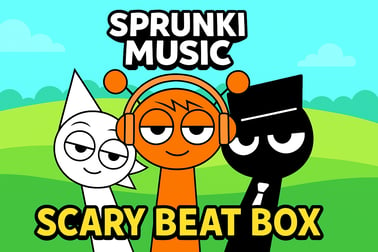
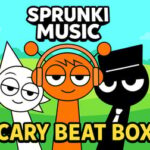
Sprunki Music Scary Beat Box lets you mix spooky beats in four creepy modes. Drag characters, match the rhythm and create scary soundscapes online.





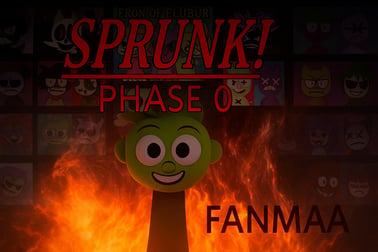








Sprunki Music Scary Beat Box
Overview of Sprunki Music Scary Beat Box
Sprunki Music Scary Beat Box is a browser-based horror rhythm game that turns spooky sound design into a playful music toy. Instead of battling enemies, you build eerie soundtracks using creepy characters, looping beats, and strange sound effects. It’s equal parts spooky music mixer and casual playground for anyone who likes horror vibes and catchy rhythms.
Because it runs directly in your browser, you can jump into this casual music game online in seconds. No download, no sign-up—just open the page, choose a mode, and begin crafting your own scary soundscapes. Whether you want a soft, ghostly lullaby or a full-on jump-scare soundtrack, the game gives you the tools to experiment and have fun.
Sprunki Music Scary Beat Box fits into three main categories: Music, Horror, and Arcade. The music side is all about rhythm and layering loops, the horror side adds disturbing characters and unsettling audio, and the arcade feel comes from quick sessions, drag-and-drop controls, and endless remix potential.
Fans of Incredibox-style experiences, Halloween soundboards, or quirky horror mods will feel at home immediately. At the same time, newcomers can treat it like a toy: drag a character in, listen to what happens, and slowly discover how everything fits into one creepy-but-catchy track.
How to Play Sprunki Music Scary Beat Box
Playing Sprunki Music Scary Beat Box is simple enough for beginners but deep enough for players who love to experiment. The game is designed as a scary beat making game, so your main goal is to build a rhythmic horror mix that loops seamlessly.
Step-by-step guide for first-time players
- Launch the game in your browser
Open the game page on your favorite browser (Chrome, Edge, Firefox, Safari). Wait for the assets and sound packs to load fully so the music doesn’t stutter.
- Choose a mode
You’ll usually see four main options: Rhythm, Monster, Joker, and Beat. Each mode changes which characters, sounds, and effects you can use.
- Drag a character into the play area
On both desktop and mobile, you select a character icon and drag it into the center or active zone. Each character represents one sound: drums, eerie pads, voices, glitches, or jumpy effects.
- Layer multiple sounds
Keep adding different characters. The game automatically loops each sound on a shared tempo, turning your choices into a continuous track. This is where the browser music adventure really starts to feel alive.
- Adjust and experiment
Remove a character to mute that sound, swap them around to change the mood, or try a different mode for a fresh sound pack. There’s no “wrong” combination—only more or less spooky.
- Listen for the rhythm
To make a satisfying track, anchor your mix with steady percussion or bass-like sounds, then add melodic or horror-style effects on top. Treat it like building a horror movie score in miniature.
Desktop vs. mobile basics
- Desktop: Use your mouse to drag characters and interact with UI buttons.
- Mobile & tablet: Tap and drag just like a touch-based music app. Most modern phones handle the game smoothly, as long as you have a stable connection.
Within a few minutes, you’ll grasp the basics and start chasing that perfect mix of creepy and catchy.
Sprunki Music Scary Beat Box Game Modes
One of the biggest hooks of Sprunki Music Scary Beat Box is its four main game modes. Each mode changes the tone of the entire experience and gives you a new way to approach your scary sound lab.
Rhythm Mode
Rhythm is the most straightforward mode and the best place to start. It leans into the “music” part of this horror rhythm game, giving you:
- Clear drum loops and bass foundations
- Simpler timing and more predictable patterns
- Sounds that fit together easily for stable grooves
Use Rhythm mode to learn how different layers stack, then move on to weirder content later.
Monster Mode
Monster amps up the horror. Think:
- Growls, snarls, and distorted creature vocals
- Dark ambient textures and low drones
- Sounds that feel like something lurking in the dark
This mode is perfect if you want your spooky music mixer to sound like a haunted basement or a horror game boss arena.
Joker Mode
Joker twists things from scary to unsettlingly playful. You’ll encounter:
- Glitchy laughter and taunting voices
- Offbeat rhythms and odd timing
- Chaotic sound design that borders on comedy and terror
Joker mode is great for unpredictable, “what did I just create?” style tracks that still loop like a proper rhythm mix.
Beat Mode
Beat focuses heavily on percussive energy. Expect:
- Punchy kicks, snares, and claps
- Rhythmic stabs and short melodic hits
- Patterns that really drive your mix forward
This mode is ideal if you want a stronger groove in your scary beat making game, while still keeping the horror flavor in the background.
How to Play Sprunki Music Scary Beat Box Online
Because the game is built around HTML5 and browser technologies, getting into this casual music game online is refreshingly easy.
Step 1: Open the game on a trusted site
Search for “Sprunki Music Scary Beat Box play online” and choose a well-known browser gaming platform. Avoid suspicious pop-ups or sites that demand unnecessary downloads—this game should run directly in your browser.
Step 2: Check your connection and sound
- Internet: A stable connection helps the audio load quickly and prevents stutters.
- Audio: Turn your system volume up, or use headphones for the full horror ambience. Many players find headphones make the experience much more immersive.
Step 3: Pick your preferred device
- PC / Laptop: Best for longer sessions and more precise dragging.
- Tablet: Great middle ground—bigger touch targets while still portable.
- Phone: Perfect for quick, on-the-go sessions of this browser music adventure.
Step 4: Dive into modes and experiment
Once the main menu loads:
- Tap or click a mode: Rhythm, Monster, Joker, or Beat.
- Drag a few characters into the active area.
- Listen and refine your mix until it feels just right.
There’s no time limit, no pressure, and no “game over” screen—Sprunki Music Scary Beat Box is about free-form creation in a horror-flavored sandbox.
Tips and Tricks to Master Spooky Music Beats
Even though the controls are easy, there’s a surprising amount of depth once you start paying attention to timing and layers. Use these tips to level up your scary compositions.
1. Start with a strong backbone
Begin with 1–2 rhythmic characters that act like drums or bass. Once you have a steady pulse, gradually add effects and melodies. This keeps your mix from turning into random noise.
2. Limit yourself to a theme
Pick a vibe—like “haunted carnival,” “deep space horror,” or “basement monster”—and only use characters that fit that feeling. Your track will sound more intentional and cinematic.
3. Use contrast wisely
- Layer soft, eerie pads under sharp jump-scare hits.
- Mix slow drones with fast percussion to build tension.
- Combine Monster mode growls with more musical Beat mode loops to keep things grounded.
4. Don’t overcrowd your mix
It’s tempting to drop every character into the play area, but too many sounds can clash. Try muting one or two at a time and notice how much clearer the rhythm becomes.
5. Explore all game modes
Each mode behaves like a mini sound pack. If your current mix isn’t working, switch modes entirely and start a new horror rhythm game scenario. Over time you’ll learn which modes suit calmer or more intense tracks.
6. Take short listening breaks
Play your loop for 20–30 seconds, then pause, remove or swap one character, and play again. Your ears will catch subtle differences that help you refine the perfect spooky groove.
Basic Rules & Mechanics
Sprunki Music Scary Beat Box doesn’t use traditional “rules” the way action or puzzle games do, but there are core systems that guide how everything works.
Loop-based sound design
- Each character represents a looped sound.
- All loops sync to a shared tempo so they automatically line up.
- Removing a character instantly takes their sound out of the mix.
Mode-specific sound pools
Every mode—Rhythm, Monster, Joker, Beat—has its own curated set of loops. That’s why swapping modes can change the entire character of your track, even if the basic structure remains the same.
Simple drag-and-drop interaction
- Drag characters into the main stage: they start playing.
- Drag characters off or tap to remove them: they stop.
- Some versions add small visual reactions or animations when sounds trigger, reinforcing the connection between character and audio.
No fixed win condition
Instead of chasing high scores, the “win” is creating a mix you actually like. It’s closer to playing with a toy music studio than beating a level-based game, which makes it very replayable and relaxing, even with the horror theme.
Key Features of This Horror-Themed Music Mixer
As a hybrid of horror rhythm game and creative music toy, Sprunki Music Scary Beat Box stands out with a handful of core features.
Four distinctive modes
- Rhythm: Groove-first, easy to learn.
- Monster: Dark, creature-heavy sound design.
- Joker: Chaotic, glitchy, and unsettling.
- Beat: Percussion-driven, energetic loops.
Instant, browser-based access
No installation is needed—just load and play. This makes it ideal for quick sessions at home, during breaks, or on school devices (where allowed).
Family-friendly horror style
While the game leans into creepy audio and unsettling visuals, it avoids graphic gore. The horror is stylized and cartoonish, more eerie than disturbing, which keeps it accessible to a wide audience.
Highly replayable sandbox structure
Because there’s no single “correct” way to play, you can return again and again to try fresh combinations, new modes, and different moods—from subtle creepiness to full-on nightmare tracks.
Accessible controls for all ages
With simple drag-and-drop interaction and clear visual feedback, younger players and non-gamers can still enjoy this spooky music mixer without feeling overwhelmed.
Performance & Troubleshooting
Most players enjoy smooth sessions, but if your browser music adventure starts lagging or cutting out, there are a few easy fixes.
Improve audio performance
- Close extra tabs: Too many tabs can strain your device’s memory and cause audio crackles.
- Pause background apps: Streaming video, heavy downloads, or other games can interfere with performance.
- Use wired headphones: This avoids occasional Bluetooth latency or dropouts.
Fix loading problems
- Refresh the page if sound packs fail to load.
- Try a different browser if the game doesn’t start at all.
- Clear your cache and reload if it’s stuck on a loading screen.
Slow or older devices
If your device is older or low on RAM:
- Reduce background apps before launching the game.
- Stick to fewer characters at once to lighten the processing load.
- Play on a wired or stable Wi-Fi connection to avoid streaming hiccups.
Frequently Asked Questions About Sprunki Music Scary Beat Box
Is Sprunki Music Scary Beat Box beginner-friendly?
Yes. The drag-and-drop controls and loop-based system make it very beginner-friendly. You don’t need any music theory or rhythm game experience to start building spooky tracks.
Is this game actually scary?
It’s more eerie and unsettling than truly terrifying. Expect creepy sounds, monster voices, and glitchy effects, but not realistic gore or extreme horror imagery.
Is Sprunki Music Scary Beat Box a casual music game online or a competitive game?
It’s firmly a casual music game online. There’s no competitive leaderboard or strict scoring system—just free-form experimentation with scary beats.
Can I save or export my mixes?
Most browser versions don’t offer built-in exporting, but you can always record your screen or system audio with third-party tools if you want to keep a personal copy of your favorite horror rhythms.
Which devices can I use to play?
You can usually play on desktops, laptops, tablets, and modern smartphones. As long as your browser supports HTML5 games and your internet connection is stable, you’re good to go.
Is Sprunki Music Scary Beat Box Safe to Play Online?
For most players, Sprunki Music Scary Beat Box is safe to play online, as long as you access it through reputable gaming portals.
Content considerations
- Horror theme: Includes spooky sounds and creepy visuals, but avoids explicit violence or realistic gore.
- Language: Typically minimal or none; focus is on audio loops, not text or dialogue.
Online safety tips
- Play only on trusted, well-known gaming sites.
- Avoid any site that tries to force downloads for a game advertised as browser-based.
- Use ad blockers or child-safe browsers if younger players are involved.
With basic supervision and sensible browsing habits, Sprunki Music Scary Beat Box offers a safe, creative, and delightfully creepy space to explore horror-themed music making right in your browser.
Frequently Asked Questions
What is Sprunki Music Scary Beat Box?
Sprunki Music Scary Beat Box is a browser-based horror rhythm game where you drag characters to trigger spooky sounds, build creepy beats, and complete musical challenges across several modes.
Is Sprunki Music Scary Beat Box suitable for kids?
Yes. The game uses cartoon-style horror and spooky sound effects rather than realistic scares, so it is generally family-friendly. Parents of very young children may still want to preview the game first.
Do I need to download Sprunki Music Scary Beat Box?
No download is required. You can play directly in your web browser on desktop or mobile, as long as you have a stable internet connection.
How do you play Sprunki Music Scary Beat Box?
Choose a mode like Rhythm, Monster, Joker, or Beat, then drag or tap characters to activate their sounds in time with the music. Keeping your timing on-beat helps you build better tracks and higher scores.
Can I play Sprunki Music Scary Beat Box on mobile devices?
Yes. The game supports touch controls on smartphones and tablets, allowing you to tap and drag characters just like using a virtual beat box.