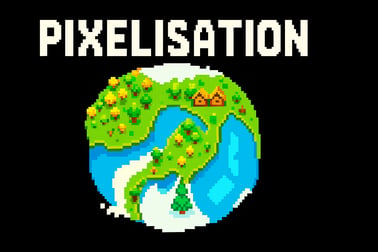
Pixelisation is a free online pixel art guessing game. Reveal low-res images, guess the picture fast, and test your retro puzzle skills in your browser.






Pixelisation
Introduction to Pixelisation
Pixelisation is an online pixel art game where every image starts as a blurry grid of colorful blocks, and it’s your job to slowly reveal the picture and guess what it is. Think of it as a retro pixel puzzle mixed with a chill guess the picture game you can play right in your browser.
Instead of hyper-realistic graphics, Pixelisation leans into classic pixel visuals. You’ll watch an image sharpen from chunky pixels into recognizable art as you uncover tiles, sort colors, and try to name the picture before the timer runs out. It’s simple to learn, surprisingly tricky at higher levels, and perfect for quick puzzle sessions whenever you have a few minutes to spare.
Because it runs in the browser, there’s no download and no account required to start. Just open the page, hit play, and you’re in. Whether you love retro aesthetics, light brain teasers, or browser pixel games you can enjoy with the whole family, Pixelisation slots right into your casual gaming rotation.
Pixelisation Control Guide
Controls in Pixelisation are intentionally basic so you can focus on the color sorting puzzle aspect and recognizing the hidden image. Here’s how the game typically works from an input standpoint:
Mouse and Touch Controls
- Left-click / Tap – Reveal or select a pixel tile on the board. This is the core interaction you’ll use to slowly uncover the underlying image.
- Click and drag / Swipe – On some levels, you can drag to select a line or block of multiple pixels at once. This is especially helpful when you’re clearing big monochrome areas.
- Color slots or palettes – When a mode uses color sorting, tap a color group or slot, then tap tiles to assign or move those colored pixels into place.
- On-screen buttons – Use UI buttons such as Hint, Skip, or Zoom (if available) to get extra help or manage tough puzzles.
Keyboard Shortcuts (If Supported)
Pixelisation is built first for mouse and touch, but browser versions may recognize some keys for convenience:
- Spacebar – Pause or resume the current puzzle.
- R – Restart the current level if you want to go for a better score or a faster time.
- Number keys – In some layouts, they’re mapped to color groups or tools so you can quickly flip between them.
These inputs are kept light and accessible so anyone — including kids or people new to online pixel art games — can jump into a round without reading a long manual.
Pixelisation Game Modes
Pixelisation keeps the core idea of revealing a pixelated mystery picture, but it wraps that idea in several different game modes and variants. That way, you can pick a style that matches your mood: relaxed, competitive, or somewhere in between.
Classic Guess the Picture
This mode is the purest form of the game. You start with a heavily pixelated image and a limited number of reveals:
- Click tiles to sharpen parts of the picture.
- Use visual clues (shapes, colors, outlines) to identify what you’re looking at.
- Type or select your guess before you run out of reveals or time.
It feels like a mash-up between retro art viewing and a word-guessing quiz.
Color Sorting Puzzle Mode
Here, the focus shifts from guessing to organizing. You’re given scattered pixel blocks that belong to a hidden image:
- Drag or tap pixels to move them into matching color groups.
- Fill color bars, rows, or baskets correctly to reconstruct the underlying artwork.
- Complete the color pattern to finish the level.
This mode strongly leans into the color sorting puzzle aspect and is great for players who love pattern recognition and methodical organizing.
Timed Arcade Mode
If you like pressure, timed arcade runs turn Pixelisation into a fast-paced arcade puzzle experience:
- Beat as many images as you can before the clock runs out.
- Correct guesses extend your remaining time.
- Wrong guesses or wasted reveals eat into your score.
The faster you identify the pixel art, the higher you climb on the leaderboard.
Difficulty Scaling and Level Progression
As you progress, Pixelisation increases the challenge in a few smart ways:
- Lower resolutions at the start of each round, meaning the first pixels you see are blurrier and more abstract.
- More complex images with lots of similar colors or small details like cityscapes, crowds, or patterned backgrounds.
- Stricter reveal limits that force you to make each click count.
This steady progression keeps the game fresh without overwhelming new players right away.
Where to Play Pixelisation
Pixelisation is designed as a browser pixel game, so it’s easy to access on most modern devices:
- Desktop browsers – Open your favorite up-to-date browser (Chrome, Firefox, Edge, Safari), navigate to the hosting game site, and press play. No installs needed.
- Laptops and Chromebooks – Pixelisation is lightweight enough to run in school or work devices as long as browser gaming isn’t blocked by local settings.
- Tablets and phones – Use a mobile browser and play through touch controls; the interface automatically adapts to smaller screens.
Because it’s web-based, you can switch between devices without losing progress on shorter sessions, depending on how the platform saves your data. Some hosts use local browser storage so your recent scores or level unlocks remain available as long as you use the same browser on the same device.
Different gaming portals may offer slightly different versions of Pixelisation (for example, one might feature extra daily challenges, while another focuses on quick arcade runs), but the core retro pixel puzzle experience stays consistent.
Is Pixelisation Safe to Play Online?
Pixelisation is built as a family-friendly browser pixel game, and its design reflects that:
- No graphic violence or mature themes – Images are everyday objects, animals, food, landmarks, abstract art, and other non-controversial subjects.
- Minimal text input – When you guess the picture, you may type in answers, but there aren’t open chat boxes or social comment streams embedded in gameplay.
- No user-generated images – All pixel art comes from curated sets, so kids aren’t exposed to random uploads from strangers.
As with any online game, safety also depends on the hosting platform:
- Choose reputable, ad-moderated gaming portals.
- Use browser-based parental controls or safe mode if children are playing unsupervised.
- Consider enabling content filters or using child profiles on shared devices.
Played on a trusted site, Pixelisation is appropriate for most ages and fits easily into a safe, casual gaming lineup.
How to Play Pixelisation and Guess the Hidden Picture
Once you load the game, a new puzzle starts in seconds. Here’s a straightforward breakdown of how to play a typical round of Pixelisation.
1. Start With a Blurry Pixel Grid
Each level opens with a heavily pixelated image. All you can see is a blocky mass of colors — no clear outlines yet. Your first job is to get an early sense of what’s going on:
- Look at dominant colors (a lot of green might mean nature, a lot of yellow and red could be food or signs).
- Check the overall shape (wide and flat, tall and narrow, round, etc.).
2. Reveal Key Areas
Next, you’ll click or tap certain tiles to sharpen them. Good strategy here saves reveals:
- Target edges and corners to find outlines of objects.
- Reveal areas where colors change sharply, since that often marks important details like faces or text.
- Use any zoom features to inspect tricky clusters more closely.
3. Use Hints and Tools (If Available)
Depending on the mode, Pixelisation may offer extra helpers:
- Category hints – Tells you if the image is an animal, place, food, or object.
- Letter reveals – Fills in a few letters of the answer, hangman-style.
- Auto-reveal clusters – Highlights important sections for you at the cost of score or remaining time.
4. Make Your Guess
Once you think you recognize the image, you either:
- Select a title from multiple choices, or
- Type your answer into a text box.
If you guess right, you earn points based on how many reveals you saved, plus possible bonus points for speed in timed modes. If you’re wrong, you might lose some time, reveals, or score, then get another chance as long as you haven’t failed the level yet.
5. Advance and Repeat
After successfully identifying a picture, you move to the next level. Over time, patterns emerge in how Pixelisation’s art sets are curated, and you’ll slowly become faster at spotting common themes even from low-res starting images.
Tips to Master Pixelisation’s Pixel Art Puzzles
Pixelisation looks casual, but higher levels can get surprisingly demanding. Here are practical strategies for getting better at this online pixel art game without turning it into homework.
Prioritize High-Information Tiles
Not all pixels are equal. You’ll get more value from certain spots:
- Look for strong color contrasts where two very different shades meet. These often reveal outlines.
- Check central clusters where the main subject usually sits (faces, logos, key objects).
- Skip large, flat backgrounds until later unless they’re a unique color (like a bright sky behind a silhouette).
Learn Common Color Associations
Over dozens of levels, you’ll notice recurring pairings:
- Brown + green – Trees, forests, animals, wood, or nature scenes.
- Red + yellow – Food, signs, branding, or lights.
- Blue + white – Sky, water, ice, clouds, or tech interfaces.
Use these as mental shortcuts when a picture looks vague but color patterns are obvious.
In Color Sorting Mode, Think in Groups
When Pixelisation turns into a color sorting puzzle, efficiency matters:
- Always move pixels in batches, not one by one, when the UI allows you to drag groups.
- Fill from one end (left or right, top or bottom) to keep your workspace clean.
- Start with unique colors first. If only one area uses pure bright red, finishing that group early reveals a huge chunk of the image quickly.
Use Time Wisely in Arcade Mode
Fast rounds reward smart risk:
- On early puzzles, make aggressive guesses after only a few reveals — the image pool is simpler.
- On later puzzles, take one or two extra reveals if you’re unsure; a failed guess can cost more time than a couple of extra clicks.
- Don’t forget to skip images that completely stump you, if the mode allows it.
Why Retro Pixel Games Like Pixelisation Are So Addictive
Pixelisation sits in a sweet spot where nostalgia meets modern accessibility. There are several reasons games like this keep players coming back.
Instant Feedback and Micro-Rewards
Every click that sharpens the image gives you a tiny hit of progress. You’re constantly moving from confusion to clarity, and that small transformation loop is inherently satisfying. Couple that with quick level completion and you have a classic “just one more round” hook.
Low Barrier, High Mastery
The rules are simple enough for anyone to understand in under a minute, but:
- Recognizing abstracted objects at ultra-low resolution is genuinely challenging.
- Optimal reveal strategy takes experience and pattern recognition.
- Timed modes reward both speed and accuracy.
This mix makes Pixelisation ideal as a casual time-filler that still exercises your brain.
Retro Aesthetic With Modern Polish
Pixel art feels cozy and familiar thanks to classic consoles and early PC games. Pixelisation taps into that vibe while running smoothly in the browser, without old hardware limitations. You get:
- Clean, colorful pixel grids.
- Snappy animations when tiles sharpen.
- Modern UI elements and responsive design.
The result is a retro pixel puzzle that feels both old-school and fresh.
Brain Teaser Benefits
Beyond pure fun, games like Pixelisation lightly train:
- Visual perception – spotting shapes from minimal data.
- Color discrimination – noticing subtle hue differences.
- Deductive reasoning – using clues to narrow possibilities.
That makes it easy to justify a few rounds as a quick “brain warm-up” during breaks.
Pixelisation Game Modes, Levels, and Challenges Explained
Across its main modes, Pixelisation gradually layers in more complex content to keep things interesting for both casual and dedicated players.
Stage-Based Progression
Most versions of the game are built around a series of stages or a level map:
- Early stages – Big, simple objects with strong color separation.
- Mid stages – Multiple objects in a scene, with more background noise.
- Late stages – Crowded scenes, subtle gradients, low-contrast areas that look similar when pixelated.
Each stage can introduce new challenge types, like tighter reveal budgets or extra time pressure.
Daily or Rotating Challenges
Some hosting platforms rotate in daily puzzles or themed sets:
- All animals, all food, or special holiday collections.
- Extra-tough “expert” puzzles with very small initial grids.
- Score-chasing events with leaderboards.
Because images change over time, Pixelisation doesn’t get stale as quickly as a single static level set.
Achievement and Score Systems
To add long-term goals, players can aim for:
- Perfect clears – Solving with minimal reveals.
- Speed milestones – Guessing within strict time limits.
- Streaks – Identifying several images in a row without mistakes.
These extra objectives help skilled players push themselves beyond simple completion.
Family-Friendly Browser Pixel Games You Can Play Free Online
Pixelisation is part of a larger wave of family-friendly browser pixel games that emphasize creativity, pattern recognition, and gentle problem solving over reflex-heavy combat or mature themes.
Why Pixelisation Works Well for Families
- Short rounds – Perfect for turn-taking with siblings or parents, where each person gets one puzzle before passing the device.
- Visual, not text-heavy – Younger kids can often recognize animals, foods, and objects even if they need help typing the exact word.
- Adjustable difficulty – Adults can tackle harder pixel art sets while kids focus on simpler, high-contrast images.
Played together, it becomes a cooperative guessing game: everyone shouts out ideas while one person controls the clicks.
Playing Safely and Smartly
To keep the experience smooth for all ages:
- Use full-screen mode to minimize accidental ad clicks.
- Mute or lower sound if younger players are sensitive to audio.
- Take breaks between sessions; like any fun puzzle, it’s easy to go “just one more” for a long time.
Combined with other light browser pixel games and art-based titles, Pixelisation can anchor a nice little collection of creative, low-stress games the whole family can enjoy together for free.
Frequently Asked Questions
What is Pixelisation?
Pixelisation is a free browser puzzle game where images start heavily pixelated and you must guess what the picture shows as you reveal more details.
Is Pixelisation free to play?
Yes, Pixelisation is completely free to play in your browser with no download required. Just open the game page, press play, and start guessing pictures.
Do I need to create an account to play Pixelisation?
No, you can play Pixelisation instantly without an account. Some sites may offer optional login to save scores or progress, but it is not required.
Is Pixelisation suitable for kids and families?
Yes, Pixelisation is family-friendly. The simple pixel art images and guessing mechanics make it a fun, safe puzzle game for kids, teens, and adults.
Can I play Pixelisation on mobile devices?
In most cases, yes. Pixelisation is designed to run in modern mobile browsers, so you can play on smartphones and tablets as long as you have an internet connection.