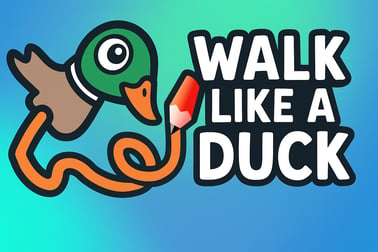
Walk Like A Duck is a cute physics puzzle game you can play online for free. Solve tricky levels, guide your duck, and test your brain in your browser.











Walk Like A Duck
Introduction to Walk Like A Duck
Walk Like A Duck is a quirky, free browser physics puzzle game where you guide a clumsy duck through clever obstacle courses. Every step this adorable bird takes is powered by real-time physics, so you’re constantly balancing, nudging, and timing moves to keep your feathered friend on its webbed feet. If you enjoy cute animal games that still make you think, this one fits perfectly into your rotation of animal brain games.
Because Walk Like A Duck runs directly in your browser, there’s no download, no signup wall, and no pay-to-win nonsense. You just click play, experiment with the quirky movement, and start solving puzzles. It’s lighthearted and silly on the surface, but underneath the wobbling duck is a surprisingly smart online duck game that will test your timing, planning, and understanding of basic physics.
Below you’ll find a complete guide to how Walk Like A Duck works, how to play more efficiently, and how to get the best experience on desktop, laptop, tablet, or mobile. Whether you’re here for a quick mental break or you want a new favorite free browser puzzle, this guide has you covered.
Walk Like A Duck Controls
The controls in Walk Like A Duck are intentionally simple so anyone can jump in, but mastering them is where the challenge lies. Because it’s a physics puzzle game, even a small input can send your duck tipping, sliding, or tumbling.
Exact controls may vary slightly depending on the platform hosting the game, but you’ll usually see something like this on desktop:
- Arrow Keys / WASD – Move and lean the duck left or right, sometimes forward and back.
- Spacebar or Enter – Confirm, jump, or interact (if the level uses interactions).
- R key or on-screen Reset button – Instantly restart the current level if you fall or get stuck.
- Esc key – Open pause menu, sound toggle, or main menu.
On mobile or tablet, the same actions are usually mapped to on-screen buttons:
- Left / Right arrows – Waddle or lean in each direction.
- Jump / Action button – Used when the game introduces jumps, pushes, or special moves.
- Reset icon – Tap to quickly restart a failed attempt.
Because the duck’s body reacts physically to your inputs, short taps on the keys or buttons produce small, controlled steps, while long presses make the duck commit to big wobbly strides. Learning to “feather” (tap) your inputs is key to success in this physics puzzle game.
Walk Like A Duck Features
Walk Like A Duck might look simple at first glance, but it packs in a surprising amount of charm and challenge. Here are the key features that make it stand out from other cute animal games and animal brain games online:
- Physics-based movement – Every step, slide, and fall is powered by playful physics. The duck feels heavy, wobbly, and real in a cartoony way, making each level feel fresh.
- Level-based progression – You work through a series of short, focused levels. Each new stage introduces a twist: moving platforms, gaps, ramps, or objects to push.
- Quick restarts – Fall into the water or tip over? No problem. Levels restart instantly, making the game perfect for quick attempts and experimentation.
- Family-friendly visuals – Bright colors, a plump duck, and gentle animations make this safe for kids while still entertaining for adults.
- Browser-based – There’s nothing to install. Just launch the online duck game in your browser and play.
- Pick-up-and-play design – Sessions can be as short as a few minutes. You can clear a couple of levels on a break or sink in for a longer puzzle marathon.
All of this combines into a light, cozy free browser puzzle that still works your brain. It’s not about twitch reflexes as much as it is about understanding how momentum, balance, and timing fit together.
Performance & Troubleshooting
Because Walk Like A Duck is a browser game, most performance issues come down to the device and browser rather than the game itself. Here’s how to keep your online duck game running smoothly:
Improve performance on desktop & laptop
- Use a modern browser – Chrome, Edge, Firefox, or Safari tend to handle free browser puzzle titles best. Make sure your browser is updated.
- Close extra tabs – Streaming video, other games, or heavy sites in other tabs can eat RAM and cause stutters.
- Disable browser extensions – Ad-blockers or script-heavy extensions sometimes conflict with HTML5 games. Try disabling them temporarily if you see freezes.
- Lower resolution (if available) – Some hosts provide visual or size options. A smaller game window can boost performance on older machines.
Troubleshooting common browser issues
- Game not loading – Refresh the page first. If that doesn’t help, clear your browser cache and cookies for the site, then reload.
- Controls not responding – Click directly inside the game frame to give it focus, then test keyboard inputs again.
- Audio missing – Many browsers block autoplay audio. Look for a speaker icon, click inside the game, or check your browser’s site permissions.
- Lag or slow motion – Try a different browser or device, and make sure no heavy downloads or streams are running in the background.
If you’re playing on a gaming site or portal that hosts multiple physics puzzle game titles, a quick refresh or browser switch solves most technical hiccups.
Is Walk Like A Duck Safe to Play Online?
Walk Like A Duck is designed as a family-friendly online duck game. The focus is on balance, movement, and puzzle solving with a clumsy, harmless duck. There’s no violence, no scary imagery, and no mature themes, making it a solid pick for younger players or classrooms that enjoy animal brain games.
Safety, however, also depends on the platform you’re using:
- Content safety – The game itself is non-violent and gentle. It’s primarily about navigating obstacles and learning from physics-based failures.
- No downloads required – Since it’s a free browser puzzle, you don’t have to install extra software, which reduces the risk of unwanted programs.
- Check hosting site ads – Some gaming sites display third-party ads. For younger kids, using a trusted site or enabling ad-blocking / parental controls is a good idea.
- Online interactions – Walk Like A Duck doesn’t rely on chat, PvP, or friend lists, so there’s basically no risk of toxic player interaction inside the game itself.
As always, parents and guardians should review the specific website where the game is hosted, but the game’s core design and content are suitable for most ages who enjoy cute animal games.
How to Play Walk Like A Duck and Master Each Level
Learning to play Walk Like A Duck is easy; mastering it takes a little practice. Here’s a step-by-step breakdown that works whether you’re on desktop or mobile.
1. Start with simple waddles
Early levels introduce straight, flat paths. Use your movement keys (or on-screen arrows) to gently tilt or push your duck forward. Focus on:
- Short taps instead of long holds.
- Watching how far the duck leans before committing to another step.
- Understanding how quickly the duck accelerates and slows down.
2. Learn to manage momentum
Once ramps and edges appear, momentum becomes your best friend and your worst enemy. To stay in control:
- Slow down before narrow ledges by easing up on the movement keys.
- Approach ramps with just enough speed to climb, not so much that you fly off the end.
- Use tiny corrective taps to keep the duck balanced at the center of platforms.
3. Handle tricky obstacles
As you progress, the level design becomes more playful and demanding. Common challenges include:
- Gaps and jumps – Time your jump / action button right at the edge. Too early and you’ll fall short, too late and you’ll tumble.
- Moving platforms – Wait a second to observe their pattern, then move when you know you can make it in one or two clean steps.
- Slopes and slides – Move diagonally with short taps and be ready to counter-slide if your duck starts drifting too far.
4. Reset without frustration
Falling is part of the fun in any physics puzzle game, and Walk Like A Duck is built around quick restarts. If you’ve clearly lost your balance or ended up in a bad angle:
- Hit reset immediately instead of trying to “save” a doomed run.
- Mentally note what caused the fall: too much speed, poor timing, or late corrections.
- Apply that one small lesson to your next attempt.
With this mindset, every fall turns into a tiny tutorial instead of a failure.
Tips and Tricks to Walk Like A Duck Like a Pro
Once you’ve cleared the beginner levels, these advanced tips will help you handle tougher stages like a pro.
Use rhythm instead of spam
Instead of mashing keys or buttons, move in a steady rhythm: tap–watch–tap. This keeps your duck in a safer balance zone and prevents surprise tumbles.
Look ahead, not just at your feet
Always glance a bit ahead on the level. Knowing a ramp or moving platform is coming gives you time to adjust your speed and angle, which is crucial in a physics puzzle game where momentum matters.
Practice micro-adjustments
Tap lightly in the opposite direction if you see your duck leaning too far. Don’t wait for a full toppling animation—those tiny corrections are what separate beginners from veterans.
Learn safe “rest” spots
Some platforms or flat stretches let you stop safely. Use them to:
- Re-center your duck before a tricky section.
- Plan your next few moves.
- Shake off any frustration from a previous fall.
Turn mistakes into patterns
If you keep failing the same section, ask yourself what keeps going wrong—too fast, too slow, wrong jump timing? Once you identify the pattern, deliberately change one thing at a time until the section clicks.
These little habits transform Walk Like A Duck from a random online duck game into a satisfying skill challenge that rewards careful play.
Why Walk Like A Duck Is a Fun Physics Brain Game
Walk Like A Duck isn’t just funny to watch; it’s also a surprisingly clever animal brain game that exercises your problem-solving skills in subtle ways.
It teaches intuitive physics
Instead of giving you formulas, the game lets you feel basic physics: balance, center of gravity, friction, and momentum. You learn to predict how the duck will react before you even move, which is satisfying in the same way as other good physics puzzle game titles.
Short levels, constant learning
Each level is a tiny lesson: “How do I cross this kind of gap?” or “How does my weight behave on a moving platform?” That constant feedback loop is what makes the game engaging for both kids and adults.
Low pressure, high satisfaction
There’s no intense timer or penalty for failing. You simply restart and try again. That relaxed structure makes Walk Like A Duck a perfect free browser puzzle for winding down while still giving your brain something fun to chew on.
Combine all that with the charming art and goofy animations, and you get a cute animal game that’s genuinely fun instead of shallow—ideal for quick breaks, study downtime, or casual play sessions.
Controls, Moves, and Settings in Walk Like A Duck
While controls are simple, using them well—and tuning the few available settings—can make your duck’s life a lot easier.
Core movement moves
- Basic waddle – Move left/right in short bursts to maintain control.
- Momentum step – A slightly longer press before a gap or ramp gives you extra reach.
- Stabilizing tap – Tiny taps in the opposite direction to stop or stabilize.
Optional settings you may find
Depending on the host site, you may see a few basic options:
- Sound toggle – Turn music/effects on or off for quiet environments.
- Fullscreen – Expand the game to fill your screen for better focus and control.
- Quality or size – Some portals let you select a lower quality for better performance on weaker devices.
Even though Walk Like A Duck is a lightweight online duck game, taking a second to customize these options can make longer sessions more comfortable.
Best Browser Devices to Enjoy Walk Like A Duck Online
Walk Like A Duck runs well on a wide range of devices, but your experience will vary slightly depending on what you’re using.
Desktop & laptop (recommended)
For most players, a desktop or laptop offers the best balance of control and performance:
- Keyboard precision – Tapping arrow keys or WASD gives fine control for delicate balancing.
- Larger screen – Easier to read level layouts and anticipate obstacles.
- Better performance – Most computers handle this kind of free browser puzzle easily.
Tablets
Tablets are a strong choice if you like touch controls:
- Big enough screen to see upcoming obstacles clearly.
- Responsive taps for direction and jump buttons.
- Portable for playing this cute animal game on the couch or on the go.
Phones
Walk Like A Duck can also run on many modern smartphones:
- Great for quick levels and short play sessions.
- May feel a bit crowded on smaller screens, especially with on-screen buttons.
- Best with auto-rotate enabled so you can play in landscape mode if supported.
Whichever device you choose, keep your browser up to date. That’s the single biggest factor in how smoothly the game runs, especially with physics-heavy movement.
Frequently Asked Questions
What is Walk Like A Duck?
Walk Like A Duck is a free online physics puzzle game where you guide a duck through clever challenges, using timing and movement to finish each level.
Is Walk Like A Duck free to play?
Yes, Walk Like A Duck is completely free to play in your browser with no download required.
How do you play Walk Like A Duck?
Use your keyboard or mouse, depending on the version, to move the duck, interact with objects, and solve each physics-based puzzle to reach the goal.
Can kids play Walk Like A Duck?
Yes, Walk Like A Duck is family-friendly. Its simple controls and lighthearted duck theme make it suitable for kids and casual players.
Do I need to install anything to play Walk Like A Duck?
No installation is needed. You can play Walk Like A Duck directly in a modern web browser with a stable internet connection.