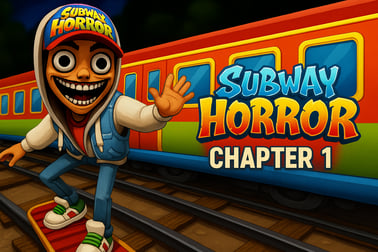
Subway Horror Chapter 1 throws you into a dark subway mystery. Explore tunnels, solve puzzles and outrun a creepy Inspector in this free browser horror.


























Subway Horror Chapter 1
Overview of Subway Horror Chapter 1
Subway Horror Chapter 1 is a tense first person horror game that throws you into a dark, abandoned metro system with a sinister Inspector stalking the tunnels. Inspired by endless runner classics but twisted into a subway mystery adventure, it blends stealth, exploration, and puzzle solving into a compact yet nerve‑shredding experience. You’ll roam narrow corridors, investigate eerie platforms, and search train cars for clues while trying to stay one step ahead of the enemy.
This is an online horror escape that runs directly in your browser, making it easy to jump into the action without downloads. Instead of mindless running, Subway Horror Chapter 1 leans into browser survival horror: you explore slowly, check every corner, and question every sound echoing through the darkness. The psychological tension builds as you uncover what the Inspector is hiding and why the subway feels more like a trap than a way out.
With a mix of environmental storytelling, light puzzles, and chase sequences, the game is perfect for fans of psychological horror tunnels, short-form narrative games, and creepy one-sitting experiences you can play in a tab. Whether you’re here for jump scares, mystery, or atmospheric exploration, Chapter 1 sets the stage for a bigger story beneath the city streets.
How to Play: Survive the Haunted Subway Tunnels
Subway Horror Chapter 1 plays like a compact escape room spread across gloomy stations and maintenance passages. Your main goal is simple: explore the tunnels, solve puzzles, and avoid getting caught by the Inspector. Here’s how a typical run unfolds:
- Wake up in the station: You start alone in a dimly lit subway area with scattered debris, flickering lights, and a sense that something is very wrong.
- Search for clues: Move through corridors, platforms, and train interiors, checking doors, posters, lockers, and scattered objects for items or hints.
- Follow environmental hints: Indicators like graffiti, light patterns, and sound cues often point toward your next objective or a nearby puzzle.
- Solve puzzles to unlock progress: Use found items, codes, and switches to open new areas or power up mechanisms.
- Avoid the Inspector: When the Inspector appears, you must run, hide, or quickly reroute through other tunnels to avoid capture.
- Piece together the mystery: Notes, symbols, and environmental details gradually reveal what’s happening in the subway and who the Inspector really is.
The game’s tension comes from not knowing when the browser survival horror moments will spike. One minute you’re quietly solving a puzzle, the next you’re sprinting through psychological horror tunnels with footsteps echoing behind you.
Basic Rules & Mechanics
The rules in Subway Horror Chapter 1 are straightforward, which lets the fear and exploration shine. Here are the core systems you’ll interact with in this first person horror game:
- Exploration-focused gameplay: The subway is mostly linear with small side paths, but it encourages you to check every corner for items and story details.
- Item-based puzzles: You’ll pick up keys, codes, or interactive objects to unlock doors, power systems, or secret areas.
- Stealth and escape: You’re not a fighter. When the Inspector hunts you, your best options are running, hiding, or outmaneuvering him in the maze-like tunnels.
- Single-chapter progression: Chapter 1 functions like a self-contained story segment. Your objective is to reach the end of the level alive and uncover as much of the mystery as you can.
- Checkpoint-based restarts: If you’re caught, you’ll restart from a recent checkpoint instead of losing all your progress, making experimentation less punishing.
There’s no complex inventory management or skill trees here. The emphasis is on atmosphere and tension, making it a perfect entry point for players new to subway mystery adventure titles or horror in general.
Subway Horror Chapter 1 Features
Subway Horror Chapter 1 may be compact, but it packs several standout elements that set it apart from typical browser games. Here are the key features that define this online horror escape experience:
- Immersive first person perspective: The entire game is played from a first person view, pulling you directly into the psychological horror tunnels and making every sound and shadow feel personal.
- Inspector as a persistent threat: The Inspector isn’t just a cutscene enemy. He appears in certain sections to chase you, forcing quick reactions and careful route planning.
- Environmental puzzles: Rather than pop-up menus, puzzles are built into the world—locked doors, keypad codes, power switches, and hidden paths scattered through platforms and maintenance areas.
- Atmospheric sound design: Distant train rumbles, dripping water, and distorted announcements heighten the sense of dread and make headphones highly recommended.
- Compact story-driven chapter: Designed as the opening of a larger narrative, this chapter delivers a focused slice of browser survival horror you can complete in a single sitting.
- Accessible in-browser experience: No large downloads or complex installs—just load the game and start exploring, ideal for quick horror sessions.
Together, these features create a suspenseful subway mystery adventure that feels more like an indie horror demo on PC than a typical web mini-game.
Game Features: Puzzles, Chases and Creepy Encounters
What makes Subway Horror Chapter 1 memorable is how it mixes slow-burn exploration with explosive moments of panic. Here’s what you can expect beat by beat:
Puzzle Solving in the Tunnels
- Code locks and switches: You’ll find doors and gates that require codes or power sources, encouraging you to backtrack slightly and really observe the environment.
- Environmental clues: Posters, notes, graffiti, and lighting often contain hints to solutions or warn you about upcoming danger.
- Sequential objectives: Some areas require a specific order—find a key, power the generator, then open a blocked route—adding a layered feel to progression.
Chase Sequences with the Inspector
- Scripted encounters: At certain story points the Inspector appears, and the game shifts from slow exploration to frantic escape.
- Route memory: Knowing the layout of the tunnels and platforms helps you escape faster when he spawns, rewarding careful earlier exploration.
- High-stakes mistakes: A wrong turn or hesitation can get you caught, but generous checkpoints keep frustration low while preserving the scare factor.
Creepy Environmental Encounters
- Sudden sounds: Unexpected noises—slams, rattles, or steps—keep you on edge even when nothing is there.
- Subtle visual scares: Shadows at the end of a corridor, a figure behind a train window, or a fleeting glimpse of the Inspector build psychological tension.
- Story hints: Notes and set pieces reveal fragments of what turned this everyday station into a nightmare, deepening the horror beyond simple jump scares.
These elements together make the game feel like a guided haunted tour of an underground world, combining first person horror game intensity with clever environmental design.
Tips and Tricks to Escape the Inspector in the Subway
Surviving this online horror escape is much easier if you go in with a plan. Use these strategies to stay ahead of the Inspector and make it through Chapter 1:
- Study the layout early: During quiet moments, walk around and mentally map key landmarks—stairs, side rooms, dead ends, and loops. When a chase starts, you won’t have time to think.
- Keep your back to walls: When investigating small rooms, avoid standing in the center. Staying near walls and doorways makes it quicker to bolt if you hear danger.
- Listen carefully: Footsteps, breathing, and distant movement often signal the Inspector is nearby. Headphones make these audio cues much clearer.
- Don’t over-loot during chases: If you’re being pursued, ignore optional items and focus purely on routes that lead to safety or progression.
- Use corners to break line of sight: Sharp turns in the tunnels can help you briefly lose the Inspector and gain vital distance.
- Think before interacting: Some actions, like powering up noisy machinery or opening big doors, might trigger new events. Make sure you know where you’ll run if things go bad.
- Stay calm with puzzles: When under pressure, it’s easy to fumble code entries or object placement. Take a breath and focus—panicking wastes more time.
By combining awareness of the environment with careful listening, you’ll turn the maze-like tunnels from a death trap into your greatest weapon in this browser survival horror experience.
Subway Horror Chapter 1 Control Guide
The controls are simple and familiar if you’ve played any first person PC or browser game. Exact keys can vary slightly by platform, but they generally follow this pattern:
- Movement: Use the W, A, S, D keys (or arrow keys) to walk forward, backward, and strafe left and right through the tunnels.
- Look / Aim: Move your mouse to look around, inspect details, and orient yourself when running from the Inspector.
- Interact: Press E or click the left mouse button to pick up items, open doors, activate switches, or trigger puzzle elements.
- Jump: Hit the Spacebar to hop over small obstacles or onto low platforms where needed.
- Restart / Reset: Some versions offer a dedicated key (often R) to quickly restart a section if you’re stuck.
- Menu / Settings: Press Tab or Esc to open the in-game options, change settings, or return to the main menu.
The intuitive control scheme keeps your focus on tension, not button memorization. If you’re new to first person horror games, spend a minute in a safe area just walking, turning, and interacting until movement feels natural—this will help a lot when the chases begin.
Where to Play Subway Horror Chapter 1
Subway Horror Chapter 1 is designed as a browser survival horror experience, so you can play it directly online without installing a full PC game. To get the best results:
- Use a modern desktop browser: Play on the latest version of Chrome, Firefox, Edge, or similar for smoother performance and better compatibility.
- Enable hardware acceleration: Turning this on in your browser settings can reduce stutter and make the first person camera feel more responsive.
- Close heavy background tabs: This is a subway mystery adventure built to be light, but freeing up system resources still helps reduce lag during chases.
- Play in fullscreen mode: Many platforms offer a fullscreen button. Using it heightens immersion and makes it easier to spot small details in the dark tunnels.
Because it’s primarily tuned for keyboard and mouse input, Subway Horror Chapter 1 is best enjoyed on Windows, Mac, or laptop setups rather than mobile browsers. Check that your internet connection is stable to avoid interruptions during key story moments and chase sequences.
Offline Play Availability for Subway Horror Chapter 1
Subway Horror Chapter 1 is mainly intended as an online horror escape, running through your browser with no initial installation required. On most web platforms, this means:
- No native offline play: You’ll need an active internet connection to load and play the game in a browser tab.
- Progress is session-based: Because it’s a short, chapter-style experience, your goal is usually to complete it in one or a few sessions rather than rely on offline saves.
Some PC-focused sites or the original developer may offer downloadable builds, but those are separate from the standard browser edition. For most players, treating Subway Horror Chapter 1 as a quick, online-only session of first person horror will be the intended way to experience it.
Similar Horror Games to Play After Finishing Chapter 1
If Subway Horror Chapter 1 left you wanting more tense psychological horror tunnels and chase-filled corridors, there are several other browser and indie titles you’ll likely enjoy:
- Subway Horror Chapter 2 & Chapter 3: Continue the saga and uncover more of the Inspector’s secrets, with new locations, puzzles, and increasingly intense encounters.
- Slide in the Woods: Another short first person horror game that starts harmlessly but turns into a surreal nightmare hidden in a simple playground slide.
- Dark Barn Escape: A puzzle-heavy escape experience where you must explore a creepy farm building, search for clues, and avoid a lurking presence.
- Timore and similar indie horrors: Short, atmospheric games focused on exploration and jumpscares in tight, claustrophobic spaces.
- Other subway or tunnel-based games: Look for titles tagged with “subway,” “underground,” or “escape horror” to find more subway mystery adventure experiences that play with confined spaces and limited visibility.
Rotating through a handful of these shorter games is a great way to enjoy regular doses of browser survival horror without committing to huge downloads or long playtimes. If you liked the mood, pacing, and twists of Subway Horror Chapter 1, there’s a whole world of similar indie horror experiences waiting in your browser.
Frequently Asked Questions
What is Subway Horror Chapter 1 about?
Subway Horror Chapter 1 is a first-person horror adventure set in an abandoned subway. You explore dark tunnels, search for clues, solve puzzles and uncover the mystery behind a terrifying Inspector who is stalking you.
How do you play Subway Horror Chapter 1?
Use your keyboard to move, look around, jump and interact with objects. Explore each area carefully, collect useful items, solve environmental puzzles and avoid getting caught by the enemy to progress through the chapter.
Is Subway Horror Chapter 1 suitable for kids?
The game includes scary scenes, jump scares and a tense atmosphere, so it is better suited for teens and older players who enjoy horror games rather than very young children.
Do I need to download Subway Horror Chapter 1?
On most browser game sites you can play Subway Horror Chapter 1 online without downloading. Simply load the game in a desktop browser and start playing directly from the page.
Can I play Subway Horror Chapter 1 on mobile?
Subway Horror Chapter 1 is mainly designed for desktop play with a keyboard and mouse. Some phones or tablets may not run it correctly, so a computer is recommended for the best experience.