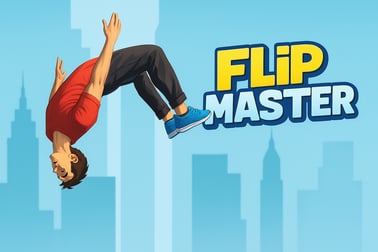
Flip Master – jump, flip, and land epic tricks with realistic ragdoll physics. Unlock new skills, characters, and locations in this trampoline stunt game.









Flip Master
Overview of Flip Master
Flip Master is a browser-based trampoline flipping game where you chain backflip and frontflip tricks using bouncy ragdoll physics. Inspired by the hit mobile title, this online trampoline simulator lets you launch a character sky-high, rotate through the air, and try to land perfectly on the mat without wiping out. Every jump is a mix of timing, precision, and just the right amount of chaos.
As you bounce, you can perform acrobatic moves like frontflips, backflips, layouts, and gainers. The better your landings, the more coins, score, or progression you earn. Mess up your rotation or land on your neck, and the ragdoll physics parkour engine delivers a hilarious crash instead of a clean combo. The challenge is to push for higher scores and more complex rotations while still sticking the landing.
This browser acrobatics game sits at the intersection of Arcade, Sports, and Action. It’s quick to pick up, but tricky to master. Short sessions, simple controls, and satisfying physics make Flip Master a perfect “just one more try” game you can play directly in your browser without downloads.
Flip Master Control Guide
Controls in Flip Master are intentionally simple so you can focus on timing and rhythm instead of complex button combinations. Exact inputs can vary slightly depending on the site hosting the game, but most browser versions follow this structure:
- Mouse / Touch
- Hold left mouse button / hold tap – Charge and control the strength of your jump.
- Release – Launch into the air from the trampoline.
- Tap or hold again in midair – Start your flip rotation.
- Release before landing – Stop rotation and try to align your feet with the mat.
- Keyboard (if supported)
- Spacebar – Jump and start a basic flip.
- Left / Right arrow keys or A / D – Fine-tune your rotation direction or body angle, depending on the version.
Different tricks, like backflips and frontflips, are usually handled by the direction you initiate your rotation and how long you hold your flip input. Some builds of the game also let you switch tricks from a small on-screen menu or button when you’ve unlocked new moves.
The key is to watch your character’s orientation in the air. Because Flip Master uses a ragdoll-style physics system, your body won’t snap into a perfect flip pose automatically. Instead, you’ll feel the momentum carry you through the rotation, and you need to stop spinning at just the right moment to land on your feet.
Key Features
Flip Master stands out among browser sports games because it combines lighthearted ragdoll physics with surprisingly precise timing. Here are some of the core features you can expect when you load up this trampoline flipping game:
- Dynamic ragdoll physics parkour
- Your jumper behaves like a flexible ragdoll rather than a stiff model.
- Every jump feels slightly different based on your timing, height, and rotation.
- Both perfect landings and wild wipeouts look and feel satisfying.
- Online trampoline simulator gameplay
- Simulated bounce height, air time, and momentum on a virtual trampoline.
- Continuous rounds where you try to beat your previous score or combo.
- Gameplay tuned for short, replayable sessions in your browser.
- Backflip and frontflip tricks
- Perform frontflips, backflips, and advanced moves like gainers and layouts.
- Chain rotations together in a single jump for extra points.
- Mastering when to start and stop spinning is the heart of the game.
- Unlockable locations and characters (varies by version)
- Bounce in backyards, gyms, circus arenas, rooftops, or full trampoline parks.
- Choose between different jumpers with unique animations or stats.
- Casual yet skill-based design
- Easy enough for kids and new players to understand.
- Challenging enough for high-score hunters and trick perfectionists.
Combined, these features make Flip Master feel more like a playful trampoline toy box than a strict simulator, while still rewarding practice and precision.
Performance & Troubleshooting
Flip Master generally runs smoothly on modern browsers, but if your trampoline flips feel laggy or input seems delayed, there are a few quick fixes you can try.
Optimize Your Browser
- Close extra tabs and apps to free memory and CPU, especially on older laptops.
- Update your browser (Chrome, Edge, Firefox, or Safari) to the latest version for better WebGL performance.
- Disable heavy extensions like ad blockers or script tools temporarily if the game isn’t loading or is stuttering.
Adjust In-Game Settings (If Available)
- Look for graphics quality or performance toggles in the game menu.
- Choose lower graphics quality to improve frame rate on low-end machines.
- Use the default resolution in the game’s full-screen mode for the smoothest trampoline flipping experience.
Common Issues & Fixes
- Game not loading at all
- Refresh the page and wait a few seconds after any initial ads.
- Clear your browser cache and reload the game page.
- Try a different browser if the loading bar gets stuck repeatedly.
- Controls feel delayed
- Switch to full-screen mode to reduce background distractions.
- Ensure no other heavy downloads or streams are running.
- No sound or music
- Check the in-game audio icons and make sure sound is enabled.
- Verify your device volume and system sound mixer aren’t muted for the browser.
If your physics seem inconsistent, remember that Flip Master intentionally uses a loose ragdoll system. Small differences in when you tap or release will change how your jumper rotates, which is part of the game’s charm.
Is Flip Master Safe to Play Online?
Flip Master is built as a lighthearted, family-friendly browser acrobatics game. Despite the exaggerated crashes, the visuals are cartoonish and non-gory, focusing on slapstick rather than realistic injuries.
- Violence level – Mild. Falls and crashes use comedic ragdoll physics without blood or graphic detail.
- Language – Typically clean and suitable for younger audiences.
- Online interactions – Most browser versions are single-player only with no open chat or messaging, which limits exposure to strangers.
- In-game purchases – Some platforms may mirror the mobile game’s monetization with optional cosmetic or shortcut purchases. Always supervise purchases for kids.
Parents who are cautious about safety can:
- Have kids play on trusted gaming portals with clear age ratings.
- Turn off or limit payment methods on shared devices.
- Set browser-based parental controls or safe search filters.
Overall, Flip Master is generally considered safe and appropriate for most children and teens, especially when played on moderated browser platforms.
How to Play Flip Master Online on Your Browser
Getting into Flip Master in your browser takes only a few clicks. There’s no download required, so you can jump into the trampoline action almost instantly.
- Open a modern browser like Chrome, Edge, or Firefox on your PC, laptop, tablet, or phone.
- Go to a reputable gaming portal that hosts Flip Master in categories like Arcade, Sports, or Action.
- Wait for the game to load. A short loading bar or splash screen will usually appear before the trampoline simulator starts.
- Review any on-screen tutorial. Many browser versions show basic control hints during your first session.
- Start your first bounce by pressing the spacebar, clicking, or tapping, depending on the control scheme shown.
The typical goal in a browser session is straightforward: keep your jumper flipping and landing successfully for as long as possible without wiping out. Each clean landing boosts your score, and longer combos unlock more tricks or cosmetic content over time.
Because it runs entirely online, you can easily share Flip Master with friends or classmates. Just send them the game page link and compare high scores to see who can perform the most impressive backflip and frontflip tricks.
Tips and Tricks to Land Perfect Flips Every Time
Landing consistently in Flip Master takes practice, but a few simple strategies can dramatically improve your success rate in this trampoline flipping game.
1. Learn the Timing of the Bounce
Don’t mash the jump input. Watch the character compress into the trampoline, then launch at the lowest point of the mat. This gives you maximum air time, which translates into slower, more controllable rotations.
2. Start with Single Rotations
New players often go for double or triple flips right away, which leads to constant ragdoll crashes. Instead:
- Focus on a single frontflip until you can land it almost every time.
- Then practice a single backflip and notice how the timing feels slightly different.
3. Stop Spinning Early
It’s easier to correct a slightly under-rotated flip than one where you’ve over-rotated. Release your flip input a moment earlier than you think you need to. Let the remaining momentum finish the rotation while you line up your feet with the trampoline.
4. Use Short Sessions to Build Muscle Memory
Because this browser acrobatics game is fast and replayable, break your practice into short bursts:
- Spend 5–10 minutes only doing frontflips.
- Next session, 5–10 minutes only on backflips.
- After that, start mixing them in combos (frontflip into backflip, etc.).
5. Watch Your Character’s Shoulders
Instead of staring at the trampoline, keep your eyes on the shoulders and torso. As soon as the torso is nearly vertical and aligned over the mat, it’s time to stop spinning and prepare for impact.
6. Don’t Chase Score Too Early
It’s tempting to spam advanced tricks the second you unlock them. But in a realistic ragdoll physics parkour environment, more complexity usually means more ways to fail. Build a strong foundation with basics before going for extreme combo chains or coin rushes.
Game Features: Ragdoll Physics, Power-Ups, and Locations
Flip Master’s appeal comes from its blend of cartoony realism and over-the-top variety. Here’s how each pillar of the game shapes your experience.
Ragdoll Physics That Reward (and Punish) Precision
- Your character moves with procedural, physics-driven motion instead of scripted animations.
- Subtle inputs change how your body bends and rotates in midair.
- Success and failure are both fun to watch—perfect sticks feel clean, and fails are pure slapstick.
Power-Ups to Change How You Bounce
Depending on the version you’re playing, you may encounter power-ups that temporarily alter the way your trampoline or character behaves:
- Increased bounce height to make bigger flips possible.
- Coins or score multipliers that reward extended combos.
- Special items like balls or cubes that add extra challenge and comedy to each jump.
Locations That Keep the Game Fresh
Rather than jumping on one static trampoline forever, Flip Master often rotates through different environments:
- Backyard trampolines with a casual, homey vibe.
- Gym and competition arenas for a more serious sports feel.
- Circus tents and trampoline parks loaded with color and multiple mats.
- Rooftops or mountain-top setups that add a sense of height and spectacle.
Each environment changes the mood and sometimes the size or behavior of the trampoline itself, adding subtle variety to your runs.
Best Devices and Controls for Smooth Trampoline Flips
Flip Master is designed to run on a wide range of devices, but some setups naturally provide smoother flips and more accurate control.
Desktop and Laptop (Recommended)
- Pros
- Best overall performance and frame rate for this online trampoline simulator.
- Precise input via keyboard, mouse, or trackpad.
- Larger screen makes it easier to read rotations and landing angles.
- Ideal control setup
- Use spacebar for jump and flip timing.
- Use left/right arrows or A/D (if supported) to fine-tune your body position.
Tablets
- Pros
- Touch controls feel natural for tapping and holding during flips.
- Screen is still large enough to judge rotations clearly.
- Tips
- Play in landscape mode for a wider view of the trampoline.
- Keep your device on a stand or table so your taps stay consistent.
Phones
- Pros
- Play anywhere with quick, snack-sized sessions.
- Cons
- Smaller screens make it harder to see subtle body angles.
- Performance can vary on older or low-end devices.
- Tips
- Use a single-thumb tap pattern for consistent flip control.
- Close background apps before launching the game to avoid stutter.
For the smoothest trampoline flipping game experience overall, a mid-range or better laptop or desktop with an up-to-date browser is ideal. However, thanks to its simple controls and browser-based design, Flip Master still works well as a casual tap game on phones and tablets.
Safe and Family-Friendly Fun: Is Flip Master Suitable for Kids?
Flip Master is generally considered family-friendly and kid-appropriate, especially compared to many online action titles. It focuses on sports-style acrobatics rather than combat or mature themes.
- Content style – Cartoonish characters and trampolines, no explicit violence, and no graphic injury detail.
- Educational angle – Encourages timing, coordination, cause-and-effect thinking, and experimentation within a simple physics environment.
- Session length – Short, restart-friendly runs that make it easy to set reasonable playtime limits.
Parents may still want to provide guidance:
- Remind younger children that this is a game-only representation of trampoline flips, not real-life instruction.
- Use the game as a conversation starter about trampoline safety: spotters, nets, and not attempting dangerous flips without training.
- If the hosting site runs ads, consider playing with an adult nearby to help avoid accidental clicks.
Thanks to its combo of ragdoll physics parkour, simple controls, and approachable presentation, Flip Master works well as a shared family browser acrobatics game. Kids enjoy the wild flips, parents can appreciate the harmless humor, and everyone can compete for the highest score on the virtual trampoline.
Frequently Asked Questions
What is Flip Master?
Flip Master is a trampoline stunt game where you perform frontflips, backflips, and other tricks using realistic ragdoll physics to score points and unlock new content.
Can I play Flip Master for free?
Yes, Flip Master can be played for free online in your browser. Some versions of the game may offer optional in-app purchases or extras.
Is Flip Master safe for kids?
Flip Master is generally family-friendly and focuses on cartoon-style trampoline tricks. Parents should still review age ratings and supervise younger children.
Do I need to download Flip Master to play?
No download is required when you play Flip Master in your browser. Just load the game page, wait for it to start, and begin flipping.
What devices can I use to play Flip Master?
You can play Flip Master on most modern devices, including desktop computers, laptops, tablets, and smartphones that support an up-to-date web browser.