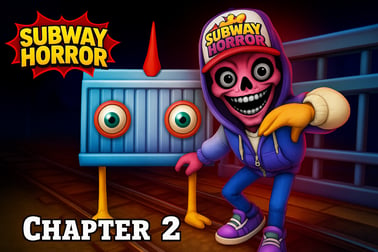
Subway Horror Chapter 2 plunges you into dark subway tunnels. Solve creepy puzzles, avoid sound‑sensitive monsters and uncover John’s family secret.



















Subway Horror Chapter 2
Overview of Subway Horror Chapter 2
Subway Horror Chapter 2 is a tense first-person subway horror experience where you creep through abandoned tunnels packed with monsters, cryptic codes, and environmental puzzles. Played directly in your browser, this horror subway game online combines slow-burn suspense with fast, panicked escapes when creatures sense your presence.
You play as John, returning to the same cursed subway system from the first chapter. The deeper you go, the more you realize the tunnel isn’t just haunted — it’s personally connected to your family. Strange inscriptions, slot machines spitting out useful clues, locked gates, and eerie whispers in the dark all push you forward in this scary tunnel adventure.
Subway Horror Chapter 2 is best described as a creepy puzzle horror game. Much of the gameplay is about cautiously exploring, searching the walls and corners for numbers and symbols, and using what you find to unlock doors. At the same time, stealth and smart movement are vital, because monsters are drawn to light and sound. Every flashlight click and rushed footstep could give you away.
Because it runs as an HTML5 monster escape browser game, you can usually play on modern desktop browsers with no install. That makes it simple to jump in and experience the full first person subway horror atmosphere without extra setup.
Subway Horror Chapter 2 Control Guide
Subway Horror Chapter 2 focuses on simple, responsive controls so you can concentrate on survival and puzzle-solving instead of complex keybinds. Exact input prompts can vary slightly between sites, but the core layout tends to follow this pattern:
- Movement: Use the W, A, S, D keys or the arrow keys to move through the tunnel.
- Look Around: Move your mouse to look in any direction in first person.
- Jump / Vault: Press Spacebar to jump over small obstacles or onto platforms when needed.
- Interact / Use: Press E or Left Mouse Button to interact with doors, chests, slot machines, and other objects.
- Flashlight / Light Source: Press F (or sometimes Right Mouse Button) to toggle your light on and off.
- Pause / Settings: Press Esc to open the in-game menu, adjust options, or restart from the last checkpoint.
Many browser versions also include on-screen buttons labeled things like Jump, Restart, or Settings. If your keyboard doesn’t respond immediately, click inside the game canvas once to give it focus, then try the keys again.
Since monsters are attracted to both light and sound, good control of your movement and flashlight is crucial. Practice turning quickly with the mouse, short-hopping with the spacebar, and toggling the light only when you genuinely need it. Mastering this simple control scheme makes the whole horror subway game online feel smoother and less frustrating.
Key Features
Subway Horror Chapter 2 blends exploration, stealth, and puzzle-solving into a compact but intense browser horror experience. Here are the core features that define this scary tunnel adventure:
- First-person subway horror atmosphere: The game uses narrow tunnels, echoing footsteps, and sudden ambient sounds to keep you constantly on edge. The first person subway horror viewpoint pulls you right into John’s fear.
- Light and sound-based enemy behavior: Monsters in the tunnels are aggressively drawn to the glow of your flashlight and loud movements. This forces you to balance visibility with safety, creating natural stealth gameplay.
- Creepy puzzle horror gameplay: Progress depends on deciphering numbers, codes, and patterns hidden throughout the environment. You’ll read wall writings, examine strange markings, and combine clues to unlock sealed gates.
- Interactive objects and minigame-style elements: Certain sections include slot machines, locked chests, and other interactive props. These often reward you with codes or hints that move the story forward.
- Story-driven monster escape browser game: Unlike many endless-runners set in subways, this title builds a continuing narrative about John’s connection to the tunnels and the origin of the creatures.
- Browser-based play: Built with HTML5/Unity WebGL, Subway Horror Chapter 2 can be played in modern browsers, especially on PC. No extra downloads are needed on most sites.
- Progressive difficulty: Early puzzles are straightforward, while later sections demand more attention to detail and careful timing to avoid monster patrols.
Together, these features turn a simple tunnel setting into a layered monster escape browser game that rewards patience, observation, and quick decision-making under pressure.
Performance & Troubleshooting
Because Subway Horror Chapter 2 typically runs as a browser-based Unity or HTML5 title, performance depends heavily on your device, browser, and connection. If your first person subway horror session doesn’t feel smooth, use the tips below to improve stability and frame rate:
- Use a modern browser: Play on the latest version of Google Chrome, Mozilla Firefox, or Microsoft Edge. Chrome is usually the most compatible choice for WebGL-based horror games.
- Close extra tabs and apps: Heavy multitasking can cause stutters and input lag. Shut down video streams, large downloads, or other games before starting your scary tunnel adventure.
- Allow the game to load fully: Before clicking Play, wait for the loading bar or spinner to finish. Refreshing too early can cause black screens or missing textures.
- Check hardware acceleration: Ensure hardware acceleration is enabled in your browser settings so your GPU can help with rendering.
- Lower your display load: If the game struggles, reduce your monitor resolution or run the browser window a bit smaller instead of full 4K. Some sites also expose basic graphics toggles in the Settings menu.
- Reload if input stops working: If your movement keys or mouse suddenly stop responding, click inside the game area first. If that doesn’t fix it, refresh the page and reload your save or checkpoint.
- Sound issues: For missing or delayed audio (footsteps, monster growls), double-check your browser’s site permissions and your system volume mixer to be sure the tab isn’t muted.
If you still encounter severe lag or crashes after trying these steps, you may need a more powerful PC or a different browser. As a rule of thumb, if your machine can comfortably handle other 3D WebGL titles, it should be able to run this horror subway game online without major problems.
Can I Play Subway Horror Chapter 2 Offline?
Subway Horror Chapter 2 is primarily designed as an online browser experience. On most gaming portals, you cannot play it fully offline because the game files, scripts, and saves are loaded from the website each time you launch a new session.
Here’s how offline availability generally breaks down:
- Browser version: Requires an active internet connection to load the game and sometimes to maintain progress. Once the tab is closed, assets are typically cleared, so you’ll need to reconnect for your next playthrough.
- Downloadable builds: The original developer has released standalone PC versions on some platforms. Those downloadable builds can be played offline once installed, making it easier to enjoy the first person subway horror atmosphere without worrying about connection drops.
If you’re specifically looking for an offline monster escape browser game, consider downloading a dedicated PC build where available. For lightweight, quick sessions, though, the in-browser online version is usually more convenient and carries the same core creepy puzzle horror experience.
Survive the Haunted Subway Tunnels
The heart of Subway Horror Chapter 2 is survival. You’re not a heavily armed hero; you’re an ordinary person trapped in a suffocating maze of concrete corridors and rumbling train tracks. To stay alive in this horror subway game online, you need to think like a cautious explorer instead of a reckless action character.
Practical survival concepts to keep in mind:
- Move slowly and deliberately: Rushing forward makes noise and shortens your reaction time. Walk, pause, listen for monster sounds or distant trains, then continue.
- Use corners wisely: Approach intersections at an angle, peeking around slowly. This helps you spot creatures or clues before fully exposing yourself.
- Memorize safe spots: Note alcoves, side rooms, and doorways where you can quickly duck out of sight when a monster patrols by.
- Observe before interacting: Before activating slot machines or opening chests, scan the area and listen carefully. Loud interactions can attract dangers.
- Respect the trains: Some sections feature moving trains that can crush you or block your path. Time your movements carefully and never assume a track is safe just because it’s quiet for a moment.
This grounded, methodical style of play is what makes the scary tunnel adventure feel so intense. Every small success — unlocking a gate, slipping past a monster, finding a critical number on the wall — feels earned because you stayed calm and attentive in truly hostile territory.
How to Solve Puzzles in the Dark Underground
Puzzle-solving is a core pillar of Subway Horror Chapter 2. Instead of simply running from point A to point B, you’re constantly decoding the environment to move forward. The game’s creepy puzzle horror design encourages you to treat every surface as a possible clue.
Here’s how to approach puzzles efficiently:
- Read the walls: Many gates and locks rely on numbers, symbols, or phrases painted or scratched on the walls. Some are direct code hints; others are part of a larger pattern.
- Check interactive props: Slot machines, chests, and control panels may reveal digits or patterns when used. Listen for subtle audio cues that confirm you triggered something important.
- Keep a mental (or physical) note: When you see numbers like 3-7-1 or oddly highlighted digits, jot them down or remember their order. You’ll often use them later for door panels.
- Match clues to context: If you find a three-digit number, look for a nearby lock that expects three inputs. Longer strings may belong to deeper gates or special mechanisms.
- Backtrack with purpose: If you’re stuck, revisit earlier corridors. You might have walked past a code panel before knowing the combination.
Because monsters react to sound and light, puzzle-solving in this first person subway horror game is rarely relaxed. Sometimes you’ll need to switch between reading clues in a lit corner and quickly hiding when you hear something moving. This tension is part of what makes Subway Horror Chapter 2 stand out among other horror subway games online.
Tips to Avoid Monsters Drawn to Light and Sound
The most unique threat in this monster escape browser game is how creatures are attracted to both illumination and noise. Managing your visibility and volume is just as important as solving any puzzle. Use these focused tactics to stay out of trouble:
- Use your flashlight in short bursts: Instead of keeping it on constantly, flick it on to scan an area, then turn it off and move in the dark or semi-dark. This reduces how often monsters can see you.
- Listen for audio cues: Growls, distorted breathing, and scraping footsteps usually mean a creature is nearby. If you hear these, stop moving and turn off your light.
- Walk, don’t sprint, unless escaping: Rapid movement creates more noise and makes your character more noticeable. Save fast running for when you’re already spotted.
- Avoid unnecessary interactions: Don’t spam slot machines or repeatedly open and close objects for fun. Each interaction adds sound and can lure monsters from other corridors.
- Hug the shadows: When your light is off, stick close to walls or darker corners rather than open tracks. Even in a first person subway horror game, basic stealth logic applies.
- Memorize patrol routes: If you die, use what you learned. Many monsters follow repeatable paths. Plan when to cross open areas based on their rhythm.
Mastering these strategies transforms the game from trial-and-error frustration into a tense but fair scary tunnel adventure. Over time, you’ll learn to predict danger from sound alone, using the environment to stay one step ahead.
Story Recap and New Secrets in Chapter 2
Subway Horror Chapter 2 continues the story arc that began in the original chapter. Once again, you step into John’s shoes as he descends into the same dangerous tunnel system, determined to understand why the subway is infested with monstrous beings.
Key story elements and twists introduced in Chapter 2 include:
- Forced return to the tunnels: After surviving the first encounter, John is drawn back underground. Whether it’s guilt, unfinished business, or something more supernatural, he can’t stay away.
- Family involvement: As you explore, you uncover disturbing hints that John’s own family had a role in the experiments or events that birthed the monsters. This personal connection raises the stakes beyond simple survival.
- Origins of the monsters: Through environmental storytelling — notes, inscriptions, and scattered evidence — you start piecing together what happened in these tunnels and why the creatures stalk the darkness.
- New layers of mystery: While Chapter 2 answers some questions, it also introduces fresh ones about the true extent of the subway’s corruption, hinting at deeper dungeons and more horrifying secrets below.
This narrative emphasis is a major reason Subway Horror Chapter 2 appeals to fans of creepy puzzle horror rather than simple jump-scare collections. Every number you find, every locked gate you open, feels like progress not only in gameplay but in understanding the overarching mystery binding John to this cursed place.
Controls and Browser Requirements for PC Players
For PC players, Subway Horror Chapter 2 is usually labeled as a PC-only or PC-focused release on many browser gaming portals. To enjoy this horror subway game online smoothly, you’ll want to meet some basic requirements and understand the control nuances on desktop.
Recommended PC Setup
- Operating System: Windows 10 or later, or a modern macOS / Linux distro with current browser support.
- Processor: Dual-core CPU or better.
- Memory: At least 4 GB of RAM, with 8 GB recommended if you multitask.
- Graphics: Any GPU that comfortably handles other 3D WebGL games should be enough.
- Browser: Latest Chrome, Firefox, or Edge with JavaScript enabled.
- Connection: Stable broadband to load assets and avoid long waiting times.
PC Control Basics
Once loaded, click inside the game window so your keyboard and mouse inputs register correctly. From there, you’ll use the standard WASD + mouse setup for this first person subway horror game:
- W / A / S / D or Arrow Keys: Move.
- Mouse: Look around and aim your view.
- Spacebar: Jump or climb over low obstacles.
- E / Left Mouse Button: Interact with objects and clues.
- F: Toggle flashlight or primary light source.
- Esc: Pause, adjust settings, or return to the main menu.
With this setup, PC players get precise control over movement and camera, which is essential when you’re solving environmental puzzles and dodging monsters drawn to every flicker of light and burst of sound. Combined with a modern browser and stable connection, it delivers a complete monster escape browser game experience right from your desktop.
Frequently Asked Questions
What is Subway Horror Chapter 2 about?
Subway Horror Chapter 2 is a browser horror game where you guide John through dark subway tunnels, solve puzzles, and uncover the mystery behind the monsters connected to his family.
Can I play Subway Horror Chapter 2 online for free?
Yes, Subway Horror Chapter 2 can be played online for free in a supported browser on PC, without needing to buy or install a full client.
Is Subway Horror Chapter 2 scary and suitable for kids?
The game has a tense atmosphere, jump scares, and creepy monsters, so it is better suited for teens and adults rather than young children.
What are the controls in Subway Horror Chapter 2?
You move through the tunnels using standard keyboard controls and on‑screen buttons: walk, jump, interact with objects like chests and slot machines, and restart from checkpoints if needed.
Do I need to play Chapter 1 before Subway Horror Chapter 2?
You can enjoy Chapter 2 on its own, but playing Chapter 1 first helps you better understand John’s story, the subway setting, and the origin of the creatures chasing you.