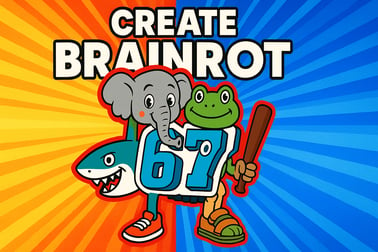
Create Brainrot lets you mix animals and objects into wild meme hybrids. Play free in your browser, experiment with combos, and build your weirdest collection.




Create Brainrot
Overview of Create Brainrot
Create Brainrot is a free browser brainrot game that turns your screen into an online meme laboratory. Instead of serious strategy or high-pressure action, you're here to mix, match, and mutate. You pick a base animal, throw in odd everyday objects, and watch the game spit out bizarre hybrid characters that look like they crawled straight out of a chaotic meme thread.
This funny animal mashup game leans hard into creativity and randomness. You're not just clicking buttons; you're experimenting with strange pairings and discovering which combinations unlock the wildest results. From adorable monstrosities to unexplainable meme creatures, the point is to keep trying new mixes and laughing at whatever comes out of the blender.
Because Create Brainrot runs right in your browser, there's no need to download or install anything. Just load the page, hit play, and start cracking open your imagination. It's designed to be quick to learn, low-stress, and endlessly replayable, making it ideal for short breaks, late-night meme sessions, or casual gaming when you don't feel like committing to something big.
If you've ever wanted a creative hybrid character maker that doesn't take itself too seriously, Create Brainrot is exactly that. You experiment like a mad scientist, but instead of explosions you get cursed-but-cute meme animals that feel like they belong in your group chat.
How to Play Create Brainrot
Create Brainrot keeps things simple so you can focus on experimenting. Here's how a typical round in this brainrot creator game works from start to finish:
- Launch the game in your browser
Open the game page on your favorite browser (Chrome, Edge, Firefox, or similar) and wait for it to load. There's no sign-up or launcher involved—Create Brainrot is built to be click-and-play.
- Pick your base animal
You start by choosing a base creature. It might be something familiar like a cat, dog, crocodile, capybara, or another meme-friendly animal. Your choice here sets the core body and personality of your hybrid character.
- Select objects and modifiers
Next, you jump into the online meme laboratory interface, where different items, props, and themes are available. These can include:
- Household objects (cups, headphones, furniture, snacks)
- Fashion items (hats, glasses, shoes, scarves)
- Weird or meme-inspired elements (emoji-like symbols, random signs)
Each pick changes how your hybrid character looks and sometimes unlocks new styles or reactions.
- Combine and create a hybrid
After picking your pieces, you hit the create / mix / combine button. The game processes your choices and generates a new hybrid: an animal-object mashup with exaggerated expressions, comedy poses, or unexpected color combos.
- Review, save, or retry
Don't like what you got? Mix again with new ingredients. Happy with your masterpiece? In many versions of this style of game, you can:
- Keep it in a collection
- Screenshot and share with friends
- Use it as meme material in chat
The loop is fast, so you can create several different brainrot hybrids in just a few minutes.
The more you experiment, the more patterns you start to see. Certain animals pair better with specific objects, and some groups of items tend to produce especially cursed or especially cute results. That constant discovery is what gives Create Brainrot such strong replay value.
How to Play Create Brainrot in Your Browser
Because Create Brainrot is a free browser brainrot game, getting started is straightforward. You don't need a powerful PC or gaming rig, just a stable internet connection and a modern browser.
Step-by-step browser setup
- Open a modern browser
Use Chrome, Firefox, Edge, Safari, or another updated browser. Older or unsupported browsers may struggle with performance.
- Disable heavy extensions (optional)
If you use aggressive ad-blockers or script-blockers, they might interfere with loading. Temporarily pause them on the game page if you notice issues like a blank screen or missing buttons.
- Wait for the game to fully load
The first load can take a moment as assets download. Be patient and avoid refreshing too quickly to prevent restarting the process.
- Switch to fullscreen mode
Most portals hosting Create Brainrot offer a fullscreen or windowed toggle. Fullscreen gives you a cleaner view of your hybrid characters and makes the interface easier to tap or click.
- Enable sound if available
Some versions of the game use funny sound effects or background music for extra chaos. Check your browser tab's mute settings and in-game sound controls.
Minimum browser tips for smooth play
- Keep only a few tabs open to free up RAM.
- Close streaming videos or downloads while playing.
- Update your browser if the game feels laggy or unresponsive.
Handled right, your browser becomes a stable, responsive online meme laboratory where you can spin out as many hybrids as your brainrot imagination can handle.
Create Brainrot Controls
Controls in Create Brainrot are intentionally minimal so new players can jump in without reading a manual. Whether you're on desktop or mobile, everything centers around simple taps and clicks.
Desktop controls & input
- Left mouse button – Select animals, objects, and options; press buttons like "Create" or "Combine".
- Mouse movement – Hover over icons to see names or highlights (if tooltips are enabled).
- Scroll wheel – In some interfaces, scrolls through longer lists of items or categories.
This makes Create Brainrot a perfect casual experience—no complex keybindings, just point and click until you like what you see.
Mobile & tablet controls
- Tap – Works like a mouse click: choose base animals, tap items, and confirm actions.
- Swipe – Scrolls lists or carousels of props, patterns, and decorations.
- Pinch (sometimes) – In some variants, pinching may zoom in or out on your hybrid for a closer look.
Since the controls are so simple, you can play this brainrot creator game one-handed while you're on the couch or on a quick break.
Interface elements you'll use a lot
- Animal selection panel – Choose which creature to start from.
- Object / prop grid – All the strange items you'll attach to your base.
- Combine / Create button – Triggers the transformation and shows your mashup.
- Reset / Clear – Lets you wipe choices and start again clean.
Because the layout is visual and icon-heavy, even younger players can grasp how to use this creative hybrid character maker within a few minutes.
Create Brainrot Features
What keeps people coming back to Create Brainrot isn't just the basic mashup idea—it's the way the game layers different features to keep your experiments interesting.
Key gameplay features
- Wide range of base animals
Create Brainrot borrows heavily from meme culture, so you'll see plenty of expressive animals that are already funny on their own. Each base animal gives your hybrid a different vibe, from chaotic gremlin energy to sleepy, innocent looks.
- Huge pool of objects and modifiers
Your online meme laboratory includes an evolving collection of props. Everyday objects take on new life when glued onto an unsuspecting animal. It's the contrast that makes the game so entertaining.
- Randomized outcomes
Even if you pick the same core items twice, final details like pose, colors, or facial expression might change. This randomness keeps every hybrid feeling unique.
- Collection-style progression
Some platforms that host Create Brainrot track which combinations you've already discovered. Filling your "brainrot index" or hybrid gallery becomes its own mini-goal.
- Instant replay loop
The time from idea to result is short. You can test dozens of variations in a single session, which is ideal for a funny animal mashup game built around experimentation.
Why it works as a casual game
Create Brainrot doesn't punish mistakes—you're encouraged to mess around. There are no harsh timers, no complex failure states, and no need to master advanced mechanics. It's just you, your curiosity, and a lab full of weird ingredients waiting to be mashed together.
Performance & Troubleshooting
Most players can run Create Brainrot smoothly, but as with any free browser brainrot game, issues can pop up. Here are common problems and simple fixes.
If the game won't load
- Refresh the page once – A single reload can fix temporary connection hiccups.
- Check your internet – Make sure you're not offline or on a very weak network.
- Disable aggressive blockers – Ad/script blockers can occasionally break game scripts. Whitelist the site or pause the extension.
- Try another browser – Switching from an outdated browser to Chrome, Edge, or Firefox often solves compatibility issues.
If the game is laggy or stuttering
- Close background apps – Shut down heavy tabs (video streams, big downloads).
- Lower screen resolution (if available) – Some portals let you reduce graphic load.
- Update your browser – Newer versions tend to run HTML5 games more efficiently.
- Restart your device – Clears up memory and stuck processes that might cause lag.
If controls don't respond
- Click inside the game window – Make sure the game, not the browser UI, has focus.
- Check touch settings on mobile – Disable system gestures that might conflict with in-game taps.
- Rotate your device – Switching between landscape and portrait can force a layout refresh.
If none of these work, there might be a temporary server or hosting issue on the game portal itself. Waiting a few minutes and trying again later often resolves those problems.
Can I Play Create Brainrot Offline?
No—Create Brainrot is designed as an online-only experience. It runs entirely through your web browser, and you need an active internet connection both to load the game assets and to keep playing.
Why Create Brainrot needs to be online
- Browser-based hosting – The game isn't installed as a standalone app; it's streamed from the site every time you play.
- Content updates – Object pools, memes, and visual assets may change over time, so being online ensures you're seeing the current version.
- Platform features – Ratings, sharing tools, or related games lists all rely on a live connection.
If you lose connection mid-session, you may see the game freeze, fail to generate new hybrids, or return you to a loading screen. Restoring your internet and reloading the page usually fixes it.
For now, if you want a completely offline experience, you'd need to grab screenshots of your favorite hybrids while connected and use them later as meme images or character ideas.
Tips to Unlock the Funniest Brainrot Combinations
Because Create Brainrot is so open-ended, a few smart habits can help you squeeze more comedy out of every session.
1. Mix opposites for instant comedy
In any brainrot creator game, contrast is king. If your base animal looks noble or cute, load it up with ridiculous everyday objects. If it already looks unhinged, try giving it fancy or delicate props for a fun mismatch.
- Cute animal + heavy or clunky object
- Serious-looking animal + silly fashion piece
- Lazy vibe + hyperactive or sporty items
2. Reuse the same base with different objects
Pick one animal you like and run several rounds just changing the props. You'll get a feel for how much each item actually changes the result, and you'll start to spot which objects consistently deliver the funniest outcomes.
3. Chase "almost right" themes
Instead of trying to make your hybrid perfectly coherent, lean into "almost right" themes: like a ballerina that looks one step away from disaster, or a "cool" character overloaded with accessories. That off-balance feeling is where a lot of brainrot humor lives.
4. Don't skip weird or ugly props
Items that look boring or ugly by themselves can become comedy gold once attached to a tiny animal body. Explore the whole catalog; your best meme might come from something you almost ignored.
5. Take screenshots of your best results
Use your device's screenshot shortcut or built-in sharing features. Save your funniest hybrids, then compare them later or send them to friends for a laugh. Turning your creations into reaction images gives this creative hybrid character maker an extra layer of replay value.
Create Brainrot Controls and Gameplay Features
Under the hood, Create Brainrot is built around a simple but addictive loop: choose, combine, react, repeat. Combined with easy controls, it stays accessible even if you're not an experienced gamer.
Core control scheme recap
- Click / Tap – Select animals, items, and menu buttons.
- Scroll / Swipe – Move through long lists of props.
- Fullscreen toggle – Switch between embedded view and full-window play.
Standout gameplay features
- Casual, session-based design
Each creation only takes a few moments, so the game fits into tiny gaps in your day. You can drop in for one or two hybrids, or sink an hour chasing the perfect cursed combo.
- Endless hybrid potential
With multiple animals and a broad set of objects, the total number of possible mashups is huge. Even small changes in your choices can produce noticeably different results.
- Family-friendly humor
While "brainrot" as an internet term sounds edgy, Create Brainrot plays things in a light, goofy way. You're making strange cartoonish hybrids, not anything graphic or inappropriate.
- Quick feedback loop
There's almost no downtime between experiments. That fast pacing is what makes this funny animal mashup game so compelling—you're constantly getting new visual surprises.
Together, these controls and features make Create Brainrot a laid-back, creative sandbox where the goal is simply to explore how ridiculous your imagination can get.
Best Brainrot Hybrid Ideas to Try First
If you're not sure where to start in your online meme laboratory, try these themed combos as inspiration. Adapt them to whatever animals and props your version of Create Brainrot offers.
1. The Overdressed Disaster
- Pick a clumsy or sleepy-looking animal.
- Stack as many "fancy" items as you can: shoes, hats, jewelry, accessories.
- End result: a creature that looks ready for a runway it's absolutely not prepared to walk.
2. The Couch Potato Hybrid
- Choose a lazy or round animal.
- Add snacks, cushions, and any screen-like objects.
- End result: the ultimate "I haven't moved all weekend" creature.
3. The Hyper-Caffeinated Mascot
- Take a smaller or anxious-looking animal.
- Attach cups, fast-food-like items, and bright, loud props.
- End result: a jittery mascot for staying up far too late.
4. The Mismatched Athlete
- Start with an animal that doesn't look athletic at all.
- Pick any sporty or fitness-related props you can find.
- End result: a hybrid that looks one breath away from quitting practice.
5. The Minimalist Curse
- Use only one or two objects on an otherwise plain animal.
- Pick props that dramatically change the face or silhouette.
- End result: a simple but strangely powerful meme creature that's perfect for reaction images.
As you get more comfortable with this creative hybrid character maker, you'll naturally start building your own themes. Keep notes (or screenshots) of your favorites so you can revisit or tweak them later.
Frequently Asked Questions About Create Brainrot
Is Create Brainrot free to play?
Yes. Create Brainrot is a free browser brainrot game. You don't have to buy anything to start experimenting with hybrids. Some hosting sites may show ads to support the game, but the core experience is free.
Do I need to create an account?
On most platforms, no account is required. You just open the page and play. A few gaming portals might offer optional accounts for saving progress or favorites, but Create Brainrot itself is built for quick, no-registration sessions.
Is Create Brainrot safe for kids?
As a family-friendly funny animal mashup game, Create Brainrot keeps its content light and cartoonish. There's no graphic violence or explicit material. However, parents should always review the specific hosting website to ensure they're comfortable with its ads and surrounding content.
Can I share my hybrids with friends?
The easiest way is to take screenshots of your favorite creations and send them via your usual chat apps or social platforms. Some sites may include built-in share buttons, but even without them, screenshots work great.
What devices can I use to play?
You can play Create Brainrot in most modern desktop and mobile browsers. That includes Windows PCs, Macs, many Chromebooks, Android phones, and iOS devices, as long as your browser is up to date and supports HTML5 games.
Whether you're looking for a quick laugh, a chill creativity break, or new meme material, Create Brainrot delivers a steady stream of weird, shareable hybrids—all without leaving your browser.
Frequently Asked Questions
What is Create Brainrot?
Create Brainrot is a free online game where you mix animals and everyday objects to create funny brainrot-style hybrid characters directly in your browser.
Do I need to download or register to play Create Brainrot?
No, you can play Create Brainrot instantly in your browser with no downloads or registration required.
Is Create Brainrot suitable for kids?
Yes, Create Brainrot is family-friendly. It focuses on silly, cartoon-style hybrids and simple creative experimentation, with no graphic or violent content.
Can I play Create Brainrot on mobile?
In most cases, yes. As long as your mobile device has a modern web browser and an internet connection, you can open the game page and play Create Brainrot online.
How do you play Create Brainrot?
Choose a base animal, combine it with different objects, and test new mixes to unlock more bizarre hybrids. Keep experimenting to discover the funniest and rarest creations.