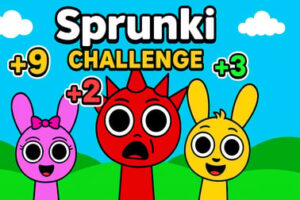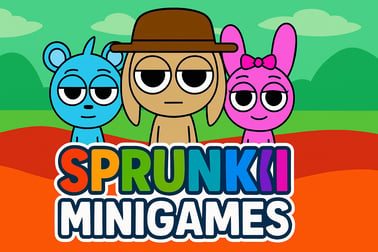
Sprunki Mini Games lets you enjoy musical mixes, coloring, and brain-teasing puzzles in your browser. Play free online, no download or signup needed.















Sprunki Mini Games
Overview of Sprunki Mini Games
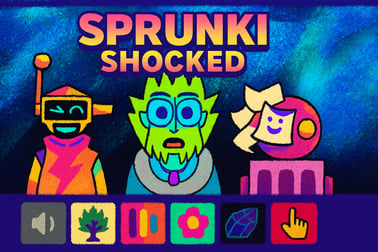
Sprunki Mini Games is a charming collection of free musical mini games and light puzzles you can play instantly in your browser. Instead of one big adventure, you get three bite-sized experiences: an online Sprunki music game with a full mini choir, a relaxing Sprunki coloring game, and clever Sprunki puzzle challenges where you spot differences between pictures. It’s perfect if you love browser rhythm games but also enjoy creative and casual play.
This collection keeps everything simple and kid-friendly while still giving you a lot to experiment with. You don’t need to download or install anything, and there’s no steep learning curve. Just click play, tap or click with your mouse, and start layering sounds, filling in colors, or hunting for tiny details in each scene.
Because Sprunki Mini Games runs on modern HTML5, it works on most desktop browsers and newer mobile devices. Whether you’ve got a few minutes between classes or you’re unwinding at night, the game is designed for short, satisfying sessions you can drop into anytime.
How to Play Sprunki Mini Games
Sprunki Mini Games is divided into three separate modes: Music, Coloring, and Find the Differences. Each mode plays differently but uses the same easy, point-and-click controls. Here’s how each one works step by step.
Music Mode – The Online Sprunki Music Game
- Step 1 – Choose Music Mode: From the main menu, select the music or choir icon to open the rhythm segment.
- Step 2 – Meet the 9 singers: You’ll see nine mini Sprunki characters lined up. Each one represents a different musical loop or vocal effect.
- Step 3 – Activate sounds: Click or tap a character to toggle their sound on. They’ll start singing or beatboxing in a timed loop.
- Step 4 – Layer your track: Turn characters on or off to stack melodies, bass lines, and percussive sounds. This is the core of the online sprunki music game experience.
- Step 5 – Experiment: Try different combinations, swap which characters are active, and listen to how the rhythm evolves.
Coloring Mode – Sprunki Coloring Game
- Step 1 – Open Coloring: On the menu, select the drawing or paint palette icon to launch the sprunki coloring game.
- Step 2 – Pick a picture: Choose from 10 preset images featuring Sprunki and friends.
- Step 3 – Select colors: Tap a color from the palette at the bottom or side of the screen.
- Step 4 – Tap to fill: Click or tap inside a region of the drawing to fill it instantly with the selected color.
- Step 5 – Undo or recolor: If you don’t like the result, simply choose a new shade and tap again, or use an undo button if available.
Find the Differences – Sprunki Puzzle Challenges
- Step 1 – Start Puzzle Mode: Choose the magnifying glass or puzzle icon from the main menu.
- Step 2 – Understand the layout: Two nearly identical Sprunki images will appear side by side.
- Step 3 – Find 10 differences: Carefully look for small changes in color, shapes, or missing items. These are your sprunki puzzle challenges.
- Step 4 – Tap the differences: Click or tap the area where you spot a change. The game will highlight it if you’re correct.
- Step 5 – Clear 20 levels: Progress through all available stages, with the scenes slowly getting more complex.
Sprunki Mini Games Game Modes
Each mode in Sprunki Mini Games targets a different type of fun—rhythm, creativity, and observation. Here’s how they compare and what makes each of them stand out.
1. Music Mode – Rhythm & Creativity
This mode is the heart of the browser rhythm games style experience. Instead of hitting notes in time like a traditional rhythm title, you’re arranging loops in a sandbox-style music playground.
- 9 unique singers: Each mini character carries a specific sound style, from bass hums to high-pitched harmonies.
- Loop-based system: All sounds sync together automatically, so your track always stays on beat.
- Endless mixing: There’s no fail state—just keep toggling characters and creating new combinations.
2. Coloring Mode – Relaxing Art Game
The Coloring mode is fully non-competitive and perfect for players who want calmer play instead of constant audio stimulation. It’s essentially a digital coloring book with Sprunki characters.
- 10 themed artworks: Each page features Sprunki in a new pose or scenario.
- Simple click-to-fill controls: You don’t need drawing skills to make something that looks good.
- Creative freedom: Use wild color schemes or recreate the original character palettes—your choice.
3. Find the Differences – Visual Puzzle Mode
The Find the Differences mode leans into casual puzzle gameplay. It trains your eyes and concentration while still keeping things lighthearted and family-friendly.
- 10 differences per level: Every stage has the same goal, but the specific changes get trickier.
- 20 total levels: Enough content to stay busy without feeling overwhelming.
- No harsh penalties: Mistakes might cost you time, but they don’t end the game.
Performance & Troubleshooting
Because Sprunki Mini Games is an HTML5 browser game, it usually runs smoothly on modern devices. Still, if you’re experiencing lag, audio issues, or slow loading, a few quick fixes can help.
Optimize Performance in Your Browser
- Close extra tabs: Too many open sites can eat RAM and reduce performance in music and puzzle modes.
- Disable heavy extensions: Ad blockers or script blockers can sometimes interfere with free musical mini games. Temporarily disable them if the game won’t load.
- Update your browser: Use the latest version of Chrome, Edge, Firefox, or Safari for the best HTML5 support.
Fixing Sound or Music Glitches
- Check system volume: Make sure your device and browser tab volumes are turned up and not muted.
- Reconnect audio devices: If you’re using headphones or Bluetooth speakers, reconnect them and refresh the page.
- Reload the game: A quick refresh often fixes out-of-sync loops in the online Sprunki music game mode.
Mobile & Touch Issues
- Use full-screen: If available, full-screen mode makes tapping the small characters more accurate.
- Avoid heavy multitasking: Switching between apps can pause audio or cause the browser to unload the game.
- Stable connection: While gameplay itself is lightweight, a weak connection can delay initial loading.
Is Sprunki Mini Games Safe to Play?
Sprunki Mini Games is designed as a light, accessible, and family-friendly experience. The entire package focuses on music, color, and visual puzzles—there’s no realistic violence, mature themes, or graphic imagery.
Content & Age Suitability
- Cartoon visuals only: All characters are stylized, cute, and non-threatening.
- No text chat: The game doesn’t rely on open multiplayer chat, reducing risks of unsafe interactions.
- Mild challenge: The difficulty suits kids, teens, and adults who enjoy casual sprunki puzzle challenges.
Most portals list the game as suitable for children around age 6 and up, but parents can easily sit beside younger kids and supervise—especially in the music mode, which is highly intuitive.
Online Safety Considerations
- Play on reputable sites: Always launch Sprunki Mini Games from trusted browser gaming platforms that clearly label ads and provide basic privacy information.
- Check ads: Some hosts display external advertising. Adults should quickly scan banners before younger players use the site.
- No downloads required: Since the game runs in browser, you don’t have to install extra executables or APK files.
How to Play Sprunki Mini Games Online in Your Browser
Getting started with Sprunki Mini Games on desktop or mobile is quick and doesn’t require an account on most platforms.
Step-by-Step Browser Setup
- Open a modern browser: Chrome, Edge, Firefox, or Safari work best.
- Go to your gaming portal: Navigate to your preferred site that hosts Sprunki Mini Games.
- Search for the game: Use the site’s search bar and type “Sprunki Mini Games.”
- Select and load: Click the game’s thumbnail, then press the Play or Start button.
- Wait for it to load: The initial load may take a few seconds as the assets, music, and puzzle images are prepared.
Desktop vs. Mobile Experience
- Desktop: Offers more precise control in the music mode and better visibility in find-the-differences puzzles.
- Mobile: Great for casual coloring and quick music mixes, but smaller screens may make tiny differences harder to spot.
Game Modes in Sprunki Mini Games: Music, Coloring & Puzzles
Each section of Sprunki Mini Games is tuned for a specific play style, making the whole collection feel like three mini titles in one. Here’s how they fit different moods:
- Want creativity? Jump into the online Sprunki music game and build looping tracks.
- Need to relax? Open the sprunki coloring game and zone out with soft colors and cute art.
- Crave a challenge? Try the sprunki puzzle challenges and test your observation skills.
Because you can swap modes at any time from the main menu, it’s easy to play a quick puzzle level, then cool down with a few minutes of music mixing or coloring.
Tips to Create Catchy Beats with Mini Sprunki Characters
The music mode is simple to learn but surprisingly deep once you start layering sounds. Use these techniques to get more satisfying tracks out of your free musical mini games session.
1. Start with Rhythm, Then Add Melody
- First, activate characters that sound like drums, claps, or bass for a solid groove.
- Once the beat feels steady, slowly turn on singers with higher-pitched melodies.
- This keeps your track from sounding messy or overwhelming.
2. Limit How Many Characters Play at Once
- Try to keep 4–6 characters active instead of all 9.
- Turn off one loop before adding another so every sound has room to breathe.
- Use quieter sounds to fill gaps between loud, punchy loops.
3. Create “Song Sections”
- Think of the first combination as your “intro” with just a few loops.
- Add extra singers to build a “chorus” that feels bigger and more energetic.
- Then mute a few again to return to a “verse,” repeating the pattern.
4. Experiment With Surprising Combos
- Mix silly or high-pitched characters with deep bass for contrast.
- Toggle one character on and off every few loops to create a rhythmic accent.
- Challenge yourself to build a theme—spooky, happy, or chill—just by ear.
Is Sprunki Mini Games Safe and Kid-Friendly?
Yes, Sprunki Mini Games is generally safe and kid-friendly when played on reputable browser game platforms. All three modes—music, coloring, and puzzles—focus on harmless creativity and basic cognitive skills.
What Parents and Teachers Should Know
- Educational value: The music mode encourages pattern recognition and rhythm, the coloring mode promotes color awareness, and the puzzle mode supports attention to detail.
- No login required on many sites: Kids can often play without creating accounts or sharing personal information.
- Ad-supported: Because it’s a free browser game, it may display ads depending on the host platform. Adults should briefly review the page first.
For the safest setup, add the chosen gaming portal to your child’s bookmarks, enable basic content filters in the browser, and encourage breaks between sessions.
Similar Sprunki Music and Rhythm Games You Can Try Next
If you enjoy the relaxed style of Sprunki Mini Games and want more browser rhythm games or spin-offs, there are plenty of related titles worth exploring.
More Sprunki-Themed Music Experiences
- Sprunki Mustard: A quirky remix-style Sprunki game with new sound sets and characters.
- Sprunki Retake: A more advanced mod inspired by beatbox-style music toys, often with extra phases and effects.
- Sprunki Mini Remake: Focuses on tiny, cute versions of Sprunki characters with playful animations.
Other Casual Music & Puzzle Games
- Choir / Singing Games: Simple choir-based games where each character triggers a different note or sound.
- Basic coloring & jigsaw titles: Any browser-based coloring or jigsaw game offers a similar low-pressure vibe to the sprunki coloring game.
- Find-the-difference collections: Try more spot-the-difference puzzles to sharpen your skills for later Sprunki levels.
Rotating between Sprunki Mini Games and these similar titles keeps things fresh without losing that same casual, musical charm you started with.
Play Sprunki Mini Games on Phones & Tablets
Sprunki Mini Games is fully playable on many mobile devices, making it ideal for quick sessions on the couch or on the go.
Mobile Tips for the Best Experience
- Use landscape mode: Rotate your device horizontally so you can see all the mini Sprunki characters and both puzzle images clearly.
- Tap carefully: The singers and puzzle differences can be small on smaller phones—zoom in if your browser allows it.
- Keep audio on: For the online Sprunki music game, headphones or earbuds make it much easier to hear subtle loops and build satisfying beats.
As long as your device runs a modern browser and you have a stable internet connection, you can enjoy all three modes—music, coloring, and puzzles—without downloading any extra apps.
Frequently Asked Questions
What is Sprunki Mini Games?
Sprunki Mini Games is a browser collection featuring music mixing with Sprunki characters, simple coloring pages, and spot‑the‑difference puzzles, all in one place.
How do I play Sprunki Mini Games online?
Just open the game page in a modern browser, press the play button, then use your mouse or touch controls to place characters, color images, or find differences.
Do I need to download or install anything?
No. Sprunki Mini Games runs directly in your browser using HTML5, so you can play instantly without downloads, installs, or extra plugins.
Is Sprunki Mini Games suitable for kids?
Yes. The game uses simple controls, friendly visuals, and non-violent content, making it suitable for children and family play, with parental guidance recommended for younger kids.
Can I play Sprunki Mini Games on mobile devices?
Yes. Sprunki Mini Games works on most smartphones and tablets. Use your touchscreen to tap, drag, and interact just like you would with a mouse on desktop.