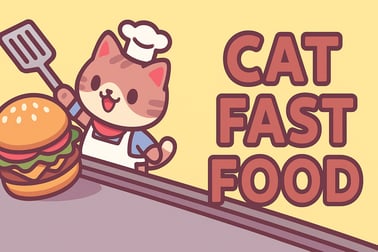
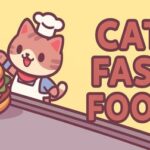
Cat Fast Food lets you run a cute cat café chain. Serve drinks, hire helpers, and upgrade stalls to grow your furry fast food empire in your browser.
















Cat Fast Food
Introduction to Cat Fast Food
Cat Fast Food is a charming browser-based cat restaurant game where you build a chain of tiny cafés run entirely by fluffy feline chefs. You start with a simple lemonade stall, then slowly grow into a full cat café empire, adding coffee, cookies, and more tasty treats for your customers. It plays like a relaxed idle café simulator mixed with light strategy and classic arcade-style tapping.
Because it runs right in your browser, there’s no need to download anything or create an account. You can jump in, unlock new drink stands, hire assistants, and watch your income rise while your adorable cat baristas do the work. Whether you enjoy cute cat cooking games, cozy idle titles, or casual browser restaurant tycoon experiences, Cat Fast Food is designed to be simple to learn but addictive to optimize.
What makes this cat café management game stand out is how quickly you can see progress. Every upgrade shows up visually: more cups on tables, more customers in line, and faster service from your cat staff. It’s satisfying to watch the screen fill with busy activity while you tweak your strategy in the background.
Cat Fast Food Controls
Cat Fast Food keeps controls intentionally simple so anyone can enjoy the gameplay without a steep learning curve. It plays great on both desktop and mobile browsers.
Desktop Controls (Mouse / Trackpad)
- Left-click / Tap: Interact with almost everything in the game – unlock drink stations, buy upgrades, place tables, and collect rewards.
- Click buttons & icons: Open upgrade menus, hire assistants, and move between cafés in your chain.
- Hover tooltips: On some browsers, hovering icons can show basic descriptions of upgrades or prices.
Mobile & Tablet Controls (Touch)
- Tap: Equivalent to a left-click – use it to unlock new stands, confirm purchases, and speed up certain actions.
- Tap UI buttons: Open the blue upgrade panel, confirm assistant hires, or switch to new cafés once you’ve unlocked them.
You won’t need a keyboard, controller, or any special gestures. The whole cat café management loop is built around simple taps and clicks, making Cat Fast Food a perfect pick-up-and-play idle café simulator for quick sessions or longer play.
Key Features
Even though Cat Fast Food looks simple at first glance, there’s a surprising amount of depth packed into this cute cat cooking game. Here are some of the standout features you’ll notice as you play:
- Adorable cat chef theme: Every café is staffed by cats who bustle between counters, refill pitchers, and serve customers.
- Progressive café chain: Start with lemonade, then expand into coffee and cookies, and continue to grow your browser restaurant tycoon empire café by café.
- Idle-style progression: Once stations and assistants are active, your cafés keep earning while you focus on unlocking and upgrading the next element.
- Simple yet strategic upgrades: Decide whether to improve income per drink, increase serving speed, or add extra tables to handle more guests.
- Layered upgrade menus: Red arrows mark income upgrades, while blue icons open menus for assistants and special boosts.
- Level-based structure: Fill the progress bar at each location to unlock the next café and new drink types.
- Family-friendly design: No complex systems, violent content, or stressful timers – just relaxed cat café management and gentle pacing.
The result is a light, cozy experience that fits perfectly into the Arcade, Idle, and Simulation categories. Fans of restaurant tycoon games will enjoy optimizing revenue, while casual players can simply enjoy watching their cat staff keep the cafés running.
Where to Play Cat Fast Food
Cat Fast Food is designed as a browser-first experience, so you can launch it in seconds and start building your cat café chain without extra steps.
Playing in Your Web Browser
- Platform: Modern web browsers (Chrome, Firefox, Edge, Safari, and others)
- Devices: Desktop, laptop, tablets, and most smartphones
- Setup: No download, no registration, no installation required
Simply open the game page on your favorite browser, wait a moment for the HTML5 content to load, and you’re ready to manage your first lemonade stall.
Recommended Browser Settings
- Enable JavaScript so menus and buttons work correctly.
- Keep your browser reasonably up to date for best performance.
- If you’re using an ad blocker or strict privacy extensions, make sure they’re not blocking core game scripts.
Because Cat Fast Food benchmarks well as a lightweight browser restaurant tycoon title, it’s accessible even on older devices, school computers, or shared family PCs.
Offline Play Availability for Cat Fast Food
Cat Fast Food is primarily an online browser game, which means it normally requires an active internet connection to load and run correctly.
Can You Play Completely Offline?
In most cases, no. Since the game’s files and logic are delivered through your browser, you need to be connected when you open or refresh the page. If your connection drops mid-session, some browsers may keep the current scene running for a while, but saving or loading new assets could fail.
Best Way to Play
- Use a stable Wi‑Fi or mobile data connection.
- Avoid frequently refreshing the page if you’re on an unstable network.
- Keep your browser open if you plan to step away briefly and return to your cat café management later.
As an idle café simulator, Cat Fast Food is meant to be checked in on repeatedly, but those check-ins still require web access. Think of it as a live, always-ready cat restaurant game you can visit from any supported device as long as you’re online.
How to Play Cat Fast Food and Grow Your Cat Café Chain
The core loop in Cat Fast Food is straightforward: unlock drink stations, serve customers faster, upgrade your stalls, and open new cafés. Here’s a step-by-step walkthrough of what your first session usually looks like.
1. Start with the Lemonade Stall
- Tap the plus sign where a paw icon is pointing to unlock your very first pitcher of lemonade.
- Tap the green button to confirm – your cat chef walks over, fills the pitcher, and begins serving customers at the counter.
2. Watch Customers Arrive
- Customers line up automatically and order lemonade.
- Your cat serves them one by one, and each sale adds coins to your café income.
3. Use Arrows and Menus to Upgrade
- A red arrow near the pitcher means you can increase your income or improve how much you earn per drink.
- A blue arrow/icon on the left opens the full upgrade panel – here you can hire assistants, buy permanent boosts, and unlock new elements.
4. Add More Tables and Cups
- Purchase extra tables with cups to serve more customers at once.
- The more tables you place, the less time customers spend waiting and the faster your coins stack up.
5. Fill the Progress Bar to Clear the Level
- Each café has a progress bar that fills as you sell drinks and upgrade your setup.
- When the bar reaches 100%, you clear that location and unlock the next café in your chain.
6. Open the Second Café (Coffee & Cookies)
- In the second location, you’ll repeat the same pattern, but with coffee machines and pastries instead of lemonade.
- Set up the new drink station, add a pastry table, hire assistants, and keep optimizing.
From here, Cat Fast Food becomes a satisfying cycle: expand to new cafés, earn more coins, and refine your cat café management strategy while you watch your chain grow across the map.
Tips and Tricks to Upgrade Your Cat Fast Food Stalls Faster
If you want your cafés to snowball quickly, a bit of planning goes a long way. These tips will help you turn a simple lemonade stand into a thriving chain in less time.
Prioritize Income Per Drink First
- Whenever you see a red arrow on a drink station, check if you can afford that upgrade.
- Boosting how much you earn per cup often gives a bigger payoff than adding one extra table too early.
Balance Tables and Production Speed
- If you see long lines forming, it’s time to buy more tables or upgrade service speed.
- If tables stay empty, focus on improving drink production and income instead.
Use Assistants to Automate
- Visit the blue upgrade menu and hire assistants as soon as you can.
- Assistants keep your café running smoothly, letting Cat Fast Food feel more like a true idle café simulator.
Reinvest Early Profits Aggressively
- Early in each stage, spend most of your coins on upgrades instead of hoarding them.
- Once income snowballs, you can clear progress bars and unlock new cafés much faster.
Check All Available Menus
- Some boosts may be tucked into sub-menus, especially under the blue upgrade panel.
- Look for anything that mentions global income boosts or chain-wide benefits – these help every café you own.
Unlock New Cafés and Drinks in This Cute Cat Restaurant Game
Progression is at the heart of Cat Fast Food, and it’s what makes this cute cat cooking game so addictive. Each new café gives you fresh visuals, different drinks, and more opportunities to grow your cat-run empire.
Filling the Progress Bar
- Every sale nudges the level progress bar forward.
- Upgrades that increase income per drink or total customers served per minute fill the bar faster.
- When the bar is full, that café is considered “complete,” and you can move to the next one.
New Drinks and Snacks
- The early game focuses on lemonade, then adds coffee and cookies at the second café.
- Later cafés introduce more complex setups with multiple types of stations and snack tables.
Expanding Your Cat Café Chain
- Each café you unlock becomes another node in your growing browser restaurant tycoon network.
- Some upgrades may improve performance across all locations, making your entire chain more profitable over time.
This progression is where Cat Fast Food really leans into the feeling of running a tiny cat café management empire: every new stall looks and feels like an upgrade from the last, keeping you curious about what comes next.
Best Upgrades and Assistants to Boost Your Cat Café Income
While every player will develop their own playstyle, some upgrades consistently offer strong value when you’re trying to maximize income in Cat Fast Food.
High-Impact Upgrade Priorities
- Income Multiplier Upgrades: Anything that increases the base coin reward per drink has a large long-term effect.
- Serving Speed Boosts: Faster cats mean more customers served per minute, increasing both income and progress.
- Table Capacity: Extra cups and seating prevent bottlenecks when demand spikes.
Choosing the Right Assistants
- Early on, hire general-purpose assistants that improve multiple aspects of the café (like auto-serving or refilling).
- Later, consider specialized assistants that target your weakest link – production, serving, or customer flow.
Upgrade Synergies
- Pair serving speed upgrades with more tables, so your cats aren’t standing idle.
- Combine income boosts with any upgrades that increase customers per minute for compounding gains.
Approached this way, Cat Fast Food feels like a streamlined yet satisfying cat café management puzzle – you’re constantly tweaking which upgrade comes next to keep your income curve rising smoothly.
Why Cat Fast Food Is a Relaxing Idle Restaurant Game for All Ages
Cat Fast Food is designed to be approachable for kids, teens, and adults alike. It ditches the stressful timers and complicated menus of some restaurant sims in favor of straightforward, cozy gameplay.
Gentle, Low-Pressure Progression
- No strict time limits or harsh penalties for slow play.
- You can let your cafés run, check in occasionally, and upgrade at your own pace.
Cute Visuals and Theme
- Friendly, colorful graphics focused on cats, drinks, and pastries.
- Animations highlight the busy but playful nature of your cat staff.
Perfect for Short or Long Sessions
- Play for just a few minutes to unlock a new upgrade on your lemonade stand.
- Or settle in for a longer session, optimizing each café like a full-fledged browser restaurant tycoon experience.
For players searching for a family-friendly cat restaurant game that works right in the browser, Cat Fast Food strikes a nice balance between idle relaxation and light management strategy. You can enjoy the charm of a cute cat cooking game while gradually mastering the flow of your growing café chain.
Frequently Asked Questions
What is Cat Fast Food?
Cat Fast Food is a casual idle café simulator where a chef cat runs street stalls and cafés. You serve drinks, upgrade stations, and expand your cat café chain.
How do I play Cat Fast Food?
Tap to unlock drink stations, place tables with cups, and hire assistants. Customers are served automatically, and you reinvest your earnings into upgrades to clear each level.
Is Cat Fast Food free to play?
Yes, Cat Fast Food is free to play in your web browser. You can start playing instantly without downloads or registration on most browser gaming sites.
Can kids play Cat Fast Food?
Yes. Cat Fast Food is a family-friendly game with simple tap controls, cute graphics, and no violent content, making it suitable for younger players with adult guidance if needed.
Do I need to download Cat Fast Food?
No download is required. Cat Fast Food runs directly in modern desktop and mobile browsers using HTML5, so you can just open the game page and start playing.