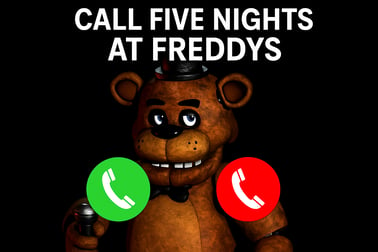
Call Five Nights At Freddy lets you merge creepy animatronics in a free browser puzzle. Drop, combine and score big on PC or mobile, no download.




















Call Five Nights At Freddy
Overview of Call Five Nights At Freddy
Call Five Nights At Freddy is a fast, spooky, and surprisingly relaxing animatronic merge game you can play right in your browser. Instead of surviving jump scares in a dark pizzeria, you're solving an online horror puzzle by merging familiar animatronic heads and faces to climb the leaderboard. Every move matters as you try to keep the board clear, trigger new evolutions, and unlock funny, slightly creepy animations.
This FNAF browser game keeps the vibe of the original universe but turns it into a casual puzzle experience. You drop characters from the top of the screen, watch them fall with simple physics, and when two identical faces touch, they merge into a higher-level animatronic. The more you combine, the more points you earn. It feels like a mix of 2048-style merging, character collecting, and light horror flavor rolled into one.
Because it's a free animatronic clicking game, there's no download, no signup wall, and no pay-to-win mechanics to worry about. Just open the game in your browser, click or tap to place each character, and try to beat your high score before the board fills to the top. Whether you're a long-time FNAF fan or just want a quick merge characters challenge on mobile or PC, Call Five Nights At Freddy is built for short, addictive sessions.
Call Five Nights At Freddy Control Guide
Call Five Nights At Freddy is designed to be extremely easy to control, so you can focus on planning merges instead of fighting with buttons. The control scheme is minimal but responsive, and it works well on both desktop and mobile browsers.
PC controls
- Mouse move – Move your mouse left or right to position the falling animatronic over the grid.
- Left-click – Click once to drop the current animatronic from the top of the board.
- Click on buttons – Use your mouse to start the game, pause (if available), restart, or toggle fullscreen in your browser.
The game usually shows you the next animatronic in a small preview. Use that information while you're moving your mouse to prepare where you'll drop it next.
Mobile & tablet controls
- Tap & drag – Hold and drag your finger horizontally to move the animatronic before it falls.
- Tap to drop – Lift your finger or tap once to release the animatronic into the grid.
- Tap UI icons – Tap on restart, sound, or fullscreen buttons depending on what your browser platform offers.
There are no complex combos, no virtual joystick, and no extra buttons to learn. As a result, the animatronic merge game feels good even on smaller screens, and new players can understand the controls in a single round.
Key Features
Even though Call Five Nights At Freddy is easy to pick up, it has enough depth and charm to keep you coming back. Here are some of the standout features that make this online horror puzzle worth playing:
- Simple but strategic merging – Dropping and merging animatronics sounds straightforward, but planning your stack, managing space, and chaining merges quickly turns into a real puzzle challenge.
- Physics-based falling – Animatronics don't always land exactly where you expect. They bounce, slide, and roll a little, adding a light skill element to every drop.
- Character evolution system – Combine basic animatronics to unlock higher-tier versions, each worth more points. The deeper you go in the evolution chain, the faster your score grows.
- Short, snackable rounds – A single run can last from a few seconds to several minutes. It's ideal for quick breaks, commuting, or relaxing after more intense games.
- Browser-based, no download – The whole experience runs in your browser as a FNAF browser game, so there's nothing to install. Just press play and start merging.
- Family-friendly scary style – The game leans into the spooky FNAF-style atmosphere, but avoids realistic gore. It focuses on stylized animatronics, eerie sound cues, and light tension instead of graphic horror.
- Score chasing & replayability – Because it's so easy to restart, you naturally get hooked on beating your own best score and experimenting with different merge strategies.
Together, these mechanics turn Call Five Nights At Freddy into a relaxing yet intense merge characters challenge that feels fresh each time you play.
Performance & Troubleshooting
Call Five Nights At Freddy is optimized as a lightweight browser title, but performance can still depend on your device, browser version, and internet connection. If you notice lag, unresponsive clicks, or the game failing to load, try the steps below.
Improving performance on PC
- Close extra tabs – Many open tabs or background apps can slow down this free animatronic clicking game, especially on older laptops.
- Update your browser – Use a modern version of Chrome, Edge, Firefox, Brave, or another Chromium-based browser for best HTML5 support.
- Disable heavy extensions – Ad blockers, script blockers, or VPN add-ons sometimes interfere with browser games. Temporarily disable them to test.
- Lower system load – If you're running streams, downloads, or large applications in the background, pause them while playing.
Improving performance on mobile
- Use Wi-Fi when possible – A stable connection helps the game load faster and minimizes stutters related to network hiccups.
- Restart the browser app – If the FNAF browser game feels stuck or glitchy, close your browser completely and reopen it.
- Clear browser cache – Overloaded cache can cause issues with HTML5 games. Clearing it can fix loading errors.
- Rotate your device – If the game doesn't fit the screen properly, try switching between portrait and landscape or locking screen rotation.
Common issues & quick fixes
- Game won't start – Refresh the page, check your internet, and ensure JavaScript is enabled in your browser.
- Controls not responding – Click or tap inside the game frame to give it focus, then try again. On mobile, avoid tapping with multiple fingers at once.
- No sound – Check browser tab volume, device volume, and any in-game sound toggle if present.
Most problems with this online horror puzzle can be resolved with a quick refresh or by switching to another modern browser.
Can I Play Call Five Nights At Freddy Offline?
Call Five Nights At Freddy is built as an online, browser-based puzzle experience, so it expects an active internet connection. You typically can't play Call Five Nights At Freddy offline in a standard browser tab, because the game files are loaded from remote servers.
Here's what that means in practice:
- No installation required – You don't install a local app; everything is streamed into your browser as needed.
- Internet needed to launch – Each time you open the game page, your browser downloads the latest version from the host site.
- Progress & settings – Some platforms may remember your best score via cookies or local storage, but this still usually requires online access to start the session.
If you want an offline experience that feels similar, you'd need to look for a downloadable merge puzzle on your platform's app store. However, for the original Call Five Nights At Freddy, think of it as an always-online browser-based animatronic merge game optimized for quick access rather than offline play.
How to Play the Call Five Nights At Freddy Merge Puzzle
Understanding how the puzzle loop works is key to enjoying Call Five Nights At Freddy. The gameplay is simple but rewards smart planning and spatial awareness.
Step-by-step gameplay flow
- Start a new run – Click or tap the play button to load the main board. You'll see an empty grid with space for animatronics to stack up.
- Check the current piece – At the top of the screen, an animatronic head or face appears. This is the character you're about to drop.
- Move into position – Slide your mouse or finger left and right to line up your drop with where you want the animatronic to land.
- Drop and watch it fall – Click or tap to release. The animatronic falls, bounces slightly, and comes to rest somewhere on the stack or the floor.
- Merge identical animatronics – When two matching animatronics touch, they instantly fuse into a single higher-level character, freeing space and adding to your score.
- Chain reactions – Sometimes, a new merged animatronic will land next to another identical one, triggering additional merges. These combos are where big points come from.
- Monitor the height – If your stack reaches the top of the play area and can no longer accept new pieces, your run ends.
- Score & restart – See your final score, compare it to your previous best, and restart to try a different strategy.
The goal in this merge characters challenge isn't just to survive, but to create space-efficient stacks that allow you to keep merging into higher and higher tiers. Every decision about where to drop the next animatronic has long-term consequences.
Tips to Score Higher in the Animatronic Merge Challenge
If you want to climb the scoreboard in this free animatronic clicking game, you'll need more than random drops. Use these practical tips to push your personal best further each session.
Plan for future merges
- Use the preview – Many versions of this animatronic merge game show your incoming piece. Use that preview to set up future merges, not just immediate ones.
- Build "lanes" – Try stacking similar animatronics in rough columns. This makes it easier to create vertical chains when new copies appear.
Control the center of the board
- Avoid tall side towers – Huge columns at the edges can trap pieces and block merges.
- Keep the middle low – When the center is clear, you have more room to manipulate bounces and drops, which is critical in a physics-based online horror puzzle.
Use small merges to trigger big ones
- Don't ignore low-level pieces – Merging low-tier animatronics quickly frees space and makes it more likely that mid-tier ones will line up.
- Look for chain opportunities – If two medium-level animatronics are close but not touching, setting up a small merge between them might bring them together for a larger combo.
Know when to take risks
- Calculated drops – Sometimes it's worth aiming for a narrow gap to trigger a big merge. Practice how pieces bounce so you can pull off risky plays.
- Emergency clearing – When the stack is almost full, prioritize any move that opens vertical space, even if it's not the highest scoring choice.
Combining these strategies will turn Call Five Nights At Freddy from a casual time-killer into a deeply satisfying merge characters challenge where every drop feels meaningful.
Features of the Call Five Nights At Freddy Browser Game
Beyond basic gameplay, Call Five Nights At Freddy includes several design choices that make it stand out from other browser-based puzzle titles.
- Distinctive animatronic designs – The characters clearly nod to FNAF-style animatronics without copying them directly. Each new merge tier feels like discovering a "stronger" or weirder version of a familiar face.
- Light horror atmosphere – Ambient sounds, creepy glows, and subtle animations give the game a horror flavor without crossing into graphic content, keeping it accessible for a wider audience.
- Instant restarts – When your board fills up, you can jump into a new round in a second. This fast loop is perfect for players who like to iterate and learn through repeated attempts.
- Score-focused progression – Instead of levels or chapters, your progress is measured by your best score and how efficiently you can manage the grid. It scratches the same itch as classic arcade games.
- Touch-friendly UI – Buttons and interactive elements are large enough for fingers on mobile, making it a convenient FNAF browser game to load quickly on phones.
Taken together, these features make Call Five Nights At Freddy more than just another merge clone: it's a themed, replayable puzzle that fits perfectly into short gaming sessions.
Playable Devices: PC and Mobile Support Guide
One of the biggest advantages of Call Five Nights At Freddy is how easily it runs across devices. You can enjoy this online horror puzzle at home or on the go without juggling different versions.
Playing on PC or laptop
- Supported systems – Works on Windows, macOS, Linux, and Chromebooks through any modern browser.
- Recommended browsers – Chrome, Edge, Firefox, Opera, and other up-to-date Chromium-based browsers tend to give the smoothest performance.
- Best experience – If your device supports it, enable fullscreen mode in the browser for clearer visuals and fewer distractions.
Playing on mobile and tablets
- Android & iOS – As a free animatronic clicking game running in the browser, it works on most modern Android phones, iPhones, and iPads.
- Orientation – Many players prefer portrait mode for one-handed play, but try both orientations to see which layout feels best.
- Touch controls – The drag-and-drop style is perfectly suited to touchscreens, making merging feel intuitive and quick.
Because it doesn't rely on heavy 3D graphics, Call Five Nights At Freddy usually runs smoothly on mid-range and even some older devices, making it an ideal animatronic merge game for casual play anywhere you have a browser.
Safe Spooky Fun: Who Will Enjoy This FNAF-Style Game?
Call Five Nights At Freddy is designed to capture the spooky charm of FNAF while staying within family-friendly limits. That balance makes it appealing to a wide range of players.
Players who will love it
- FNAF fans – If you enjoy animatronics and eerie pizzeria lore but want something lighter than full survival horror, this puzzle-focused experience is a great fit.
- Puzzle and merge fans – Anyone who likes 2048-style games, tile mergers, or physics puzzles will appreciate the simple rules and deep strategy.
- Casual & mobile gamers – Short sessions, one-hand controls, and no download make it ideal for quick breaks.
- Teens and older kids – The tone is spooky but not graphic, leaning more into tension and atmosphere than explicit scares.
Safety & content overview
- No graphic violence – Animatronics are stylized; you won't see gore or realistic harm.
- Light horror themes – Expect creepy faces, dark backgrounds, and unsettling sound effects, but not full-on horror cinematics.
- Browser-based – Because it runs in your browser, there are no hidden installers or system-level permissions.
Parents or guardians who are comfortable with FNAF-style imagery will likely find Call Five Nights At Freddy an acceptable FNAF browser game for older children and teens. For players of any age who enjoy a balance of tension and strategy, it delivers safe spooky fun in a compact, addictive package.
Frequently Asked Questions
What is Call Five Nights At Freddy?
Call Five Nights At Freddy is a free browser puzzle game where you drop and merge animatronic-style characters to earn points and chase a high score.
Is Call Five Nights At Freddy free to play?
Yes, the game is completely free to play in your browser. You do not need to pay, register, or download anything to start playing.
Can I play Call Five Nights At Freddy on mobile?
Yes. You can play on both PC and mobile devices. Use your mouse on desktop or tap and drag with your finger on phones and tablets.
Is Call Five Nights At Freddy scary for kids?
The game uses spooky animatronic characters but focuses on simple merging puzzles rather than intense horror. Parents should still check if the theme suits their child’s age.
Do I need to create an account to save my progress?
Some platforms may let you log in to save your high scores across devices, but you can also play instantly as a guest without an account.