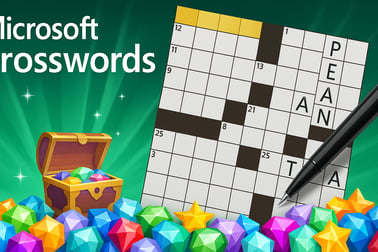
Microsoft Crosswords lets you solve free daily crossword puzzles online, unlock adventure maps, and train your brain with fun word challenges.
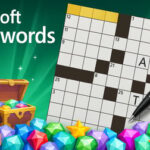




Microsoft Crosswords
Overview of Microsoft Crosswords
Microsoft Crosswords is a polished, easy-to-play collection of free word games designed for your browser and Windows devices. Whether you love classic grids, quick daily crossword puzzles online, or longer brain training word puzzles, this game gives you a smooth experience with clean visuals, readable clues, and a relaxing soundtrack. It’s part of the Microsoft Ultimate Word Games family, sitting alongside Wordament and Word Twister.
In Microsoft Crosswords, you solve themed puzzles by filling in intersecting horizontal and vertical words. You can jump into a quick mini grid or work through bigger, more challenging crosswords that feel like a full newspaper puzzle. With Daily Challenges, Adventure maps, and multiple difficulty levels, it’s ideal for both casual players and serious word fans looking for regular online crossword challenges.
The game is free to play, supports cloud saves when you sign in with your Microsoft or Xbox profile, and syncs progress across devices. That makes it easy to enjoy crosswords on your lunch break on desktop, then continue your crossword adventure mode later on a tablet or laptop.
How to Play Microsoft Crosswords
Learning how to play Microsoft Crosswords is straightforward, even if you’re new to digital crosswords. The core idea is the same as newspaper puzzles: use written clues to fill in the blank squares on the board. Each word you solve helps reveal letters for crossing words, creating a satisfying chain of “aha” moments.
Here’s how a typical round works in the browser-based version:
- Choose a mode or puzzle
- Pick from daily crossword puzzles online, standalone packs, or adventure map stages.
- Within many modes, you can select a difficulty level that suits your skill.
- Read Across and Down clues
- Clues are usually listed on the side or bottom of the screen.
- Each clue is linked to a numbered row or column on the grid.
- Tap or click a square to highlight a word
- The game highlights the entire word (Across or Down) and its clue.
- You can toggle between Across/Down for that square with a control or key press, depending on platform.
- Type or tap letters to fill the grid
- Use the keyboard (or on-screen keyboard on touch devices) to enter letters.
- Letters automatically move you to the next square within that word.
- Use hints and helper tools when needed
- On many puzzles, you can check for errors, reveal a letter, or show a full word if you’re stuck.
- Some modes let you see incorrect letters highlighted so you can adjust quickly.
- Finish the puzzle to earn rewards
- Completing puzzles earns coins, stars, or progress along adventure maps.
- Daily Challenges contribute to monthly badges and streaks.
Because everything takes place in the browser, you don’t need to install anything for basic play. It’s a convenient way to enjoy free online crossword puzzles during short breaks while still engaging your vocabulary and pattern recognition skills.
Microsoft Crosswords Game Modes
Microsoft Crosswords offers a mix of game modes so you can choose how intensive or relaxed you want your session to be. These modes also help keep the experience fresh for long-term players who enjoy ongoing online crossword challenges.
- Classic Crosswords
- Traditional crossword grids in different sizes and difficulties.
- Great for players who enjoy a familiar, newspaper-style feel.
- Daily Challenges
- Rotating daily crossword puzzles online with unique twists.
- Completing enough daily challenges within a month unlocks special badges and visual rewards.
- Single Player Adventure Mode
- Progress along themed maps filled with staged crosswords.
- Each puzzle can award up to three stars based on performance or objectives.
- Earn at least one star to unlock the next puzzle and keep moving toward the treasure at the end of the map.
- Difficulty Options
- Many puzzles are labeled Easy, Medium, or Hard, giving you clear expectations.
- Easy puzzles focus on common vocabulary and straightforward clues.
- Hard puzzles introduce trickier wordplay and more obscure references to create deep brain training word puzzles.
This structure encourages both quick, casual play and longer puzzle sessions. If you like to measure progress, adventure maps and daily challenge calendars offer a natural path to track improvement over time.
Where to Play Microsoft Crosswords
You can enjoy Microsoft Crosswords in a few different ways, depending on your device and preferences. The most convenient option for many players is to access daily crossword puzzles online right in the browser, especially on PC or laptop. In other cases, you might prefer using the dedicated app on Windows or via the Microsoft Store.
Typical ways players access the game include:
- Browser-based play
- Open your web browser on a desktop, laptop, or some tablets.
- Navigate to Microsoft’s official casual games portal or a supported platform hosting Microsoft Crosswords.
- Tap or click “Play Now” to start a puzzle without a full download.
- Within Microsoft Ultimate Word Games
- On Windows 10/11 devices, download Microsoft Ultimate Word Games from the official app store.
- Open the collection, then choose the Crosswords tile to start playing.
- Enjoy tight integration with Xbox achievements, statistics, and leaderboards.
- Connected experiences
- Sign in with your Microsoft or Xbox account to sync progress.
- Play on one device, then pick up where you left off on another compatible device.
No matter where you choose to play, the core experience remains the same: accessible, free word games with clean controls and smart hints that help you tackle puzzles at your own pace.
Is Microsoft Crosswords Safe to Play?
Microsoft Crosswords is built as a family-friendly experience with a strong focus on safe, accessible gameplay. The vocabulary and clues are generally suitable for a wide age range, although difficulty may be geared more toward teens and adults at higher levels.
Here are key safety and content notes:
- Family-friendly content
- Standard crossword vocabulary with no graphic or mature imagery.
- Clues focus on general knowledge, language, and culture appropriate for most households.
- Official publisher
- Developed and maintained by Microsoft/Xbox Game Studios as part of the Microsoft Casual Games line.
- This avoids the risks that come with unofficial or unlicensed puzzle downloads.
- Online features
- Online connectivity is primarily for synchronizing progress, enabling achievements, and fetching daily puzzles.
- There’s no open chat in the crossword interface itself, which minimizes exposure to user-generated text from strangers.
- Data & privacy
- When you sign in with a Microsoft or Xbox profile, the game can store your progress in the cloud and track statistics.
- Parents can use standard Microsoft family and account controls to manage access, screen time, and purchases where applicable.
As always, adults should review privacy settings and any in-app purchase options before younger players use online crossword challenges on shared family devices.
How to Play Microsoft Crosswords Online in Your Browser
Playing Microsoft Crosswords directly in your browser is one of the fastest ways to enjoy free online crossword puzzles with zero setup. This is perfect for work breaks, school downtime, or casual evening play when you don’t want to install extra software.
Follow this general flow to get started:
- Open a supported browser
- Use a modern browser like Microsoft Edge, Chrome, Firefox, or similar.
- Ensure you have a stable internet connection for smooth crossword loading.
- Visit an official Microsoft casual games page or partner platform
- Look for the Microsoft Crosswords thumbnail within the Word or Puzzle game categories.
- Some portals group it with related free word games like Wordament and Word Twister.
- Click “Play” or “Play Now”
- The game loads directly in the page as a web-based app.
- You’ll see a menu with options for daily crossword puzzles online, adventure maps, or other packs.
- Sign in (optional but recommended)
- You can usually play as a guest, but signing in with your Microsoft account unlocks cloud saves and achievements.
- Progress, badges, and stats sync across supported devices.
- Choose a difficulty and start solving
- Pick an easier puzzle for warmup or jump straight into harder brain training word puzzles if you want a challenge.
- Tap into hints or error-checking tools when you get stuck.
Because the interface is optimized for point-and-click or tap controls, it’s comfortable to play with a mouse, trackpad, or touchscreen. That makes browser-based Microsoft Crosswords a convenient option on both laptops and convertible 2‑in‑1 devices.
Daily Crossword Challenges and Adventure Maps Explained
Two of the most engaging parts of Microsoft Crosswords are the rotating Daily Challenges and the single player adventure mode. Together, they transform standard free word games into a longer-term journey of skill-building and collection.
Daily Crossword Challenges
Daily Challenges provide a new twist every day, encouraging you to come back regularly:
- Fresh puzzles every calendar day
- Each day offers a new crossword or word-based challenge.
- Some days are classic-style clues, while others layer on special goals.
- Monthly badge system
- Complete enough daily challenges in a month to earn themed badges.
- Badges often change with seasons or events, making them fun collectibles.
- Streak motivation
- Try to solve several days in a row to maintain a streak.
- This adds a light competitive edge, even in solo play.
Crossword Adventure Maps
Adventure maps bring a more story-like feel to your online crossword challenges:
- Themed world maps
- Each map is laid out like a path of puzzle nodes.
- Icons, backgrounds, and music match the theme of the adventure.
- Star-based progression
- Every stage can award up to three stars based on performance or objectives.
- You only need one star to unlock the next puzzle, but perfectionists can replay to earn all three.
- Treasure at the end
- Reach the final puzzle and complete it to unlock a “treasure” reward.
- This might be cosmetic flair, achievements, or extra progression milestones.
Together, daily tasks and adventure maps turn what could be simple, one-off brain training word puzzles into a longer-term experience with plenty of goals, badges, and stars to chase.
Tips to Solve Tricky Crossword Puzzles Faster
Even seasoned players can get stuck on the tougher Microsoft Crosswords grids. Use these practical strategies to improve your speed and accuracy when tackling more demanding online crossword challenges.
- Start with the easiest clues
- Scan the list for definitions you instantly recognize and fill those first.
- Each solved word seeds letters into intersecting words, making them easier.
- Toggle between Across and Down often
- If a word looks too vague, switch direction and solve crossing entries.
- Four or five shared letters can reveal the answer without reading the clue twice.
- Use pattern recognition
- Look at letter patterns like “_ING”, “RE_”, or common prefixes and suffixes.
- This is especially useful in brain training word puzzles where vocabulary variety is high.
- Take advantage of in-game tools
- Use “Check” functions to catch mistakes before they spread.
- Reveal a letter or word sparingly if a grid section feels completely blocked.
- Skip and return
- Don’t waste time forcing a single clue; move on and return with more crossing letters.
- This makes your solving flow smoother and helps maintain focus.
- Play regularly
- Daily crossword puzzles online gradually improve your vocabulary and clue intuition.
- Over time, you’ll recognize recurring styles of wordplay and references.
By combining these approaches with the built-in help features, you’ll steadily increase your completion rate and reduce frustration, even on the hardest free word games in the collection.
Free Online Crossword Puzzles for Every Skill Level
One of the strengths of Microsoft Crosswords is how accessible it is across different experience levels. Whether you’re brand new to online crossword challenges or have years of print-puzzle practice, you’ll find something tuned to your comfort zone.
For Beginners
- Smaller grids with fewer intersecting words, minimizing overwhelm.
- Straightforward clues that usually match common vocabulary.
- Generous hint options so you can learn without hitting a dead stop.
For Intermediate Players
- Medium-sized puzzles with more interlocking answers.
- Moderate wordplay that includes synonyms, simple puns, and cultural references.
- Adventure maps that gradually increase difficulty, ideal for building skill step by step.
For Experts
- Hard difficulty puzzles with nuanced clues and less-common vocabulary.
- Challenging Daily Challenges that push you to complete goals under soft pressure or within constraints.
- Completionist goals like collecting three stars on every adventure stage and earning all monthly badges.
No matter which level you’re at, you can treat Microsoft Crosswords as a set of brain training word puzzles that adapt with you. As you improve, gradually step up to bigger grids and tougher difficulty settings to stay engaged.
Connect, Compete, and Track Progress Across Devices
While crosswords are often a solitary pastime, Microsoft Crosswords adds light social and progression elements that make each solved puzzle feel more meaningful. Rather than just closing a tab when you’re done, you’re building a history of completed challenges and achievements.
- Sign in with Microsoft or Xbox
- Sync puzzle completion, stars, and daily challenge progress in the cloud.
- Switch between PC, laptop, or other supported devices without losing your place.
- Achievements and badges
- Earn unlockable achievements for completing milestones like streaks, total puzzles solved, or hard-mode grids.
- Collect visual badges from daily crossword puzzles online and monthly event calendars.
- Leaderboards (where available)
- Compare scores or completion stats with friends using integrated Xbox features in supported versions.
- Add a friendly layer of competition to what is usually a single-player word experience.
- Personal stats
- Track how many puzzles you’ve solved, which badges you’ve unlocked, and how consistent your daily play has been.
- Use these metrics as motivation to keep your brain training routine going.
This connectivity turns Microsoft Crosswords from a one-off puzzle into a long-term habit. Over weeks and months, your collection of completed grids, stars, and badges showcases your journey through a rich library of free online crossword puzzles.
Frequently Asked Questions
Can I play Microsoft Crosswords for free?
Yes. You can play Microsoft Crosswords online for free in your browser, with optional sign-in to save progress and earn badges.
Do I need to download anything to play Microsoft Crosswords?
No download is required when you play in your browser. Just open the game page, start a puzzle, and play instantly online.
Are there new crossword puzzles every day?
Yes. Microsoft Crosswords includes fresh Daily Challenges every day, plus additional adventure maps with many more puzzles.
Is Microsoft Crosswords suitable for kids and families?
Yes. The game is family-friendly with clean word lists and multiple difficulty levels, making it suitable for both kids and adults.
Can I track my progress across different devices?
If you sign in with your Microsoft or Xbox account, your crossword progress is saved to the cloud so you can continue on any supported device.