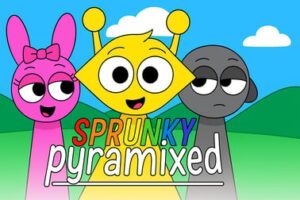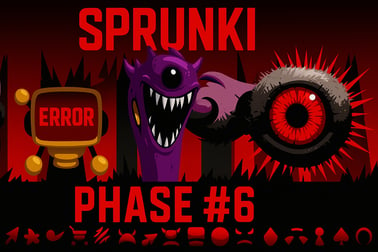
Sprunki Phase 6 lets you drag, drop and mix creepy characters to build unique horror beats right in your browser. Play free online, no download.








Sprunki Phase 6
Overview of Sprunki Phase 6
Sprunki Phase 6 is a spooky twist on the classic browser music mixer formula. This online music creation game lets you drag and drop eerie characters onto the stage to build your own horror-inspired soundtrack. Each character adds a different loop, beat, vocal, or ambient effect, turning the screen into a living, breathing monster band. Whether you're into creepy atmospheres or playful Halloween-style jingles, Sprunki Phase 6 makes it easy to experiment.
Because it runs right in your browser, there's no need to download anything. Just load the page, hit play, and start building your track. The game is designed as a drag and drop music mixer, so kids, teens, and adults can all jump in without any music theory knowledge. It feels like playing with musical stickers you can rearrange endlessly, which is why it's quickly becoming a favorite browser music game for kids and casual players.
The horror theme is present, but it's stylized and cartoonish rather than extreme or graphic. That balance makes Sprunki Phase 6 a great creative sound mixing game for families who enjoy spooky vibes but still want something safe and age-appropriate.
How to Play Sprunki Phase 6
Sprunki Phase 6 is built around very simple rules and systems so you can focus on creativity instead of complicated mechanics. Here's how the core gameplay loop works from the moment you load the game:
Basic Rules & Mechanics
The main goal is to combine different sound characters to create a complete track. You're not scored or timed, so there's no way to "lose"—only to discover new combinations and sounds.
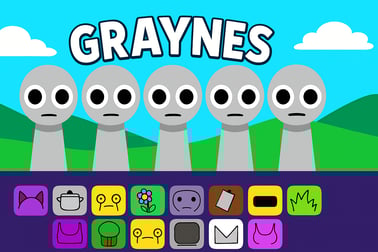
- Choose characters: A row of icons or avatars appears at the bottom or side of the screen. Each represents a sound or loop.
- Drag to stage: Click and drag a character onto the main stage area to activate its sound.
- Layer sounds: Keep adding more characters to stack beats, melodies, effects, and vocals.
- Remove or swap: Click a character on the stage to mute/remove it, or drag a new one into its place to change your mix.
- Discover combos: Certain character combinations can trigger special sequences or more intense horror effects, rewarding experimentation.
This structure is what makes Sprunki Phase 6 a standout online music creation game: there are no wrong moves. Every drop changes the song in real time, so you immediately hear the impact of your choices.
Core Flow of a Session
- Start with a beat: Add one or two rhythm characters to set the tempo.
- Build harmony: Add melodic or chord-based characters to fill out the sound.
- Add horror flavor: Drop in eerie voices, whispers, or ambient noises to get that horror beat making game feel.
- Refine the mix: Swap out anything that sounds too busy or too empty.
- Enjoy the loop: Let your composition play on loop while you tweak details.
Because the music loops automatically, you can fine-tune your soundscape without ever pausing the action.
Sprunki Phase 6 Features
Sprunki Phase 6 may feel simple at first glance, but it hides a surprising amount of depth. Its feature set makes it a flexible horror beat making game that still feels welcoming to beginners and younger players.
Key Features
- Drag and drop interface: The entire game is built as a drag and drop music mixer. Just grab a character, place it on the stage, and your mix changes instantly.
- Unique sound characters: Each avatar has its own sound: percussion, bass, pads, leads, creepy FX, or sinister vocals. Mixing them is like building your own monster band.
- Loop-based system: Sounds loop seamlessly, so tracks feel consistent and rhythmic even when you're experimenting wildly.
- Horror-styled audio design: Reverbs, echoes, distorted voices, and unsettling ambience help you craft horror beats that still stay fun rather than nightmarish.
- Casual and non-competitive: No scores, timers, or pressure. Sprunki Phase 6 is about creativity, not competition.
- Browser-based access: Load it in modern browsers on desktop, laptop, or mobile—no download, no install, no account required on most gaming portals.
- Family-friendly visuals: While the theme is spooky, the art is colorful and stylized, making the game accessible as a browser music game for kids and teens.
This mix of simplicity and depth is why Sprunki Phase 6 stands out among other creative sound mixing games available in your browser today.
Performance & Troubleshooting
Because Sprunki Phase 6 is an HTML5 browser game, performance depends mostly on your device specs and browser. If your horror beat session starts to stutter, these tips can help.
Common Issues & Fixes
- No sound or very low sound:
- Check your system volume and browser tab volume.
- Make sure you haven't muted the site in your browser settings.
- Refresh the page after allowing audio permissions, especially on mobile.
- Lag or stuttering audio:
- Close extra tabs, apps, or heavy downloads running in the background.
- Lower your browser's zoom level to 90% or 80% to reduce load.
- Try a different browser like Chrome, Edge, or Firefox.
- Game won't load:
- Confirm you have a stable internet connection.
- Disable aggressive ad-blockers for the specific game page, then refresh.
- Clear your browser cache and reload the site.
- Mobile issues:
- Rotate your device to landscape mode for a better layout.
- Close other apps before launching the game in your mobile browser.
- Update your browser to the latest version for improved HTML5 support.
If you're playing on a school or shared device and the game doesn't appear, it's possible that gaming or music sites are blocked by a network filter. In that case, you'll need to ask an adult or administrator about access.
Can I Play Sprunki Phase 6 Offline?
Sprunki Phase 6 is designed first and foremost as an online music creation game. On most browser gaming platforms, you need an active internet connection to load and play it.
Offline Play Availability for Sprunki Phase 6
- Standard browser play: Requires internet. The game runs directly from the hosting website, so going offline usually stops it from loading or refreshing correctly.
- App or download versions: Some creators may offer downloadable editions on their own pages, but on typical gaming portals you'll be playing the online HTML5 version only.
- Workaround: If you keep a tab open and your connection drops temporarily, the game may continue playing for a while—but saving or reloading isn't guaranteed.
Because of this, it's best to treat Sprunki Phase 6 as an online-only drag and drop music mixer. Make sure you have a stable connection before you dive into a long horror beat-making session.
How to Play Sprunki Phase 6 Online in Your Browser
Getting into Sprunki Phase 6 takes only a few clicks. It's meant to be quick, casual, and accessible from almost anywhere.
Step-by-Step: Start Your First Session
- Open a modern browser like Chrome, Edge, Firefox, or Safari.
- Go to your favorite game portal that hosts Sprunki Phase 6.
- Wait for the loading bar to reach 100%. This may take a moment on slower connections.
- Press the Play or Start button when it appears on the screen.
- Look at the character bar at the bottom or side of the stage.
- Drag a character onto an empty spot on the stage to hear its sound.
- Keep layering characters until you've built a complete horror beat.
Most versions also let you pause, clear the stage, or restart your mix quickly, so you can reset and try a completely different style whenever inspiration hits.
Why Play Online?
- Instant access: No installation means you can hop in from school, home, or a friend's computer.
- Always updated: The latest version of Sprunki Phase 6 is pushed directly through the site.
- Safe sandbox for kids: Parents can supervise easily because everything happens in one browser tab.
Game Features: Sounds, Characters and Horror Atmosphere
The heart of Sprunki Phase 6 lies in its characters and sound design. Each avatar does more than just look cool—it's a piece of your evolving track.
Sound Palette & Character Types
- Drum and rhythm units: Kicks, snares, hi-hats, and glitchy percussive loops create the backbone of your horror beat.
- Bass and low-end layers: Deep growls or ominous basslines provide weight and tension.
- Melodic leads: Haunting synths, bells, or keys add memorable hooks to your mix.
- Atmospheric FX: Wind, whispers, distant screams, and reversed textures shape the creepy ambience.
- Vocal snippets: Distorted chants or robotic phrases give your track personality.
Because each character loops automatically, stacking them creates a full track that feels polished even if you're just playing around.
Horror Atmosphere Without Going Too Far
Sprunki Phase 6 leans heavily into spooky vibes: dim lighting, glitch effects, eerie color palettes, and unusual character designs. But it keeps the presentation stylized and playful rather than realistic or disturbing.
- Cartoon visuals: Characters look exaggerated, surreal, and stylized instead of gory or graphic.
- Playful tension: The mix of fun beats with creepy details makes it more like a Halloween party than a full horror game.
- Loop-based safety: Short, repeated sound loops prevent jump-scare style surprises that might be too intense for younger players.
This balance makes it ideal as a horror-themed creative sound mixing game for players who love scares but still want a safe, browser-friendly experience.
Tips to Create Spooky Beats and Share Your Mix
Anyone can drag and drop characters, but with a few simple tricks, your tracks will sound more intentional and cinematic.
Practical Horror Beat Tips
- Start minimal: Begin with just one drum character and one bass character. Add more only when you feel something is missing.
- Use silence wisely: Leave at least one slot empty so sounds have room to breathe. Too many characters at once can turn your track into noise.
- Highlight contrast: Pair a bright, playful melody with a dark bass or scary FX to create an unsettling but catchy tune.
- Build in layers: Add rhythm first, then bass, then melody, and finally horror FX and vocals.
- Focus on one "star" sound: Choose one main character to be the focus and build the rest of the mix around it.
Sharing Your Creations
Different sites offer different sharing tools, but here are common ways to show off your Sprunki Phase 6 tracks:
- Screen recording: Use built-in tools (like Windows Game Bar or mobile screen recording) to capture your performance.
- Share links: Some platforms generate a unique link or code for your mix that friends can open and hear.
- Social media posts: Post short clips of your horror beat on platforms that allow video and tag it so other fans can discover your style.
Encourage kids and teens to share only their music and gameplay—no personal details—so they can enjoy the social side of this online music creation game safely.
Sprunki Phase 6 Controls and Device Compatibility
You don't need a controller or specialized hardware to enjoy Sprunki Phase 6. The whole experience is built around simple, intuitive input.
Sprunki Phase 6 Controls
- On PC / Laptop (mouse or trackpad):
- Left-click + drag: Move a character from the bar to the stage.
- Left-click on stage character: Toggle or remove it, depending on the version.
- Buttons on screen: Use on-screen icons for play, pause, reset, or full screen.
- On mobile / tablet (touch controls):
- Tap and hold: Grab a character from the selection area.
- Drag with your finger: Drop the character on the stage.
- Tap characters: Turn them on/off or remove them from the mix.
This click-or-tap setup makes it easy for younger players or people new to music tools to dive in. The interface is visual, so you don't have to memorize keyboard shortcuts.
Device Compatibility
- Desktop & laptop: Works best on modern Windows, macOS, Linux, or Chromebook devices with an up-to-date browser.
- Tablets: Runs smoothly on most iPad and Android tablets, especially in landscape mode.
- Smartphones: Playable on many current iOS and Android phones, though a larger screen makes the drag and drop music mixer easier to control.
For the best experience, keep your browser and operating system updated so Sprunki Phase 6 can use the latest HTML5 improvements.
Safe, Family-Friendly Music Creation for Kids and Teens
Even though the game has a horror theme, Sprunki Phase 6 is built to be approachable and generally family-friendly. That's why it often appears in the Music, Casual, and Kids sections on browser game sites.
Is Sprunki Phase 6 Safe to Play Online?
- No graphic violence: The horror elements are suggested through sound and stylized visuals, not gore.
- No text chat inside the core game: Kids create music without being exposed directly to strangers through in-game messaging.
- Short sessions: Tracks loop quickly, making it easy for parents to set time limits and for kids to take breaks.
Parents and guardians should still supervise younger players, especially when they move from the game screen to comment sections, social media, or external communities related to Sprunki.
Educational and Creative Benefits
- Intro to rhythm and layering: Kids hear how beats, bass, and melodies interact in a fun, hands-on way.
- Encourages experimentation: Because there's no failure state, children feel safe trying wild combinations.
- Promotes focus and listening: Adjusting characters teaches them to listen closely and refine their ideas.
Used mindfully, Sprunki Phase 6 is more than just a horror beat making game—it's a creative playground where kids and teens can explore sound design, composition, and storytelling through music. With its friendly controls and browser-based setup, it's an ideal creative sound mixing game for families looking for a safe, entertaining way to introduce music creation online.
Frequently Asked Questions
What is Sprunki Phase 6?
Sprunki Phase 6 is a browser-based music creation game where you drag and drop animated characters that each play a different sound, letting you build your own spooky songs.
How do I play Sprunki Phase 6?
Use your mouse or touch controls to drag characters onto the stage. Each one adds a beat, melody or effect. Mix and match them, then remove or swap characters to change your track.
Is Sprunki Phase 6 free to play?
Yes, Sprunki Phase 6 is free to play in your browser. There is no download required and you can start creating music instantly online.
Is Sprunki Phase 6 suitable for kids?
Sprunki Phase 6 is designed as a simple, creative music game with cartoon horror themes. It does not require advanced skills and is generally suitable for older kids and teens, with parental guidance if needed.
Can I play Sprunki Phase 6 on mobile devices?
Yes, Sprunki Phase 6 works on most modern mobile browsers. Just open the game page on your phone or tablet and use touch controls to drag and drop the characters.